Adobe InDesign

7,600+ Participants EnrolledOverall rating: 4.9 based on 7,011 reviewsG 4.9/5f 4.9/5
The Adobe InDesign training at WebAsha Technologies in Pune is a hands-on, job-oriented Adobe InDesign program - InDesign is the world's industry-standard tool for page layout, publishing and multi-page documents.

You will master InDesign end to end: the interface and workspace, document setup and master pages, working with text, typography and threaded text frames, grids, columns and layout, placing and managing images and frames, colour, swatches and gradients, paragraph and character styles, tables, multi-page publications (brochures, magazines, books and reports), and exporting print-ready PDFs and interactive/digital documents - all with real layout projects.

Ideal for aspiring designers, publishers and marketers, InDesign is essential for print and publication design. This program also prepares you toward the Adobe Certified Professional in Print & Digital Media Publication using Adobe InDesign. WebAsha's expert trainers, real projects and placement support make you job-ready.
Duration:40 Hrs (Weekdays & Weekend Session)
Mode:Online/Classroom
Certification:Job-Oriented + prepares for Adobe Certified Professional (InDesign)
Institute:WebAsha Technologies, Pune
Includes:Hands-On Labs, Real Projects & Attendance Certificate
Trusted By

1000+ Leading Universities And Companies

Our learners are hired by the world's most respected technology, IT services and consulting brands.

  • Hiring partner
  • Hiring partner
  • Hiring partner
  • Hiring partner
  • Hiring partner
  • Hiring partner
  • Hiring partner
  • Hiring partner
  • Hiring partner
  • Hiring partner
  • Hiring partner
  • Hiring partner
  • Hiring partner
  • Hiring partner
  • Hiring partner
  • Hiring partner
  • Hiring partner
  • Hiring partner
  • Hiring partner
  • Hiring partner
  • Hiring partner
  • Hiring partner
  • Hiring partner
  • Hiring partner
  • Hiring partner
  • Hiring partner
  • Hiring partner
  • Hiring partner
  • Hiring partner
  • Hiring partner
  • Hiring partner
  • Hiring partner
  • Hiring partner
  • Hiring partner
  • Hiring partner
  • Hiring partner
  • Hiring partner
  • Hiring partner
  • Hiring partner
  • Hiring partner
  • Hiring partner
  • Hiring partner
  • Hiring partner
  • Hiring partner
  • Hiring partner
  • Hiring partner
  • Hiring partner
  • Hiring partner
  • Hiring partner
  • Hiring partner
  • Hiring partner
  • Hiring partner
  • Hiring partner
  • Hiring partner
  • Hiring partner
  • Hiring partner
  • Hiring partner
  • Hiring partner
  • Hiring partner
  • Hiring partner
  • Hiring partner
  • Hiring partner
  • Hiring partner
  • Hiring partner
  • Hiring partner
  • Hiring partner
  • Hiring partner
  • Hiring partner
  • Hiring partner
  • Hiring partner
  • Hiring partner
  • Hiring partner
  • Hiring partner
  • Hiring partner
  • Hiring partner
  • Hiring partner
  • Hiring partner
  • Hiring partner
  • Hiring partner
  • Hiring partner
  • Hiring partner
  • Hiring partner
  • Hiring partner
  • Hiring partner
Recent Placements Testimonials

Adobe InDesign Recent Reviews

Hear directly from our learners about how the program transformed their careers.

Verified Reviews

Student Reviews & Success Stories

Real feedback from learners now placed across top technology and consulting firms.

DS

Deepak Singh

Visual Designer · Cognizant

My Adobe InDesign journey with WebAsha gave me exactly the practical depth I was looking for. The syllabus covered design fundamentals, Photoshop, Illustrator and real client-style design projects in real depth rather than skimming the surface. Every topic was reinforced with practical lab assignments instead of just slides. The mock interviews and interview preparation sharpened me for real technical rounds. The trainers are clearly industry experts and answered even my toughest doubts patiently. A couple of sessions felt a little fast, but overall a strong, practical program I recommend.
LinkedIn Review
KT

Karan Trivedi

Visual Designer · Birlasoft

Enrolling in Adobe InDesign at WebAsha is one of the best career decisions I have made. Each module built logically, and the coverage of design fundamentals, Photoshop, Illustrator and real client-style design projects was thorough and current. The cloud labs were available round the clock, so I could practise assignments whenever I had time. Every topic was reinforced with practical lab assignments instead of just slides. This training accelerated my career growth, and I would gladly recommend it to anyone.
Verified Student
AS

Ajay Singh

Graphic Designer

I joined WebAsha for Adobe InDesign to level up my skills, and the experience exceeded my expectations. Each module built logically, and the coverage of design fundamentals, Photoshop, Illustrator and real client-style design projects was thorough and current. The placement assistance team actively shared openings and guided me until I was placed. Live projects gave me the confidence to apply what I learned in a real environment. The batch was slightly large at times, yet the hands-on focus and support made it well worth it.
Verified Student
CG

Chetan Gupta

UI/UX Designer

Completing the Adobe InDesign training at WebAsha was a turning point for me. What impressed me was how the trainers connected design fundamentals, Photoshop, Illustrator and real client-style design projects to actual production use. Hands-on practice on real lab systems built genuine confidence, not just theory. I could choose between online and classroom training, and both were equally well organised. The real-world implementation examples helped me understand how things work on the job. This training accelerated my career growth, and I would gladly recommend it to anyone.
Google Review
AK

Ayaan Kadam

Graphic Designer · Mphasis

I joined WebAsha for Adobe InDesign to level up my skills, and the experience exceeded my expectations. The trainers are clearly industry experts and answered even my toughest doubts patiently. We worked hands-on with design fundamentals, Photoshop, Illustrator and real client-style design projects, which made every concept stick. A big thank you to the trainers and team for such a rewarding learning experience.
Facebook Review
PA

Prasad Agarwal

Visual Designer · Wipro

After comparing a few institutes, I chose WebAsha for Adobe InDesign, and I am glad I did. What impressed me was how the trainers connected design fundamentals, Photoshop, Illustrator and real client-style design projects to actual production use. The learning experience was structured, practical and paced just right for working professionals. A couple of sessions felt a little fast, but overall a strong, practical program I recommend.
Verified Student
MR

Meera Rao

Visual Designer · Wipro

My Adobe InDesign journey with WebAsha gave me exactly the practical depth I was looking for. The course focused on design fundamentals, Photoshop, Illustrator and real client-style design projects through practical, real-world scenarios. I could choose between online and classroom training, and both were equally well organised. The placement assistance team actively shared openings and guided me until I was placed. The knowledge and confidence I gained here continue to help me every day at work.
Verified Student
AK

Aditya Khan

Graphic Designer · TCS

Completing the Adobe InDesign training at WebAsha was a turning point for me. Each module built logically, and the coverage of design fundamentals, Photoshop, Illustrator and real client-style design projects was thorough and current. The trainers are clearly industry experts and answered even my toughest doubts patiently. If you want practical, job-ready skills in Adobe InDesign, WebAsha is the place to be.
LinkedIn Review
AS

Aniket Sharma

UI/UX Designer · Cognizant

I joined WebAsha for Adobe InDesign to level up my skills, and the experience exceeded my expectations. The trainers are clearly industry experts and answered even my toughest doubts patiently. Hands-on practice on real lab systems built genuine confidence, not just theory. What impressed me was how the trainers connected design fundamentals, Photoshop, Illustrator and real client-style design projects to actual production use. The placement assistance team actively shared openings and guided me until I was placed. A big thank you to the trainers and team for such a rewarding learning experience.
Verified Student
KA

Kavita Ansari

Graphic Designer

WebAsha's Adobe InDesign training turned a tough certification into an enjoyable learning experience. Flexible batch timings let me attend alongside my job without any stress. Hands-on practice on real lab systems built genuine confidence, not just theory. Each module built logically, and the coverage of design fundamentals, Photoshop, Illustrator and real client-style design projects was thorough and current. The real-world implementation examples helped me understand how things work on the job. If you want practical, job-ready skills in Adobe InDesign, WebAsha is the place to be.
Google Review
CF

Chetan Fernandes

Graphic Designer

My Adobe InDesign journey with WebAsha gave me exactly the practical depth I was looking for. I could choose between online and classroom training, and both were equally well organised. The syllabus covered design fundamentals, Photoshop, Illustrator and real client-style design projects in real depth rather than skimming the surface. I cleared the certification on my first attempt and highly recommend Adobe InDesign at WebAsha.
Google Review
SP

Sagar Pillai

Graphic Designer · Sopra Steria

After comparing a few institutes, I chose WebAsha for Adobe InDesign, and I am glad I did. The certification preparation and mock tests made the actual exam feel straightforward. The mock interviews and interview preparation sharpened me for real technical rounds. We worked hands-on with design fundamentals, Photoshop, Illustrator and real client-style design projects, which made every concept stick. The knowledge and confidence I gained here continue to help me every day at work.
Verified Student
SD

Sachin Das

UI/UX Designer · Mphasis

WebAsha's Adobe InDesign training turned a tough certification into an enjoyable learning experience. The syllabus covered design fundamentals, Photoshop, Illustrator and real client-style design projects in real depth rather than skimming the surface. The placement assistance team actively shared openings and guided me until I was placed. This training accelerated my career growth, and I would gladly recommend it to anyone.
Google Review
KM

Kiran Mathew

Graphic Designer

I recently finished the Adobe InDesign course at WebAsha Technologies and it was worth every minute. The placement assistance team actively shared openings and guided me until I was placed. Each module built logically, and the coverage of design fundamentals, Photoshop, Illustrator and real client-style design projects was thorough and current. If you want practical, job-ready skills in Adobe InDesign, WebAsha is the place to be.
Google Review
AS

Anjali Singh

Visual Designer · Cognizant

My Adobe InDesign journey with WebAsha gave me exactly the practical depth I was looking for. Each module built logically, and the coverage of design fundamentals, Photoshop, Illustrator and real client-style design projects was thorough and current. The study materials and recorded sessions were detailed and easy to revise from. The trainers are clearly industry experts and answered even my toughest doubts patiently. A couple of sessions felt a little fast, but overall a strong, practical program I recommend.
LinkedIn Review
PN

Pallavi Nair

UI/UX Designer · Infosys

I started out as a Final-Year Student and always wanted a stronger technical career, so I enrolled in the Adobe InDesign program at WebAsha. The placement team actively shared openings and coached me through resume building and every interview. Working on real-world implementations helped me understand exactly how things run on the job. Today I proudly work as a UI/UX Designer at Infosys, and the jump from 3 LPA to 5.5 LPA still feels surreal.
Verified Student
RV

Rahul Verma

Graphic Designer · Vodafone Idea

Coming from a Diploma Graduate background, switching felt risky, but WebAsha's Adobe InDesign course gave me a clear path forward. Working on real-world implementations helped me understand exactly how things run on the job. The placement team actively shared openings and coached me through resume building and every interview. Within a few months I moved from Diploma Graduate to Graphic Designer at Vodafone Idea, and my package grew from 3 LPA to 5.5 LPA.
Verified Student
SN

Sourabh Naik

UI/UX Designer · Coforge

I started out as a Junior Developer and always wanted a stronger technical career, so I enrolled in the Adobe InDesign program at WebAsha. Cloud labs, recorded sessions and after-hours doubt support meant I could learn seriously alongside my job. The hands-on labs and live projects around design fundamentals, Photoshop, Illustrator and real client-style design projects rebuilt my confidence from the ground up. I transitioned into a UI/UX Designer role at Coforge, nearly doubling my salary from 4 LPA to 7.5 LPA.
Verified Student
PC

Pooja Chauhan

Visual Designer · Barclays

My journey began as a Fresher with big ambitions, and the Adobe InDesign program at WebAsha became the turning point. The hands-on labs and live projects around design fundamentals, Photoshop, Illustrator and real client-style design projects rebuilt my confidence from the ground up. I landed a Visual Designer position at Barclays with a strong hike from 6 LPA to 11.5 LPA, and I owe it to WebAsha.
Verified Student
SN

Snehal Naik

Visual Designer · Tech Mahindra

I started out as a Operations Executive and always wanted a stronger technical career, so I enrolled in the Adobe InDesign program at WebAsha. Working on real-world implementations helped me understand exactly how things run on the job. I transitioned into a Visual Designer role at Tech Mahindra, nearly doubling my salary from 2.4 LPA to 4 LPA.
Verified Student
AD

Amol Das

Visual Designer · Accenture

After a few years as a Career Break Returnee, I decided it was time for a real change and joined WebAsha's Adobe InDesign training. The trainers were patient and genuinely industry-experienced, and the practical focus on design fundamentals, Photoshop, Illustrator and real client-style design projects made everything click. The placement team actively shared openings and coached me through resume building and every interview. Today I proudly work as a Visual Designer at Accenture, and the jump from 3.5 LPA to 8 LPA still feels surreal.
Verified Student
DT

Deepak Thomas

Visual Designer · Cisco

Coming from a Help Desk Engineer background, switching felt risky, but WebAsha's Adobe InDesign course gave me a clear path forward. The placement team actively shared openings and coached me through resume building and every interview. Within a few months I moved from Help Desk Engineer to Visual Designer at Cisco, and my package grew from 4 LPA to 8 LPA.
Verified Student
MG

Meera Gaikwad

Visual Designer · Deloitte

I started out as a Junior Developer and always wanted a stronger technical career, so I enrolled in the Adobe InDesign program at WebAsha. Working on real-world implementations helped me understand exactly how things run on the job. Within a few months I moved from Junior Developer to Visual Designer at Deloitte, and my package grew from 4 LPA to 7.5 LPA.
Verified Student
OK

Omkar Khan

UI/UX Designer · Amdocs

I started out as a Sales Executive and always wanted a stronger technical career, so I enrolled in the Adobe InDesign program at WebAsha. The trainers were patient and genuinely industry-experienced, and the practical focus on design fundamentals, Photoshop, Illustrator and real client-style design projects made everything click. Cloud labs, recorded sessions and after-hours doubt support meant I could learn seriously alongside my job. I transitioned into a UI/UX Designer role at Amdocs, nearly doubling my salary from 7 LPA to 15 LPA.
Verified Student
AS

Akshay Sharma

Visual Designer · TCS

After a few years as a B.Sc. Graduate, I decided it was time for a real change and joined WebAsha's Adobe InDesign training. The trainers were patient and genuinely industry-experienced, and the practical focus on design fundamentals, Photoshop, Illustrator and real client-style design projects made everything click. I transitioned into a Visual Designer role at TCS, nearly doubling my salary from 5 LPA to 9.5 LPA.
Verified Student
AS

Ayaan Shaikh

UI/UX Designer · Zensar

After a few years as a Non-IT Professional, I decided it was time for a real change and joined WebAsha's Adobe InDesign training. Cloud labs, recorded sessions and after-hours doubt support meant I could learn seriously alongside my job. The hands-on labs and live projects around design fundamentals, Photoshop, Illustrator and real client-style design projects rebuilt my confidence from the ground up. I transitioned into a UI/UX Designer role at Zensar, nearly doubling my salary from 4.5 LPA to 9 LPA.
Verified Student
AT

Aniket Thomas

UI/UX Designer · Persistent Systems

Coming from a Junior Developer background, switching felt risky, but WebAsha's Adobe InDesign course gave me a clear path forward. The trainers were patient and genuinely industry-experienced, and the practical focus on design fundamentals, Photoshop, Illustrator and real client-style design projects made everything click. The placement team actively shared openings and coached me through resume building and every interview. Today I proudly work as a UI/UX Designer at Persistent Systems, and the jump from 5 LPA to 9 LPA still feels surreal.
Verified Student
DM

Divya Mathew

Visual Designer · DXC Technology

As a Junior Developer, I felt stuck in my growth, so I took the leap and signed up for Adobe InDesign at WebAsha. Working on real-world implementations helped me understand exactly how things run on the job. The placement team actively shared openings and coached me through resume building and every interview. I landed a Visual Designer position at DXC Technology with a strong hike from 4.5 LPA to 8 LPA, and I owe it to WebAsha.
Verified Student
AM

Aarti More

Graphic Designer · Wipro

After a few years as a IT Support Executive, I decided it was time for a real change and joined WebAsha's Adobe InDesign training. The trainers were patient and genuinely industry-experienced, and the practical focus on design fundamentals, Photoshop, Illustrator and real client-style design projects made everything click. The placement team actively shared openings and coached me through resume building and every interview. Within a few months I moved from IT Support Executive to Graphic Designer at Wipro, and my package grew from 7 LPA to 13 LPA.
Verified Student
AS

Aniket Shaikh

Visual Designer · Wipro

My journey began as a Technical Support Associate with big ambitions, and the Adobe InDesign program at WebAsha became the turning point. Working on real-world implementations helped me understand exactly how things run on the job. Cloud labs, recorded sessions and after-hours doubt support meant I could learn seriously alongside my job. Today I proudly work as a Visual Designer at Wipro, and the jump from 7 LPA to 17 LPA still feels surreal.
Verified Student
Career Roadmap

Your Learning To Placement Journey

A structured path that takes you from your first concept to a placed, certified professional.

Step 1 of 8

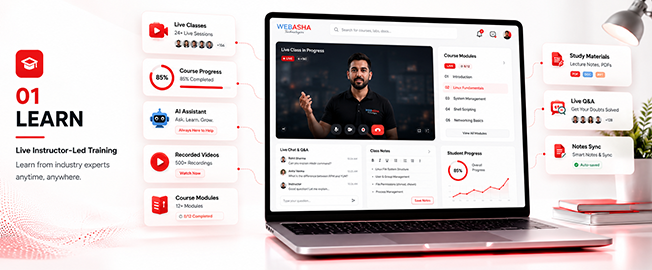
Learn

  • Live instructor-led training
  • Concept-first curriculum
  • Recorded sessions
Foundations & Core Concepts
Learn preview
Training Key Features

Adobe InDesign Training Key Features

Explore the unique benefits of our Adobe InDesign course — designed for foundational success and real-world, job-ready skills.

  • Post Training Support
  • Real Time Projects : 2
  • Certification & Job Assistance
  • Course Duration : 2 Months
  • Hands-on Training
  • Full Day Lab Access

Our Cloud Lab

Adobe InDesign cloud lab environment

Our Classroom Practical Lab

Program Highlights

Discover how WebAsha Technologies empowers learners with top-notch IT training and career-ready skills.

Learning Experience
  • In-Depth Practical Training with Real-World Scenarios
  • Choose Between In-Person or Virtual Classes (Flexible Schedules)
  • Guidance from Seasoned IT Professionals
  • Complimentary Intro to Emerging Tech Topics
  • One-on-One Support for Clarifying Concepts
  • Regular Hands-On Exercises and Live Projects
  • Access to a Library of 150+ Training Videos for a Year
Career Development
  • Tailored Job Placement Support with Multiple Interviews
  • Custom Resume Crafting and Interview Coaching
  • Workshops on Professional Skills and Teamwork
  • Affordable Payment Plans with No Extra Fees
  • Help Preparing for International Certifications
  • Personal Career Guidance from Experts
  • Practice Interviews with Industry Leaders

Why Choose WebAsha Technologies

We deliver career-focused IT training that combines expert mentorship, practical learning, and globally recognized certifications to give you a competitive edge.

Features Recommended
WebAsha Technologies
Other Institutes
Expert Trainers
10+ Years Experienced Industry Professionals
Freshers or Part-time Instructors
Course Curriculum
Updated & Industry-Relevant (Cybersecurity, Cloud, DevOps, Linux, AI/ML)
Basic or Outdated Content
Hands-on Learning
Real Projects, Labs & Case Studies
Theory-Focused, Limited Practical
Certifications
Globally Recognized (EC-Council, OffSec, Red Hat, AWS, Microsoft, etc.)
Generic or Unrecognized Certificates
Placement Support
100% Assistance + Resume & Interview Coaching
Limited or No Job Support
Flexible Learning
Classroom & Online Training Options
Rigid Timings, Mostly Classroom-Only
Learning Resources
Lifetime LMS Access, Study Materials, Recorded Sessions
Minimal or No Additional Resources
Batch Size
Small Groups with 1:1 Mentorship
Large, Crowded Batches

Upcoming Batches & Schedule

Saturday, August 15, 2026

Online / Classroom
Weekend
10:00 AMIST
Enrollment OpenMax intake limit is 10

Monday, August 17, 2026

Online / Classroom
Weekday
8:00 AMIST
Enrollment OpenMax intake limit is 10

Monday, August 17, 2026

Online / Classroom
Weekday
6:30 PMIST
Enrollment OpenMax intake limit is 10

Monday, August 17, 2026

Online / Classroom
Fast Track
11:00 AMIST
Enrollment OpenMax intake limit is 10

Saturday, August 22, 2026

Online / Classroom
Weekend
10:00 AMIST
Enrollment OpenMax intake limit is 10

Monday, August 24, 2026

Online / Classroom
Weekday
8:00 AMIST
Enrollment OpenMax intake limit is 10

Monday, August 24, 2026

Online / Classroom
Weekday
6:30 PMIST
Enrollment OpenMax intake limit is 10

Monday, August 31, 2026

Online / Classroom
Weekday
8:00 AMIST
Enrollment OpenMax intake limit is 10

Monday, August 31, 2026

Online / Classroom
Weekday
6:30 PMIST
Enrollment OpenMax intake limit is 10
Flexible Scheduling

Can't Find a Schedule?

Don't worry — our counsellors will help you arrange a batch that fits your timing.

Course insight 1

Adobe InDesign Course Training Overview

Build job-ready skills with our Classroom and Online Adobe InDesign Training at WebAsha Technologies. It is hands-on, practical and focused on employability.

Training Overview:

is a hands-on, job-oriented program on Adobe InDesign - the industry-standard tool for page layout and publishing. It covers the InDesign interface, documents and master pages, working with text and typography, grids and layout, images and frames, colour and styles, multi-page publications (brochures, magazines, books), and preparing print-ready and digital documents - preparing you for design and publishing roles and the Adobe Certified Professional in Print & Digital Media Publication using InDesign.

Intended Audience:

This course is ideal for aspiring layout and graphic designers, publishers, marketers and DTP professionals who want to master Adobe InDesign for page layout and publishing.

Topics Covered:
  • Interface & Documents: Setup and workspace.
  • Master Pages: Consistent layouts.
  • Text & Typography: Professional type.
  • Grids & Layout: Columns and structure.
  • Images & Frames: Placing artwork.
  • Styles: Paragraph and character styles.
  • Publications: Brochures, magazines, books.
  • Print & Digital Output: Print-ready PDFs.
Requirements:

Basic computer familiarity is recommended. Online participants need a stable internet connection and a laptop/desktop for the live labs.

Pre-Requisites:

No prior experience is required; the program is beginner-friendly and starts from the InDesign basics.

Career Benefits:

InDesign is essential for publishing. In India, InDesign-skilled designers typically earn ₹2.5 LPA to ₹20+ LPA across layout and publication roles.


Certification Path

CategoryTools & Components Covered
SoftwareAdobe InDesign
LayoutMaster pages, grids
TypeTypography, threaded text
ImagesFrames, links
ColourSwatches, gradients
StylesParagraph/character styles
TablesTables and data
OutputPrint-ready PDF, interactive

Curriculum Adobe InDesign

Adobe InDesign - Course Modules

1. Getting Started with InDesign
  • The interface, workspace and tools.
  • Document setup, pages and spreads.
2. Master Pages and Layout
  • Master pages for consistency.
  • Grids, columns, margins and guides.
3. Text and Typography
  • Text frames and threading.
  • Typography, paragraph and character styles.
4. Images and Frames
  • Placing and managing images.
  • Frames, fitting, links and wrapping text.
5. Colour, Styles and Tables
  • Swatches, colour and gradients.
  • Styles for consistency and creating tables.
6. Multi-Page Publications
  • Designing brochures and flyers.
  • Magazines, books and long documents.
7. Print-Ready Output
  • Preflight and packaging.
  • Exporting print-ready PDFs (CMYK, bleed).
8. Digital Documents and Projects
  • Interactive and digital publications.
  • Real layout projects for your portfolio.

Download the Complete Course Syllabus

Get the full curriculum, modules & exam details delivered to you instantly.

Meet Our Expert Trainers

Learn from certified, industry-active Adobe InDesign experts dedicated to practical, real-world training.

  • Simplified Guidance: Break down Linux concepts for beginners.
  • Hands-On Practice: Engage in labs for command-line and admin tasks.
  • Customized Support: Offer one-on-one help for your goals.
  • Career & Lab Aid: Assist with projects and exam prep.
  • Industry Knowledge: Draw from extensive Red Hat experience.
  • Certified Professionals: Hold RHCSA, RHCE credentials.
  • Real-World Application: Insights from enterprise Linux deployments.
  • Training Success: Over 1,000 students guided annually.
  • Corporate Links: Partnerships with IBM, Accenture, Wipro.
Free Skill Assessment

Self Assessment

Learn, grow & test your skills with an online assessment exam to achieve your certification goal.

  • Free mock test
  • Instant score report
  • Certification-aligned
Self assessment

Adobe InDesign - Certification & Career Path

Adobe InDesign is a hands-on, job-oriented program. This Adobe InDesign program is a hands-on, job-oriented course with a WebAsha completion certificate. It builds directly employable page-layout and publishing skills and prepares you toward the Adobe Certified Professional in Print & Digital Media Publication using Adobe InDesign. InDesign is essential for print and publication design. WebAsha Technologies in Pune adds real projects and placement support to advance your design career.

  • Expert Trainers: Learn from working designers.
  • Real Projects: Build a layout portfolio.
  • Complete InDesign: From master pages to publications.
  • Print-Ready Skills: Professional print output.
  • Adobe Certification Path: Prepare for Adobe Certified Professional.
  • Flexible Batches: Weekday/weekend and online/classroom options.
  • Placement Support: Resume building and interviews.
  • Completion Certificate: WebAsha InDesign certificate.

Our Recent Certified Candidates

  • Certified candidate
  • Certified candidate
  • Certified candidate
  • Certified candidate
  • Certified candidate
  • Certified candidate
  • Certified candidate
  • Certified candidate
  • Certified candidate
  • Certified candidate
  • Certified candidate
  • Certified candidate
  • Certified candidate
  • Certified candidate
  • Certified candidate

Adobe InDesign - Certification & Career Path

AttributeDetails
CertificateWebAsha Adobe InDesign Course Completion Certificate
FormatHands-on, job-oriented (real projects)
LevelBeginner to Advanced
Prepares ForDesign and publishing roles; Adobe Certified Professional in Print & Digital Media Publication using InDesign
ToolAdobe InDesign
PrerequisiteNone - beginner-friendly
IncludesReal projects and placement support
ModeOnline / Classroom

Adobe InDesign - Certification & Next Steps

This Adobe InDesign program is a hands-on, job-oriented course with a WebAsha completion certificate. It builds directly employable page-layout and publishing skills and prepares you toward the Adobe Certified Professional in Print & Digital Media Publication using Adobe InDesign. InDesign is essential for print and publication design. WebAsha Technologies in Pune adds real projects and placement support to advance your design career.

Job Roles and Salary Outlook After Adobe InDesign

InDesign skills are essential for layout, publishing and print design, valued across publishing, marketing and media careers in India.

Job Title Primary Responsibilities Average Salary (INR)
Layout / Graphic Designer Design layouts and publications. Fresher: ₹2.5-5 LPA
Experienced: ₹7-16 LPA
Publication Designer Design magazines and books. Fresher: ₹3-6 LPA
Experienced: ₹8-18 LPA
DTP Operator / Designer Prepare print-ready documents. Fresher: ₹2.5-4.5 LPA
Experienced: ₹6-14 LPA
Visual / Brand Designer Design branded collateral. Fresher: ₹3-6 LPA
Experienced: ₹9-20 LPA
Editorial Designer Design editorial layouts. Fresher: ₹3-6 LPA
Experienced: ₹8-18 LPA
Design Freelancer Design layouts for clients. Variable: ₹based on projects

Salaries vary with experience and skill; Adobe InDesign builds practical, job-ready ability.


Career Benefits of Adobe InDesign

Adobe InDesign is the industry standard for layout and publishing - an essential skill for print, editorial and publication design.

  • Job-Oriented: Practical, employability-focused training.
  • Strong Demand: These design and creative skills are in high demand.
  • Attractive Salaries: Skilled professionals earn competitive packages.
  • Hands-On Proof: Real labs and projects.
  • Career Growth: A foundation for design, creative and digital roles.
  • Future-Proof: Design and creative demand keeps rising.

Why Choose Adobe InDesign Training at WebAsha Technologies in Pune

Learn Adobe InDesign with WebAsha Technologies. Our program is hands-on, job-oriented and backed by expert trainers and placement support.

  • Expert Trainers: Learn from working designers.
  • Real Projects: Build a layout portfolio.
  • Complete InDesign: From master pages to publications.
  • Print-Ready Skills: Professional print output.
  • Adobe Certification Path: Prepare for Adobe Certified Professional.
  • Flexible Batches: Weekday/weekend and online/classroom options.
  • Placement Support: Resume building and interviews.
  • Completion Certificate: WebAsha InDesign certificate.

Program Highlights

Why This Program Stands Out

Learning, career, certification and placement benefits — all in one program.

Learning Benefits

  • Structured Curriculum
    Concept-first, job-ready syllabus
  • Hands-On Labs
    Practice every concept live
  • Expert-Led Sessions
    Learn from working professionals

Career Benefits

  • Resume Building
    ATS-friendly, recruiter-ready
  • Mock Interviews
    Real interview simulations
  • Job Referrals
    Access to hiring partner network

Certification Benefits

  • Globally Recognized
    Industry-standard certifications
  • Exam Preparation
    Targeted, exam-focused coaching
  • Practice Tests
    Unlimited mock assessments

Placement Benefits

  • 500+ Hiring Partners
    Active recruiter network
  • Placement Drives
    Regular hiring opportunities
  • Salary Negotiation
    Guidance to maximize offers
Success Stories

Real Career Transformations

From learners to professionals at leading companies — see how careers changed.

PN

Pallavi Nair

UI/UX Designer · Infosys

Final-Year StudentUI/UX Designer
I started out as a Final-Year Student and always wanted a stronger technical career, so I enrolled in the Adobe InDesign program at WebAsha. The placement team actively shared openings and coached me through resume building and every interview. Working on real-world implementations helped me understand exactly how things run on the job. Today I proudly work as a UI/UX Designer at Infosys, and the jump from 3 LPA to 5.5 LPA still feels surreal.
Final-Year Student to UI/UX Designer at Infosys
SN

Sourabh Naik

UI/UX Designer · Coforge

Junior DeveloperUI/UX Designer
I started out as a Junior Developer and always wanted a stronger technical career, so I enrolled in the Adobe InDesign program at WebAsha. Cloud labs, recorded sessions and after-hours doubt support meant I could learn seriously alongside my job. The hands-on labs and live projects around design fundamentals, Photoshop, Illustrator and real client-style design projects rebuilt my confidence from the ground up. I transitioned into a UI/UX Designer role at Coforge, nearly doubling my salary from 4 LPA to 7.5 LPA.
Junior Developer to UI/UX Designer at Coforge
CF

Chetan Fernandes

Graphic Designer

My Adobe InDesign journey with WebAsha gave me exactly the practical depth I was looking for. I could choose between online and classroom training, and both were equally well organised. The syllabus covered design fundamentals, Photoshop, Illustrator and real client-style design projects in real depth rather than skimming the surface. I cleared the certification on my first attempt and highly recommend Adobe InDesign at WebAsha.
Certified Designer
RV

Rahul Verma

Graphic Designer · Vodafone Idea

Diploma GraduateGraphic Designer
Coming from a Diploma Graduate background, switching felt risky, but WebAsha's Adobe InDesign course gave me a clear path forward. Working on real-world implementations helped me understand exactly how things run on the job. The placement team actively shared openings and coached me through resume building and every interview. Within a few months I moved from Diploma Graduate to Graphic Designer at Vodafone Idea, and my package grew from 3 LPA to 5.5 LPA.
From Diploma Graduate to Graphic Designer
PC

Pooja Chauhan

Visual Designer · Barclays

FresherVisual Designer
My journey began as a Fresher with big ambitions, and the Adobe InDesign program at WebAsha became the turning point. The hands-on labs and live projects around design fundamentals, Photoshop, Illustrator and real client-style design projects rebuilt my confidence from the ground up. I landed a Visual Designer position at Barclays with a strong hike from 6 LPA to 11.5 LPA, and I owe it to WebAsha.
Visual Designer at Barclays - a career turnaround
SN

Snehal Naik

Visual Designer · Tech Mahindra

Operations ExecutiveVisual Designer
I started out as a Operations Executive and always wanted a stronger technical career, so I enrolled in the Adobe InDesign program at WebAsha. Working on real-world implementations helped me understand exactly how things run on the job. I transitioned into a Visual Designer role at Tech Mahindra, nearly doubling my salary from 2.4 LPA to 4 LPA.
From Operations Executive to Visual Designer
AD

Amol Das

Visual Designer · Accenture

Career Break ReturneeVisual Designer
After a few years as a Career Break Returnee, I decided it was time for a real change and joined WebAsha's Adobe InDesign training. The trainers were patient and genuinely industry-experienced, and the practical focus on design fundamentals, Photoshop, Illustrator and real client-style design projects made everything click. The placement team actively shared openings and coached me through resume building and every interview. Today I proudly work as a Visual Designer at Accenture, and the jump from 3.5 LPA to 8 LPA still feels surreal.
Visual Designer at Accenture - a career turnaround
DT

Deepak Thomas

Visual Designer · Cisco

Help Desk EngineerVisual Designer
Coming from a Help Desk Engineer background, switching felt risky, but WebAsha's Adobe InDesign course gave me a clear path forward. The placement team actively shared openings and coached me through resume building and every interview. Within a few months I moved from Help Desk Engineer to Visual Designer at Cisco, and my package grew from 4 LPA to 8 LPA.
Visual Designer at Cisco - a career turnaround
MG

Meera Gaikwad

Visual Designer · Deloitte

Junior DeveloperVisual Designer
I started out as a Junior Developer and always wanted a stronger technical career, so I enrolled in the Adobe InDesign program at WebAsha. Working on real-world implementations helped me understand exactly how things run on the job. Within a few months I moved from Junior Developer to Visual Designer at Deloitte, and my package grew from 4 LPA to 7.5 LPA.
Junior Developer to Visual Designer at Deloitte
Quick Summary

Adobe InDesign is a hands-on graphic design training course by WebAsha Technologies, available online and in classroom with live projects, certification prep and placement support. It suits beginners and professionals, runs about 6–12 weeks, and leads to roles such as Graphic Designer, UI/Visual Designer, Brand Designer paying roughly 3.0–18.0 LPA.

Key Takeaways

  • Master graphic design through hands-on, practical training.
  • Learn design principles & typography and adobe photoshop.
  • Work on real-world projects and lab exercises.
  • Earn an industry-recognised certificate.
  • Get placement support for roles paying up to 18.0 LPA.

Adobe InDesign: WebAsha vs Other Options

FeatureWebAsha graphic designSelf-studyGeneric online course
Live instructor-led trainingYesNoSometimes
Hands-on labs & real projectsYesLimitedLimited
Certification exam preparationYesSelf-managedVaries
Doubt-solving & mentorshipYesNoLimited
Placement assistanceYesNoRare
Industry-recognised certificateYesNoVaries

Last updated: 23 June 2026

Adobe InDesign FAQs

Adobe InDesign is a hands-on training program in graphic design. It takes you from fundamentals to job-ready skills through live sessions, lab practice and real projects, with an industry-recognised certificate and placement support.

Aspiring graphic and visual designers Marketing and social-media professionals Freelancers and entrepreneurs Students building a creative portfolio

Interest in visual creativity Basic computer familiarity No prior design experience required

You will build practical skills including design principles & typography, adobe photoshop, adobe illustrator, layout & branding, colour theory and more, applied through hands-on labs and real projects.

The Adobe InDesign syllabus spans graphic design — from core concepts to advanced, job-ready modules, each reinforced with lab exercises and a capstone-style project.

Adobe InDesign typically runs about 6–12 weeks depending on the track (weekday or weekend), plus lab and project time. Fast-track and extended options are available — ask for the current batch schedule.

Adobe InDesign fees depend on the mode (classroom or live-online) and track, and WebAsha Technologies offers flexible / no-cost EMI options. Request the latest fee details and any running offers from the enquiry form.

Both. You can take Adobe InDesign as a live-online program or attend classroom sessions, with the same syllabus, hands-on labs and trainers in either mode.

Yes. Adobe InDesign runs in weekday, weekend and evening batches so students and working professionals can train without disturbing their schedule.

Yes. Adobe InDesign starts from fundamentals so beginners can follow along, while the advanced modules add depth for experienced learners.

Absolutely. Many learners are working professionals — flexible weekend, evening and live-online Adobe InDesign batches let you upskill without a career break.

Yes. Adobe InDesign is project-driven — you practise in real labs and build live projects in graphic design, not just theory, so you finish interview-ready.

After completing Adobe InDesign you can target roles such as Graphic Designer, UI/Visual Designer, Brand Designer, Creative Designer, with senior packages reaching around 18.0 LPA depending on experience and location.

Graphic design roles typically start around 3.0 LPA for freshers and rise to about 18.0 LPA for experienced professionals. Actual packages depend on your skills, role and employer.

Yes. Graphic design skills are in strong, growing demand across IT services, product companies and startups, offering clear career progression and rising salaries for certified professionals.

Trained graphic design professionals are hired by IT-services majors, global capability centres, product companies and startups — organisations across the industry actively recruit for graphic design.

Yes. WebAsha Technologies provides resume building, mock interviews and referrals to hiring partners as part of dedicated placement support. Outcomes depend on your skills and effort.

Adobe InDesign is taught by experienced, industry-certified trainers who bring real project experience into the classroom, so you learn current, job-relevant practices.

Yes. You receive an industry-recognised WebAsha training certificate, and the course also prepares you for the relevant official certification exam.

Yes. Alongside job skills, Adobe InDesign includes structured exam preparation — practice tests and guidance for the recognised graphic design certification employers look for.

Yes — you can book a free demo session for Adobe InDesign to meet the trainer and experience the teaching style before you enroll.

WebAsha combines hands-on labs, certified trainers, live projects, certification prep and dedicated placement support — a practical, job-focused path into graphic design.

Click Enroll Now, request a callback, or message our team on WhatsApp to get the latest batch schedule, fees and available offers.

Keep Exploring

Related Courses

Take The Next Step In Your IT Career

Join thousands of learners who upskilled and got placed with WebAsha Technologies.