Microsoft Azure Virtual Desktop Specialty | AZ-140

Overall rating: 4.9 based on 3,795 reviewsG 4.9/5f 4.9/5
The Microsoft Azure Virtual Desktop Specialty | AZ-140 training at WebAsha Technologies in Pune teaches you to plan, deliver, manage and secure Azure Virtual Desktop (AVD). It is a Microsoft specialty credential for cloud desktops, and the course prepares you for the AZ-140 exam.

You will learn planning and implementing an AVD infrastructure, creating and configuring host pools and session hosts, managing FSLogix user profiles, publishing remote apps and desktops, and managing access, security, backup and monitoring.

The course suits Azure administrators and desktop/virtualization engineers. Passing AZ-140 earns the Azure Virtual Desktop Specialty certification. WebAsha's expert trainers and hands-on labs prepare you for the AZ-140 exam.
Duration:50 Hrs (Weekdays & Weekend Session)
Mode:Online/Classroom
Certification:Microsoft Certified: Azure Virtual Desktop Specialty (AZ-140)
Institute:WebAsha Technologies
Includes:Expert-Led Sessions, Practice Tests & Attendance Certificate
Trusted By

1000+ leading universities and companies

Our learners are hired by technology, IT services and consulting companies.

  • Hiring partner
  • Hiring partner
  • Hiring partner
  • Hiring partner
  • Hiring partner
  • Hiring partner
  • Hiring partner
  • Hiring partner
  • Hiring partner
  • Hiring partner
  • Hiring partner
  • Hiring partner
  • Hiring partner
  • Hiring partner
  • Hiring partner
  • Hiring partner
  • Hiring partner
  • Hiring partner
  • Hiring partner
  • Hiring partner
  • Hiring partner
  • Hiring partner
  • Hiring partner
  • Hiring partner
  • Hiring partner
  • Hiring partner
  • Hiring partner
  • Hiring partner
  • Hiring partner
  • Hiring partner
  • Hiring partner
  • Hiring partner
  • Hiring partner
  • Hiring partner
  • Hiring partner
  • Hiring partner
  • Hiring partner
  • Hiring partner
  • Hiring partner
  • Hiring partner
  • Hiring partner
  • Hiring partner
  • Hiring partner
  • Hiring partner
  • Hiring partner
  • Hiring partner
  • Hiring partner
  • Hiring partner
  • Hiring partner
  • Hiring partner
  • Hiring partner
  • Hiring partner
  • Hiring partner
  • Hiring partner
  • Hiring partner
  • Hiring partner
  • Hiring partner
  • Hiring partner
  • Hiring partner
  • Hiring partner
  • Hiring partner
  • Hiring partner
  • Hiring partner
  • Hiring partner
  • Hiring partner
  • Hiring partner
  • Hiring partner
  • Hiring partner
  • Hiring partner
  • Hiring partner
  • Hiring partner
  • Hiring partner
  • Hiring partner
  • Hiring partner
  • Hiring partner
  • Hiring partner
  • Hiring partner
  • Hiring partner
  • Hiring partner
  • Hiring partner
  • Hiring partner
  • Hiring partner
  • Hiring partner
  • Hiring partner
Recent Placements Testimonials

Microsoft Azure Virtual Desktop Specialty | AZ-140 recent reviews

Our learners talk about how the program changed their careers.

Verified Reviews

Student reviews and success stories

Real feedback from learners now placed across top technology and consulting firms.

rahul-deshmukh.webp

Rahul Deshmukh

Linux Administrator · TCS

“I joined WebAsha as a fresher with zero Linux background. The hands-on labs and instructor support were exceptional. Within 4 months I cleared RHCSA and RHCE and landed a Linux Administrator role at TCS. The real-world lab practice made all the difference in my interviews.”
RHCSA + RHCE Verified Student
sneha-iyer.webp

Sneha Iyer

DevOps Engineer · Wipro

“Coming from a manual testing background, the DevOps program was a game-changer. The real CI/CD pipelines and Kubernetes labs gave me production-ready skills. I more than doubled my package and joined Wipro as a DevOps Engineer within five months of finishing the course.”
Docker + Kubernetes Verified Student
arjun-nair.webp

Arjun Nair

Penetration Tester · IBM

“OSCP preparation was intense, but the lab access and red-team scenarios were unmatched. I went from a fresher to a Penetration Tester at IBM in under a year. WebAsha's mentors pushed me to think like an attacker and the placement team did the rest.”
OSCP+ Verified Student
meera-joshi.webp

Meera Joshi

Cloud Engineer · Infosys

“WebAsha's AWS training is incredibly hands-on — real cloud labs, live projects, and a placement team that genuinely cares. I transitioned from a support role to a Cloud Engineer at Infosys with a huge salary jump and a globally recognised certification.”
AWS Solutions Architect Verified Student
sahil-khan.webp

Sahil Khan

Security Analyst · Capgemini

“The CEH v13 AI course covered everything from fundamentals to advanced AI-driven attacks. I cleared the exam on my first attempt and landed a SOC Analyst role at Capgemini. The scenario-based labs made all the difference in interviews.”
CEH v13 AI Verified Student
priya-kulkarni.webp

Priya Kulkarni

Cloud Engineer · Infosys

“The AWS training at WebAsha is incredibly practical. Trainers are certified professionals with real enterprise experience. The placement team helped me get into Infosys as a Cloud Engineer.”
AWS Solutions Architect Google Review
nikhil-more.webp

Nikhil More

Security Analyst · Capgemini

“Best ethical hacking training in Pune. The CEH course covered everything from fundamentals to advanced AI-driven attacks. Cleared the exam in first attempt and now work as a SOC Analyst.”
CEH v13 AI LinkedIn Review
sneha-patil.webp

Sneha Patil

DevOps Engineer · Wipro

“The DevOps program is structured beautifully. Real CI/CD pipelines, Kubernetes clusters, and GitOps workflows. The CKA certification opened doors for me at Wipro.”
Docker + Kubernetes Google Review
amit-sharma.webp

Amit Sharma

Penetration Tester · IBM

“OSCP preparation here is brutal but rewarding. The lab access and red-team scenarios prepared me well. Now I'm a Penetration Tester at IBM.”
OSCP+ LinkedIn Review
Career Roadmap

From your first class to placement

A step-by-step path from your first lesson to certification and a job offer.

Step 1 of 8

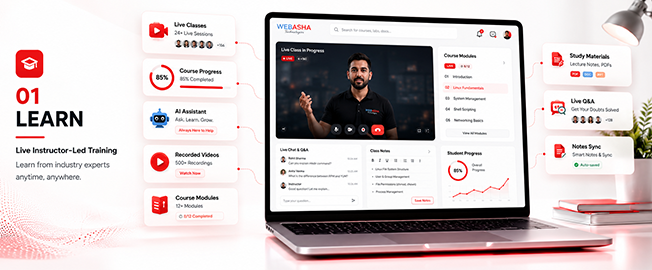
Learn

  • Live instructor-led training
  • Concept-first curriculum
  • Recorded sessions
Foundations & Core Concepts
Learn preview
Training Key Features

Microsoft Azure Virtual Desktop Specialty | AZ-140 training key features

What you get from our Microsoft Azure Virtual Desktop Specialty | AZ-140 course: a solid foundation in the basics and real-world, skills you can use at work.

  • Post Training Support

  • Real Time Projects : 2

  • Certification & Job Assistance

  • Course Duration : 2 Months

  • Hands-on Training

  • Full Day Lab Access

Our cloud lab

Microsoft Azure Virtual Desktop Specialty | AZ-140 cloud lab environment

Our Pune classroom practical lab

Program highlights

What learners get at WebAsha Technologies: practical IT training and the skills employers hire for.

Learning Experience

  • In-Depth Practical Training with Real-World Scenarios
  • Choose Between In-Person or Virtual Classes (Flexible Schedules)
  • Guidance from Seasoned IT Professionals
  • Complimentary Intro to Emerging Tech Topics
  • One-on-One Support for Clarifying Concepts
  • Regular Hands-On Exercises and Live Projects
  • Access to a Library of 150+ Training Videos for a Year

Career Development

  • Tailored Job Placement Support with Multiple Interviews
  • Custom Resume Crafting and Interview Coaching
  • Workshops on Professional Skills and Teamwork
  • Affordable Payment Plans with No Extra Fees
  • Help Preparing for International Certifications
  • Personal Career Guidance from Experts
  • Practice Interviews with Industry Leaders

Why choose WebAsha Technologies

Career-focused IT training with expert mentors, practical labs and vendor certifications, so you stand out when you apply for jobs.

Features Recommended
WebAsha Technologies
Other Institutes
Expert Trainers
10+ Years Experienced Industry Professionals
Freshers or Part-time Instructors
Course Curriculum
Updated for Current Tools (Cybersecurity, Cloud, DevOps, Linux, AI/ML)
Basic or Outdated Content
Hands-on Learning
Real Projects, Labs & Case Studies
Theory-Focused, Limited Practical
Certifications
Vendor-Issued (EC-Council, OffSec, Red Hat, AWS, Microsoft, etc.)
Generic or Unrecognized Certificates
Placement Support
100% Assistance + Resume & Interview Coaching
Limited or No Job Support
Flexible Learning
Classroom & Online Training Options
Rigid Timings, Mostly Classroom-Only
Learning Resources
Lifetime LMS Access, Study Materials, Recorded Sessions
Minimal or No Additional Resources
Batch Size
Small Groups with 1:1 Mentorship
Large, Crowded Batches

Upcoming batches & schedule

Wednesday, November 25, 2026

Online / Classroom
Weekday
6:30 PMIST
Enrollment Closed
Enrollment Closed

Saturday, November 28, 2026

Online / Classroom
Weekend
10:00 AMIST
Enrollment OpenMax intake limit is 10

Wednesday, December 2, 2026

Online / Classroom
Weekday
6:30 PMIST
Enrollment OpenMax intake limit is 10

Wednesday, December 9, 2026

Online / Classroom
Weekday
8:00 AMIST
Enrollment OpenMax intake limit is 10
Flexible Scheduling

Can't find a schedule that works?

Our counsellors can help you arrange a batch that fits your timing.

Course insight 1Course insight 2

Microsoft Azure Virtual Desktop Specialty | AZ-140 Course Training Overview

Prepare for AZ-140 with our Classroom and Online Microsoft Azure Virtual Desktop Specialty Training at WebAsha Technologies. The sessions follow the skills Microsoft measures in the Azure Virtual Desktop Specialty exam.

Training Overview:

AZ-140 tests whether you can plan, deliver, manage and secure virtual desktop experiences and remote apps on Microsoft Azure with Azure Virtual Desktop (AVD). Its four skill areas are AVD infrastructure (networking, storage, host pools, session hosts and images), identity and security, user environments and apps (including FSLogix profiles), and monitoring and maintenance. The course prepares you for the AZ-140 exam.

Intended Audience:

This course is for Azure administrators, virtualization engineers and end-user-computing engineers who deliver and manage Azure Virtual Desktop.

Topics Covered:

  • AVD Planning: Networking, storage and host pool architecture.
  • Host Pools: Create and configure host pools in the portal or with scripts and templates.
  • Session Hosts: Deploy session hosts and manage their images.
  • FSLogix Profiles: Profile Containers, ODFC containers and Cloud Cache.
  • App Publishing: Application groups, RemoteApp and App attach.
  • Access & Security: Identity, Azure RBAC, Conditional Access and Microsoft Defender.
  • Backup & DR: Backup, disaster recovery and multi-region planning.
  • Monitoring: Azure Monitor, Azure Virtual Desktop Insights and autoscaling.

Requirements:

Online participants need a stable internet connection and a laptop or desktop. The programme includes trainer-led sessions and practice tests.

Pre-Requisites:

Azure administration experience is recommended, and Azure Administrator (AZ-104) knowledge helps before AZ-140. Microsoft expects experience with Azure compute, networking, identity, storage and resiliency.

Career Benefits:

AVD is a specialist skill. In India, AZ-140 holders typically earn ₹5 LPA to ₹28+ LPA.

Certification path

CategoryTools & Components Covered
AVDAzure Virtual Desktop
ProfilesFSLogix
ImagesCustom images, Azure Compute Gallery
IdentityMicrosoft Entra ID
NetworkingVirtual networks and connectivity
SecurityConditional Access, Azure RBAC
BackupAzure Backup
MonitoringAzure Monitor, Log Analytics

Curriculum Microsoft Azure Virtual Desktop Specialty | AZ-140

Microsoft Azure Virtual Desktop Specialty (AZ-140): 4 skill areas

1. Plan and implement an Azure Virtual Desktop infrastructure (40-45%)

This is the largest area of the exam. It covers networking, storage for user data, host pools, session hosts and session host images.

  • Plan, implement and manage networking: network capacity, session host network design, RDP Shortpath, RDP Multipath, quality of service (QoS) policies and Azure Private Link
  • Plan and implement storage for user data: storage for FSLogix components, storage accounts, file shares and Azure NetApp Files
  • Plan host pools and session hosts: resource groups and subscriptions, operating system, licensing model, host pool architecture, performance and capacity
  • Implement host pools and session hosts with the Azure portal, PowerShell, Azure CLI, ARM templates and Bicep files, and configure licensing
  • Create and manage session host images: manual images, Azure VM Image Builder, updates and lifecycle management, and Azure Compute Gallery
2. Plan and implement identity and security (15-20%)

You choose an identity scenario for Azure Virtual Desktop, control who can connect and how they sign in, and protect the session hosts.

  • Select an identity scenario: Active Directory Domain Services (AD DS), Microsoft Entra ID or Microsoft Entra Domain Services
  • Plan and implement Azure RBAC, Microsoft Entra Conditional Access policies and Microsoft Entra single sign-on
  • Plan and implement authentication options, including passwordless, smart card and multifactor authentication
  • Secure session hosts with Microsoft Defender for Cloud, Microsoft Defender Antivirus and Microsoft Defender for Endpoint
  • Manage network security with user defined routes, network security groups and Azure Firewall, and use Azure Bastion or just-in-time VM access for administration
3. Plan and implement user environments and apps (20-25%)

FSLogix, client and user experience settings, and application delivery are assessed here.

  • Plan and implement FSLogix: Profile Containers, ODFC containers, Cloud Cache and application masking
  • Choose, deploy and troubleshoot Azure Virtual Desktop clients
  • Configure device and multimedia redirection, printing and Universal Print, RDP properties, session timeouts and Start VM on Connect
  • Create and configure application groups, assign users and publish an application as a RemoteApp
  • Implement Microsoft 365 Apps, OneDrive, Microsoft Teams and browsers on session hosts, and deliver applications with App attach
4. Monitor and maintain an Azure Virtual Desktop infrastructure (10-15%)

The final area covers monitoring the service and keeping it updated, backed up and recoverable.

  • Configure log collection and analysis for session hosts, and monitor with Azure Monitor and Azure Virtual Desktop Insights workbooks
  • Optimise session host capacity and performance, and implement autoscaling in host pools
  • Monitor and manage active sessions and application groups
  • Recommend an update strategy for session hosts
  • Plan and implement disaster recovery, multi-region implementation and backup, including backup and restore for FSLogix user profiles, personal desktops and images

WebAsha exam practice: this is a WebAsha addition to the Microsoft outline. We close the course with AZ-140 practice questions and full mock exams. The outline above follows Microsoft's skills measured as of 20 July 2026.

Download the complete course syllabus

Get the full curriculum, modules & exam details delivered to you instantly.

Meet our expert trainers

Learn from certified Microsoft Azure Virtual Desktop Specialty | AZ-140 experts who work in the industry and teach with practical, real-world examples.

  • Simplified Guidance: Break down Linux concepts for beginners.
  • Hands-On Practice: Engage in labs for command-line and admin tasks.
  • Customized Support: Offer one-on-one help for your goals.
  • Career & Lab Aid: Assist with projects and exam prep.
  • Industry Knowledge: Draw from extensive Red Hat experience.
  • Certified Professionals: Hold RHCSA, RHCE credentials.
  • Real-World Application: Insights from enterprise Linux deployments.
  • Training Success: Over 1,000 students guided annually.
  • Corporate Links: Partnerships with IBM, Accenture, Wipro.
Free Skill Assessment

Self assessment

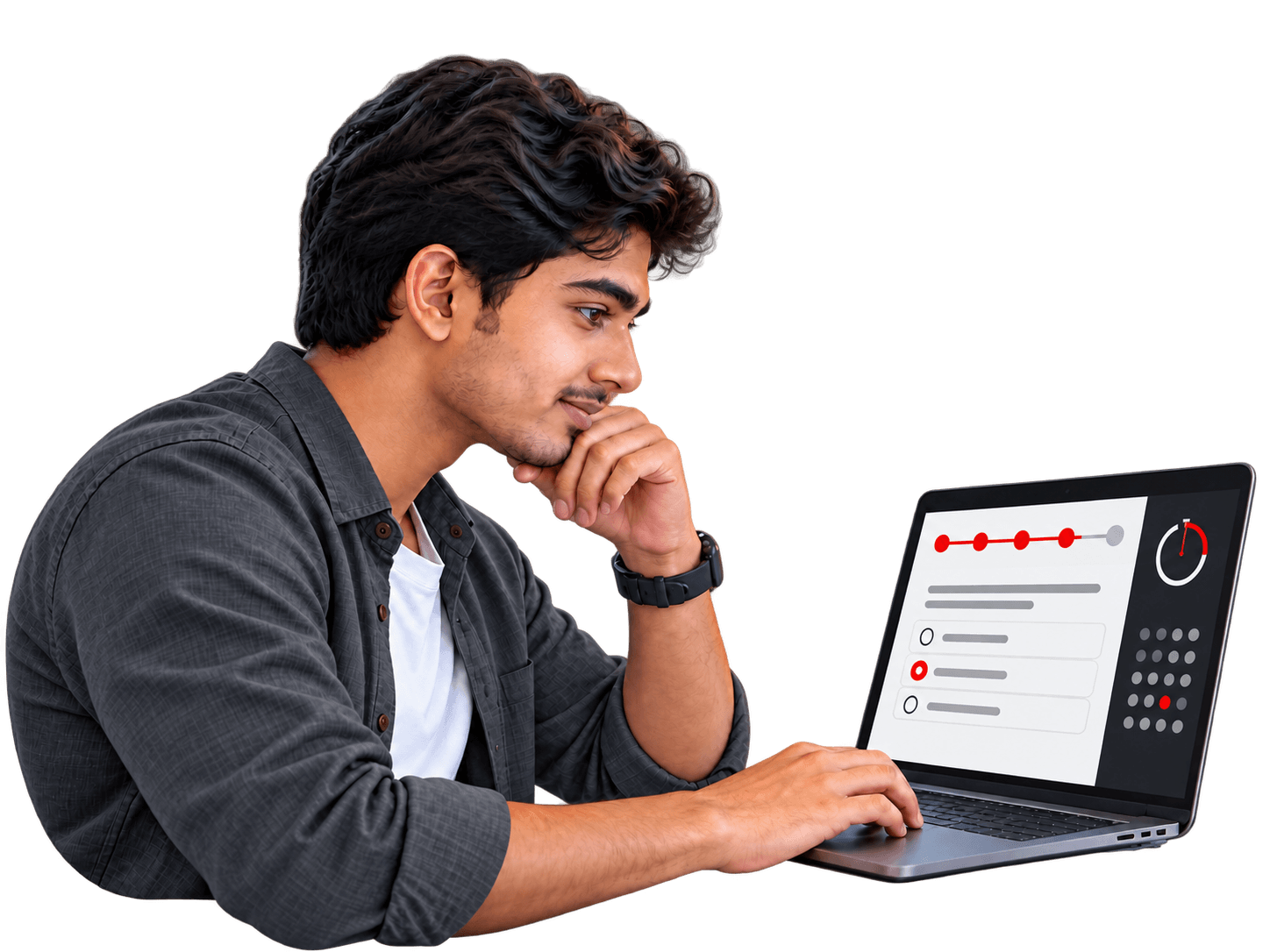
Test your skills with an online assessment exam and find out how ready you are for your certification.

  • Free mock test
  • Instant score report
  • Mapped to the certification
Learner taking an online skills assessment

Microsoft Azure Virtual Desktop Specialty | AZ-140 Certification Bootcamp

AZ-140 is the exam for Microsoft's Azure Virtual Desktop Specialty certification. It gives you 100 minutes of exam time (120 minutes of seat time) and needs 700 of 1000 to pass. Microsoft says most of its exams have 40-60 questions.

  • Expert Trainers: Your trainers are AVD engineers.
  • Complete AZ-140 Coverage: Host pools, FSLogix, apps, identity, security and monitoring.
  • Hands-On AVD Labs: Set up Azure Virtual Desktop yourself in the labs.
  • Specialty Skill: End-user computing on Azure.
  • Exam Practice: Full-length mock exams.
  • Flexible Batches: Weekday or weekend, online or in the classroom.
  • Career Support: Help with your resume and placement assistance.
  • Microsoft Specialty: An Azure specialty credential.

Microsoft Azure Virtual Desktop Specialty Exam Details & Format

AttributeDetails
Exam NameConfiguring and Operating Microsoft Azure Virtual Desktop
Exam CodeAZ-140
Number of QuestionsNot published for AZ-140. Microsoft says most of its exams have 40-60 questions, and case studies are one of its question types
Exam Duration100 minutes of exam time (120 minutes of seat time)
Passing Score700 of 1000
LevelIntermediate (specialty certification)
CertificationAzure Virtual Desktop Specialty
Recommended PrepAzure administration experience with compute, networking, identity, storage and resiliency
RenewalEvery 12 months, through a free online assessment on Microsoft Learn
Exam ModeProctored exam, scheduled through Pearson VUE

Microsoft Azure Virtual Desktop Specialty Exam Passing Criteria

The Microsoft Azure Virtual Desktop Specialty (AZ-140) exam gives you 100 minutes of exam time (120 minutes of seat time), and you need a score of 700 out of 1000 to pass. Microsoft does not publish a question count for AZ-140. It says most of its exams have 40-60 questions, and case studies are one of the question types. The exam tests whether you can plan, deliver, manage and secure Azure Virtual Desktop, and passing it earns the Azure Virtual Desktop Specialty certification. WebAsha Technologies in Pune prepares you with hands-on AVD labs and full mock exams.

Job Roles and Salary Outlook After Microsoft Azure Virtual Desktop Specialty

Virtual desktop and end-user computing on Azure is a specialist area with steady demand across India's IT industry.

Job Title Primary Responsibilities Average Salary (INR)
AVD Engineer Delivers Azure Virtual Desktop. Fresher: ₹5-9 LPA
Experienced: ₹14-28 LPA
Azure Administrator (AVD) Manages AVD environments. Fresher: ₹5-8 LPA
Experienced: ₹13-26 LPA
Virtualization Engineer Delivers virtual desktops. Fresher: ₹5-8 LPA
Experienced: ₹13-26 LPA
End-User Computing Engineer Manages end-user computing. Fresher: ₹5-8 LPA
Experienced: ₹13-24 LPA
Cloud Engineer Builds cloud desktops. Fresher: ₹5-9 LPA
Experienced: ₹14-28 LPA
Infrastructure Engineer Operates AVD infrastructure. Fresher: ₹5-8 LPA
Experienced: ₹13-26 LPA

Salaries vary with experience and role. Microsoft Azure Virtual Desktop Specialty helps you move into these roles.


Career Benefits of Microsoft Azure Virtual Desktop Specialty

The Azure Virtual Desktop Specialty (AZ-140) shows that you can plan, deliver and secure Azure Virtual Desktop, a specialist area of end-user computing.

  • Microsoft Credential: A specialty certification issued by Microsoft.
  • Steady Demand: Indian IT companies hire steadily for virtual desktop and end-user computing work.
  • Salaries: Typical packages for these roles are listed in the salary section of this page.
  • Career Growth: The skills lead towards senior and specialised roles in cloud and infrastructure teams.
  • Employer Familiarity: Microsoft certifications are known to employers in India and abroad.
  • Kept Current: The certification is renewed every 12 months, and Microsoft last updated the exam outline on 20 July 2026.

Why Choose Microsoft Azure Virtual Desktop Specialty Training at WebAsha Technologies in Pune

Prepare for Microsoft Azure Virtual Desktop Specialty with WebAsha Technologies. Our programme follows Microsoft's AZ-140 skills outline and includes trainer-led sessions and practice tests.

  • Expert Trainers: Your trainers are AVD engineers.
  • Complete AZ-140 Coverage: Host pools, FSLogix, apps, identity, security and monitoring.
  • Hands-On AVD Labs: Set up Azure Virtual Desktop yourself in the labs.
  • Specialty Skill: End-user computing on Azure.
  • Exam Practice: Full-length mock exams.
  • Flexible Batches: Weekday or weekend, online or in the classroom.
  • Career Support: Help with your resume and placement assistance.
  • Microsoft Specialty: An Azure specialty credential.

Program Highlights

What the program includes

Learning, career, certification and placement support in one program.

Learning benefits

  • Structured Curriculum
    Concept-first, job-ready syllabus
  • Hands-On Labs
    Practice every concept live
  • Expert-Led Sessions
    Learn from working professionals

Career benefits

  • Resume Building
    ATS-friendly, recruiter-ready
  • Mock Interviews
    Real interview simulations
  • Job Referrals
    Access to hiring partner network

Certification benefits

  • Globally Recognized
    Industry-standard certifications
  • Exam Preparation
    Targeted, exam-focused coaching
  • Practice Tests
    Unlimited mock assessments

Placement benefits

  • 500+ Hiring Partners
    Active recruiter network
  • Placement Drives
    Regular hiring opportunities
  • Salary Negotiation
    Guidance to maximize offers
Success Stories

Placement success stories

Starting your first IT job or changing direction? Explore the career paths below and think about what you want from your next role. Our team can help you plan the training and preparation to work towards it.

meera-joshi.webp

Meera Joshi

Cloud Engineer · Infosys

Technical SupportCloud Engineer
“WebAsha's AWS training is incredibly hands-on — real cloud labs, live projects, and a placement team that genuinely cares. I transitioned from a support role to a Cloud Engineer at Infosys with a huge salary jump and a globally recognised certification.”
AWS Solutions Architect AWS
sanjana-naik.webp

Sanjana Naik

Azure Administrator · Mphasis

“I recently finished the AZ-500 Microsoft Azure Security Technologies course at WebAsha Technologies and it was worth every minute. The syllabus covered core Microsoft Azure services, identity, virtual networks and resource management in real depth rather than skimming the surface. Doubt-clearing sessions ran even after class hours, which I really appreciated. If you want practical, job-ready skills in AZ-500 Microsoft Azure Security Technologies, WebAsha is the place to be.”
Microsoft Certified
deepak-naik.webp

Deepak Naik

Cloud Consultant · Oracle

“After comparing a few institutes, I chose WebAsha for AZ 305 Designing Microsoft Azure Infrastructure Solutions, and I am glad I did. What impressed me was how the trainers connected core Microsoft Azure services, identity, virtual networks and resource management to actual production use. Doubt-clearing sessions ran even after class hours, which I really appreciated. If you want practical, job-ready skills in AZ 305 Designing Microsoft Azure Infrastructure Solutions, WebAsha is the place to be.”
Microsoft Certified
kajal-sharma.webp

Kajal Sharma

Cloud Consultant · Amdocs

Desktop Support EngineerCloud Consultant
“I started out as a Desktop Support Engineer and always wanted a stronger technical career, so I enrolled in the AZ 400: Designing and Implementing Microsoft DevOps Solutions program at WebAsha. Working on real-world implementations helped me understand exactly how things run on the job. I landed a Cloud Consultant position at Amdocs with a strong hike from 4.5 LPA to 8 LPA, and I owe it to WebAsha.”
From Desktop Support Engineer to Cloud Consultant
SN

Sandeep Naidu

Cloud Engineer · Oracle

Non-IT ProfessionalCloud Engineer
“My journey began as a Non-IT Professional with big ambitions, and the AZ 400: Designing and Implementing Microsoft DevOps Solutions program at WebAsha became the turning point. The trainers were patient and genuinely industry-experienced, and the practical focus on core Microsoft Azure services, identity, virtual networks and resource management made everything click. The placement team actively shared openings and coached me through resume building and every interview. I transitioned into a Cloud Engineer role at Oracle, nearly doubling my salary from 6 LPA to 13 LPA.”
Non-IT Professional to Cloud Engineer at Oracle
AP

Aarti Pillai

Azure Administrator · TCS

Sales ExecutiveAzure Administrator
“I started out as a Sales Executive and always wanted a stronger technical career, so I enrolled in the AZ 400: Designing and Implementing Microsoft DevOps Solutions program at WebAsha. The placement team actively shared openings and coached me through resume building and every interview. Today I proudly work as a Azure Administrator at TCS, and the jump from 2.4 LPA to 4.5 LPA still feels surreal.”
Sales Executive to Azure Administrator at TCS
MS

Manish Sharma

Azure Administrator · Oracle

Operations ExecutiveAzure Administrator
“My journey began as a Operations Executive with big ambitions, and the AZ-500 Microsoft Azure Security Technologies program at WebAsha became the turning point. The hands-on labs and live projects around core Microsoft Azure services, identity, virtual networks and resource management rebuilt my confidence from the ground up. The trainers were patient and genuinely industry-experienced, and the practical focus on core Microsoft Azure services, identity, virtual networks and resource management made everything click. Within a few months I moved from Operations Executive to Azure Administrator at Oracle, and my package grew from 5 LPA to 10.5 LPA.”
My journey: Operations Executive to Azure Administrator
sandeep-deshmukh.webp

Sandeep Deshmukh

Cloud Engineer · JPMorgan

Manual TesterCloud Engineer
“My journey began as a Manual Tester with big ambitions, and the AZ-500 Microsoft Azure Security Technologies program at WebAsha became the turning point. The trainers were patient and genuinely industry-experienced, and the practical focus on core Microsoft Azure services, identity, virtual networks and resource management made everything click. The placement team actively shared openings and coached me through resume building and every interview. Within a few months I moved from Manual Tester to Cloud Engineer at JPMorgan, and my package grew from 7 LPA to 16.5 LPA.”
My journey: Manual Tester to Cloud Engineer
ishita-naidu.webp

Ishita Naidu

Azure Administrator · NTT Data

FresherAzure Administrator
“I started out as a Fresher and always wanted a stronger technical career, so I enrolled in the AZ-500 Microsoft Azure Security Technologies program at WebAsha. The hands-on labs and live projects around core Microsoft Azure services, identity, virtual networks and resource management rebuilt my confidence from the ground up. I landed a Azure Administrator position at NTT Data with a strong hike from 3 LPA to 6 LPA, and I owe it to WebAsha.”
How I became a Azure Administrator with WebAsha
Quick Summary

Microsoft Azure Virtual Desktop Specialty | AZ-140 is a hands-on Microsoft Azure cloud computing training course by WebAsha Technologies, available online and in classroom with live projects, certification prep and placement support. It suits beginners and professionals, runs about 6 to 12 weeks, and leads to roles such as Azure Cloud Engineer, Azure Administrator, Azure Solutions Architect paying roughly 4.0 to 28.0 LPA.
Key takeaways

  • Master Azure cloud through hands-on, practical training.
  • Learn azure compute, storage & networking and azure active directory & identity.
  • Work on real-world projects and lab exercises.
  • Earn an industry-recognised certificate.
  • Get placement support for roles paying up to 28.0 LPA.
Microsoft Azure Virtual Desktop Specialty | AZ-140: WebAsha vs other options

FeatureWebAsha Azure cloudSelf-studyGeneric online course
Live instructor-led trainingYesNoSometimes
Hands-on labs & real projectsYesLimitedLimited
Certification exam preparationYesSelf-managedVaries
Doubt-solving & mentorshipYesNoLimited
Placement assistanceYesNoRare
Industry-recognised certificateYesNoVaries

Last updated: 8 July 2026

Microsoft Azure Virtual Desktop Specialty | AZ-140 FAQs

Microsoft Azure Virtual Desktop Specialty | AZ-140 is a hands-on training program in Microsoft Azure cloud computing. It takes you from fundamentals to working skills through live sessions, lab practice and real projects, with an industry-recognised certificate and placement support.
IT admins adopting Microsoft cloud System administrators Developers on the Microsoft stack Freshers targeting a cloud career

Basic IT and networking concepts Familiarity with virtualization is helpful No prior cloud experience required

You will build practical skills including azure compute, storage & networking, azure active directory & identity, arm templates & automation, azure security & governance, monitoring & cost management and more, applied through hands-on labs and real projects.

The Microsoft Azure Virtual Desktop Specialty | AZ-140 syllabus spans Microsoft Azure cloud computing, from core concepts to advanced modules, each reinforced with lab exercises and a capstone-style project.

Microsoft Azure Virtual Desktop Specialty | AZ-140 typically runs about 6 to 12 weeks depending on the track (weekday or weekend), plus lab and project time. Fast-track and extended options are available. Ask for the current batch schedule.

Microsoft Azure Virtual Desktop Specialty | AZ-140 fees depend on the mode (classroom or live-online) and track, and WebAsha Technologies offers flexible / no-cost EMI options. Request the latest fee details and any running offers from the enquiry form.

Both. You can take Microsoft Azure Virtual Desktop Specialty | AZ-140 as a live-online program or attend classroom sessions, with the same syllabus, hands-on labs and trainers in either mode.

Yes. Microsoft Azure Virtual Desktop Specialty | AZ-140 runs in weekday, weekend and evening batches so students and working professionals can train without disturbing their schedule.

Yes. Microsoft Azure Virtual Desktop Specialty | AZ-140 starts from fundamentals so beginners can follow along, while the advanced modules add depth for experienced learners.

Absolutely. Many learners are working professionals. Flexible weekend, evening and live-online Microsoft Azure Virtual Desktop Specialty | AZ-140 batches let you upskill without a career break.

Yes. Microsoft Azure Virtual Desktop Specialty | AZ-140 is project-driven. You practise in real labs and build live projects in Microsoft Azure cloud computing alongside the theory, so you finish interview-ready.

After completing Microsoft Azure Virtual Desktop Specialty | AZ-140 you can target roles such as Azure Cloud Engineer, Azure Administrator, Azure Solutions Architect, Cloud DevOps Engineer, with senior packages reaching around 28.0 LPA depending on experience and location.

Microsoft azure cloud computing roles typically start around 4.0 LPA for freshers and rise to about 28.0 LPA for experienced professionals. Actual packages depend on your skills, role and employer.

Yes. Microsoft azure cloud computing skills are in strong, growing demand across IT services, product companies and startups, offering clear career progression and rising salaries for certified professionals.

Trained Azure cloud professionals are hired by IT-services majors, global capability centres, product companies and startups. Organisations across the industry actively recruit for Microsoft Azure cloud computing.

Yes. WebAsha Technologies provides resume building, mock interviews and referrals to hiring partners as part of dedicated placement support. Outcomes depend on your skills and effort.

Microsoft Azure Virtual Desktop Specialty | AZ-140 is taught by experienced, industry-certified trainers who bring real project experience into the classroom, so you learn current, job-relevant practices.

Yes. You receive an industry-recognised WebAsha training certificate, and the course also prepares you for the relevant official certification exam.

Yes. Alongside job skills, Microsoft Azure Virtual Desktop Specialty | AZ-140 includes structured exam preparation, with practice tests and guidance for the recognised Azure cloud certification employers look for.

Yes. You can book a free demo session for Microsoft Azure Virtual Desktop Specialty | AZ-140 to meet the trainer and experience the teaching style before you enroll.

WebAsha combines hands-on labs, certified trainers, live projects, certification prep and dedicated placement support. It is a practical, job-focused route into Microsoft Azure cloud computing.

Click Enroll Now, request a callback, or message our team on WhatsApp to get the latest batch schedule, fees and available offers.

Keep Exploring

Related courses

Take the next step in your IT career

Join thousands of learners who upskilled and got placed with WebAsha Technologies.