Computer Hardware & Maintenance

Overall rating: 4.9 based on 3,795 reviewsG 4.9/5f 4.9/5
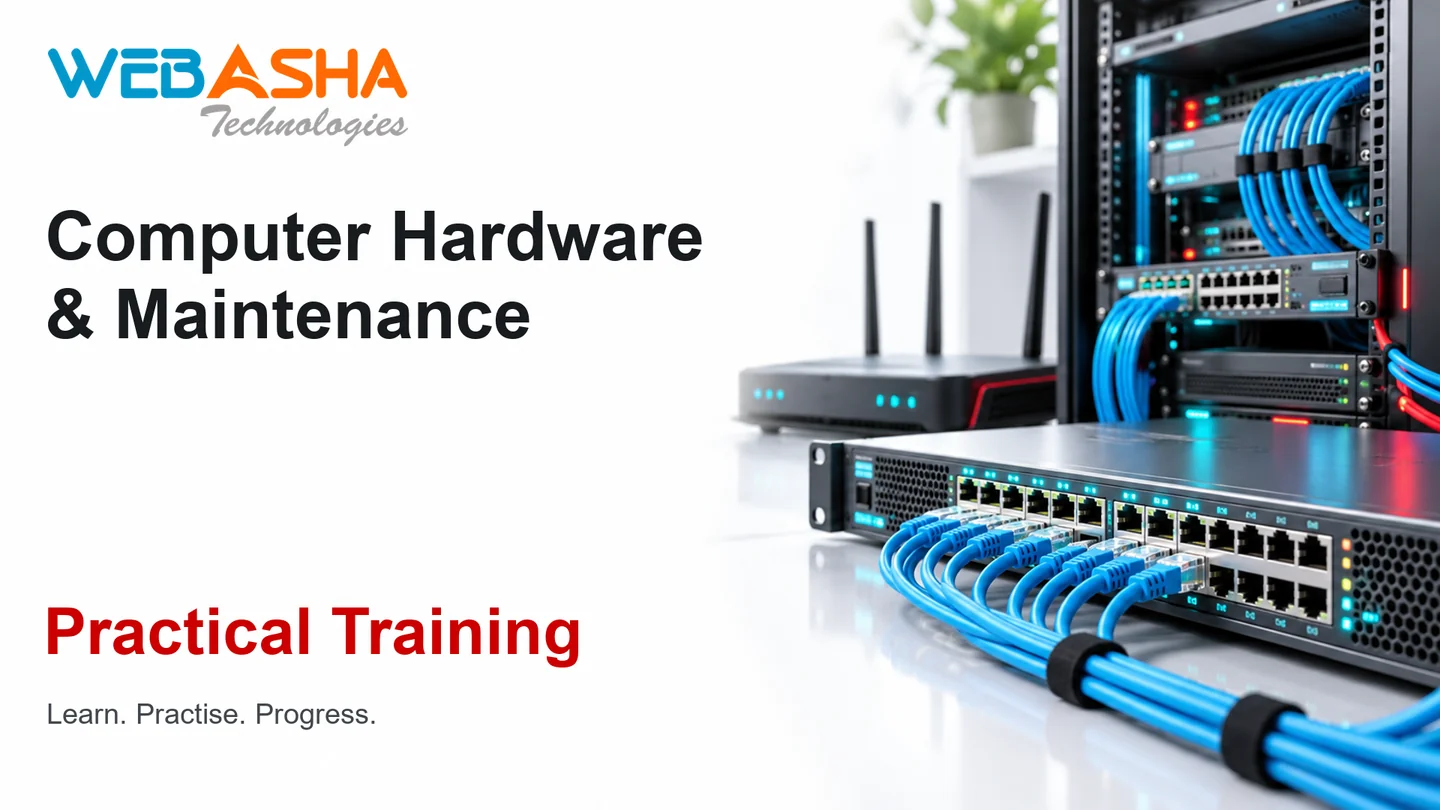
The Computer Hardware & Maintenance training at WebAsha Technologies in Pune is a hands-on, job-oriented computer hardware and maintenance programme that starts from the basics and suits beginners.

You learn to build, upgrade and repair computers: PC components and assembly, the motherboard, CPU, RAM and power supply, BIOS/UEFI configuration, storage (HDD, SSD, NVMe) and partitioning, installing and configuring operating systems (Windows and Linux), peripherals and printers, laptop and hardware troubleshooting and repair, preventive maintenance, and the fundamentals of networking and the internet.

It is meant for freshers, IT support aspirants and field technicians. The skills apply directly to IT support and field-technician work, and they are a good base before CompTIA A+ and the Cisco CCT certification. All practice is done on real equipment in WebAsha's hardware labs.
Duration:40 Hrs (Weekdays & Weekend Session)
Mode:Online/Classroom
Certification:WebAsha Computer Hardware & Maintenance Certificate (Job-Oriented)
Institute:WebAsha Technologies
Includes:Hands-On Labs, Real Projects & Attendance Certificate
Trusted By

1000+ leading universities and companies

Our learners are hired by technology, IT services and consulting companies.

  • Hiring partner
  • Hiring partner
  • Hiring partner
  • Hiring partner
  • Hiring partner
  • Hiring partner
  • Hiring partner
  • Hiring partner
  • Hiring partner
  • Hiring partner
  • Hiring partner
  • Hiring partner
  • Hiring partner
  • Hiring partner
  • Hiring partner
  • Hiring partner
  • Hiring partner
  • Hiring partner
  • Hiring partner
  • Hiring partner
  • Hiring partner
  • Hiring partner
  • Hiring partner
  • Hiring partner
  • Hiring partner
  • Hiring partner
  • Hiring partner
  • Hiring partner
  • Hiring partner
  • Hiring partner
  • Hiring partner
  • Hiring partner
  • Hiring partner
  • Hiring partner
  • Hiring partner
  • Hiring partner
  • Hiring partner
  • Hiring partner
  • Hiring partner
  • Hiring partner
  • Hiring partner
  • Hiring partner
  • Hiring partner
  • Hiring partner
  • Hiring partner
  • Hiring partner
  • Hiring partner
  • Hiring partner
  • Hiring partner
  • Hiring partner
  • Hiring partner
  • Hiring partner
  • Hiring partner
  • Hiring partner
  • Hiring partner
  • Hiring partner
  • Hiring partner
  • Hiring partner
  • Hiring partner
  • Hiring partner
  • Hiring partner
  • Hiring partner
  • Hiring partner
  • Hiring partner
  • Hiring partner
  • Hiring partner
  • Hiring partner
  • Hiring partner
  • Hiring partner
  • Hiring partner
  • Hiring partner
  • Hiring partner
  • Hiring partner
  • Hiring partner
  • Hiring partner
  • Hiring partner
  • Hiring partner
  • Hiring partner
  • Hiring partner
  • Hiring partner
  • Hiring partner
  • Hiring partner
  • Hiring partner
  • Hiring partner
Recent Placements Testimonials

Computer Hardware & Maintenance recent reviews

Our learners talk about how the program changed their careers.

Verified Reviews

Student reviews and success stories

Real feedback from learners now placed across top technology and consulting firms.

riya-gaikwad.webp

Riya Gaikwad

Network Security Engineer · Deloitte

“I recently finished the Computer Hardware course at WebAsha Technologies and it was worth every minute. Each module built logically, and the coverage of routing, switching, subnetting, VLANs, and enterprise network troubleshooting was thorough and current. The placement assistance team actively shared openings and guided me until I was placed. The certification preparation and mock tests made the actual exam feel straightforward. A big thank you to the trainers and team for such a rewarding learning experience.”
LinkedIn Review
gaurav-ansari.webp

Gaurav Ansari

Network Engineer · Mphasis

“I recently finished the Computer Hardware course at WebAsha Technologies and it was worth every minute. Live projects gave me the confidence to apply what I learned in a real environment. We worked hands-on with routing, switching, subnetting, VLANs, and enterprise network troubleshooting, which made every concept stick. I cleared the certification on my first attempt and highly recommend Computer Hardware at WebAsha.”
Google Review
sanjana-singh.webp

Sanjana Singh

Network Security Engineer

“WebAsha's Computer Hardware training turned a tough certification into an enjoyable learning experience. Doubt-clearing sessions ran even after class hours, which I really appreciated. The mock interviews and interview preparation sharpened me for real technical rounds. What impressed me was how the trainers connected routing, switching, subnetting, VLANs, and enterprise network troubleshooting to actual production use. Live projects gave me the confidence to apply what I learned in a real environment. Easily a five-star experience that prepared me for both the exam and real work.”
Verified Student
anjali-bansal.webp

Anjali Bansal

Network Security Engineer · JPMorgan

“Enrolling in Computer Hardware at WebAsha is one of the best career decisions I have made. The cloud labs were available round the clock, so I could practise assignments whenever I had time. The certification preparation and mock tests made the actual exam feel straightforward. What impressed me was how the trainers connected routing, switching, subnetting, VLANs, and enterprise network troubleshooting to actual production use. The batch was slightly large at times, yet the hands-on focus and support made it well worth it.”
Verified Student
mahesh-sayyad.webp

Mahesh Sayyad

Network Administrator

“Completing the Computer Hardware training at WebAsha was a turning point for me. Every topic was reinforced with practical lab assignments instead of just slides. Each module built logically, and the coverage of routing, switching, subnetting, VLANs, and enterprise network troubleshooting was thorough and current. The learning experience was structured, practical and paced just right for working professionals. The knowledge and confidence I gained here continue to help me every day at work.”
Google Review
priya-menon.webp

Priya Menon

Network Engineer · Mphasis

“Enrolling in Computer Hardware at WebAsha is one of the best career decisions I have made. What impressed me was how the trainers connected routing, switching, subnetting, VLANs, and enterprise network troubleshooting to actual production use. Live projects gave me the confidence to apply what I learned in a real environment. Flexible batch timings let me attend alongside my job without any stress. I cleared the certification on my first attempt and highly recommend Computer Hardware at WebAsha.”
Verified Student
farhan-pillai.webp

Farhan Pillai

Network Security Engineer

“I joined WebAsha for Computer Hardware to level up my skills, and the experience exceeded my expectations. Live projects gave me the confidence to apply what I learned in a real environment. The learning experience was structured, practical and paced just right for working professionals. The syllabus covered routing, switching, subnetting, VLANs, and enterprise network troubleshooting in real depth rather than skimming the surface. The certification preparation and mock tests made the actual exam feel straightforward. Easily a five-star experience that prepared me for both the exam and real work.”
Google Review
ravi-ansari.webp

Ravi Ansari

Network Engineer · Vodafone Idea

“After comparing a few institutes, I chose WebAsha for Computer Hardware, and I am glad I did. The learning experience was structured, practical and paced just right for working professionals. The syllabus covered routing, switching, subnetting, VLANs, and enterprise network troubleshooting in real depth rather than skimming the surface. The cloud labs were available round the clock, so I could practise assignments whenever I had time. I could choose between online and classroom training, and both were equally well organised. If you want practical, job-ready skills in Computer Hardware, WebAsha is the place to be.”
Google Review
ananya-bansal.webp

Ananya Bansal

Network Security Engineer · Rakuten

“WebAsha's Computer Hardware training turned a tough certification into an enjoyable learning experience. The mock interviews and interview preparation sharpened me for real technical rounds. Doubt-clearing sessions ran even after class hours, which I really appreciated. Live projects gave me the confidence to apply what I learned in a real environment. The course focused on routing, switching, subnetting, VLANs, and enterprise network troubleshooting through practical, real-world scenarios. Easily a five-star experience that prepared me for both the exam and real work.”
Google Review
Career Roadmap

From your first class to placement

A step-by-step path from your first lesson to certification and a job offer.

Step 1 of 8

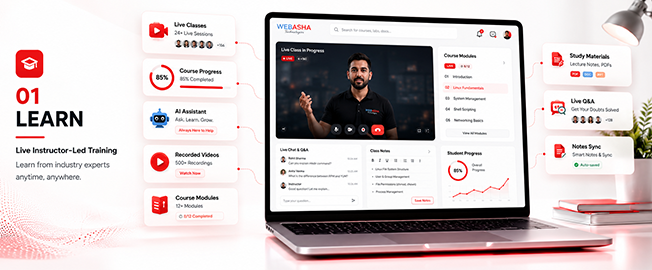
Learn

  • Live instructor-led training
  • Concept-first curriculum
  • Recorded sessions
Foundations & Core Concepts
Learn preview
Training Key Features

Computer Hardware & Maintenance training key features

What you get from our Computer Hardware & Maintenance course: a solid foundation in the basics and real-world, skills you can use at work.

  • Post Training Support

  • Real Time Projects : 2

  • Certification & Job Assistance

  • Course Duration : 2 Months

  • Hands-on Training

  • Full Day Lab Access

Our cloud lab

Computer Hardware & Maintenance cloud lab environment

Our Pune classroom practical lab

Program highlights

What learners get at WebAsha Technologies: practical IT training and the skills employers hire for.

Learning Experience

  • In-Depth Practical Training with Real-World Scenarios
  • Choose Between In-Person or Virtual Classes (Flexible Schedules)
  • Guidance from Seasoned IT Professionals
  • Complimentary Intro to Emerging Tech Topics
  • One-on-One Support for Clarifying Concepts
  • Regular Hands-On Exercises and Live Projects
  • Access to a Library of 150+ Training Videos for a Year

Career Development

  • Tailored Job Placement Support with Multiple Interviews
  • Custom Resume Crafting and Interview Coaching
  • Workshops on Professional Skills and Teamwork
  • Affordable Payment Plans with No Extra Fees
  • Help Preparing for International Certifications
  • Personal Career Guidance from Experts
  • Practice Interviews with Industry Leaders

Why choose WebAsha Technologies

Career-focused IT training with expert mentors, practical labs and vendor certifications, so you stand out when you apply for jobs.

Features Recommended
WebAsha Technologies
Other Institutes
Expert Trainers
10+ Years Experienced Industry Professionals
Freshers or Part-time Instructors
Course Curriculum
Updated for Current Tools (Cybersecurity, Cloud, DevOps, Linux, AI/ML)
Basic or Outdated Content
Hands-on Learning
Real Projects, Labs & Case Studies
Theory-Focused, Limited Practical
Certifications
Vendor-Issued (EC-Council, OffSec, Red Hat, AWS, Microsoft, etc.)
Generic or Unrecognized Certificates
Placement Support
100% Assistance + Resume & Interview Coaching
Limited or No Job Support
Flexible Learning
Classroom & Online Training Options
Rigid Timings, Mostly Classroom-Only
Learning Resources
Lifetime LMS Access, Study Materials, Recorded Sessions
Minimal or No Additional Resources
Batch Size
Small Groups with 1:1 Mentorship
Large, Crowded Batches

Upcoming batches & schedule

Saturday, November 7, 2026

Online / Classroom
Weekend
6:30 PMIST
Enrollment Closed
Enrollment Closed

Sunday, November 8, 2026

Online / Classroom
Weekend
10:00 AMIST
Enrollment OpenMax intake limit is 10

Saturday, November 14, 2026

Online / Classroom
Weekend
6:30 PMIST
Enrollment OpenMax intake limit is 10

Monday, November 23, 2026

Online / Classroom
Weekday
8:00 AMIST
Enrollment OpenMax intake limit is 10
Flexible Scheduling

Can't find a schedule that works?

Our counsellors can help you arrange a batch that fits your timing.

Course insight 1Course insight 2

Computer Hardware & Maintenance course training overview

Learn practical technician skills in our Classroom and Online Computer Hardware & Maintenance Training at WebAsha Technologies. The course is hands-on and aimed at getting you employed.

Training Overview:

This is a hands-on, job-oriented programme that trains you to work as a computer hardware and maintenance technician. It covers PC components and assembly, BIOS/UEFI, storage, operating-system installation, peripherals and printers, troubleshooting and repair, and the basics of networking. These are the practical skills needed for IT support and field-technician jobs, and they give you a good base for CompTIA A+ and Cisco CCT.

Intended Audience:

The course suits freshers, students, IT support aspirants and field-technician candidates who want practical computer hardware and maintenance skills they can use at work.

Topics Covered:

  • PC Components: Motherboard, CPU, RAM, PSU.
  • Assembly: Building and upgrading PCs.
  • BIOS/UEFI: Firmware configuration.
  • Storage: HDD, SSD, NVMe, partitioning.
  • OS Installation: Windows and Linux.
  • Peripherals & Printers: Setup and support.
  • Troubleshooting: Diagnosing and repairing faults.
  • Networking Basics: Cabling, IP addressing and internet basics.

Requirements:

Basic familiarity with computers and networking is recommended. Online participants need a stable internet connection and a laptop or desktop for the live labs.

Pre-Requisites:

No prior experience is required. The programme is beginner-friendly and starts from the fundamentals of computer hardware.

Career Benefits:

Many IT careers begin with hardware work. In India, technicians typically earn ₹2 LPA to ₹10+ LPA as they gain experience and add certifications.


Certification path

CategoryTools & Components Covered
ComponentsMotherboard, CPU, RAM
StorageHDD, SSD, NVMe
FirmwareBIOS/UEFI
OSWindows, Linux
DiagnosticsPOST, test tools
PeripheralsPrinters, scanners
ToolsMultimeter, toolkit
NetworkingCabling, IP basics

Curriculum Computer Hardware & Maintenance

Computer Hardware & Maintenance: 8 course modules

1. Introduction to Computer Hardware

The course opens with how a computer works and what each main part does, along with the safety habits a technician needs before opening a case.

  • How a computer works
  • The main components of a PC
  • Safety and ESD precautions
  • The technician's toolkit, including the multimeter
2. Motherboard, CPU and Memory

You study the board everything plugs into, the processor and the memory, and practise fitting them.

  • Motherboard form factors, chipsets and buses
  • CPU sockets and generations
  • Installing RAM
3. Power, Storage and Assembly

This module covers power supplies and storage drives, then brings the parts together into a working PC.

  • Power supplies and connectors
  • HDD, SSD and NVMe storage
  • Partitioning drives
  • Assembling and upgrading a working PC
4. BIOS/UEFI and Firmware

Here you configure the firmware that starts the machine and learn what to check when a system will not boot.

  • Configuring BIOS/UEFI settings
  • Setting the boot order
  • Firmware updates
  • Firmware troubleshooting, including POST
5. Operating System Installation

You install and set up Windows and Linux on the machines you have built.

  • Installing and configuring Windows
  • Installing Linux
  • Dual-boot basics
  • Drivers and updates
6. Peripherals and Printers

This module deals with the devices attached to a PC, with most of the time spent on printers.

  • Connecting and configuring peripherals such as scanners
  • Installing printers
  • Sharing printers
  • Maintaining printers
7. Troubleshooting and Repair

You learn a step-by-step method for finding hardware faults and apply it to desktops and laptops.

  • A structured hardware troubleshooting method
  • Diagnosing desktop faults with test tools
  • Diagnosing laptop faults
  • Repairing the faults you find
8. Preventive Maintenance and Networking Basics

The final module covers routine upkeep and the networking a technician needs to get systems connected.

  • Cleaning, upkeep and preventive maintenance
  • Network cabling
  • IP addressing basics
  • Internet basics

Download the complete course syllabus

Get the full curriculum, modules & exam details delivered to you instantly.

Meet our expert trainers

Learn from certified Computer Hardware & Maintenance experts who work in the industry and teach with practical, real-world examples.

  • Simplified Guidance: Break down Linux concepts for beginners.
  • Hands-On Practice: Engage in labs for command-line and admin tasks.
  • Customized Support: Offer one-on-one help for your goals.
  • Career & Lab Aid: Assist with projects and exam prep.
  • Industry Knowledge: Draw from extensive Red Hat experience.
  • Certified Professionals: Hold RHCSA, RHCE credentials.
  • Real-World Application: Insights from enterprise Linux deployments.
  • Training Success: Over 1,000 students guided annually.
  • Corporate Links: Partnerships with IBM, Accenture, Wipro.
Free Skill Assessment

Self assessment

Test your skills with an online assessment exam and find out how ready you are for your certification.

  • Free mock test
  • Instant score report
  • Mapped to the certification
Learner taking an online skills assessment

Computer Hardware & Maintenance: certification and career path

This Computer Hardware & Maintenance programme is a hands-on, job-oriented course, and you receive a WebAsha completion certificate at the end. It teaches technician skills you can use straight away in IT support and field-technician roles, and it prepares the ground for the CompTIA A+ and Cisco CCT certifications. The current Cisco CCT exam is Field Technician (800-150 FLDTEC), which replaced the retired Routing and Switching exam (100-490). WebAsha Technologies in Pune provides real hardware labs and placement support to help you start your IT career.
  • Expert Trainers: Your trainers are experienced IT technicians.
  • Real Hardware Labs: Build, upgrade and repair real PCs.
  • Complete Coverage: Components, OS, peripherals and repair.
  • Beginner-Friendly: Starts from the basics, so no experience is needed.
  • Foundation for A+/CCT: A base for CompTIA A+ and Cisco CCT.
  • Flexible Batches: Weekday and weekend batches, online or in the classroom.
  • Placement Support: Help with your resume and interview preparation.
  • Completion Certificate: WebAsha hardware certificate.

Computer Hardware & Maintenance: certification and career path

AttributeDetails
CertificateWebAsha Computer Hardware & Maintenance Completion Certificate
FormatHands-on and job-oriented, taught in real hardware labs
LevelBeginner
Prepares ForIT support and field-technician roles, and the CompTIA A+ and Cisco CCT certifications
SkillsAssembly, OS installation, troubleshooting, maintenance
PrerequisiteNone (beginner-friendly)
IncludesReal hardware labs and placement support
ModeOnline / Classroom

Computer Hardware & Maintenance: certification and next steps

This Computer Hardware & Maintenance programme is a hands-on, job-oriented course, and you receive a WebAsha completion certificate at the end. It teaches technician skills you can use straight away in IT support and field-technician roles, and it prepares the ground for the CompTIA A+ and Cisco CCT certifications. The current Cisco CCT exam is Field Technician (800-150 FLDTEC), which replaced the retired Routing and Switching exam (100-490). WebAsha Technologies in Pune provides real hardware labs and placement support to help you start your IT career.
Job roles and salary outlook after Computer Hardware & Maintenance

Hardware and IT support technicians are hired steadily across India's IT industry, and the skills from this course fit the entry-level roles below.

Job Title Primary Responsibilities Average Salary (INR)
Hardware Technician Assembles, upgrades and repairs PCs. Fresher: ₹2-4 LPA
Experienced: ₹4-9 LPA
IT Support Technician Supports desktops and their users. Fresher: ₹2.5-4.5 LPA
Experienced: ₹5-10 LPA
Desktop Support Engineer Maintains end-user systems. Fresher: ₹2.5-4.5 LPA
Experienced: ₹5-10 LPA
Field Service Technician Services hardware at the customer's site. Fresher: ₹2.5-4.5 LPA
Experienced: ₹5-10 LPA
IT Helpdesk Associate Resolves support tickets. Fresher: ₹2-4 LPA
Experienced: ₹4-8 LPA
Computer Repair Technician Diagnoses and fixes systems. Fresher: ₹2-4 LPA
Experienced: ₹4-9 LPA

Salaries vary with experience and skill. Computer Hardware & Maintenance gives you the practical ability these jobs ask for.


Career benefits of Computer Hardware & Maintenance

Computer hardware and maintenance skills are a practical way into IT. Support desks and field-service teams hire for them regularly.

  • Job-Oriented: Practical training aimed at employability.
  • Steady Demand: Offices need technicians to keep desktops, laptops and printers working.
  • Salaries: Technicians in India typically earn ₹2 LPA to ₹10+ LPA as they gain experience.
  • Hands-On Proof: You work in real labs and on projects.
  • Career Growth: A foundation for networking, cloud and IT roles.
  • Next Certifications: A base for CompTIA A+ and Cisco CCT.

Why choose Computer Hardware & Maintenance training at WebAsha Technologies in Pune

Learn Computer Hardware & Maintenance with WebAsha Technologies. The programme is hands-on and job-oriented, with expert trainers and placement support.

  • Expert Trainers: Your trainers are experienced IT technicians.
  • Real Hardware Labs: Build, upgrade and repair real PCs.
  • Complete Coverage: Components, OS, peripherals and repair.
  • Beginner-Friendly: Starts from the basics, so no experience is needed.
  • Foundation for A+/CCT: A base for CompTIA A+ and Cisco CCT.
  • Flexible Batches: Weekday and weekend batches, online or in the classroom.
  • Placement Support: Help with your resume and interview preparation.
  • Completion Certificate: WebAsha hardware certificate.

Program Highlights

What the program includes

Learning, career, certification and placement support in one program.

Learning benefits

  • Structured Curriculum
    Concept-first, job-ready syllabus
  • Hands-On Labs
    Practice every concept live
  • Expert-Led Sessions
    Learn from working professionals

Career benefits

  • Resume Building
    ATS-friendly, recruiter-ready
  • Mock Interviews
    Real interview simulations
  • Job Referrals
    Access to hiring partner network

Certification benefits

  • Globally Recognized
    Industry-standard certifications
  • Exam Preparation
    Targeted, exam-focused coaching
  • Practice Tests
    Unlimited mock assessments

Placement benefits

  • 500+ Hiring Partners
    Active recruiter network
  • Placement Drives
    Regular hiring opportunities
  • Salary Negotiation
    Guidance to maximize offers
Success Stories

Placement success stories

Starting your first IT job or changing direction? Explore the career paths below and think about what you want from your next role. Our team can help you plan the training and preparation to work towards it.

manish-rao.webp

Manish Rao

Network Administrator · IBM

“The Computer Hardware program at WebAsha genuinely lived up to its reputation. The syllabus covered routing, switching, subnetting, VLANs, and enterprise network troubleshooting in real depth rather than skimming the surface. I could choose between online and classroom training, and both were equally well organised. Doubt-clearing sessions ran even after class hours, which I really appreciated. A big thank you to the trainers and team for such a rewarding learning experience.”
Cisco Certified
MJ

Manish Jadhav

Network Administrator · Hexaware

Data Entry OperatorNetwork Administrator
“As a Data Entry Operator, I felt stuck in my growth, so I took the leap and signed up for Computer Hardware at WebAsha. Certification preparation, mock tests and repeated mock interviews prepared me for real technical rounds. Cloud labs, recorded sessions and after-hours doubt support meant I could learn seriously alongside my job. Today I proudly work as a Network Administrator at Hexaware, and the jump from 4.5 LPA to 8.5 LPA still feels surreal.”
How I became a Network Administrator with WebAsha
KS

Karan Singh

Network Engineer · IBM

Non-IT ProfessionalNetwork Engineer
“I started out as a Non-IT Professional and always wanted a stronger technical career, so I enrolled in the Computer Hardware program at WebAsha. Working on real-world implementations helped me understand exactly how things run on the job. Today I proudly work as a Network Engineer at IBM, and the jump from 3 LPA to 6 LPA still feels surreal.”
From Non-IT Professional to Network Engineer
rohan-rao.webp

Rohan Rao

Network Security Engineer · JPMorgan

Sales ExecutiveNetwork Security Engineer
“As a Sales Executive, I felt stuck in my growth, so I took the leap and signed up for Computer Hardware at WebAsha. The trainers were patient and genuinely industry-experienced, and the practical focus on routing, switching, subnetting, VLANs, and enterprise network troubleshooting made everything click. Certification preparation, mock tests and repeated mock interviews prepared me for real technical rounds. Today I proudly work as a Network Security Engineer at JPMorgan, and the jump from 6 LPA to 13.5 LPA still feels surreal.”
Network Security Engineer at JPMorgan - a career turnaround
RS

Rahul Sayyad

Network Engineer · Persistent Systems

Sales ExecutiveNetwork Engineer
“As a Sales Executive, I felt stuck in my growth, so I took the leap and signed up for Computer Hardware at WebAsha. The trainers were patient and genuinely industry-experienced, and the practical focus on routing, switching, subnetting, VLANs, and enterprise network troubleshooting made everything click. Today I proudly work as a Network Engineer at Persistent Systems, and the jump from 5 LPA to 8.5 LPA still feels surreal.”
My journey: Sales Executive to Network Engineer
PS

Prasad Shah

Network Administrator · IBM

IT Support ExecutiveNetwork Administrator
“Coming from a IT Support Executive background, switching felt risky, but WebAsha's Computer Hardware course gave me a clear path forward. Certification preparation, mock tests and repeated mock interviews prepared me for real technical rounds. Cloud labs, recorded sessions and after-hours doubt support meant I could learn seriously alongside my job. Within a few months I moved from IT Support Executive to Network Administrator at IBM, and my package grew from 3.5 LPA to 7 LPA.”
From IT Support Executive to Network Administrator
farhan-singh.webp

Farhan Singh

Network Administrator · Oracle

Help Desk EngineerNetwork Administrator
“As a Help Desk Engineer, I felt stuck in my growth, so I took the leap and signed up for Computer Hardware at WebAsha. The placement team actively shared openings and coached me through resume building and every interview. Certification preparation, mock tests and repeated mock interviews prepared me for real technical rounds. Today I proudly work as a Network Administrator at Oracle, and the jump from 4.5 LPA to 8 LPA still feels surreal.”
Network Administrator at Oracle - a career turnaround
KS

Kiran Shah

Network Engineer · Deloitte

B.Sc. GraduateNetwork Engineer
“As a B.Sc. Graduate, I felt stuck in my growth, so I took the leap and signed up for Computer Hardware at WebAsha. Cloud labs, recorded sessions and after-hours doubt support meant I could learn seriously alongside my job. Working on real-world implementations helped me understand exactly how things run on the job. Within a few months I moved from B.Sc. Graduate to Network Engineer at Deloitte, and my package grew from 7 LPA to 15.5 LPA.”
B.Sc. Graduate to Network Engineer at Deloitte
AK

Aniket Kulkarni

Network Administrator · Accenture

System AdministratorNetwork Administrator
“After a few years as a System Administrator, I decided it was time for a real change and joined WebAsha's Computer Hardware training. The hands-on labs and live projects around routing, switching, subnetting, VLANs, and enterprise network troubleshooting rebuilt my confidence from the ground up. Within a few months I moved from System Administrator to Network Administrator at Accenture, and my package grew from 3.5 LPA to 6.5 LPA.”
My journey: System Administrator to Network Administrator
Quick Summary

Computer Hardware & Maintenance is a hands-on Cisco networking training course by WebAsha Technologies, available online and in classroom with live projects, certification prep and placement support. It suits beginners and professionals, runs about 6 to 12 weeks, and leads to roles such as Network Engineer, Network Administrator, Network Security Engineer paying roughly 3.0 to 22.0 LPA.

Key takeaways

  • Master networking through hands-on, practical training.
  • Learn network fundamentals & the osi model and ip addressing & subnetting.
  • Work on real-world projects and lab exercises.
  • Earn an industry-recognised certificate.
  • Get placement support for roles paying up to 22.0 LPA.

Computer Hardware & Maintenance: WebAsha vs other options

FeatureWebAsha networkingSelf-studyGeneric online course
Live instructor-led trainingYesNoSometimes
Hands-on labs & real projectsYesLimitedLimited
Certification exam preparationYesSelf-managedVaries
Doubt-solving & mentorshipYesNoLimited
Placement assistanceYesNoRare
Industry-recognised certificateYesNoVaries

Last updated: 23 June 2026

Computer Hardware & Maintenance FAQs

Computer Hardware & Maintenance is a hands-on training program in Cisco networking. It takes you from fundamentals to working skills through live sessions, lab practice and real projects, with an industry-recognised certificate and placement support.

Freshers starting a networking career IT support staff moving to networks Aspiring network/security engineers Professionals preparing for Cisco certification

Basic computer and IT familiarity Interest in networks and infrastructure No prior networking experience required

You will build practical skills including network fundamentals & the osi model, ip addressing & subnetting, routing (ospf, eigrp), switching & vlans, network security basics and more, applied through hands-on labs and real projects.

The Computer Hardware & Maintenance syllabus spans Cisco networking, from core concepts to advanced modules, each reinforced with lab exercises and a capstone-style project.

Computer Hardware & Maintenance typically runs about 6 to 12 weeks depending on the track (weekday or weekend), plus lab and project time. Fast-track and extended options are available. Ask for the current batch schedule.

Computer Hardware & Maintenance fees depend on the mode (classroom or live-online) and track, and WebAsha Technologies offers flexible / no-cost EMI options. Request the latest fee details and any running offers from the enquiry form.

Both. You can take Computer Hardware & Maintenance as a live-online program or attend classroom sessions, with the same syllabus, hands-on labs and trainers in either mode.

Yes. Computer Hardware & Maintenance runs in weekday, weekend and evening batches so students and working professionals can train without disturbing their schedule.

Yes. Computer Hardware & Maintenance starts from fundamentals so beginners can follow along, while the advanced modules add depth for experienced learners.

Absolutely. Many learners are working professionals. Flexible weekend, evening and live-online Computer Hardware & Maintenance batches let you upskill without a career break.

Yes. Computer Hardware & Maintenance is project-driven. You practise in real labs and build live projects in Cisco networking alongside the theory, so you finish interview-ready.

After completing Computer Hardware & Maintenance you can target roles such as Network Engineer, Network Administrator, Network Security Engineer, Systems Engineer, with senior packages reaching around 22.0 LPA depending on experience and location.

Cisco networking roles typically start around 3.0 LPA for freshers and rise to about 22.0 LPA for experienced professionals. Actual packages depend on your skills, role and employer.

Yes. Cisco networking skills are in strong, growing demand across IT services, product companies and startups, offering clear career progression and rising salaries for certified professionals.

Trained networking professionals are hired by IT-services majors, global capability centres, product companies and startups. Organisations across the industry actively recruit for Cisco networking.

Yes. WebAsha Technologies provides resume building, mock interviews and referrals to hiring partners as part of dedicated placement support. Outcomes depend on your skills and effort.

Computer Hardware & Maintenance is taught by experienced, industry-certified trainers who bring real project experience into the classroom, so you learn current, job-relevant practices.

Yes. You receive an industry-recognised WebAsha training certificate, and the course also prepares you for the relevant official certification exam.

Yes. Alongside job skills, Computer Hardware & Maintenance includes structured exam preparation, with practice tests and guidance for the recognised networking certification employers look for.

Yes. You can book a free demo session for Computer Hardware & Maintenance to meet the trainer and experience the teaching style before you enroll.

WebAsha combines hands-on labs, certified trainers, live projects, certification prep and dedicated placement support. It is a practical, job-focused route into Cisco networking.

Click Enroll Now, request a callback, or message our team on WhatsApp to get the latest batch schedule, fees and available offers.

Keep Exploring

Related courses

Take the next step in your IT career

Join thousands of learners who upskilled and got placed with WebAsha Technologies.