Red Hat Linux (RHCSA + RHCE) Combo Training & Certification Live Online in Copenhagen
Live instructor-led online classes for Copenhagen learners
The RHCSA half covers the command line, file systems, storage (LVM), users and groups, permissions, SELinux, networking, systemd services and containers. The RHCE half then teaches you to automate that administration with Ansible, using playbooks, roles, templates, Vault and Red Hat system roles.
Suited to freshers, Linux administrators and IT professionals, this combo starts from Linux basics and ends with the RHCE credential. WebAsha's mentors are RHCA/RHCE-certified and the labs run RHEL 10, with the aim that you clear both exams.
| Duration: | 80 Hrs (Weekdays & Weekend Session) |
|---|---|
| Mode: | Live Instructor-Led Online Training |
| Certification: | RHCSA (EX200) + RHCE (EX294) |
| Institute: | WebAsha Technologies |
| Includes: | Red Hat Official Lab & Attendance Certificate |
1000+ leading universities and companies
Our learners are hired by the world's most respected technology, IT services and consulting brands.
Red Hat Linux (RHCSA + RHCE) Combo Training & Certification recent reviews
Our learners talk about how the program changed their careers.
Student reviews and success stories
Real feedback from learners now placed across top technology and consulting firms.
From your first class to placement
A step-by-step path from your first lesson to certification and a job offer.
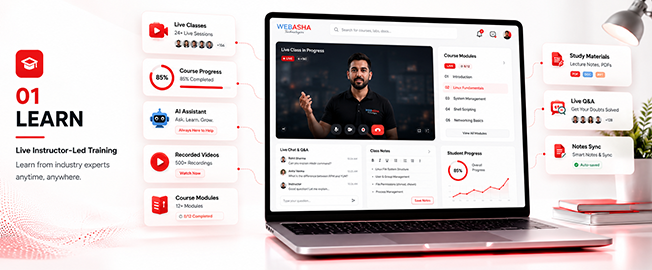
Learn
- Live instructor-led training
- Concept-first curriculum
- Recorded sessions
Red Hat Linux (RHCSA + RHCE) Combo Training & Certification training key features
What you get from our Red Hat Linux (RHCSA + RHCE) Combo Training & Certification course: a solid foundation in the basics and real-world, skills you can use at work.
Post Training Support
Real Time Projects : 2
Certification & Job Assistance
Course Duration : 2 Months
Hands-on Training
Full Day Lab Access


Our cloud lab

Our practical lab
Program highlights
What learners get at WebAsha Technologies: practical IT training and the skills employers hire for.
Learning Experience
- In-Depth Practical Training with Real-World Scenarios
- Choose Between In-Person or Virtual Classes (Flexible Schedules)
- Guidance from Seasoned IT Professionals
- Complimentary Intro to Emerging Tech Topics
- One-on-One Support for Clarifying Concepts
- Regular Hands-On Exercises and Live Projects
- Access to a Library of 150+ Training Videos for a Year
Career Development
- Tailored Job Placement Support with Multiple Interviews
- Custom Resume Crafting and Interview Coaching
- Workshops on Professional Skills and Teamwork
- Affordable Payment Plans with No Extra Fees
- Help Preparing for International Certifications
- Personal Career Guidance from Experts
- Practice Interviews with Industry Leaders
Why choose WebAsha Technologies
Career-focused IT training with expert mentors, practical labs and vendor certifications, so you stand out when you apply for jobs.
| Features | Recommended WebAsha Technologies | Other Institutes |
|---|---|---|
| Expert Trainers | 10+ Years Experienced Industry Professionals | Freshers or Part-time Instructors |
| Course Curriculum | Updated for Current Tools (Cybersecurity, Cloud, DevOps, Linux, AI/ML) | Basic or Outdated Content |
| Hands-on Learning | Real Projects, Labs & Case Studies | Theory-Focused, Limited Practical |
| Certifications | Vendor-Issued (EC-Council, OffSec, Red Hat, AWS, Microsoft, etc.) | Generic or Unrecognized Certificates |
| Placement Support | 100% Assistance + Resume & Interview Coaching | Limited or No Job Support |
| Flexible Learning | Classroom & Online Training Options | Rigid Timings, Mostly Classroom-Only |
| Learning Resources | Lifetime LMS Access, Study Materials, Recorded Sessions | Minimal or No Additional Resources |
| Batch Size | Small Groups with 1:1 Mentorship | Large, Crowded Batches |
Upcoming batches & schedule
Saturday, October 17, 2026
Monday, October 19, 2026
Monday, October 19, 2026
Monday, October 19, 2026
Saturday, October 24, 2026
Monday, October 26, 2026
Monday, October 26, 2026
Monday, November 2, 2026
Monday, November 2, 2026
Can't find a schedule that works?
Our counsellors can help you arrange a batch that fits your timing.

Red Hat Linux (RHCSA + RHCE) combo course training overview
Train as a Red Hat administrator and automation engineer with our classroom and online RHCSA + RHCE combo training at WebAsha Technologies. Based on RHEL 10, it builds the hands-on skills tested in the RHCSA (EX200) and RHCE (EX294) exams.
Training overview:
This combo follows Red Hat's RHCSA courses, RH124 and RH134 (system administration, storage, users, networking, SELinux, services and containers), and then the RHCE course, RH294, which Red Hat now lists as AU294: automating administration with Ansible playbooks, roles, templates, Vault and system roles. The syllabus below has 47 chapters, and the labs prepare you for both hands-on exams.
Intended audience:
This program suits freshers, Linux administrators, DevOps aspirants and IT professionals who want to learn Linux and Ansible properly and earn the RHCSA and RHCE credentials in one path.
Topics covered:
- Linux administration (RHCSA): Manage RHEL 10 systems, from installation to troubleshooting.
- Storage & LVM: Configure local storage and logical volumes.
- Users, groups & security: Manage access, permissions and SELinux.
- Networking & services: Configure networking and systemd services.
- Ansible basics (RHCE): Install Ansible, build inventories and write playbooks.
- Roles, templates & Vault: Reuse automation through roles and templates, and protect secrets with Vault.
- Red Hat system roles: Automate storage, networking and SELinux.
- Two certifications: Prepare for EX200 and EX294 in one course.
Requirements:
You do not need advanced experience to start. Online participants need a stable internet connection and a laptop or desktop for the live RHEL 10 labs.
Prerequisites:
There are no formal prerequisites. The combo starts from Linux fundamentals and builds up to Ansible automation. To earn RHCE, Red Hat requires RHCSA (EX200) as well as a pass in EX294.
Career benefits:
The RHCSA + RHCE combo qualifies you for a wide range of Linux and automation roles. In India, packages typically range from ₹4 LPA to ₹22+ LPA, rising with the RHCE credential and further toward the RHCA.
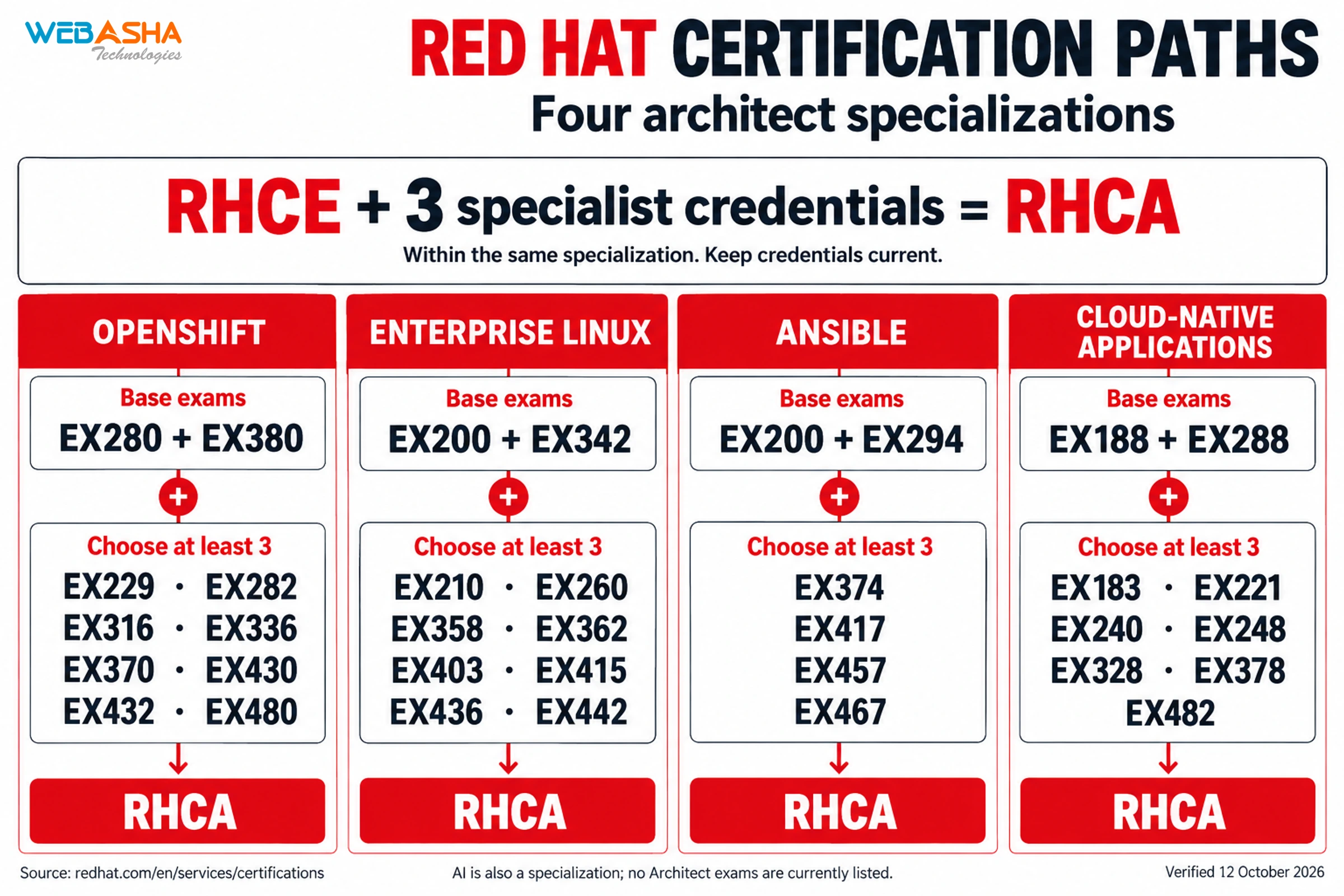
Red Hat certification track
| Category | Tools & components covered |
|---|---|
| Core Linux | bash, systemd, LVM, SELinux, firewalld |
| Storage | Partitions, LVM, swap, NFS |
| User & security | useradd, sudo, file permissions, SELinux contexts |
| Networking | nmcli, ip, ssh, firewalld |
| Containers | Podman, rootless containers |
| Automation | Ansible Automation Platform, ansible-navigator |
| Ansible Core | ansible-playbook, roles, collections, Vault |
| System roles | storage, network, selinux, timesync |
Curriculum Red Hat Linux (RHCSA + RHCE) Combo Training & Certification
Red Hat Linux (RHCSA + RHCE) combo: RH124 (chapters 1 to 20), RH134 (chapters 21 to 39) and RH294, now AU294 (chapters 40 to 47)
1. Introduction to Red Hat Enterprise Linux
Part 1 is Red Hat System Administration I (RH124), which Red Hat bases on Red Hat Enterprise Linux 10. The opening chapter explains what open source, Linux, a Linux distribution and Red Hat Enterprise Linux are.
- What open source software is and how Linux came out of it
- What a Linux distribution is
- Where Red Hat Enterprise Linux fits and what it is used for
2. Accessing the Command Line
You log in to a Linux system and run simple commands in the shell.
- Log in at a text console and in the graphical desktop
- Open a shell prompt and run commands with the correct syntax
- Log in and switch users in multiuser targets
3. Getting Help from Local Documentation
This chapter shows how to solve problems with the help systems and documentation installed on the machine.
- Read manual pages with man and search them by keyword
- Use command help options and the documentation under /usr/share/doc
- Find the right page quickly, which matters because the exam gives no internet access
4. Registering Systems for Red Hat Support
You register a system to your Red Hat account so that it is entitled to support and software.
- Register a system with a Red Hat account
- Check the registration and what the system is entitled to
- See how registration gives access to Red Hat software repositories
5. Getting AI-assisted Help with RHEL Lightspeed
RHEL Lightspeed gives AI-driven guidance for managing a system. This chapter covers how to use it.
- Ask RHEL Lightspeed for help with an administration task
- Read the guidance it returns and check it before you run anything
- Use it alongside the local documentation from chapter 3
6. Navigating the File-system Hierarchy
Linux organises files in a single tree. You learn how that tree is laid out and how to point to a file inside it.
- The main directories of the Linux file system and what each one holds
- Absolute and relative paths
- Move around with cd, pwd and ls
7. Managing Files from the Command Line
You copy, move, create, delete and organise files from the Bash shell.
- Create, copy, move and delete files and directories
- Create hard and soft links
- Match groups of files with shell expansions and patterns
8. Editing Text Files
Configuration on Linux lives in text files. Here you create, view and edit them in the terminal.
- View text files from the command line
- Create and edit files with a terminal text editor such as vim
- Save, quit and recover from common editing mistakes
9. Redirecting Shell Input and Output
You redirect where a command reads its input from and where it sends its output in Bash.
- Redirect output and errors with >, >> and 2>
- Chain commands with pipes
- Send command output to a file and to the screen at once
10. Managing Local Users and Groups
This chapter covers superuser access, local accounts and groups, and password policy.
- Gain superuser access with su and sudo, and configure privileged access
- Create, modify and delete local user accounts
- Create and manage local groups and group memberships
- Change passwords and adjust password ageing
11. Controlling Access to Files
You set permissions on files and work out what a given set of permissions allows.
- List and read user, group and other permissions (rwx)
- Change permissions and ownership with chmod and chown
- Set default permissions with umask
- Diagnose and correct file permission problems
12. Installing and Updating Software with RPM
You download, install, update and manage software packages from Red Hat and from DNF repositories.
- Inspect installed packages and package files with rpm
- Install, update and remove packages with dnf
- Configure access to RPM repositories
- Install from the Red Hat Content Delivery Network, a remote repository or the local file system
13. Installing and Updating Applications by Using Flatpak
Flatpak is a second way to install software. You use it to install desktop applications from the Red Hat Ecosystem Catalog.
- Configure access to Flatpak repositories
- Install and remove Flatpak applications
- Run and update an application installed as a Flatpak
14. Accessing Removable Media
You reach the file systems on removable media by mounting them.
- Identify block devices and the file systems on them
- Mount and unmount a file system by hand
- Check what is mounted and how much space is in use
15. Monitoring and Managing Linux Processes
You investigate, control and end the processes running on a system.
- List processes and read their state
- Find processes that are using a lot of CPU or memory, and kill them
- Run and manage jobs in the background
- Monitor system load
16. Controlling Services and Daemons
Services on RHEL are run by systemd. You control and monitor them here.
- Start, stop, restart and check services with systemctl
- Set services to start automatically at boot
- List the units systemd is managing and read their status
17. Introduction to Networking
This chapter explains the basic ideas of TCP/IP networking and shows how to check a server's network configuration.
- IPv4 and IPv6 addresses, routes and name resolution
- Inspect interfaces and addresses with the ip command
- Test connectivity to another host
18. Managing Network Configuration
You configure network interfaces and settings on a server.
- Configure IPv4 and IPv6 addresses
- Edit connections with nmcli
- Configure the hostname and hostname resolution
- Make network settings persist across a reboot
19. Configuring and Securing SSH
You manage SSH host keys and set up key-based authentication.
- Access remote systems with ssh
- How host keys work and where they are stored
- Configure key-based authentication for SSH
- Copy files securely between systems
20. Comprehensive Review
The last RH124 chapter is review labs in which you practise the skills taught in the course.
- Review labs on files, users, groups and permissions
- Review labs on processes, services, networking and SSH
21. Shell Scripting and the Command Line
Part 2 is Red Hat System Administration II (RH134), also based on Red Hat Enterprise Linux 10. It starts with writing and running simple shell scripts and using shell features to run commands more efficiently.
- Write and run a simple Bash script
- Use conditions (if, test, [ ]) and loops in scripts
- Process script arguments ($1, $2 and so on) and the output of commands
22. Using Regular Expressions for Practical Applications
Regular expressions let you match text precisely. You apply them to administration tasks.
- Write regular expressions that match the text you want
- Search files and command output with grep
- Apply regular expressions to log files and configuration files
23. Scheduling User Tasks
You schedule programs to run later as a regular user, once or on a recurring basis.
- Schedule a one-off job with at
- Schedule recurring jobs with a user crontab
- List and remove scheduled jobs
24. Scheduling System Tasks
Some jobs belong to the system and support daemons and the operating system itself. You schedule those here.
- Schedule recurring system jobs with cron
- Schedule tasks with systemd timer units
- See which scheduled jobs the system already runs
25. Analyzing and Storing Logs
You find and read system logs when troubleshooting, and keep event timestamps accurate.
- Locate and interpret system log files and journal entries
- Preserve the system journal across reboots
- Configure a time service client so that timestamps are correct
26. Managing Security with SELinux
SELinux is a second layer of access control on RHEL. You use it to protect a system and to manage its security settings.
- Set enforcing and permissive modes
- List and identify SELinux file and process contexts
- Restore default file contexts
- Change SELinux settings with booleans
27. Archiving Files
You create compressed archives for backup and for moving files between systems.
- Create and extract archives with tar
- Compress archives with gzip and bzip2
- List what an archive contains before you unpack it
28. Transferring Files
You move files from one system to another over a secure connection.
- Transfer files securely between systems over SSH
- Synchronise directories between two hosts
- Check that the copy arrived complete
29. Tuning System Performance
You apply tuning profiles and change the scheduling priority of processes.
- Select and apply a tuning profile
- Adjust process scheduling priority with nice and renice
- Check the effect on a running system
30. Managing Basic Storage
You create partitions, file systems and swap space from the command line.
- List, create and delete partitions on GPT disks
- Create, mount and use VFAT, ext4 and XFS file systems
- Mount file systems at boot by UUID or label
- Add swap space without destroying existing data
31. Managing Storage with Logical Volume Manager
Logical Volume Manager (LVM) lets you manage logical volumes that hold file systems and swap space.
- Create and remove physical volumes
- Assign physical volumes to volume groups
- Create and delete logical volumes
- Extend an existing logical volume and its file system
32. Controlling and Troubleshooting the Boot Process
You control how a system boots and which services start, and you fix problems that appear at boot time.
- Boot, reboot and shut down a system normally
- Boot into a different systemd target and set the default target
- Modify the system bootloader
- Repair boot-time problems such as a broken file system entry
33. Recovering Superuser Access
When the root password is unknown or the account is locked, you still need a way in. This chapter covers regaining administrative access.
- Interrupt the boot process to gain access to a system
- Reset a lost root password
- Return the system to normal operation afterwards
34. Managing Network Security
You control which network connections reach your services, using the system firewall and SELinux port settings.
- Configure firewall settings with firewall-cmd and firewalld
- Restrict network access to services
- Manage SELinux port labels
35. Accessing Network-attached Storage
You reach NFS shares on another server, either by mounting them yourself or through the automounter.
- Mount and unmount network file systems with NFS
- Make an NFS mount persistent
- Configure autofs to mount shares on demand
36. Installing Red Hat Enterprise Linux
You install Red Hat Enterprise Linux in package mode, interactively and with Kickstart.
- Install RHEL interactively
- Automate an installation with a Kickstart file
- Check the system after installation
37. Managing Containers with Podman
You manage containers and container images with Podman. The course teaches containers even though Red Hat's EX200 objectives for RHEL 10 no longer list them.
- Find and pull container images
- Run, stop and remove containers
- Manage the images stored on a host
38. Working with Image-based Red Hat Enterprise Linux
RHEL can also be delivered as an image. You create, use, install and upgrade image-based containers and servers.
- Create an image-based RHEL system
- Install a server from an image
- Upgrade an image-based system
39. Comprehensive Review
RH134 ends with review labs in which you practise the skills taught in the course.
- Review labs on scripting, scheduling, logs and SELinux
- Review labs on storage, boot troubleshooting, network security and containers
40. An introduction to Ansible
Part 3 is Red Hat Enterprise Linux Automation with Ansible (RH294), which Red Hat now lists as AU294 and bases on RHEL 10 and Ansible Core 2.16. This opening chapter explains what Ansible is and how it is used, then gets your working environment ready.
- Describe the core parts of Ansible: inventories, modules, variables, facts, plays, playbooks, configuration files and roles.
- Install and configure the Ansible development tools in VS Code.
- Configure Ansible settings in ansible.cfg and ansible-navigator.yml.
- Look up module details in the documentation that ships with the product.
41. Developing automation content
You build an inventory, write playbooks of growing size, run them, and learn what to check when a playbook or a host fails.
- Create a static inventory and define host groups.
- Prepare managed nodes: create and distribute SSH keys and set up privilege escalation.
- Write simple and complex playbooks and run them with ansible-navigator and ansible-playbook.
- Troubleshoot playbook errors and host failures.
42. Developing Automation Content: Variables
Variables make a playbook easier to manage. This chapter covers defining them, protecting the sensitive ones, and reading information about managed hosts.
- Use variables to simplify how a playbook is managed.
- Protect sensitive data in variables with Ansible Vault.
- Use facts and magic variables to refer to information about managed hosts.
- Capture the result of a command in a registered variable.
43. Developing Automation Content: Task Control
Task control decides how often a task runs and whether it runs at all.
- Use loops to run a task once for each item in a list.
- Use conditionals so that a task runs only when a condition is met.
- Configure error handling in a play, which is one of the EX294 exam objectives.
44. Developing Automation Content: Deploying Files
This chapter is about putting files on managed hosts and changing them in place.
- Deploy files to hosts managed by Ansible.
- Adjust the content and attributes of files that are already on a host.
- Create Jinja2 templates that produce customised configuration files.
45. Developing Automation Content at Scale
Large playbooks need structure. You split work across files and target exactly the hosts you mean to change.
- Import or include other playbooks and task files to organise a complex playbook.
- Use advanced host patterns to select specific hosts from an inventory.
- Write playbooks that still read clearly as the number of plays and hosts grows.
46. Reusing Code with Ansible Roles and Content Collections
Roles and Ansible Content Collections let you write playbooks faster and reuse code you already have.
- Create roles and work with them in playbooks.
- Install roles and use them in playbooks.
- Install Content Collections and use their modules and roles.
- Combine roles, modules and other collection content in one playbook.
47. Automate Linux administration tasks
The last chapter applies Ansible to the routine Linux administration work covered at RHCSA level.
- Manage software packages, repositories and services.
- Configure firewall rules, storage devices and file systems.
- Manage users and groups, file content and archives.
- Schedule tasks and apply security settings.
About this outline: the RH124 and RH134 chapters are from Red Hat's course pages. Red Hat's page for the Ansible course (now coded AU294) does not show its chapter list. The eight Ansible chapter titles here are the ones Red Hat's training partners publish for the current RHEL 10 edition.
WebAsha exam practice: after the Red Hat chapters, WebAsha adds its own timed, exam-style RHCSA and RHCE scenarios and mock exams. This practice is a WebAsha addition and is not part of Red Hat's course outline.
Download the complete course syllabus
Get the full curriculum, modules & exam details delivered to you instantly.
Meet our expert trainers
Learn from certified Red Hat Linux (RHCSA + RHCE) Combo Training & Certification experts who work in the industry and teach with practical, real-world examples.

Self assessment
Test your skills with an online assessment exam and find out how ready you are for your certification.
- Free mock test
- Instant score report
- Mapped to the certification

RHCSA + RHCE combo certification bootcamp
This combo prepares you for both the RHCSA (EX200) and RHCE (EX294) performance-based exams, with training on Red Hat Enterprise Linux 10.
- Two certifications: Prepare for RHCSA and RHCE together.
- Performance-based exams: Both EX200 and EX294 are hands-on.
- RHCSA duration: EX200 is usually listed as a 3-hour hands-on exam.
- RHCE duration: EX294 is usually listed as a 4-hour hands-on exam.
- Passing score: Red Hat does not publish one on its exam pages. 210 out of 300 is the figure usually quoted.
- Based on RHEL 10: The training follows Red Hat's current RHEL 10 courses.
- Validity: Red Hat certifications stay current for 3 years.
- Hands-on labs: Practise on RHEL 10 systems.
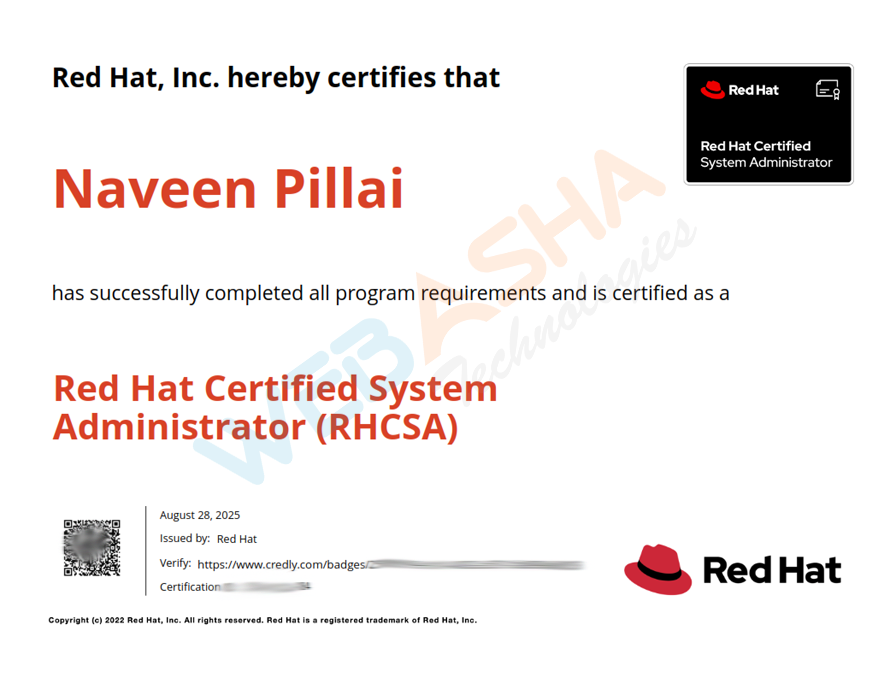
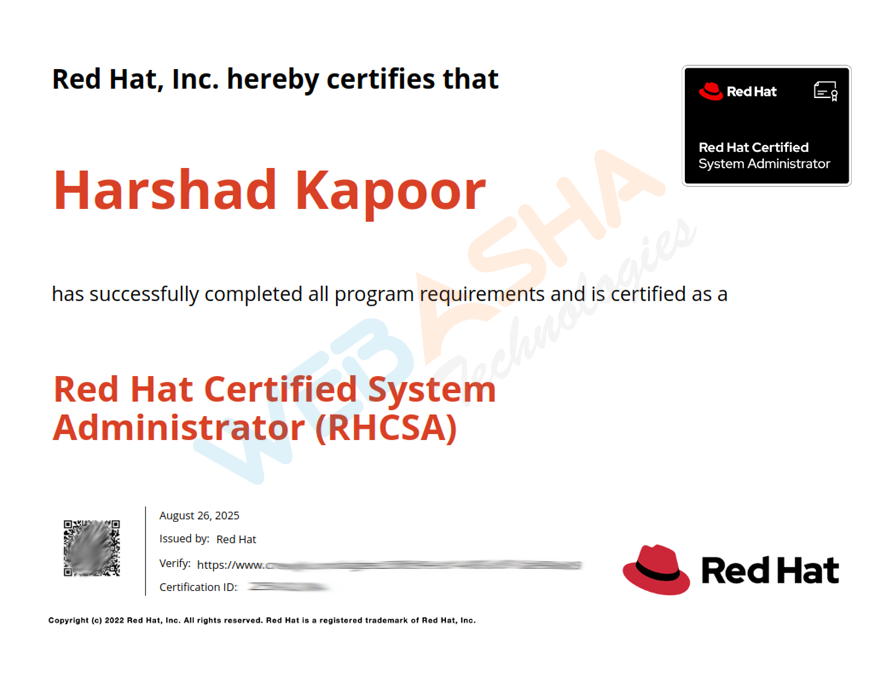
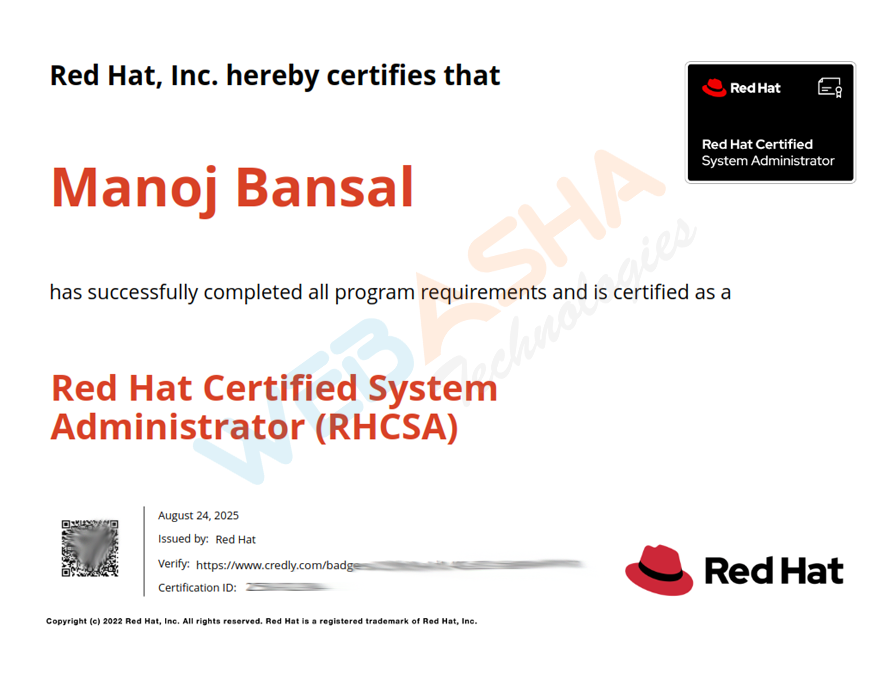
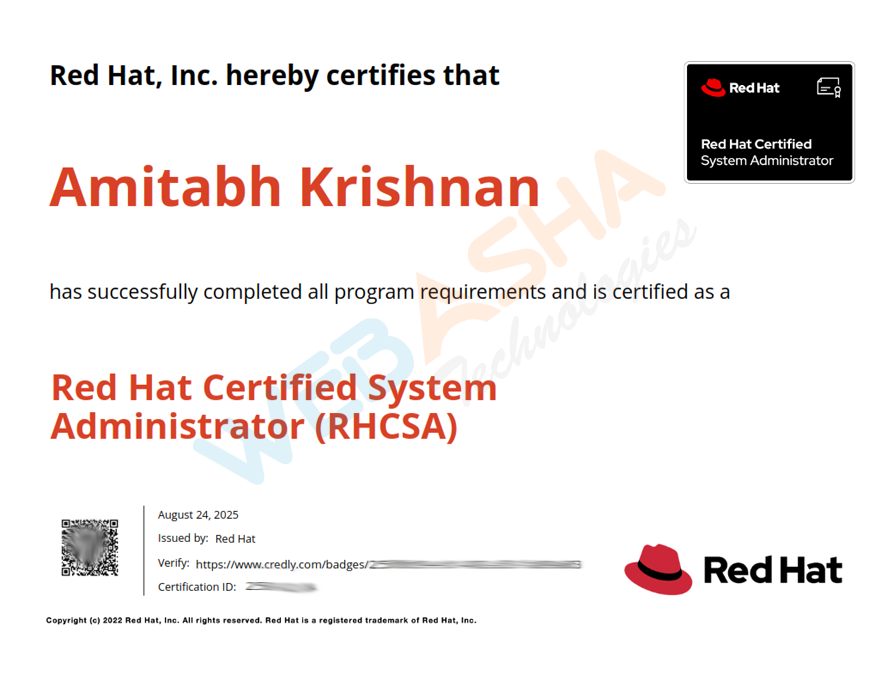
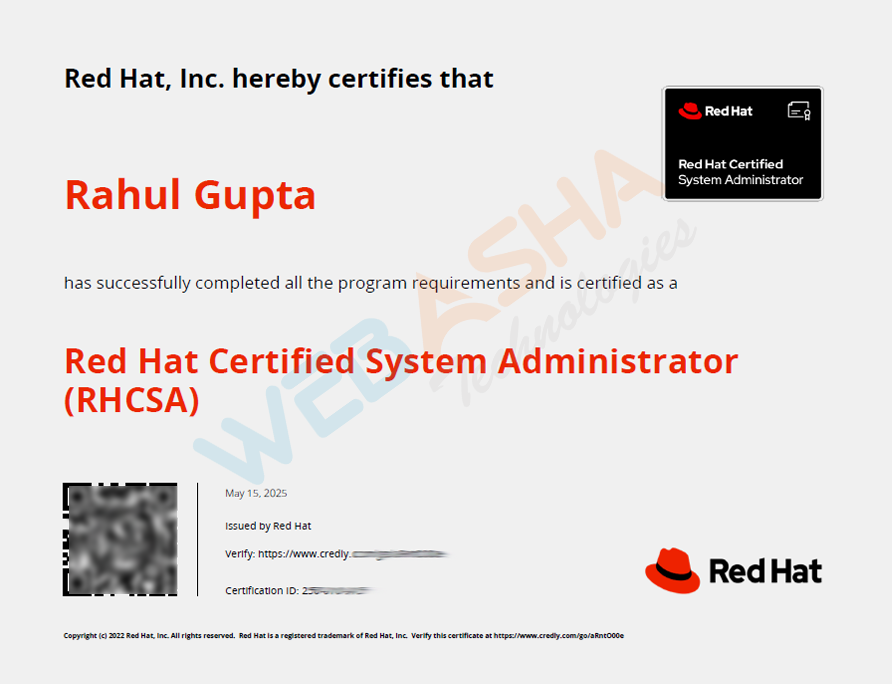
Our Recent Certified Candidates
RHCSA (EX200) and RHCE (EX294) exam details
| Attribute | Details |
|---|---|
| Certifications | RHCSA (EX200) + RHCE (EX294) |
| RHCSA exam | EX200: 3 hours, hands-on, performance-based (duration not shown in the text of Red Hat's exam page, so confirm when you book) |
| RHCE exam | EX294: 4 hours, hands-on, performance-based (duration not shown in the text of Red Hat's exam page). Red Hat now titles it the Red Hat Certified Advanced System Administrator in Ansible exam |
| Based on | EX200: Red Hat Enterprise Linux 10. EX294: Red Hat says the objectives follow its most recent product version, and the exam uses Ansible Automation Platform |
| Passing score | Not published on Red Hat's exam pages (210 out of 300 is the figure usually quoted for each exam) |
| Order | Pass EX200 first. Red Hat lists both EX200 and EX294 as requirements for RHCE in Ansible |
| Exam fee | Varies by region (approx. USD 400 per exam) |
| Validity | 3 years |
| Exam languages | English, Japanese |
| Exam mode | Remote exam / in-person (kiosk) |
Passing criteria for the RHCSA and RHCE exams
Career benefits of the RHCSA + RHCE combo
The RHCSA + RHCE combo shows employers you can both administer and automate Red Hat Enterprise Linux, which is widely used in enterprise IT and the cloud.
- Two credentials: Earn both RHCSA and RHCE in one path.
- Strong demand: Employers hiring for Linux administration, DevOps and cloud roles ask for Linux and Ansible skills.
- Salaries: Combo-certified engineers earn ₹4-22+ LPA.
- Path to RHCA: Red Hat says EX294 also counts towards Red Hat Certified Architect in Ansible.
- Global recognition: Red Hat certifications are valued worldwide.
- Long-term value: Demand for Linux and automation skills keeps growing.
Why choose RHCSA + RHCE combo training at WebAsha Technologies in Copenhagen
Learn Linux and automation with WebAsha Technologies, a Red Hat training partner. Our combo program is built around the RHCSA and RHCE exams and runs on RHEL 10.
- Expert trainers: Learn from RHCA/RHCE-certified instructors.
- Complete EX200 + EX294 coverage: Administration and Ansible automation, from the first command to full playbooks.
- Exam-like labs: Practise on RHEL 10 systems.
- Flexible batches: Weekday or weekend, online or classroom.
- Certification focus: Timed mock exams and drills aimed at passing on the first attempt.
- Career support: Resume building, mock interviews and placement assistance.
Linux & Open Source for learners in Copenhagen, Capital Region of Denmark, Denmark
About Copenhagen
Denmark's capital is home to Maersk's global shipping headquarters, and pharma giant Novo Nordisk is based in nearby Bagsværd. Wind energy at Ørsted, design and finance round out the economy. Ørsted's wind-farm operations and Maersk's logistics platforms rely on cloud and DevOps teams.
Who learns from Copenhagen
DTU and ITU students, IT staff in shipping and pharma, and international professionals, including Indian engineers on Danish work permits, who want English-language upskilling.
Attending online
IST is 3.5 hours ahead of Denmark in summer and 4.5 in winter, so IST evening batches fall in the Copenhagen afternoon, and they still end before the typical Danish 4 pm finish. Classes are live online.
Linux & Open Source career scope in Copenhagen
Linux & Open Source jobs in Copenhagen
Cloud work in Copenhagen comes from large Danish companies modernising global platforms. Maersk runs logistics and booking systems for a worldwide shipping network, Ørsted operates monitoring and control systems for wind farms, Danske Bank migrates banking platforms under financial regulation, and Novo Nordisk runs research and manufacturing IT. Ørestad and Nordhavn host many of the IT service firms that support these companies. DTU and ITU graduates enter as juniors, and international engineers on Danish work permits often already have experience.
Danske Bank's regulated migrations and Maersk's global platforms both reward Linux depth, so RHCSA, an AWS or Azure associate credential and then CKA is a sensible order. Danish employers value practical skills and documentation, so a portfolio of lab builds helps. IST evening sessions fall in the Copenhagen afternoon, so people on the typical Danish working day can attend live after finishing work, with recordings covering the rest.
For students & freshers in Copenhagen
Danish students commonly combine study with a studiejob, a part-time student job, and Copenhagen's large employers use these roles to spot future graduates. DTU, ITU and University of Copenhagen students can earn certifications and finish lab projects through WebAsha's online classes, with interview coaching geared to Danish employers. International students in Copenhagen face limits on weekly working hours under their residence permits, so a certification and portfolio can help them compete for the student jobs they can take.
Its placement-guarantee programme and hiring partners help freshers who find Danish-language requirements a barrier, through remote roles or positions in India. The evening session reaches Copenhagen mid-afternoon, after morning lectures at Lyngby or Amager, and recordings help during exam periods. A data pipeline built on Energinet's public electricity data suits interviews in Copenhagen's energy sector.
Tech community in Copenhagen
Meetups, chapters and events near you
The OWASP Copenhagen chapter holds evening meetups, and the IT University of Copenhagen has hosted them, which makes it an easy place to meet both students and working security engineers. Talks cover practical application security topics, including how security fits into modern development pipelines.
If you are taking a live online course in DevOps, cloud or cyber security from Denmark, the chapter is a sensible place to check your understanding against what Danish teams actually do. Go to a few sessions, ask speakers about the tools they use, and look for chances to help with or give a short talk later. Only a small set of groups could be verified for this page, so it is worth browsing Meetup for other Copenhagen cloud and Linux gatherings as well.
Independent community groups, listed for reference. They are not run by or affiliated with WebAsha.
Copenhagen's industries & employers
Sectors
Districts
Employers
Context only; no affiliation implied.
Colleges
What the program includes
Learning, career, certification and placement support in one program.
Learning benefits
- Structured CurriculumConcept-first, job-ready syllabus
- Hands-On LabsPractice every concept live
- Expert-Led SessionsLearn from working professionals
Career benefits
- Resume BuildingATS-friendly, recruiter-ready
- Mock InterviewsReal interview simulations
- Job ReferralsAccess to hiring partner network
Certification benefits
- Globally RecognizedIndustry-standard certifications
- Exam PreparationTargeted, exam-focused coaching
- Practice TestsUnlimited mock assessments
Placement benefits
- 500+ Hiring PartnersActive recruiter network
- Placement DrivesRegular hiring opportunities
- Salary NegotiationGuidance to maximize offers
Where our learners work now
Former students now working at leading companies, and how they got there.
Red Hat Linux (RHCSA + RHCE) Combo Training & Certification is a hands-on Red Hat Linux system administration training course by WebAsha Technologies, available online and in classroom with live projects, certification prep and placement support. It suits beginners and professionals, runs about 6 to 12 weeks, and leads to roles such as Linux System Administrator, Linux Support Engineer, DevOps Engineer paying roughly 3.0 to 28.0 LPA.
Key takeaways for Copenhagen
- Master Linux through hands-on, practical training.
- Learn linux installation & boot process and user, group & permission management.
- Work on real-world projects and lab exercises.
- Earn an industry-recognised certificate.
- Get placement support for roles paying up to 28.0 LPA.
Red Hat Linux (RHCSA + RHCE) Combo Training & Certification in Copenhagen: WebAsha vs other options
| Feature | WebAsha Linux | Self-study | Generic online course |
|---|---|---|---|
| Live instructor-led training | Yes | No | Sometimes |
| Hands-on labs & real projects | Yes | Limited | Limited |
| Certification exam preparation | Yes | Self-managed | Varies |
| Doubt-solving & mentorship | Yes | No | Limited |
| Placement assistance | Yes | No | Rare |
| Industry-recognised certificate | Yes | No | Varies |
Related certification exams
- RHCSA EX200v10 Red Hat Certified System Administrator
- RHCE EX294 v10 Training | Red Hat Certified Engineer Certification
- EX210v16 Red Hat OpenStack
- EX260 Red Hat Certified Specialist in Ceph Cloud Storage
- EX280 Red Hat OpenShift Administration II
- EX380 Red Hat Certified Specialist in OpenShift Automation and Integration
Red Hat Linux (RHCSA + RHCE) Combo Training & Certification in Copenhagen FAQs
Last updated: 10 July 2026
Yes. Learners in Copenhagen join the Red Hat Linux (RHCSA + RHCE) Combo Training & Certification course as live, instructor-led online classes. You attend the same batches as learners in India, with a trainer teaching in real time, so there is no need to travel.
No. Learners in Copenhagen and the rest of Denmark take the course live online.
Batch times are set in India Standard Time and convert to Copenhagen time as follows for the upcoming batches:
- Weekend: 10:00 AM IST in India, which is Saturday, 6:30 AM GMT+2 in Copenhagen
- Weekday: 8:00 AM IST in India, which is Monday, 4:30 AM GMT+2 in Copenhagen
- Weekday: 6:30 PM IST in India, which is Monday, 3:00 PM GMT+2 in Copenhagen
The schedule on this page shows every batch in Copenhagen time as well as IST.
Yes. Current batches for this course run as Weekend, Weekday and Fast Track batches. Learners in Copenhagen who work full time often choose weekend batches.
Each batch is capped at 10 learners, so the trainer can answer questions and review lab work individually.
A laptop or desktop with a modern browser, a stable internet connection and a headset are enough. The labs run in WebAsha's cloud lab, so you do not need to install heavy software or own special hardware.
Yes. The course includes full-day access to WebAsha's cloud lab, so you can practise in Copenhagen at whatever time suits you, including outside the live session.
All live classes and course material are in English.
They are live. A trainer teaches each session in real time and takes questions as you go, which is different from a self-paced video course.
The course includes Red Hat Official Lab & Attendance Certificate.
Yes. You can book a free counselling call or message the team on WhatsApp from this page to discuss the syllabus, batch timings in Copenhagen time and fees before you decide.
The course runs for 80 Hrs (Weekdays & Weekend Session).
Yes. RHCSA (EX200) + RHCE (EX294) is issued by the certifying body itself, not by a country, so it is the same credential for employers in Denmark as anywhere else.
DTU and ITU students, IT staff in shipping and pharma, and international professionals, including Indian engineers on Danish work permits, who want English-language upskilling.
IST is 3. 5 hours ahead of Denmark in summer and 4.
Cloud work in Copenhagen comes from large Danish companies modernising global platforms. Maersk runs logistics and booking systems for a worldwide shipping network, Ørsted operates monitoring and control systems for wind farms, Danske Bank migrates banking platforms under financial regulation, and Novo Nordisk runs research and manufacturing IT. Ørestad and Nordhavn host many of the IT service firms that support these companies.
Sectors with a strong presence in Copenhagen include Shipping and logistics, Pharmaceuticals and life sciences, Renewable energy, Design and Finance. All of them run IT systems that need people with Red Hat Linux (RHCSA + RHCE) Combo Training & Certification skills.
Well-known employers in and around Copenhagen include Maersk, Novo Nordisk, Ørsted, Danske Bank and Carlsberg. They are listed for context only; WebAsha has no affiliation with them.
Technology work in Copenhagen clusters around Ørestad, Nordhavn, COBIS Science Park and Medicon Valley (Øresund region).
Universities and colleges in Copenhagen include University of Copenhagen, Technical University of Denmark (DTU), Copenhagen Business School and IT University of Copenhagen. Students and recent graduates from them often add a vendor certification to show hands-on skills.
Yes. Groups you can look at include OWASP Copenhagen and IT University of Copenhagen. They are independent of WebAsha, but they are a good place to practise, meet people in the field and hear about local jobs.
Yes. The same live online course is offered to learners in nearby cities such as Abu Dhabi, Abuja, Accra, Addis Ababa and Adelaide.
Choose a batch in the schedule on this page and use the enrol or WhatsApp button. A counsellor confirms the batch, shares the joining details and answers questions about fees and the syllabus.
Related courses

Take the next step in your IT career
Join thousands of learners who upskilled and got placed with WebAsha Technologies.