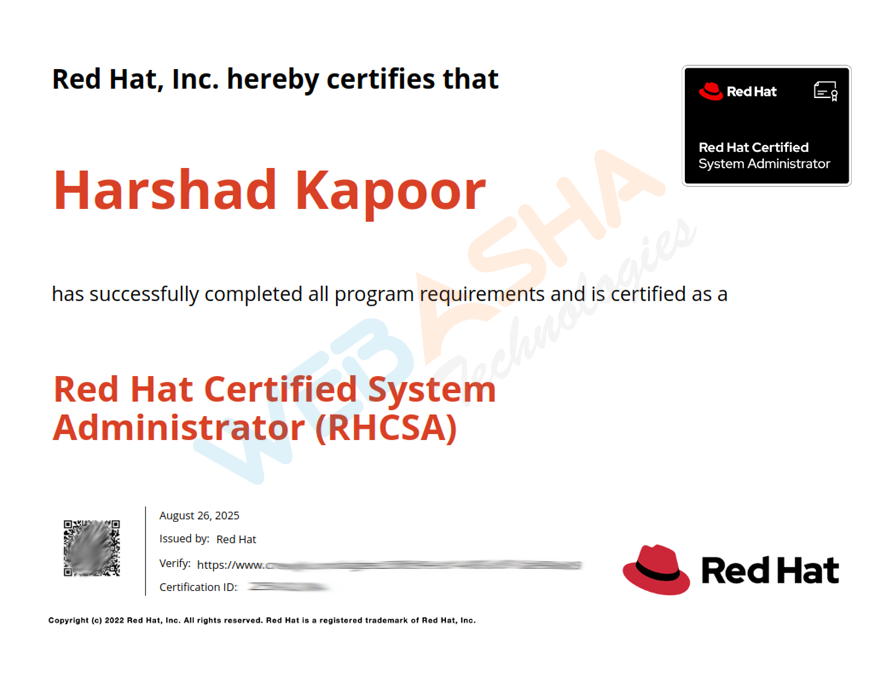
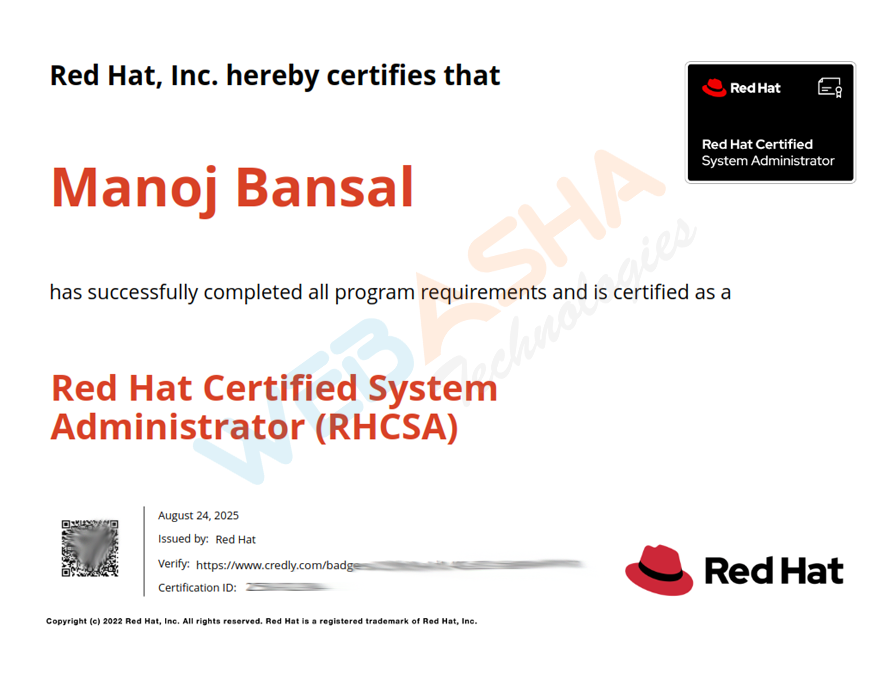
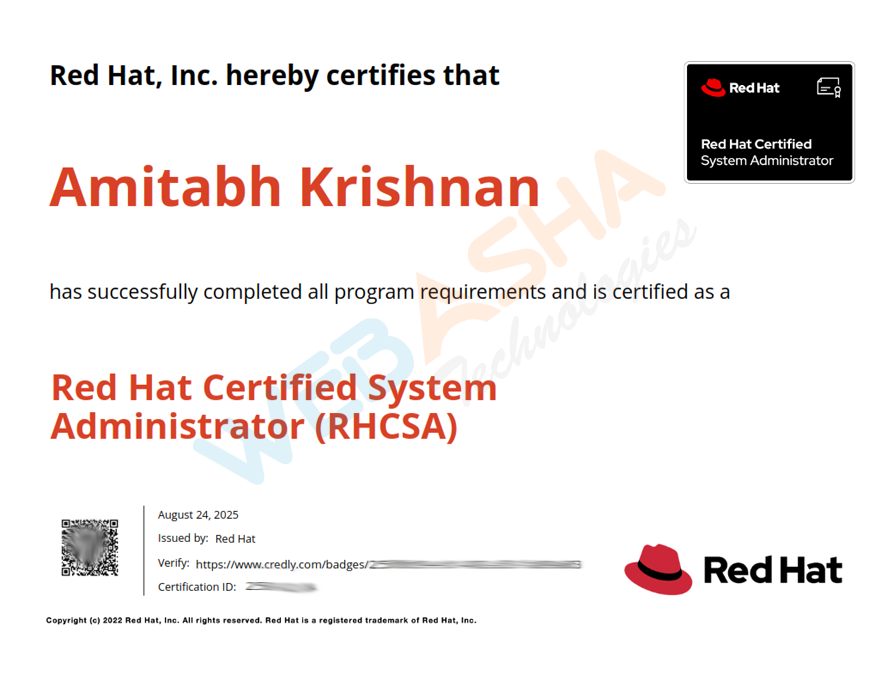
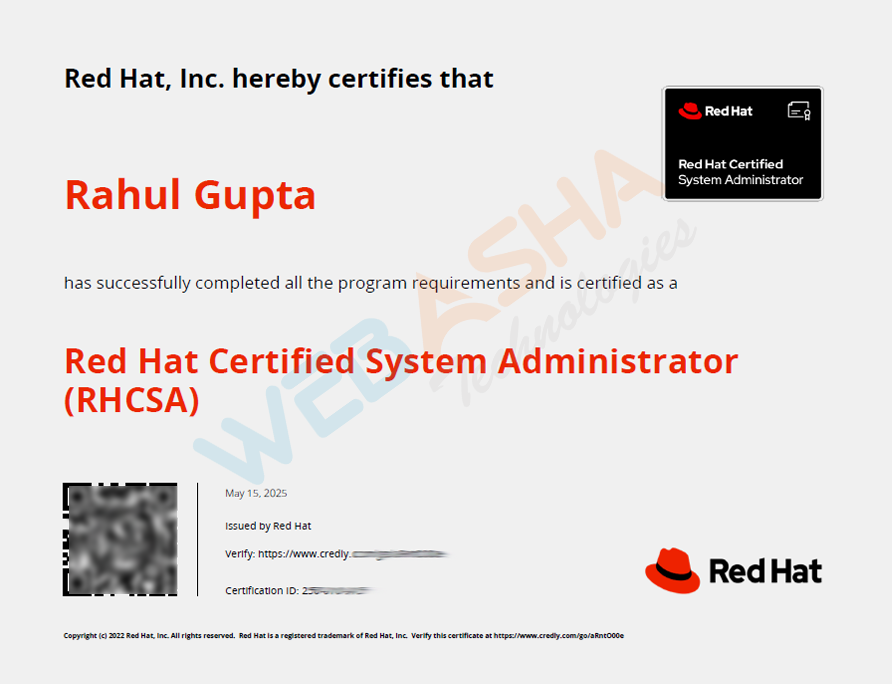
Red Hat Linux (RHCSA + RHCE) Combo Training & Certification in Frankfurt Am Main, GermanyEUR

Red Hat Linux (RHCSA + RHCE) Combo Training & Certification Live Online in Frankfurt Am Main

Overall rating: 4.9 based on 3,796 reviewsG 4.9/5f 4.9/5

Live instructor-led online classes for Frankfurt Am Main learners

The Red Hat Linux (RHCSA + RHCE) Combo at WebAsha Technologies in Frankfurt Am Main is a hands-on program that takes you from Linux system administrator to automation engineer. It prepares you for the RHCSA (EX200) and RHCE (EX294) exams, with training on Red Hat Enterprise Linux 10.

The RHCSA half covers the command line, file systems, storage (LVM), users and groups, permissions, SELinux, networking, systemd services and containers. The RHCE half then teaches you to automate that administration with Ansible, using playbooks, roles, templates, Vault and Red Hat system roles.

Suited to freshers, Linux administrators and IT professionals, this combo starts from Linux basics and ends with the RHCE credential. WebAsha's mentors are RHCA/RHCE-certified and the labs run RHEL 10, with the aim that you clear both exams.
Duration:80 Hrs (Weekdays & Weekend Session)
Mode:Live Instructor-Led Online Training
Certification:RHCSA (EX200) + RHCE (EX294)
Institute:WebAsha Technologies
Includes:Red Hat Official Lab & Attendance Certificate
Trusted By

1000+ leading universities and companies

Our learners are hired by the world's most respected technology, IT services and consulting brands.

  • Hiring partner
  • Hiring partner
  • Hiring partner
  • Hiring partner
  • Hiring partner
  • Hiring partner
  • Hiring partner
  • Hiring partner
  • Hiring partner
  • Hiring partner
  • Hiring partner
  • Hiring partner
  • Hiring partner
  • Hiring partner
  • Hiring partner
  • Hiring partner
  • Hiring partner
  • Hiring partner
  • Hiring partner
  • Hiring partner
  • Hiring partner
  • Hiring partner
  • Hiring partner
  • Hiring partner
  • Hiring partner
  • Hiring partner
  • Hiring partner
  • Hiring partner
  • Hiring partner
  • Hiring partner
  • Hiring partner
  • Hiring partner
  • Hiring partner
  • Hiring partner
  • Hiring partner
  • Hiring partner
  • Hiring partner
  • Hiring partner
  • Hiring partner
  • Hiring partner
  • Hiring partner
  • Hiring partner
  • Hiring partner
  • Hiring partner
  • Hiring partner
  • Hiring partner
  • Hiring partner
  • Hiring partner
  • Hiring partner
  • Hiring partner
  • Hiring partner
  • Hiring partner
  • Hiring partner
  • Hiring partner
  • Hiring partner
  • Hiring partner
  • Hiring partner
  • Hiring partner
  • Hiring partner
  • Hiring partner
  • Hiring partner
  • Hiring partner
  • Hiring partner
  • Hiring partner
  • Hiring partner
  • Hiring partner
  • Hiring partner
  • Hiring partner
  • Hiring partner
  • Hiring partner
  • Hiring partner
  • Hiring partner
  • Hiring partner
  • Hiring partner
  • Hiring partner
  • Hiring partner
  • Hiring partner
  • Hiring partner
  • Hiring partner
  • Hiring partner
  • Hiring partner
  • Hiring partner
  • Hiring partner
  • Hiring partner
Recent Placements Testimonials

Red Hat Linux (RHCSA + RHCE) Combo Training & Certification recent reviews

Our learners talk about how the program changed their careers.

Verified Reviews

Student reviews and success stories

Real feedback from learners now placed across top technology and consulting firms.

YG

Yogesh Gaikwad

Linux Administrator · IBM

“Completing the Red Hat Linux training at WebAsha was a turning point for me. The learning experience was structured, practical and paced just right for working professionals. The certification preparation and mock tests made the actual exam feel straightforward. The course focused on user and file administration, storage configuration, systemd services, SELinux and shell scripting through practical, real-world scenarios. The knowledge and confidence I gained here continue to help me every day at work.”
LinkedIn Review
ST

Sagar Thomas

System Engineer · Rakuten

“I joined WebAsha for Red Hat Linux to level up my skills, and the experience exceeded my expectations. The certification preparation and mock tests made the actual exam feel straightforward. The cloud labs were available round the clock, so I could practise assignments whenever I had time. We worked hands-on with user and file administration, storage configuration, systemd services, SELinux and shell scripting, which made every concept stick. The placement assistance team actively shared openings and guided me until I was placed. A big thank you to the trainers and team for such a rewarding learning experience.”
Verified Student
BJ

Bhavana Jadhav

IT Support Engineer · Sopra Steria

“I recently finished the Red Hat Linux course at WebAsha Technologies and it was worth every minute. We worked hands-on with user and file administration, storage configuration, systemd services, SELinux and shell scripting, which made every concept stick. The mock interviews and interview preparation sharpened me for real technical rounds. The placement assistance team actively shared openings and guided me until I was placed. The batch was slightly large at times, yet the hands-on focus and support made it well worth it.”
Google Review
AG

Arjun Gaikwad

System Engineer

“The Red Hat Linux program at WebAsha genuinely lived up to its reputation. Each module built logically, and the coverage of user and file administration, storage configuration, systemd services, SELinux and shell scripting was thorough and current. Every topic was reinforced with practical lab assignments instead of just slides. Hands-on practice on real Red Hat systems built genuine confidence, not just theory. A big thank you to the trainers and team for such a rewarding learning experience.”
LinkedIn Review
VK

Varun Kulkarni

Associate System Administrator · Persistent Systems

“The Red Hat Linux program at WebAsha genuinely lived up to its reputation. We worked hands-on with user and file administration, storage configuration, systemd services, SELinux and shell scripting, which made every concept stick. The placement assistance team actively shared openings and guided me until I was placed. The knowledge and confidence I gained here continue to help me every day at work.”
Google Review
TV

Tanvi Verma

System Engineer · Coforge

“After comparing a few institutes, I chose WebAsha for Red Hat Linux, and I am glad I did. Doubt-clearing sessions ran even after class hours, which I really appreciated. Flexible batch timings let me attend alongside my job without any stress. The real-world implementation examples helped me understand how things work on the job. Each module built logically, and the coverage of user and file administration, storage configuration, systemd services, SELinux and shell scripting was thorough and current. This training accelerated my career growth, and I would gladly recommend it to anyone.”
Google Review
AD

Aditya Deshmukh

Linux Administrator · Accenture

“I joined WebAsha for Red Hat Linux to level up my skills, and the experience exceeded my expectations. Each module built logically, and the coverage of user and file administration, storage configuration, systemd services, SELinux and shell scripting was thorough and current. The trainers are clearly industry experts and answered even my toughest doubts patiently. The certification preparation and mock tests made the actual exam feel straightforward. The batch was slightly large at times, yet the hands-on focus and support made it well worth it.”
Google Review
NK

Nikhil Kapoor

Linux Administrator · Persistent Systems

“WebAsha's Red Hat Linux training turned a tough certification into an enjoyable learning experience. Hands-on practice on real Red Hat systems built genuine confidence, not just theory. What impressed me was how the trainers connected user and file administration, storage configuration, systemd services, SELinux and shell scripting to actual production use. I cleared the certification on my first attempt and highly recommend Red Hat Linux at WebAsha.”
Google Review
AG

Ananya Gupta

Associate System Administrator · Rakuten

“I joined WebAsha for Red Hat Linux to level up my skills, and the experience exceeded my expectations. The study materials and recorded sessions were detailed and easy to revise from. The course focused on user and file administration, storage configuration, systemd services, SELinux and shell scripting through practical, real-world scenarios. I could choose between online and classroom training, and both were equally well organised. Every topic was reinforced with practical lab assignments instead of just slides. If you want practical, job-ready skills in Red Hat Linux, WebAsha is the place to be.”
Google Review
Career Roadmap

From your first class to placement

A step-by-step path from your first lesson to certification and a job offer.

Step 1 of 8

Learn

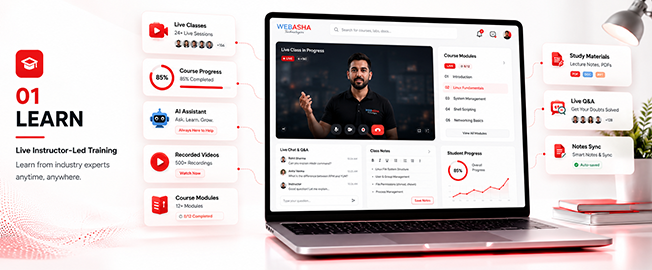
  • Live instructor-led training
  • Concept-first curriculum
  • Recorded sessions
Foundations & Core Concepts
Learn preview
Training Key Features

Red Hat Linux (RHCSA + RHCE) Combo Training & Certification training key features

What you get from our Red Hat Linux (RHCSA + RHCE) Combo Training & Certification course: a solid foundation in the basics and real-world, job-ready skills.

  • Post Training Support

  • Real Time Projects : 2

  • Certification & Job Assistance

  • Course Duration : 2 Months

  • Hands-on Training

  • Full Day Lab Access

Our cloud lab

Red Hat Linux (RHCSA + RHCE) Combo Training & Certification cloud lab environment

Our practical lab

Program highlights

What learners get at WebAsha Technologies: practical IT training and the skills employers hire for.

Learning Experience

  • In-Depth Practical Training with Real-World Scenarios
  • Choose Between In-Person or Virtual Classes (Flexible Schedules)
  • Guidance from Seasoned IT Professionals
  • Complimentary Intro to Emerging Tech Topics
  • One-on-One Support for Clarifying Concepts
  • Regular Hands-On Exercises and Live Projects
  • Access to a Library of 150+ Training Videos for a Year

Career Development

  • Tailored Job Placement Support with Multiple Interviews
  • Custom Resume Crafting and Interview Coaching
  • Workshops on Professional Skills and Teamwork
  • Affordable Payment Plans with No Extra Fees
  • Help Preparing for International Certifications
  • Personal Career Guidance from Experts
  • Practice Interviews with Industry Leaders

Why choose WebAsha Technologies

Career-focused IT training with expert mentors, practical labs and globally recognized certifications, so you stand out when you apply for jobs.

Features Recommended
WebAsha Technologies
Other Institutes
Expert Trainers
10+ Years Experienced Industry Professionals
Freshers or Part-time Instructors
Course Curriculum
Updated & Industry-Relevant (Cybersecurity, Cloud, DevOps, Linux, AI/ML)
Basic or Outdated Content
Hands-on Learning
Real Projects, Labs & Case Studies
Theory-Focused, Limited Practical
Certifications
Globally Recognized (EC-Council, OffSec, Red Hat, AWS, Microsoft, etc.)
Generic or Unrecognized Certificates
Placement Support
100% Assistance + Resume & Interview Coaching
Limited or No Job Support
Flexible Learning
Classroom & Online Training Options
Rigid Timings, Mostly Classroom-Only
Learning Resources
Lifetime LMS Access, Study Materials, Recorded Sessions
Minimal or No Additional Resources
Batch Size
Small Groups with 1:1 Mentorship
Large, Crowded Batches

Upcoming batches & schedule

Saturday, October 17, 2026

Live Online
Weekend
10:00 AMIST
Enrollment OpenMax intake limit is 10

Monday, October 19, 2026

Live Online
Weekday
8:00 AMIST
Enrollment OpenMax intake limit is 10

Monday, October 19, 2026

Live Online
Weekday
6:30 PMIST
Enrollment OpenMax intake limit is 10

Monday, October 19, 2026

Live Online
Fast Track
11:00 AMIST
Enrollment OpenMax intake limit is 10

Saturday, October 24, 2026

Live Online
Weekend
10:00 AMIST
Enrollment OpenMax intake limit is 10

Monday, October 26, 2026

Live Online
Weekday
8:00 AMIST
Enrollment OpenMax intake limit is 10

Monday, October 26, 2026

Live Online
Weekday
6:30 PMIST
Enrollment OpenMax intake limit is 10

Monday, November 2, 2026

Live Online
Weekday
8:00 AMIST
Enrollment OpenMax intake limit is 10

Monday, November 2, 2026

Live Online
Weekday
6:30 PMIST
Enrollment OpenMax intake limit is 10
Flexible Scheduling

Can't find a schedule that works?

Our counsellors can help you arrange a batch that fits your timing.

Course insight 1Course insight 2

Red Hat Linux (RHCSA + RHCE) combo course training overview

Train as a Red Hat administrator and automation engineer with our classroom and online RHCSA + RHCE combo training at WebAsha Technologies. Based on RHEL 10, it builds the hands-on skills tested in the RHCSA (EX200) and RHCE (EX294) exams.

Training overview:

This combo follows Red Hat's RHCSA courses, RH124 and RH134 (system administration, storage, users, networking, SELinux, services and containers), and then the RHCE course, RH294, which Red Hat now lists as AU294: automating administration with Ansible playbooks, roles, templates, Vault and system roles. The syllabus below has 47 chapters, and the labs prepare you for both hands-on exams.

Intended audience:

This program suits freshers, Linux administrators, DevOps aspirants and IT professionals who want to learn Linux and Ansible properly and earn the RHCSA and RHCE credentials in one path.

Topics covered:

  • Linux administration (RHCSA): Manage RHEL 10 systems, from installation to troubleshooting.
  • Storage & LVM: Configure local storage and logical volumes.
  • Users, groups & security: Manage access, permissions and SELinux.
  • Networking & services: Configure networking and systemd services.
  • Ansible basics (RHCE): Install Ansible, build inventories and write playbooks.
  • Roles, templates & Vault: Reuse automation through roles and templates, and protect secrets with Vault.
  • Red Hat system roles: Automate storage, networking and SELinux.
  • Two certifications: Prepare for EX200 and EX294 in one course.

Requirements:

You do not need advanced experience to start. Online participants need a stable internet connection and a laptop or desktop for the live RHEL 10 labs.

Prerequisites:

There are no formal prerequisites. The combo starts from Linux fundamentals and builds up to Ansible automation. To earn RHCE, Red Hat requires RHCSA (EX200) as well as a pass in EX294.

Career benefits:

The RHCSA + RHCE combo qualifies you for a wide range of Linux and automation roles. In India, packages typically range from ₹4 LPA to ₹22+ LPA, rising with the RHCE credential and further toward the RHCA.

Red Hat certification track

Red Hat certification track
CategoryTools & components covered
Core Linuxbash, systemd, LVM, SELinux, firewalld
StoragePartitions, LVM, swap, NFS
User & securityuseradd, sudo, file permissions, SELinux contexts
Networkingnmcli, ip, ssh, firewalld
ContainersPodman, rootless containers
AutomationAnsible Automation Platform, ansible-navigator
Ansible Coreansible-playbook, roles, collections, Vault
System rolesstorage, network, selinux, timesync

Curriculum Red Hat Linux (RHCSA + RHCE) Combo Training & Certification

Red Hat Linux (RHCSA + RHCE) combo: RH124 (chapters 1 to 20), RH134 (chapters 21 to 39) and RH294, now AU294 (chapters 40 to 47)

1. Introduction to Red Hat Enterprise Linux

Part 1 is Red Hat System Administration I (RH124), which Red Hat bases on Red Hat Enterprise Linux 10. The opening chapter explains what open source, Linux, a Linux distribution and Red Hat Enterprise Linux are.

  • What open source software is and how Linux came out of it
  • What a Linux distribution is
  • Where Red Hat Enterprise Linux fits and what it is used for
2. Accessing the Command Line

You log in to a Linux system and run simple commands in the shell.

  • Log in at a text console and in the graphical desktop
  • Open a shell prompt and run commands with the correct syntax
  • Log in and switch users in multiuser targets
3. Getting Help from Local Documentation

This chapter shows how to solve problems with the help systems and documentation installed on the machine.

  • Read manual pages with man and search them by keyword
  • Use command help options and the documentation under /usr/share/doc
  • Find the right page quickly, which matters because the exam gives no internet access
4. Registering Systems for Red Hat Support

You register a system to your Red Hat account so that it is entitled to support and software.

  • Register a system with a Red Hat account
  • Check the registration and what the system is entitled to
  • See how registration gives access to Red Hat software repositories
5. Getting AI-assisted Help with RHEL Lightspeed

RHEL Lightspeed gives AI-driven guidance for managing a system. This chapter covers how to use it.

  • Ask RHEL Lightspeed for help with an administration task
  • Read the guidance it returns and check it before you run anything
  • Use it alongside the local documentation from chapter 3
6. Navigating the File-system Hierarchy

Linux organises files in a single tree. You learn how that tree is laid out and how to point to a file inside it.

  • The main directories of the Linux file system and what each one holds
  • Absolute and relative paths
  • Move around with cd, pwd and ls
7. Managing Files from the Command Line

You copy, move, create, delete and organise files from the Bash shell.

  • Create, copy, move and delete files and directories
  • Create hard and soft links
  • Match groups of files with shell expansions and patterns
8. Editing Text Files

Configuration on Linux lives in text files. Here you create, view and edit them in the terminal.

  • View text files from the command line
  • Create and edit files with a terminal text editor such as vim
  • Save, quit and recover from common editing mistakes
9. Redirecting Shell Input and Output

You redirect where a command reads its input from and where it sends its output in Bash.

  • Redirect output and errors with >, >> and 2>
  • Chain commands with pipes
  • Send command output to a file and to the screen at once
10. Managing Local Users and Groups

This chapter covers superuser access, local accounts and groups, and password policy.

  • Gain superuser access with su and sudo, and configure privileged access
  • Create, modify and delete local user accounts
  • Create and manage local groups and group memberships
  • Change passwords and adjust password ageing
11. Controlling Access to Files

You set permissions on files and work out what a given set of permissions allows.

  • List and read user, group and other permissions (rwx)
  • Change permissions and ownership with chmod and chown
  • Set default permissions with umask
  • Diagnose and correct file permission problems
12. Installing and Updating Software with RPM

You download, install, update and manage software packages from Red Hat and from DNF repositories.

  • Inspect installed packages and package files with rpm
  • Install, update and remove packages with dnf
  • Configure access to RPM repositories
  • Install from the Red Hat Content Delivery Network, a remote repository or the local file system
13. Installing and Updating Applications by Using Flatpak

Flatpak is a second way to install software. You use it to install desktop applications from the Red Hat Ecosystem Catalog.

  • Configure access to Flatpak repositories
  • Install and remove Flatpak applications
  • Run and update an application installed as a Flatpak
14. Accessing Removable Media

You reach the file systems on removable media by mounting them.

  • Identify block devices and the file systems on them
  • Mount and unmount a file system by hand
  • Check what is mounted and how much space is in use
15. Monitoring and Managing Linux Processes

You investigate, control and end the processes running on a system.

  • List processes and read their state
  • Find processes that are using a lot of CPU or memory, and kill them
  • Run and manage jobs in the background
  • Monitor system load
16. Controlling Services and Daemons

Services on RHEL are run by systemd. You control and monitor them here.

  • Start, stop, restart and check services with systemctl
  • Set services to start automatically at boot
  • List the units systemd is managing and read their status
17. Introduction to Networking

This chapter explains the basic ideas of TCP/IP networking and shows how to check a server's network configuration.

  • IPv4 and IPv6 addresses, routes and name resolution
  • Inspect interfaces and addresses with the ip command
  • Test connectivity to another host
18. Managing Network Configuration

You configure network interfaces and settings on a server.

  • Configure IPv4 and IPv6 addresses
  • Edit connections with nmcli
  • Configure the hostname and hostname resolution
  • Make network settings persist across a reboot
19. Configuring and Securing SSH

You manage SSH host keys and set up key-based authentication.

  • Access remote systems with ssh
  • How host keys work and where they are stored
  • Configure key-based authentication for SSH
  • Copy files securely between systems
20. Comprehensive Review

The last RH124 chapter is review labs in which you practise the skills taught in the course.

  • Review labs on files, users, groups and permissions
  • Review labs on processes, services, networking and SSH
21. Shell Scripting and the Command Line

Part 2 is Red Hat System Administration II (RH134), also based on Red Hat Enterprise Linux 10. It starts with writing and running simple shell scripts and using shell features to run commands more efficiently.

  • Write and run a simple Bash script
  • Use conditions (if, test, [ ]) and loops in scripts
  • Process script arguments ($1, $2 and so on) and the output of commands
22. Using Regular Expressions for Practical Applications

Regular expressions let you match text precisely. You apply them to administration tasks.

  • Write regular expressions that match the text you want
  • Search files and command output with grep
  • Apply regular expressions to log files and configuration files
23. Scheduling User Tasks

You schedule programs to run later as a regular user, once or on a recurring basis.

  • Schedule a one-off job with at
  • Schedule recurring jobs with a user crontab
  • List and remove scheduled jobs
24. Scheduling System Tasks

Some jobs belong to the system and support daemons and the operating system itself. You schedule those here.

  • Schedule recurring system jobs with cron
  • Schedule tasks with systemd timer units
  • See which scheduled jobs the system already runs
25. Analyzing and Storing Logs

You find and read system logs when troubleshooting, and keep event timestamps accurate.

  • Locate and interpret system log files and journal entries
  • Preserve the system journal across reboots
  • Configure a time service client so that timestamps are correct
26. Managing Security with SELinux

SELinux is a second layer of access control on RHEL. You use it to protect a system and to manage its security settings.

  • Set enforcing and permissive modes
  • List and identify SELinux file and process contexts
  • Restore default file contexts
  • Change SELinux settings with booleans
27. Archiving Files

You create compressed archives for backup and for moving files between systems.

  • Create and extract archives with tar
  • Compress archives with gzip and bzip2
  • List what an archive contains before you unpack it
28. Transferring Files

You move files from one system to another over a secure connection.

  • Transfer files securely between systems over SSH
  • Synchronise directories between two hosts
  • Check that the copy arrived complete
29. Tuning System Performance

You apply tuning profiles and change the scheduling priority of processes.

  • Select and apply a tuning profile
  • Adjust process scheduling priority with nice and renice
  • Check the effect on a running system
30. Managing Basic Storage

You create partitions, file systems and swap space from the command line.

  • List, create and delete partitions on GPT disks
  • Create, mount and use VFAT, ext4 and XFS file systems
  • Mount file systems at boot by UUID or label
  • Add swap space without destroying existing data
31. Managing Storage with Logical Volume Manager

Logical Volume Manager (LVM) lets you manage logical volumes that hold file systems and swap space.

  • Create and remove physical volumes
  • Assign physical volumes to volume groups
  • Create and delete logical volumes
  • Extend an existing logical volume and its file system
32. Controlling and Troubleshooting the Boot Process

You control how a system boots and which services start, and you fix problems that appear at boot time.

  • Boot, reboot and shut down a system normally
  • Boot into a different systemd target and set the default target
  • Modify the system bootloader
  • Repair boot-time problems such as a broken file system entry
33. Recovering Superuser Access

When the root password is unknown or the account is locked, you still need a way in. This chapter covers regaining administrative access.

  • Interrupt the boot process to gain access to a system
  • Reset a lost root password
  • Return the system to normal operation afterwards
34. Managing Network Security

You control which network connections reach your services, using the system firewall and SELinux port settings.

  • Configure firewall settings with firewall-cmd and firewalld
  • Restrict network access to services
  • Manage SELinux port labels
35. Accessing Network-attached Storage

You reach NFS shares on another server, either by mounting them yourself or through the automounter.

  • Mount and unmount network file systems with NFS
  • Make an NFS mount persistent
  • Configure autofs to mount shares on demand
36. Installing Red Hat Enterprise Linux

You install Red Hat Enterprise Linux in package mode, interactively and with Kickstart.

  • Install RHEL interactively
  • Automate an installation with a Kickstart file
  • Check the system after installation
37. Managing Containers with Podman

You manage containers and container images with Podman. The course teaches containers even though Red Hat's EX200 objectives for RHEL 10 no longer list them.

  • Find and pull container images
  • Run, stop and remove containers
  • Manage the images stored on a host
38. Working with Image-based Red Hat Enterprise Linux

RHEL can also be delivered as an image. You create, use, install and upgrade image-based containers and servers.

  • Create an image-based RHEL system
  • Install a server from an image
  • Upgrade an image-based system
39. Comprehensive Review

RH134 ends with review labs in which you practise the skills taught in the course.

  • Review labs on scripting, scheduling, logs and SELinux
  • Review labs on storage, boot troubleshooting, network security and containers
40. An introduction to Ansible

Part 3 is Red Hat Enterprise Linux Automation with Ansible (RH294), which Red Hat now lists as AU294 and bases on RHEL 10 and Ansible Core 2.16. This opening chapter explains what Ansible is and how it is used, then gets your working environment ready.

  • Describe the core parts of Ansible: inventories, modules, variables, facts, plays, playbooks, configuration files and roles.
  • Install and configure the Ansible development tools in VS Code.
  • Configure Ansible settings in ansible.cfg and ansible-navigator.yml.
  • Look up module details in the documentation that ships with the product.
41. Developing automation content

You build an inventory, write playbooks of growing size, run them, and learn what to check when a playbook or a host fails.

  • Create a static inventory and define host groups.
  • Prepare managed nodes: create and distribute SSH keys and set up privilege escalation.
  • Write simple and complex playbooks and run them with ansible-navigator and ansible-playbook.
  • Troubleshoot playbook errors and host failures.
42. Developing Automation Content: Variables

Variables make a playbook easier to manage. This chapter covers defining them, protecting the sensitive ones, and reading information about managed hosts.

  • Use variables to simplify how a playbook is managed.
  • Protect sensitive data in variables with Ansible Vault.
  • Use facts and magic variables to refer to information about managed hosts.
  • Capture the result of a command in a registered variable.
43. Developing Automation Content: Task Control

Task control decides how often a task runs and whether it runs at all.

  • Use loops to run a task once for each item in a list.
  • Use conditionals so that a task runs only when a condition is met.
  • Configure error handling in a play, which is one of the EX294 exam objectives.
44. Developing Automation Content: Deploying Files

This chapter is about putting files on managed hosts and changing them in place.

  • Deploy files to hosts managed by Ansible.
  • Adjust the content and attributes of files that are already on a host.
  • Create Jinja2 templates that produce customised configuration files.
45. Developing Automation Content at Scale

Large playbooks need structure. You split work across files and target exactly the hosts you mean to change.

  • Import or include other playbooks and task files to organise a complex playbook.
  • Use advanced host patterns to select specific hosts from an inventory.
  • Write playbooks that still read clearly as the number of plays and hosts grows.
46. Reusing Code with Ansible Roles and Content Collections

Roles and Ansible Content Collections let you write playbooks faster and reuse code you already have.

  • Create roles and work with them in playbooks.
  • Install roles and use them in playbooks.
  • Install Content Collections and use their modules and roles.
  • Combine roles, modules and other collection content in one playbook.
47. Automate Linux administration tasks

The last chapter applies Ansible to the routine Linux administration work covered at RHCSA level.

  • Manage software packages, repositories and services.
  • Configure firewall rules, storage devices and file systems.
  • Manage users and groups, file content and archives.
  • Schedule tasks and apply security settings.

About this outline: the RH124 and RH134 chapters are from Red Hat's course pages. Red Hat's page for the Ansible course (now coded AU294) does not show its chapter list. The eight Ansible chapter titles here are the ones Red Hat's training partners publish for the current RHEL 10 edition.

WebAsha exam practice: after the Red Hat chapters, WebAsha adds its own timed, exam-style RHCSA and RHCE scenarios and mock exams. This practice is a WebAsha addition and is not part of Red Hat's course outline.


Download the complete course syllabus

Get the full curriculum, modules & exam details delivered to you instantly.

Meet our expert trainers

Learn from certified Red Hat Linux (RHCSA + RHCE) Combo Training & Certification experts who work in the industry and teach with practical, real-world examples.

Satyendra Pal

Satyendra Pal

Networking & RHCSA Mentor

Red Hat Certified Instructor focused on foundational Linux administration and networking. Patient, practical and project-led teaching.

Free Skill Assessment

Self assessment

Test your skills with an online assessment exam and find out how ready you are for your certification.

  • Free mock test
  • Instant score report
  • Mapped to the certification
Learner taking an online skills assessment

RHCSA + RHCE combo certification bootcamp

This combo prepares you for both the RHCSA (EX200) and RHCE (EX294) performance-based exams, with training on Red Hat Enterprise Linux 10.

  • Two certifications: Prepare for RHCSA and RHCE together.
  • Performance-based exams: Both EX200 and EX294 are hands-on.
  • RHCSA duration: EX200 is usually listed as a 3-hour hands-on exam.
  • RHCE duration: EX294 is usually listed as a 4-hour hands-on exam.
  • Passing score: Red Hat does not publish one on its exam pages. 210 out of 300 is the figure usually quoted.
  • Based on RHEL 10: The training follows Red Hat's current RHEL 10 courses.
  • Validity: Red Hat certifications stay current for 3 years.
  • Hands-on labs: Practise on RHEL 10 systems.

Our Recent Certified Candidates

  • Certified candidate
  • Certified candidate
  • Certified candidate
  • Certified candidate
  • Certified candidate
  • Certified candidate
  • Certified candidate
  • Certified candidate
  • Certified candidate
  • Certified candidate
  • Certified candidate
  • Certified candidate
  • Certified candidate
  • Certified candidate
  • Certified candidate

RHCSA (EX200) and RHCE (EX294) exam details

AttributeDetails
CertificationsRHCSA (EX200) + RHCE (EX294)
RHCSA examEX200: 3 hours, hands-on, performance-based (duration not shown in the text of Red Hat's exam page, so confirm when you book)
RHCE examEX294: 4 hours, hands-on, performance-based (duration not shown in the text of Red Hat's exam page). Red Hat now titles it the Red Hat Certified Advanced System Administrator in Ansible exam
Based onEX200: Red Hat Enterprise Linux 10. EX294: Red Hat says the objectives follow its most recent product version, and the exam uses Ansible Automation Platform
Passing scoreNot published on Red Hat's exam pages (210 out of 300 is the figure usually quoted for each exam)
OrderPass EX200 first. Red Hat lists both EX200 and EX294 as requirements for RHCE in Ansible
Exam feeVaries by region (approx. USD 400 per exam)
Validity3 years
Exam languagesEnglish, Japanese
Exam modeRemote exam / in-person (kiosk)

Passing criteria for the RHCSA and RHCE exams

This combo prepares you for two performance-based exams. The RHCSA (EX200) is usually listed as a 3-hour hands-on exam and the RHCE (EX294) as a 4-hour hands-on exam. EX200 is based on Red Hat Enterprise Linux 10, and Red Hat says the EX294 objectives follow its most recent product version. Red Hat does not publish a passing score on its exam pages. The figure usually quoted is 210 out of 300 for each. You are scored on real administration and automation tasks checked against objective criteria, and you need RHCSA as well as a pass in EX294 to be awarded RHCE. WebAsha Technologies in Frankfurt Am Main prepares you with labs and exam-style practice aimed at clearing both on the first attempt.

Career benefits of the RHCSA + RHCE combo

The RHCSA + RHCE combo shows employers you can both administer and automate Red Hat Enterprise Linux, which is widely used in enterprise IT and the cloud.

  • Two credentials: Earn both RHCSA and RHCE in one path.
  • Strong demand: Employers hiring for Linux administration, DevOps and cloud roles ask for Linux and Ansible skills.
  • Salaries: Combo-certified engineers earn ₹4-22+ LPA.
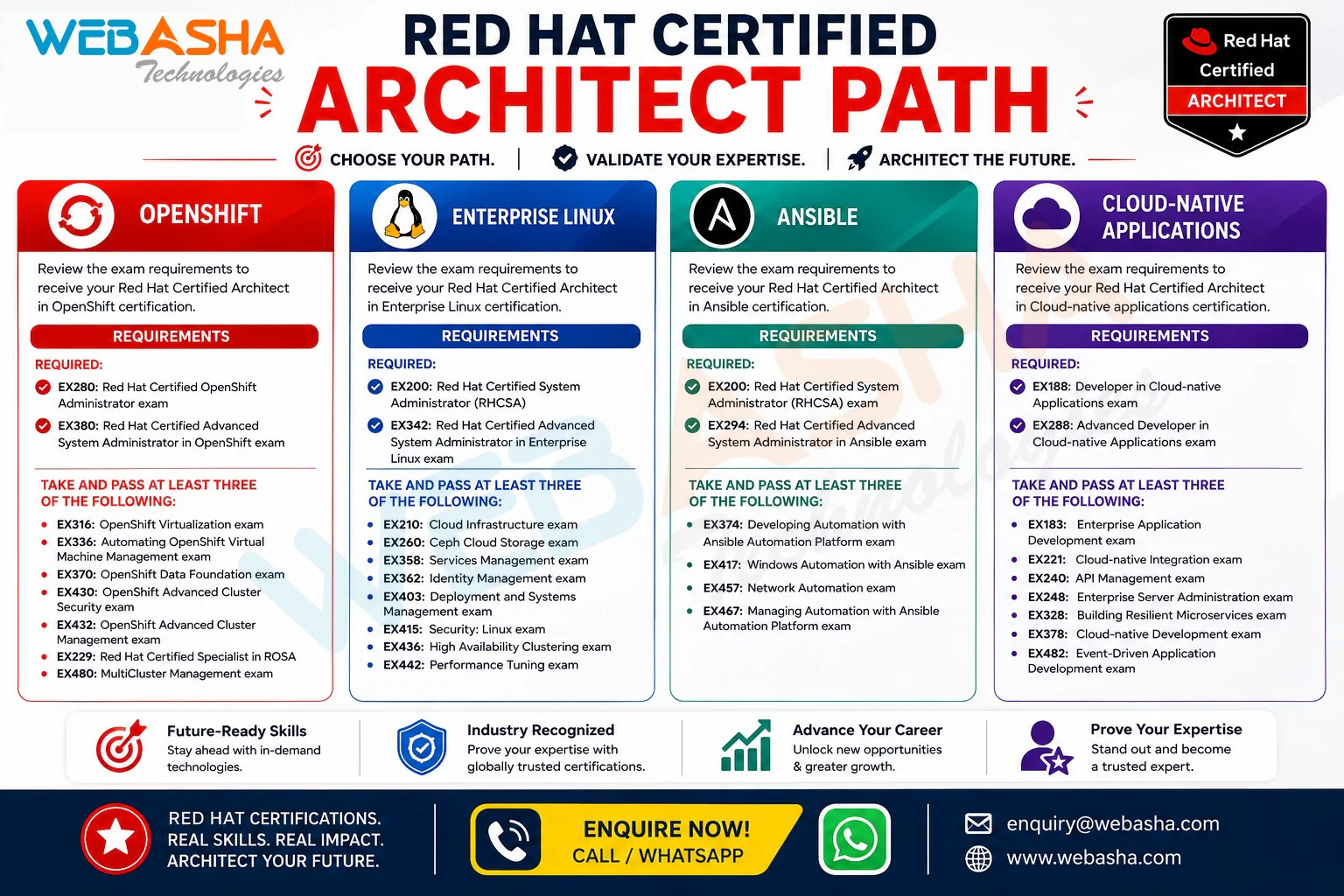
  • Path to RHCA: Red Hat says EX294 also counts towards Red Hat Certified Architect in Ansible.
  • Global recognition: Red Hat certifications are valued worldwide.
  • Long-term value: Demand for Linux and automation skills keeps growing.

Why choose RHCSA + RHCE combo training at WebAsha Technologies in Frankfurt Am Main

Learn Linux and automation with WebAsha Technologies, a Red Hat training partner. Our combo program is built around the RHCSA and RHCE exams and runs on RHEL 10.

  • Expert trainers: Learn from RHCA/RHCE-certified instructors.
  • Complete EX200 + EX294 coverage: Administration and Ansible automation, from the first command to full playbooks.
  • Exam-like labs: Practise on RHEL 10 systems.
  • Flexible batches: Weekday or weekend, online or classroom.
  • Certification focus: Timed mock exams and drills aimed at passing on the first attempt.
  • Career support: Resume building, mock interviews and placement assistance.

Learning from Frankfurt am Main

Linux & Open Source for learners in Frankfurt am Main, Hesse, Germany

About Frankfurt am Main

Frankfurt am Main, the Main river city at the heart of the Rhine-Main region, is the seat of the ECB and a major trade-fair venue. Frankfurt Airport, run by Fraport, is one of Europe's busiest, and DE-CIX makes the city a key internet interconnection point. Hyperscaler regions and colocation operators near the city need infrastructure and DevOps engineers.

Who learns from Frankfurt am Main

Banking IT engineers, airport and air-cargo IT staff, and international professionals newly settled in the Rhine-Main area form the core audience, with Goethe University students adding to it.

Attending online

During central European summer time a 7 pm IST class starts at 3:30 pm in Frankfurt, and at 2:30 pm in winter. Staff on airport shift rosters at Gateway Gardens can rely on recordings and 24x7 labs instead of fixed-time attendance.

Linux & Open Source career scope in Frankfurt am Main

Linux & Open Source jobs in Frankfurt am Main

Cloud and DevOps work in Frankfurt am Main is closely tied to network infrastructure. DE-CIX operates its main exchange here, connecting carriers, content networks and cloud providers, which creates roles for engineers who understand BGP, automation and large-scale Linux. Fraport and the airlines at Frankfurt Airport run passenger, baggage and cargo systems that are being moved onto modern platforms, Messe Frankfurt needs scalable ticketing and visitor systems around major trade fairs, and offices in Eschborn host consulting firms that run cloud migrations for German clients.

Because DE-CIX and the carriers around it think in routing and peering, a sensible order here is RHCSA, then CCNA, then AWS Solutions Architect Associate or Azure Administrator, and finally CKA. Students at Hochschule RheinMain and Frankfurt UAS can build automation projects in the 24x7 labs, and engineers working airport shifts can catch up through recordings.

For students & freshers in Frankfurt am Main

Students and freshers in Frankfurt am Main and the wider Rhine-Main area can find internships at the airport, trade-fair operator, cooperative banks and consulting firms in Eschborn, and German employers often use Werkstudent roles to test future hires. A student at Hochschule RheinMain in Wiesbaden or TU Darmstadt can take WebAsha's job-oriented programs, taught live online, and leave with a secured network lab, a cloud deployment or an air-cargo dashboard.

Professionals who have just moved to Rhine-Main towns such as Offenbach or Rüsselsheim can use the same projects to show current skills while their German improves. Non-EU students should check residence-permit working-hour limits before accepting a Fraport or Messe internship. During Messe weeks such as the Frankfurt Book Fair, when temporary jobs fill students' days, recordings and 24x7 labs keep them on track. Ask admissions how the placement-guarantee program and hiring-partner network apply to Rhine-Main employers.

Tech community in Frankfurt am Main

Meetups, chapters and events near you

Application security people around the Main meet at the OWASP Germany Stammtisch for Frankfurt, an informal and free gathering listed on the national chapter's site. It suits someone studying Linux, DevOps or security online because the format is relaxed: a talk or two, then time to ask practitioners how they handle patching, secrets or pipeline scanning at work.

Use it as a study checkpoint. Take notes from a talk, rebuild the idea in your own lab, and come back with what broke. Regulars often know which employers in the financial district are hiring juniors, and that tip can be worth more than any certificate line on a CV. Very little else could be verified for this listing, so treat this as a starting point.

Independent community groups, listed for reference. They are not run by or affiliated with WebAsha.

Local Economy

Frankfurt am Main's industries & employers

Sectors

Financial services Internet infrastructure Aviation and air cargo Trade fairs and events

Districts

Bankenviertel Eschborn office district Gateway Gardens (airport business district)

Employers

Deutsche Bank DZ Bank Fraport DE-CIX Messe Frankfurt

Context only; no affiliation implied.

Colleges

Goethe University Frankfurt Frankfurt School of Finance & Management

Red Hat Linux (RHCSA + RHCE) Combo Training & Certification for other cities

Program Highlights

What the program includes

Learning, career, certification and placement support in one program.

Learning benefits

  • Structured Curriculum
    Concept-first, job-ready syllabus
  • Hands-On Labs
    Practice every concept live
  • Expert-Led Sessions
    Learn from working professionals

Career benefits

  • Resume Building
    ATS-friendly, recruiter-ready
  • Mock Interviews
    Real interview simulations
  • Job Referrals
    Access to hiring partner network

Certification benefits

  • Globally Recognized
    Industry-standard certifications
  • Exam Preparation
    Targeted, exam-focused coaching
  • Practice Tests
    Unlimited mock assessments

Placement benefits

  • 500+ Hiring Partners
    Active recruiter network
  • Placement Drives
    Regular hiring opportunities
  • Salary Negotiation
    Guidance to maximize offers
Success Stories

Where our learners work now

Former students now working at leading companies, and how they got there.

SJ

Siddharth Joshi

Linux Administrator · Coforge

Diploma GraduateLinux Administrator
“Coming from a Diploma Graduate background, switching felt risky, but WebAsha's Red Hat Linux course gave me a clear path forward. Working on real-world implementations helped me understand exactly how things run on the job. I landed a Linux Administrator position at Coforge with a strong hike from 6 LPA to 14 LPA, and I owe it to WebAsha.”
My journey: Diploma Graduate to Linux Administrator
YP

Yogesh Patil

Linux Administrator · Oracle

Manual TesterLinux Administrator
“I started out as a Manual Tester and always wanted a stronger technical career, so I enrolled in the Red Hat Linux program at WebAsha. Cloud labs, recorded sessions and after-hours doubt support meant I could learn seriously alongside my job. I transitioned into a Linux Administrator role at Oracle, nearly doubling my salary from 6 LPA to 11 LPA.”
How I became a Linux Administrator with WebAsha
AP

Abhishek Patil

IT Support Engineer · Coforge

System AdministratorIT Support Engineer
“As a System Administrator, I felt stuck in my growth, so I took the leap and signed up for Red Hat Linux at WebAsha. The placement team actively shared openings and coached me through resume building and every interview. Working on real-world implementations helped me understand exactly how things run on the job. Within a few months I moved from System Administrator to IT Support Engineer at Coforge, and my package grew from 7 LPA to 14.5 LPA.”
My journey: System Administrator to IT Support Engineer
Mayank Raj

Mayank Raj

Director · WebAsha

AdminDirector
“AdminAdminAdminAdminAdminAdminAdminAdminAdminAdminAdminAdminAdmin”
rhcsa
AG

Arjun Gaikwad

System Engineer

“The Red Hat Linux program at WebAsha genuinely lived up to its reputation. Each module built logically, and the coverage of user and file administration, storage configuration, systemd services, SELinux and shell scripting was thorough and current. Every topic was reinforced with practical lab assignments instead of just slides. Hands-on practice on real Red Hat systems built genuine confidence, not just theory. A big thank you to the trainers and team for such a rewarding learning experience.”
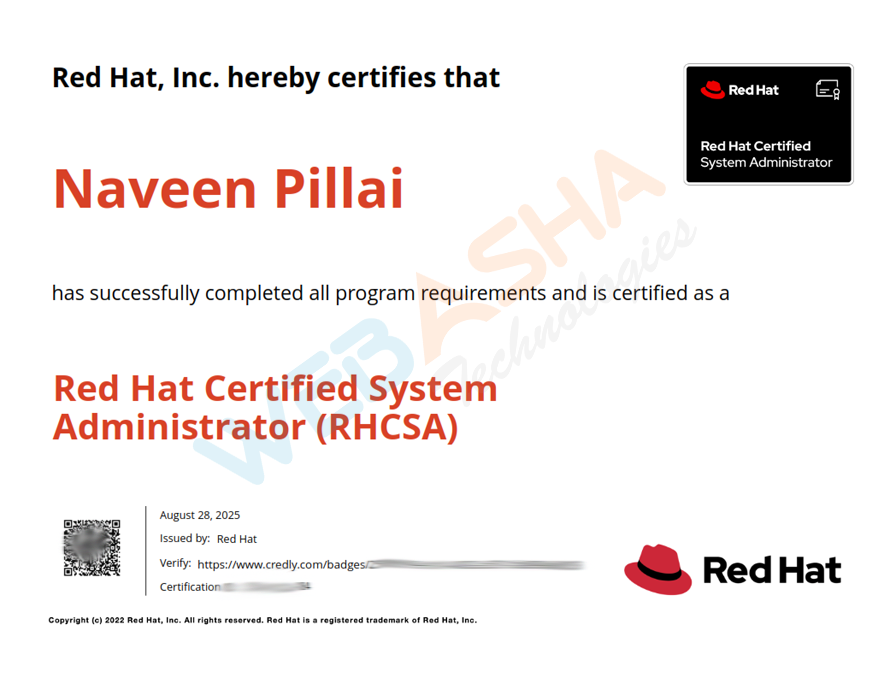
RHCSA Certified
VK

Varun Kulkarni

Associate System Administrator · Persistent Systems

“The Red Hat Linux program at WebAsha genuinely lived up to its reputation. We worked hands-on with user and file administration, storage configuration, systemd services, SELinux and shell scripting, which made every concept stick. The placement assistance team actively shared openings and guided me until I was placed. The knowledge and confidence I gained here continue to help me every day at work.”
RHCSA Certified
AG

Ananya Gupta

Associate System Administrator · Rakuten

“I joined WebAsha for Red Hat Linux to level up my skills, and the experience exceeded my expectations. The study materials and recorded sessions were detailed and easy to revise from. The course focused on user and file administration, storage configuration, systemd services, SELinux and shell scripting through practical, real-world scenarios. I could choose between online and classroom training, and both were equally well organised. Every topic was reinforced with practical lab assignments instead of just slides. If you want practical, job-ready skills in Red Hat Linux, WebAsha is the place to be.”
RHCSA Certified
AR

Aniket Rao

Associate System Administrator · Coforge

“WebAsha's Red Hat Linux training turned a tough certification into an enjoyable learning experience. The certification preparation and mock tests made the actual exam feel straightforward. The mock interviews and interview preparation sharpened me for real technical rounds. Each module built logically, and the coverage of user and file administration, storage configuration, systemd services, SELinux and shell scripting was thorough and current. This training accelerated my career growth, and I would gladly recommend it to anyone.”
RHCSA Certified
CB

Chetan Bhosale

Associate System Administrator · Wipro

Manual TesterAssociate System Administrator
“After a few years as a Manual Tester, I decided it was time for a real change and joined WebAsha's Red Hat Linux training. The hands-on labs and live projects around user and file administration, storage configuration, systemd services, SELinux and shell scripting rebuilt my confidence from the ground up. Cloud labs, recorded sessions and after-hours doubt support meant I could learn seriously alongside my job. Within a few months I moved from Manual Tester to Associate System Administrator at Wipro, and my package grew from 6 LPA to 13.5 LPA.”
How I became a Associate System Administrator with WebAsha
Quick Summary

Red Hat Linux (RHCSA + RHCE) Combo Training & Certification is a hands-on Red Hat Linux system administration training course by WebAsha Technologies, available online and in classroom with live projects, certification prep and placement support. It suits beginners and professionals, runs about 6 to 12 weeks, and leads to roles such as Linux System Administrator, Linux Support Engineer, DevOps Engineer paying roughly 3.0 to 28.0 LPA.

Key takeaways for Frankfurt Am Main

  • Master Linux through hands-on, practical training.
  • Learn linux installation & boot process and user, group & permission management.
  • Work on real-world projects and lab exercises.
  • Earn an industry-recognised certificate.
  • Get placement support for roles paying up to 28.0 LPA.

Red Hat Linux (RHCSA + RHCE) Combo Training & Certification in Frankfurt Am Main: WebAsha vs other options

FeatureWebAsha LinuxSelf-studyGeneric online course
Live instructor-led trainingYesNoSometimes
Hands-on labs & real projectsYesLimitedLimited
Certification exam preparationYesSelf-managedVaries
Doubt-solving & mentorshipYesNoLimited
Placement assistanceYesNoRare
Industry-recognised certificateYesNoVaries

Red Hat Linux (RHCSA + RHCE) Combo Training & Certification in Frankfurt Am Main FAQs

Last updated: 10 July 2026

IST is 3.5 hours ahead in summer and 4.5 hours in winter, so check your batch schedule after the clocks change.
No. Frankfurt learners, many in the banking district, join live online, with Indian evening classes reaching Hesse in the afternoon.
Yes. Sessions are recorded and the cloud labs are open around the clock.

Yes. Learners in Frankfurt Am Main join the Red Hat Linux (RHCSA + RHCE) Combo Training & Certification course as live, instructor-led online classes. You attend the same batches as learners in India, with a trainer teaching in real time, so there is no need to travel.

No. Learners in Frankfurt Am Main and the rest of Germany take the course live online.

Batch times are set in India Standard Time and convert to Frankfurt Am Main time as follows for the upcoming batches:

  • Weekend: 10:00 AM IST in India, which is Saturday, 6:30 AM GMT+2 in Frankfurt Am Main
  • Weekday: 8:00 AM IST in India, which is Monday, 4:30 AM GMT+2 in Frankfurt Am Main
  • Weekday: 6:30 PM IST in India, which is Monday, 3:00 PM GMT+2 in Frankfurt Am Main

The schedule on this page shows every batch in Frankfurt Am Main time as well as IST.

Yes. Current batches for this course run as Weekend, Weekday and Fast Track batches. Learners in Frankfurt Am Main who work full time often choose weekend batches.

Each batch is capped at 10 learners, so the trainer can answer questions and review lab work individually.

A laptop or desktop with a modern browser, a stable internet connection and a headset are enough. The labs run in WebAsha's cloud lab, so you do not need to install heavy software or own special hardware.

Yes. The course includes full-day access to WebAsha's cloud lab, so you can practise in Frankfurt Am Main at whatever time suits you, not only during the live session.

All live classes and course material are in English.

They are live. A trainer teaches each session in real time and takes questions as you go, which is different from a self-paced video course.

The course includes Red Hat Official Lab & Attendance Certificate.

Yes. You can book a free counselling call or message the team on WhatsApp from this page to discuss the syllabus, batch timings in Frankfurt Am Main time and fees before you decide.

The course runs for 80 Hrs (Weekdays & Weekend Session).

Yes. RHCSA (EX200) + RHCE (EX294) is issued by the certifying body itself, not by a country, so it is the same credential for employers in Germany as anywhere else.

Banking IT engineers, airport and air-cargo IT staff, and international professionals newly settled in the Rhine-Main area form the core audience, with Goethe University students adding to it.

During central European summer time a 7 pm IST class starts at 3:30 pm in Frankfurt, and at 2:30 pm in winter. Staff on airport shift rosters at Gateway Gardens can rely on recordings and 24x7 labs instead of fixed-time attendance.

Cloud and DevOps work in Frankfurt am Main is closely tied to network infrastructure. DE-CIX operates its main exchange here, connecting carriers, content networks and cloud providers, which creates roles for engineers who understand BGP, automation and large-scale Linux. Fraport and the airlines at Frankfurt Airport run passenger, baggage and cargo systems that are being moved onto modern platforms, Messe Frankfurt needs scalable ticketing and visitor systems around major trade fairs, and offices in Eschborn host consulting firms that run cloud migrations for German clients.

Sectors with a strong presence in Frankfurt Am Main include Financial services, Internet infrastructure, Aviation and air cargo and Trade fairs and events. All of them run IT systems that need people with Red Hat Linux (RHCSA + RHCE) Combo Training & Certification skills.

Well-known employers in and around Frankfurt Am Main include Deutsche Bank, DZ Bank, Fraport, DE-CIX and Messe Frankfurt. They are listed for context only; WebAsha has no affiliation with them.

Technology work in Frankfurt Am Main clusters around Bankenviertel, Eschborn office district and Gateway Gardens (airport business district).

Universities and colleges in Frankfurt Am Main include Goethe University Frankfurt and Frankfurt School of Finance & Management. Students and recent graduates from them often add a vendor certification to show hands-on skills.

Yes. Groups you can look at include OWASP Germany Stammtisch Frankfurt. They are independent of WebAsha, but they are a good place to practise, meet people in the field and hear about local jobs.

Yes. The same live online course is offered to learners in nearby cities such as Berlin, Freiburg, Hamburg, Karlsruhe and Leipzig.

Choose a batch in the schedule on this page and use the enrol or WhatsApp button. A counsellor confirms the batch, shares the joining details and answers questions about fees and the syllabus.

Keep Exploring

Related courses

Take the next step in your IT career

Join thousands of learners who upskilled and got placed with WebAsha Technologies.