Django Bootcamp Guide: What an Intensive Covers and How to Judge One
A Django bootcamp is a short, intensive course where you build working web applications with Python and Django instead of only watching lectures. A good one covers Python basics, Django models and the ORM, views, templates, forms, authentication, the admin, testing, a REST API with Django REST framework, security settings and deployment.
Topic: Python for AI & Automation in AI & Data · Course information
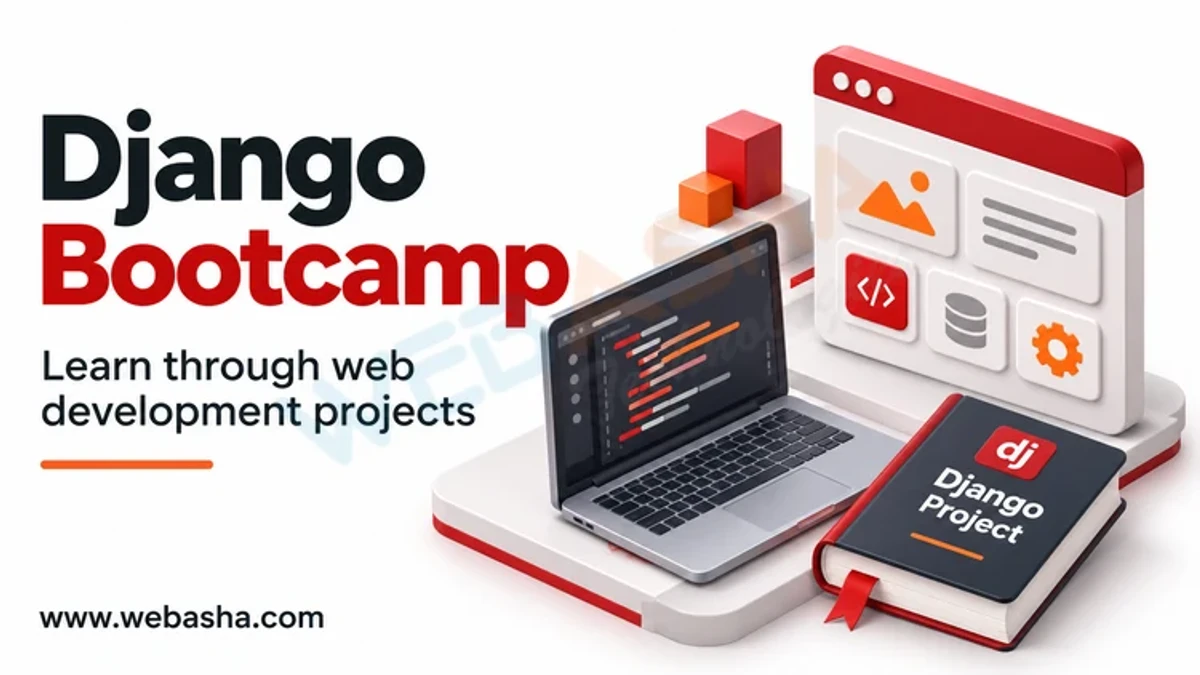
Quick answer: A Django bootcamp is a short, intensive course where you build working web applications with Python and Django instead of only watching lectures. A good one covers Python basics, Django models and the ORM, views, templates, forms, authentication, the admin, testing, a REST API with Django REST framework, security settings and deployment. Judge a bootcamp by what you will build, whether it teaches a currently supported Django release such as the 5.2 LTS or newer, how much code review you get, and whether testing and security are part of every project. Ignore promises of guaranteed jobs.
Key takeaways
- A bootcamp trades breadth of theory for daily hands-on building.
- The syllabus should follow the path of the official Django tutorial and go beyond it.
- Testing, security and deployment should appear in the curriculum, not as optional extras.
- Check that the course uses a supported Django version.
- Code review and a finished portfolio project matter more than a certificate.
Table of Contents
- What Is a Django Bootcamp?
- What Should an Intensive Django Bootcamp Cover?
- Which Django Version Should a Bootcamp Teach?
- How Do You Judge the Quality of a Bootcamp?
- What Are the Red Flags?
- How Should You Prepare Before Day One?
- What Should You Do After the Bootcamp?
- What Should You Do After a Bootcamp Ends?
- References
What Is a Django Bootcamp?
A bootcamp compresses learning into a fixed, intensive schedule. Instead of a semester of lectures, you spend most of your time writing code, getting feedback and fixing it. Django suits this format because it ships with many parts already built in: an ORM, an admin site, authentication, forms and a template engine. That lets learners build a real application quickly.
The trade-off is pace. If you have never written Python, a bootcamp can feel overwhelming, so short preparation beforehand helps a lot.
What Should an Intensive Django Bootcamp Cover?
| Stage | Topics | Output |
|---|---|---|
| Foundations | Python, virtual environments, Git, HTTP basics | Small scripts in a Git repository |
| Core Django | Projects and apps, URLs, views, templates | A simple multi-page site |
| Data | Models, ORM queries, migrations, admin | A database-backed app |
| Users | Forms, validation, authentication, permissions | Login, sign-up and protected pages |
| APIs | Django REST framework, serializers, API auth | A JSON API for the same app |
| Quality | Unit and integration tests, debugging | A test suite that runs in CI |
| Production | Security settings, static files, Gunicorn, a database server | A deployed capstone project |
The early stages mirror the official Django tutorial, which is a good benchmark. The API stage usually uses Django REST framework, and the quality stage should use the built-in Django test framework.
Which Django Version Should a Bootcamp Teach?
The Django download page lists the supported release series. At the time of writing, Django 6.1 is the latest feature release and Django 5.2 is the long-term support (LTS) release, with extended support until April 2028. A bootcamp teaching an unsupported version such as 3.x or 4.x is a warning sign, because those releases no longer get security fixes and some code patterns have changed.
How Do You Judge the Quality of a Bootcamp?
- Projects: ask to see the capstone brief and sample code from past cohorts.
- Feedback: who reviews your pull requests, and how often?
- Security: does the syllabus cover the Django security features and the OWASP Top 10?
- Deployment: do students run the deployment checklist on their own app?
- Trainer: has the trainer built and maintained Django applications?
- Support: is help available between sessions?
What Are the Red Flags?
| Red flag | Why it matters |
|---|---|
| Guaranteed job or salary claims | No course can guarantee hiring decisions |
| No written syllabus | You cannot compare or check coverage |
| Outdated Django version | You learn patterns that may not apply now |
| Copy-along videos only | Little practice solving problems yourself |
| No testing or deployment | Projects never reach a realistic state |
How Should You Prepare Before Day One?
Learn Python basics: data types, functions, classes, loops and exceptions. Install Python and create a virtual environment. Learn basic Git commands. Read how HTTP requests and responses work, and try the first two parts of the Django tutorial. These steps let you spend bootcamp time on Django itself.
What Should You Do After the Bootcamp?
Keep building. Extend your capstone, add tests, and keep it updated to a supported Django release. Write a short README explaining your design choices. If you are still comparing formats, our guide to choosing a Flask course by level uses similar criteria, and our Django fundamentals guide lists the core concepts to master. For a hands-on programme with code review, contact us about Django bootcamp training.
What Should You Do After a Bootcamp Ends?
| Step | Why |
|---|---|
| Rebuild one project alone from scratch | Shows what you really retained |
| Run the deployment checklist | manage.py check --deploy finds unsafe settings |
| Write tests for your views and models | Employers look for tested code |
| Publish code with a clear README | Gives reviewers something to read |
The Django documentation and Django, Security in Django cover each of these topics in depth.
References
Frequently Asked Questions
What's Your Reaction?
 Like
0
 Dislike
0
 Love
0
 Funny
0
 Wow
0
 Sad
0
 Angry
0

Vaishnavi is a skilled tech professional at the Ethical Hacking Training Institute in Pune, responsible for managing and optimizing the technical infrastructure that supports advanced cybersecurity education. With deep expertise in network security, backend operations, and system performance, she ensures that practical labs, online modules, and assessments run smoothly and securely. Her behind-the-scenes contributions play a vital role in delivering a seamless and secure learning experience for aspiring ethical hackers.