Essential Wireshark Filters for Cybersecurity Professionals
Wireshark uses two kinds of filters. Capture filters (Berkeley Packet Filter syntax, such as host 10.0.0.5 and port 443) decide what is recorded. Display filters (Wireshark syntax, such as ip.addr == 10.0.0.5 && tls) decide what you see in a capture.
Topic: Security Tools, Authorized Labs & CTFs in Cybersecurity & Ethical Hacking · Explainer
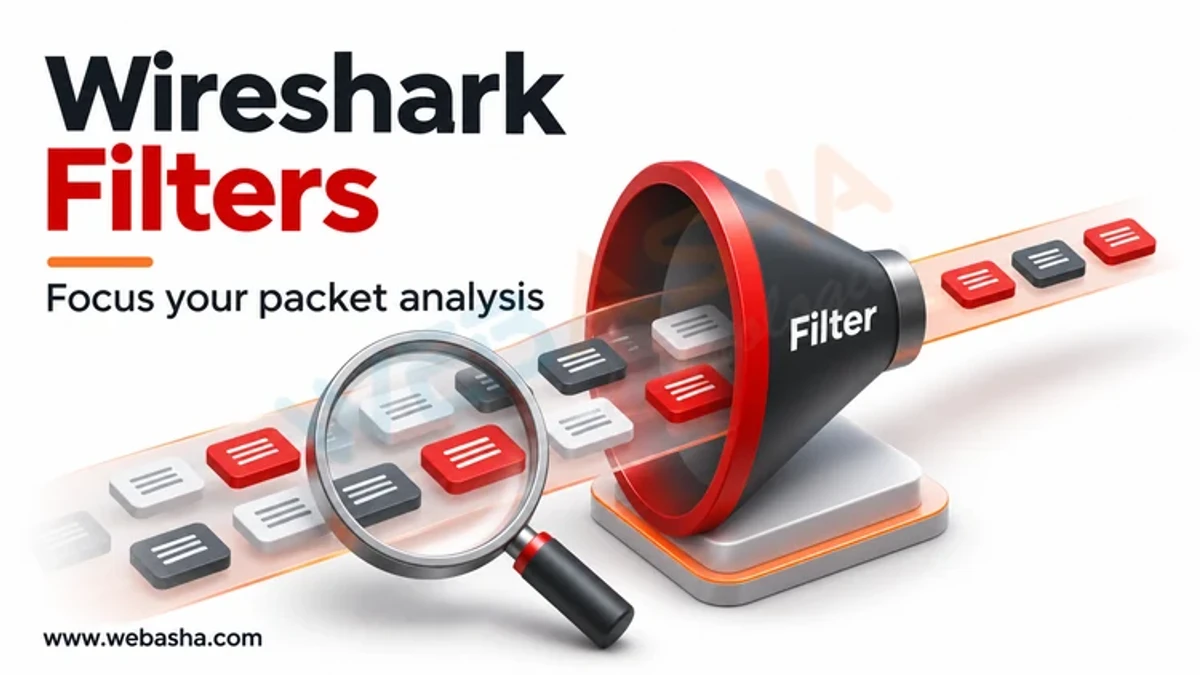
Quick answer: Wireshark uses two kinds of filters. Capture filters (Berkeley Packet Filter syntax, such as host 10.0.0.5 and port 443) decide what is recorded. Display filters (Wireshark syntax, such as ip.addr == 10.0.0.5 && tls) decide what you see in a capture. The most useful security display filters isolate a host or conversation, show DNS queries and HTTP requests, find TCP SYN scans, highlight clear-text credentials, inspect TLS handshakes and server names, and spot retransmissions or resets. Learn a few operators and you can build any filter you need.
Key takeaways
- Capture filters reduce file size; display filters help analysis.
- Display filters use field names such as
ip.src,dns.qry.nameandtls.handshake.extensions_server_name. tsharkapplies the same filters from the command line for automation.- Encrypted traffic still shows metadata such as server names and certificates.
- Capture only on networks you own or are authorised to monitor.
Table of Contents
- What Is the Difference Between Capture and Display Filters?
- Which Operators Should You Know?
- Which Basic Filters Are Used Most?
- Which Filters Help with Security Investigations?
- How Do You Analyse TLS Traffic?
- How Do You Use Filters with tshark?
- What Mistakes Do Beginners Make?
- References
What Is the Difference Between Capture and Display Filters?
| Capture filter | Display filter | |
|---|---|---|
| When applied | While capturing | After capture, any time |
| Syntax | pcap-filter (BPF) | Wireshark filter language |
| Example | tcp port 80 and host 192.168.1.10 | http && ip.addr == 192.168.1.10 |
| Effect | Unmatched packets are never saved | Unmatched packets are hidden, not deleted |
Which Operators Should You Know?
| Operator | Meaning | Example |
|---|---|---|
==, != | Equal, not equal | tcp.port == 22 |
&&, ||, ! | And, or, not | dns || http |
contains | Field contains bytes or text | http.user_agent contains "curl" |
matches | Regular expression | dns.qry.name matches "\.(zip|top)$" |
in | Value in a set | tcp.port in {80 443 8080} |
Which Basic Filters Are Used Most?
ip.addr == 10.0.0.5                      # traffic to or from a host
ip.src == 10.0.0.5 && ip.dst == 8.8.8.8  # one direction
tcp.stream eq 7                          # one TCP conversation
dns                                      # all DNS
dns.qry.name contains "example"          # specific lookups
http.request                             # HTTP requests only
http.response.code >= 400                # HTTP errors
icmp                                     # ping and ICMP errors
!(arp || stp || mdns)                    # hide common noise
Which Filters Help with Security Investigations?
| Goal | Display filter |
|---|---|
| SYN scan (SYN without ACK) | tcp.flags.syn == 1 && tcp.flags.ack == 0 |
| Connection resets | tcp.flags.reset == 1 |
| Clear-text login protocols | ftp || telnet || pop || imap || http.authorization |
| HTTP POST requests (form submissions) | http.request.method == "POST" |
| Suspicious user agents | http.user_agent contains "python" || http.user_agent contains "curl" |
| Long DNS names (possible tunnelling) | len(dns.qry.name) > 50 |
| SMB file activity | smb2.cmd == 5 (create) or smb2 |
| Kerberos traffic | kerberos |
| ARP spoofing hints | arp.duplicate-address-detected |
| Wi-Fi deauthentication frames | wlan.fc.type_subtype == 0x0c |
The full list of field names is in the display filter reference.
How Do You Analyse TLS Traffic?
tls.handshake.type == 1                              # Client Hello
tls.handshake.extensions_server_name contains "bank" # server names requested (SNI)
tls.handshake.type == 11                             # certificates
tls.record.version == 0x0301                         # legacy TLS 1.0 records
To decrypt traffic from your own browser for troubleshooting, set the SSLKEYLOGFILE environment variable before starting the browser and point Wireshark to that file under the TLS protocol preferences, as described on the Wireshark TLS wiki. Keep key log files secret and delete them afterwards.
How Do You Use Filters with tshark?
# Capture 60 seconds of DNS on eth0 into a file (capture filter)
tshark -i eth0 -f "udp port 53" -a duration:60 -w dns.pcapng

# Read a file and list DNS queries (display filter + fields)
tshark -r dns.pcapng -Y "dns.flags.response == 0" -T fields -e frame.time -e ip.src -e dns.qry.name

# Top talkers by IP conversation
tshark -r capture.pcapng -q -z conv,ip
See the tshark manual for more options.
What Mistakes Do Beginners Make?
- Using display syntax in the capture filter box, or the reverse.
- Writing
ip.addr != 10.0.0.5when they mean!(ip.addr == 10.0.0.5); the first still matches packets where either address differs. - Capturing everything on busy links and creating huge files.
- Capturing traffic on networks without permission.
Related: Wi-Fi troubleshooting and Kismet. WebAsha offers network forensics and SOC training.
References
Frequently Asked Questions
What's Your Reaction?
 Like
0
 Dislike
0
 Love
0
 Funny
0
 Wow
0
 Sad
0
 Angry
0

Vaishnavi is a skilled tech professional at the Ethical Hacking Training Institute in Pune, responsible for managing and optimizing the technical infrastructure that supports advanced cybersecurity education. With deep expertise in network security, backend operations, and system performance, she ensures that practical labs, online modules, and assessments run smoothly and securely. Her behind-the-scenes contributions play a vital role in delivering a seamless and secure learning experience for aspiring ethical hackers.