Blue Team Tools Every Beginner Should Know in 2026 | Essential Cybersecurity Defense Tools for Newbies
Discover the essential Blue Team tools every beginner should know in 2026 to build a strong foundation in cybersecurity defense. This comprehensive guide covers key tools like SIEM, EDR, network monitoring, vulnerability scanners, and more, with practical tips for hands-on learning. Perfect for aspiring cybersecurity professionals aiming to defend networks effectively against evolving threats.
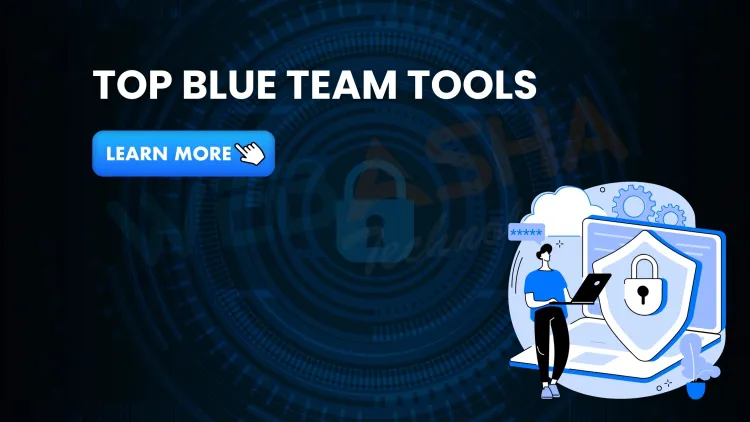
Cybersecurity is a battle between two teams: the Red Team (attackers) and the Blue Team (defenders). If you're just stepping into cybersecurity, especially on the defense side, understanding Blue Team tools is crucial. These tools help monitor, detect, respond to, and prevent attacks from reaching critical systems.
In this 2025 edition guide, we’ll break down the essential Blue Team tools every beginner should start learning—from SIEM platforms to threat intelligence solutions—with real-world use cases, examples, and why they matter in modern security operations.
What Is a Blue Team in Cybersecurity?
The Blue Team refers to cybersecurity professionals responsible for protecting an organization's digital infrastructure. They analyze risks, monitor systems, patch vulnerabilities, and respond to threats. Their main goal is defense, detection, and recovery from attacks.
Why Are Blue Team Tools Important?
Blue Team tools provide:
-
Real-time monitoring of logs, endpoints, and networks.
-
Threat detection and alerting mechanisms.
-
Automated responses to reduce human error.
-
Incident forensics for root cause analysis.
1. SIEM Tools (Security Information and Event Management)
Examples: Splunk, IBM QRadar, Elastic SIEM, Graylog
SIEM tools aggregate logs from different systems, analyze them, and generate alerts for suspicious behavior.
Beginner tip: Learn how to set up log sources and create correlation rules.
2. EDR Solutions (Endpoint Detection and Response)
Examples: CrowdStrike Falcon, Microsoft Defender for Endpoint, SentinelOne
EDR tools monitor activity on endpoints (laptops, servers) and detect anomalies like malware, privilege escalation, or suspicious file changes.
Beginner tip: Practice analyzing alerts and quarantining infected endpoints.
3. Network Security Monitoring Tools
Examples: Zeek (formerly Bro), Suricata, Security Onion
These tools help monitor network traffic to detect unusual patterns, like lateral movement or DNS tunneling.
Use case: Detect a compromised device beaconing out to an external IP.
4. Vulnerability Scanners
Examples: Nessus, OpenVAS, Nexpose
These tools scan your environment for known vulnerabilities, such as outdated software or open ports.
Beginner tip: Start by scanning a local VM or internal server and fixing the reported issues.
5. Log Analysis Tools
Examples: ELK Stack (Elasticsearch, Logstash, Kibana), Wazuh
Use these tools to collect, parse, and visualize logs from different systems and identify abnormal behavior.
Use case: Spot login attempts outside normal business hours.
6. Threat Intelligence Platforms
Examples: MISP, Recorded Future, AlienVault OTX
These platforms provide IP addresses, domains, hashes, and patterns used in known attacks.
Beginner tip: Use threat intel feeds to create custom blocklists or alert rules.
7. Security Orchestration, Automation, and Response (SOAR)
Examples: Palo Alto Cortex XSOAR, Splunk SOAR
SOAR tools allow you to automate repetitive tasks, like isolating endpoints or sending alerts to Slack.
Use case: Automatically respond to phishing emails or brute force attempts.
8. Packet Analysis Tools
Examples: Wireshark, tcpdump
These tools capture and analyze raw network packets. They are vital for understanding what’s happening under the hood.
Beginner tip: Learn to spot DNS lookups, HTTP requests, and TLS handshakes.
9. File Integrity Monitoring (FIM)
Examples: Tripwire, OSSEC, Wazuh
FIM tools track unauthorized file changes in real-time. Perfect for detecting web shell uploads or rootkits.
Use case: Alert if critical system files are modified.
10. Antivirus/Next-Gen Antivirus
Examples: Windows Defender, Bitdefender, Sophos Intercept X
Modern antivirus goes beyond signatures and includes behavioral analysis and AI-based detection.
Tip: Monitor alerts and run full scans regularly.
11. Sandbox Analysis Tools
Examples: Cuckoo Sandbox, Any.Run
Used to safely run suspicious files in an isolated environment and see what they do.
Use case: Analyze unknown email attachments or malware samples.
12. Phishing Simulation and Email Security
Examples: KnowBe4, PhishMe, Proofpoint
These tools help train employees and detect phishing attempts.
Beginner tip: Track click rates and improve user awareness.
13. DNS Monitoring Tools
Examples: Cisco Umbrella, OpenDNS, Pi-hole
Attackers often use DNS for command and control. DNS filtering tools block access to malicious domains.
Use case: Prevent malware from calling home.
14. Intrusion Detection/Prevention Systems (IDS/IPS)
Examples: Snort, Suricata, Cisco IDS
These tools monitor traffic and block or alert on suspicious signatures or behaviors.
Use case: Detect buffer overflow exploits or shellcode.
15. Blue Team Learning Platforms
Examples: TryHackMe (Blue Rooms), BlueTeamLabs, RangeForce
Hands-on platforms where you can simulate attacks and practice defenses in controlled environments.
Tip: Start with real-world incident simulations.
How to Choose the Right Blue Team Tools as a Beginner?
-
Start small: Learn log analysis or Wireshark before diving into full-scale SIEMs.
-
Use open-source tools to gain hands-on experience without high costs.
-
Join online labs and CTFs to apply what you learn in a safe space.
-
Document incidents and build a personal playbook.
-
Focus on use cases, not tools alone—know why a tool is used.
Final Thoughts: Be Tool-Smart, Not Tool-Dependent
Blue Team tools are powerful, but tools alone don’t make you a great defender. What matters is:
-
How well you analyze data
-
How quickly you respond to alerts
-
How deeply you understand attacker tactics
Keep practicing in labs, stay updated with threat trends, and become the cyber guardian every organization needs.
FAQs
What's Your Reaction?
 Like
0
Like
0
 Dislike
0
Dislike
0
 Love
0
Love
0
 Funny
0
Funny
0
 Wow
0
Wow
0
 Sad
0
Sad
0
 Angry
0
Angry
0

Vaishnavi is a skilled tech professional at the Ethical Hacking Training Institute in Pune, responsible for managing and optimizing the technical infrastructure that supports advanced cybersecurity education. With deep expertise in network security, backend operations, and system performance, she ensures that practical labs, online modules, and assessments run smoothly and securely. Her behind-the-scenes contributions play a vital role in delivering a seamless and secure learning experience for aspiring ethical hackers.