CKA, CKAD and CKS Exam Guide: Differences, Format and How to Find Real Discounts
[Upto 65%] Discount on CKA CKAD CKS Exam Voucher Linux Foundation Cyber Monday Deal
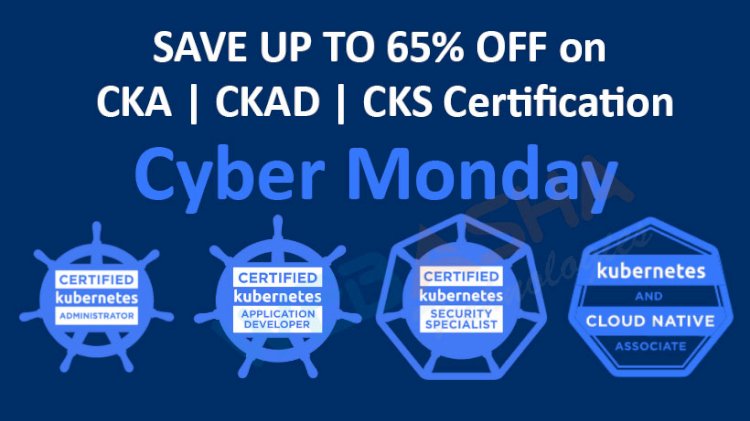
Quick answer: CKA, CKAD and CKS are hands-on Kubernetes exams from the Linux Foundation and CNCF: the Administrator, Application Developer and Security Specialist certifications. You solve tasks at a command line in a live environment. The Cyber Monday deal this page once advertised has expired, so check the Linux Foundation site for current prices and discounts.
Key takeaways
- CKA covers cluster administration, CKAD covers building and running applications, CKS covers cluster and workload security.
- All three are performance-based: you solve tasks in a real terminal rather than answering multiple choice.
- CKS requires an active CKA, per the Linux Foundation; check the current rule.
- The old Cyber Monday coupon and prices are expired. Check the Linux Foundation site for current prices, validity and offers.
- Practise with the official Kubernetes documentation, which is available during the exam.
Is the Cyber Monday deal still available?
No. This page originally advertised a limited-time Linux Foundation Black Friday and Cyber Monday offer with specific prices and dates. That offer has ended, and the figures are no longer valid, so they have been removed. The Linux Foundation has run seasonal promotions in the past, but you should never plan around an old post. Check the current price, any bundles and the exam validity on the official CNCF CKA page and the Linux Foundation training site, and buy only from there.
What are CKA, CKAD and CKS?
| CKA | CKAD | CKS | |
|---|---|---|---|
| Full name | Certified Kubernetes Administrator | Certified Kubernetes Application Developer | Certified Kubernetes Security Specialist |
| Focus | Installing, configuring and troubleshooting clusters | Designing, building and running applications on Kubernetes | Securing clusters, workloads and the supply chain |
| Typical topics | Cluster architecture, workloads, services and networking, storage, troubleshooting | Pods, deployments, configuration, observability, services, jobs | Cluster hardening, RBAC, network policies, runtime security, image scanning, audit logs |
| Prerequisite | None | None | Active CKA (check the current rule) |
| Best for | Platform and DevOps engineers, administrators | Developers deploying to Kubernetes | Security and platform engineers |
The exact domains and weightings change with Kubernetes versions. Read the current curriculum from the official site, and note that the exam environment uses a specific Kubernetes version.
What is the exam format?
All three are online, proctored, performance-based exams. You get a set of tasks to complete in a Linux terminal connected to one or more clusters, within a time limit (around two hours, so confirm). You can usually open the official Kubernetes documentation in a browser tab during the exam, and the passing score is roughly two-thirds, but exact values are on the official page. Speed and accuracy with kubectl matter most, since there is little time per task.
Which exam should you take first?
- CKA if you run or support clusters, or want the broadest foundation. It is also needed for CKS.
- CKAD if you are mainly a developer who deploys applications.
- CKS after CKA, if you work in security or want to specialise.
How do you find real discounts?
- Go to the official Linux Foundation or CNCF page and look at the current price and any bundle with the matching training course.
- Watch for official seasonal promotions, and read terms carefully, including expiry and the retake included.
- Ask your employer, since many companies are Linux Foundation members or budget for certification.
- Do not buy from unknown resellers or "coupon" sites without checking, since codes can be invalid.
Note the validity period on the official page. Kubernetes certifications have been renewed on a fixed schedule, and the validity length has been revised in the past, so rely on the current rules.
How should you prepare?
- Build a small cluster with kind, minikube or kubeadm and use it daily.
- Learn
kubectlshortcuts: aliases,--dry-run=client -o yamlto generate manifests, andkubectl explain. - Practise from the Kubernetes documentation so you can find examples quickly.
- Time yourself on mock tasks and review what slowed you.
- Practise troubleshooting: failing pods, broken services, node problems, bad manifests.
- For CKS, add network policies, RBAC, Pod Security, image scanning and runtime tools.
Common mistakes
- Spending too long on one hard task and not finishing easy ones.
- Not using the right context and namespace for each task.
- Practising only by reading.
- Buying a voucher without checking the current terms.
Next steps
Pick your course: CKA training, CKAD training or CKS training. For another vendor's voucher guide, read the Azure exam voucher guide. For a CEH-related tip, see 10 tips to clear CEH.
Related reading
Frequently Asked Questions
What's Your Reaction?
 Like
0
 Dislike
0
 Love
0
 Funny
0
 Wow
0
 Sad
0
 Angry
0

With a passion for staying on the cutting edge of technology trends, I am dedicated to delivering content that not only informs but also inspires. Whether you need in-depth analysis pieces, informative guides, or thought-provoking opinion pieces, I craft content that resonates with tech enthusiasts and professionals alike.