What Is DevOps? A Complete Beginner's Guide
DevOps explained in plain language: what it actually means, how the lifecycle works, which tools matter, and the practical first steps for beginners.
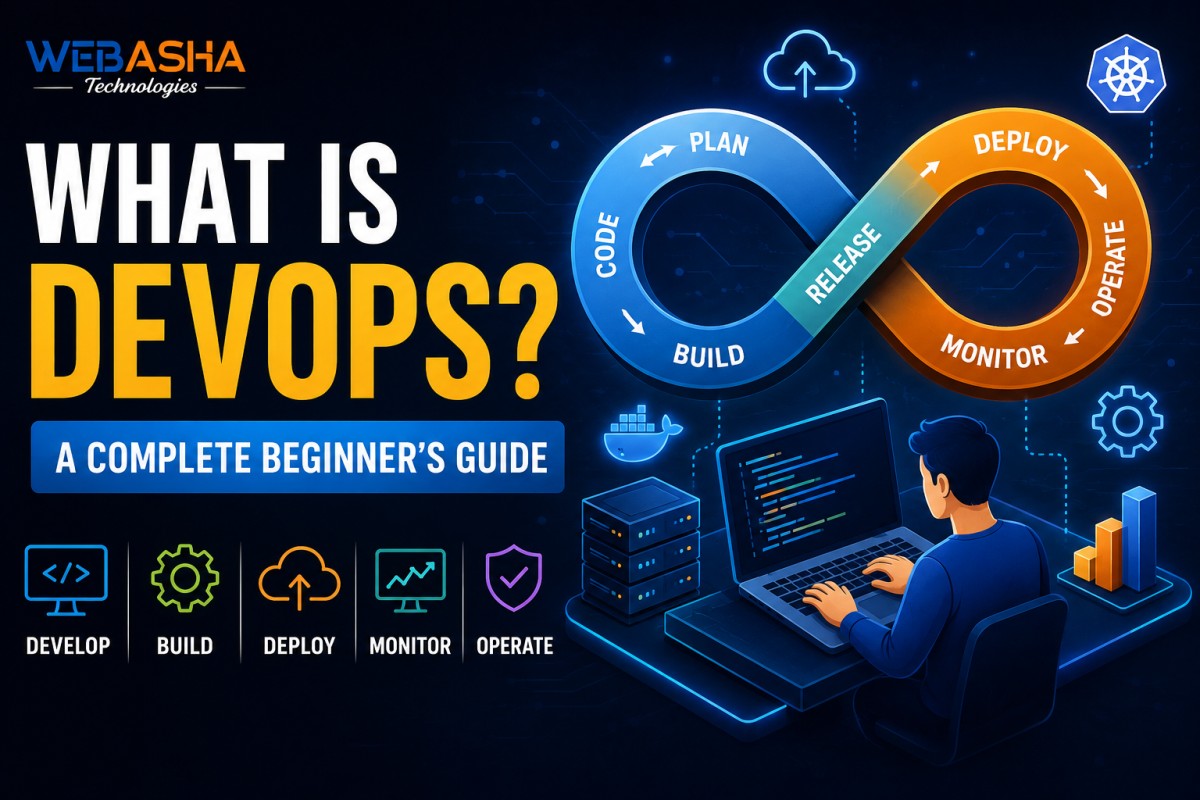
DevOps is one of those words that gets used constantly and explained badly. This guide fixes that: a plain-language definition, the delivery loop DevOps is built around, what each core tool actually does, and an honest path from zero to your first DevOps role.
Table of Contents
- What Is DevOps?
- Why Does DevOps Matter?
- What Is the DevOps Lifecycle?
- What Are the Core DevOps Tools?
- Is DevOps Hard for Beginners?
- How Do You Become a DevOps Engineer?
- What Does a DevOps Engineer Do Day to Day?
- What Is the Difference Between DevOps and DevSecOps?
What Is DevOps?
DevOps is a way of working where the people who build software and the people who run it share one automated pipeline instead of handing work over a wall. In practice it means code moves from a developer's commit to a monitored production system through automation rather than manual steps, tickets and late-night deployments.
The word is a blend of Development and Operations. Before DevOps, developers wrote code and threw it to an operations team who deployed it - slowly, manually and often at 2am. Bugs became blame. DevOps replaces that handover with shared ownership and automation.
Crucially, DevOps is not a single tool you install. It is a practice supported by a toolchain, which is why job descriptions list ten technologies rather than one.
Why Does DevOps Matter?
DevOps matters because it shortens the time between writing code and safely running it for users. Teams that automate build, test and deployment release more often, catch problems earlier, and recover faster when something breaks - which is why almost every company running cloud infrastructure now hires for these skills.
- Speed: releases go out weekly or daily instead of quarterly
- Reliability: automated tests and repeatable deployments remove human slips
- Recovery: when something fails, you roll back a pipeline instead of improvising
- Visibility: monitoring shows what production is actually doing
What Is the DevOps Lifecycle?
The DevOps lifecycle is a continuous loop of eight stages: Plan, Code, Build, Test, Release, Deploy, Operate and Monitor. What you learn in Monitor feeds back into Plan, which is why it is drawn as a loop rather than a line.
| Stage | What Happens | Typical Tool |
|---|---|---|
| Plan | Work is defined and prioritised | Jira, Git issues |
| Code | Developers write and review code | Git, GitHub |
| Build | Code compiles into an artifact | Jenkins |
| Test | Automated tests run on every change | Jenkins pipelines |
| Release | A verified build is approved | Jenkins, Git tags |
| Deploy | The build reaches servers | Docker, Kubernetes |
| Operate | Infrastructure is configured and maintained | Ansible, Terraform |
| Monitor | Metrics and alerts reveal real behaviour | Prometheus, Grafana |
What Are the Core DevOps Tools?
The core DevOps toolchain is Linux for the operating system, Git for version control, Jenkins for CI/CD pipelines, Docker for containers, Kubernetes for orchestration, Ansible for configuration management, Terraform for infrastructure as code, and Prometheus with Grafana for monitoring - usually running on AWS or Azure.
- Linux - the foundation; almost all servers and containers run it
- Git & GitHub - track every change and collaborate safely
- Jenkins - runs your pipeline automatically on each commit
- Docker - packages an app with its dependencies so it runs identically anywhere
- Kubernetes - runs and scales those containers across many machines
- Ansible - configures servers repeatably from simple YAML playbooks
- Terraform - creates cloud infrastructure from version-controlled code
- Prometheus & Grafana - collect metrics and turn them into dashboards
Is DevOps Hard for Beginners?
DevOps is broad rather than deep. No single tool is especially difficult, but you must connect eight or nine of them into one working pipeline, which is what makes it feel overwhelming at first. Beginners who learn Linux properly before touching anything else consistently progress fastest.
The most common mistake is jumping straight to Kubernetes because it sounds impressive. Kubernetes assumes you already understand Linux, networking and containers. Skip those and you will be memorising commands you cannot debug.
How Do You Become a DevOps Engineer?
Learn in dependency order: Linux, then networking basics, Git, shell scripting, a CI/CD tool, Docker, Kubernetes, Ansible, Terraform, a cloud platform, and monitoring - then build one end-to-end project that uses all of them. Self-paced this typically takes 6-12 months; structured training compresses it.
- Linux - files, permissions, processes, services
- Networking basics - DNS, ports, HTTP
- Git - branching and pull requests
- Shell scripting - automate the boring parts
- CI/CD - your first Jenkins pipeline is the real milestone
- Docker → Kubernetes - package, then orchestrate
- Ansible → Terraform - configuration, then infrastructure
- Cloud + monitoring - deploy it for real and watch it run
If you want that sequence taught with labs and projects, see our guide to the best DevOps engineer course in Pune, or the DevOps Master Program directly.
What Does a DevOps Engineer Do Day to Day?
A DevOps engineer maintains CI/CD pipelines, automates infrastructure with code, containerises and deploys applications, responds to monitoring alerts, and improves reliability and release speed. Much of the work is writing automation so that manual tasks never need doing twice.
A realistic day mixes building (a new pipeline stage, a Terraform module), maintaining (upgrading a cluster, patching images) and responding (an alert fired, a deployment failed). The balance shifts by company size - smaller teams do more building, larger ones more operating.
What Is the Difference Between DevOps and DevSecOps?
DevSecOps extends DevOps by building security checks into the pipeline itself rather than testing at the end. Instead of a security review before release, scans for vulnerable dependencies, exposed secrets and insecure configuration run automatically on every commit.
The practical change is timing. Traditional security review found problems late, when fixing them was expensive and delayed releases. Automated checks inside the pipeline surface the same problems within minutes of the code being written.
- Dependency scanning - flagging libraries with known vulnerabilities
- Secret detection - catching credentials accidentally committed to Git
- Configuration scanning - checking infrastructure code for insecure defaults
- Container image scanning - inspecting base images before deployment
For learners, the useful takeaway is that security knowledge increasingly forms part of a DevOps engineer's expected skill set rather than a separate specialism.
Talk to a WebAsha training advisor about batches, syllabus and current fees.
DevOps Basics: Frequently Asked Questions
What's Your Reaction?
 Like
0
Like
0
 Dislike
0
Dislike
0
 Love
0
Love
0
 Funny
0
Funny
0
 Wow
0
Wow
0
 Sad
0
Sad
0
 Angry
0
Angry
0

With a passion for staying on the cutting edge of technology trends, I am dedicated to delivering content that not only informs but also inspires. Whether you need in-depth analysis pieces, informative guides, or thought-provoking opinion pieces, I craft content that resonates with tech enthusiasts and professionals alike.