OpenShift 5 explained: Agentic AI, virtualization, security, and what to know before upgrading
Explore OpenShift 5 features, agentic AI, virtualization, security, support changes, and the checks to complete before upgrading from OpenShift 4.
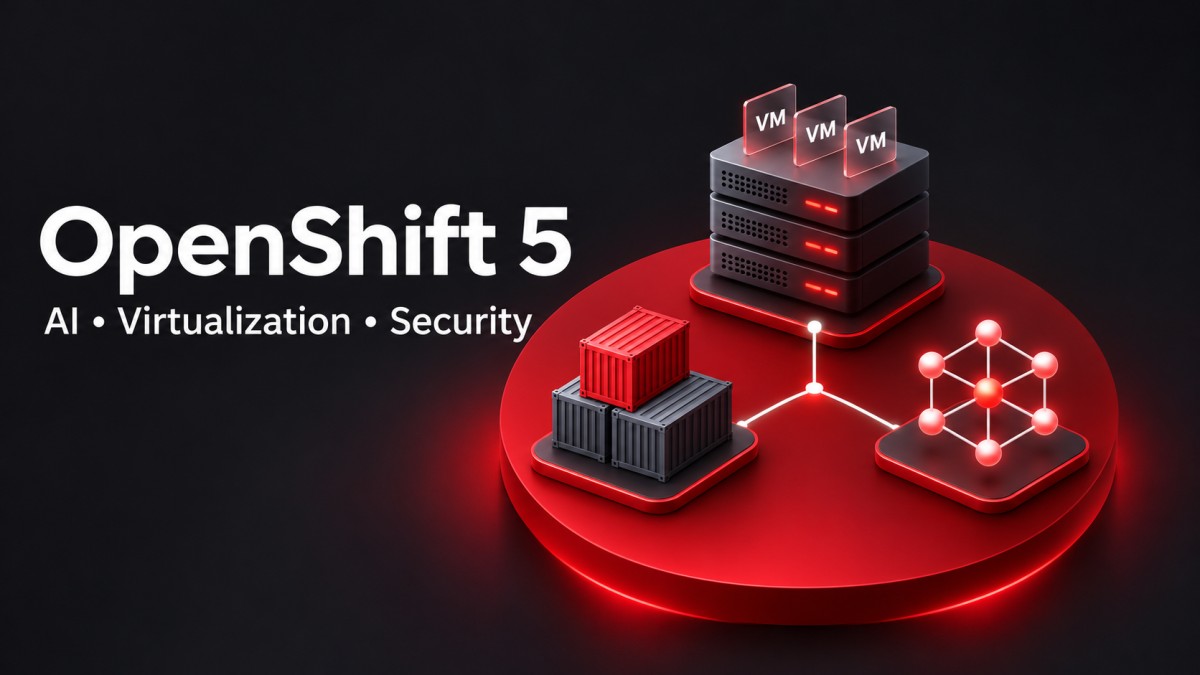
OpenShift 5 brings AI into cluster operations and changes how teams plan platform support. Before upgrading, check compatibility, feature availability, and how the release fits your existing workloads.
Red Hat announced the general availability of OpenShift 5 on November 9, 2026. The release is based on Kubernetes 1.36 and CRI-O 1.36, with changes spanning operations, virtualization, security, and lifecycle planning. Red Hat's release announcement describes an in-place transition from OpenShift 4.22.
Planning the upgrade involves reviewing dependencies, testing applications, checking support dates, and establishing a recovery procedure. Give each task an owner before scheduling production changes.
What is OpenShift 5?
Red Hat OpenShift is an application platform built on Kubernetes. Organizations use it to deploy and operate applications across their infrastructure. OpenShift Virtualization adds virtual machine management, while OpenShift AI supports AI model and application workflows.
These products belong to the same ecosystem, but each has its own prerequisites. Check installation requirements, supported configurations, and subscription terms for the capabilities you intend to use.
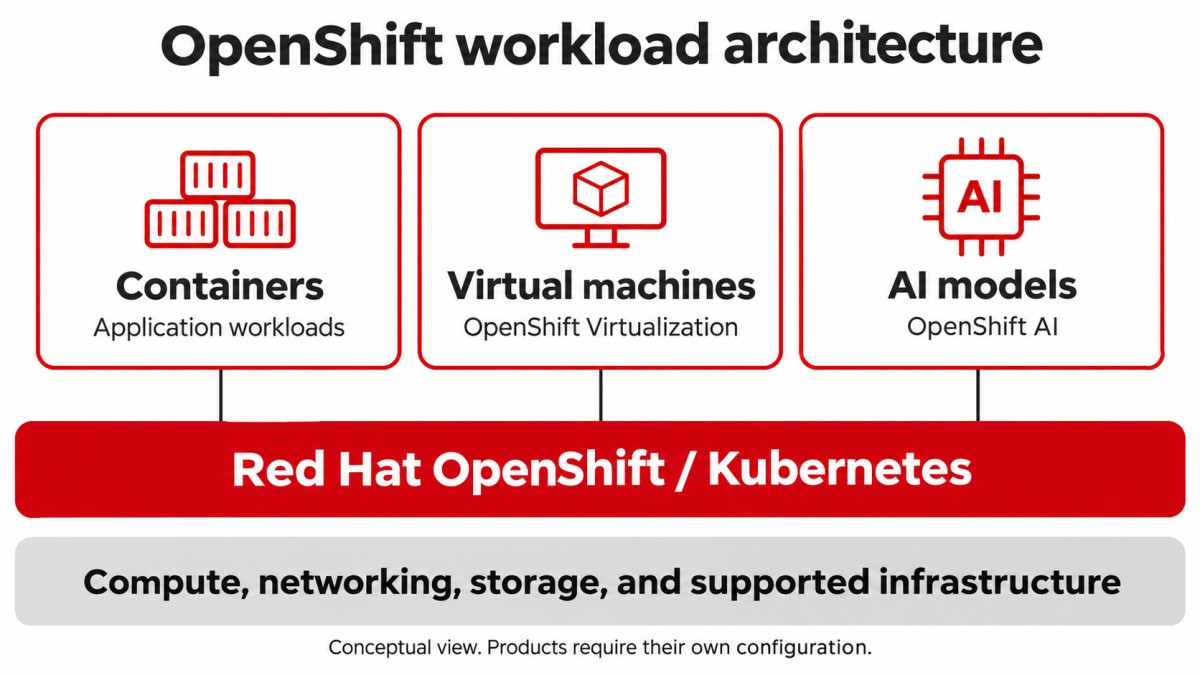
For a platform team, the attraction is a more consistent operating model. Identity, policy, monitoring, and deployment practices can be evaluated together. Workload-specific requirements still need individual attention.
What to evaluate before upgrading to OpenShift 5
OpenShift 4 spans many releases. Comparing version 5 with an unspecified version of OpenShift 4 can blur the difference between a new feature and something your cluster already supports. Record your exact cluster and Operator versions first.
| Area | What to compare | Evidence to collect |
|---|---|---|
| Operations | Existing incident response and proposed AI workflows | Diagnostic quality, investigation time, approval records |
| Virtualization | VM management, maintenance, and recovery procedures | Application tests, migration duration, restore results |
| Security | Current access boundaries and proposed controls | Permission tests, isolation checks, vulnerability findings |
| Lifecycle | Support dates and extension eligibility | A platform and Operator support register |
| Compatibility | Infrastructure, drivers, node OS, and installed extensions | Release documentation and vendor certifications |
Give every test an owner and an acceptance condition. Cluster health is one part of the result. Application owners also need to confirm that users can complete their normal work.
Agentic AI and OpenShift Lightspeed
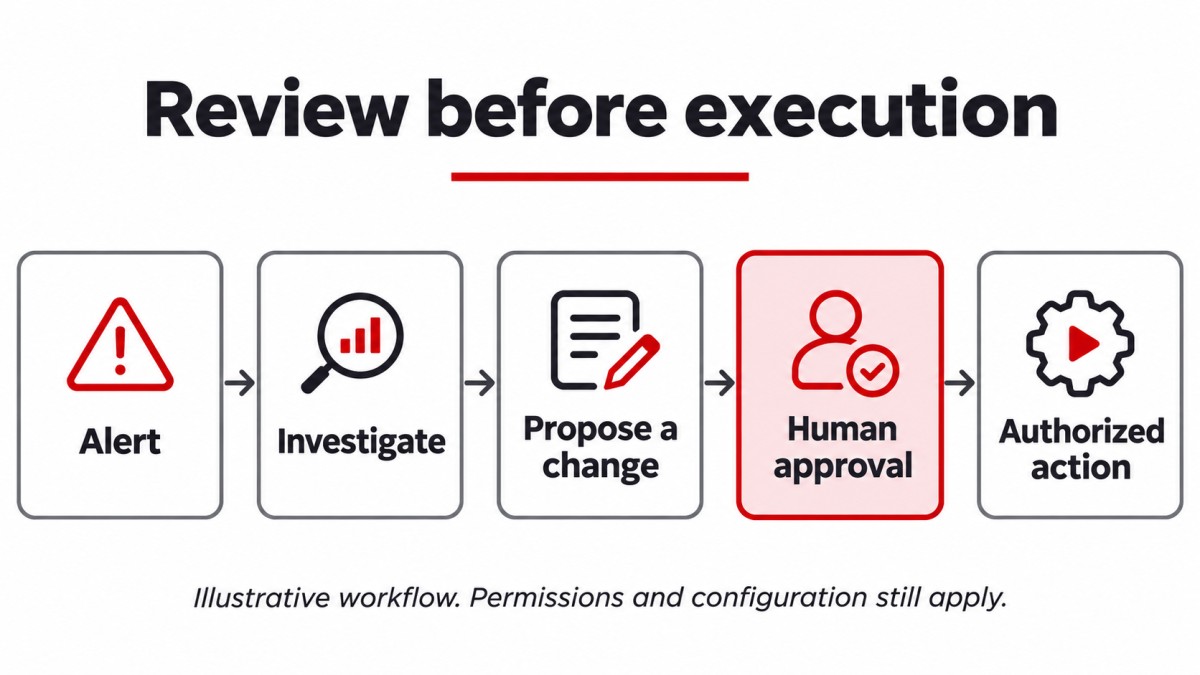
OpenShift Lightspeed can investigate cluster conditions and prepare an operational response. Red Hat retains human approval before changes run. AI capabilities are optional, so a team can evaluate one workflow before expanding its use.
Check availability before planning production use
| Capability | Availability |
|---|---|
| Update risk analysis | Generally available |
| Perses dashboard generation through chat | Generally available |
| Lightspeed augmented troubleshooting | Generally available |
| Agentic updates | Technology Preview |
| Autonomous troubleshooting | Technology Preview |
| AI-assisted installation | Developer Preview |
These availability distinctions appear in Red Hat's intelligent platform overview. Review the documented support terms for preview capabilities.
Test the assistant against an incident your team understands
Suppose an application's response time rises after a deployment. Ask the assistant to investigate the affected namespace, then compare its explanation with deployment history and monitoring data. The useful result is an explanation an operator can verify.
Check whether it identifies the relevant dependency, cites the evidence behind its diagnosis, and proposes an action with a clear scope. Record mistakes as well as successful investigations. Incomplete telemetry and restricted permissions are useful test cases because both occur during real incidents.
Review access and data handling
Document which cluster information an assistant can retrieve, where requests are processed, and who can approve actions. Review permission scope and audit retention before connecting the integration to sensitive workloads.
OpenShift Virtualization and VMware migration
OpenShift Virtualization places VM management within the OpenShift environment. Organizations evaluating a move from VMware can begin with Red Hat's Migration Toolkit for Virtualization and its planning documentation.
Moving a VM changes more than where its disks reside. Networking, backup integration, monitoring, and maintenance procedures all need validation in the target environment.
Choose a representative pilot workload
Select an application with known dependencies and an owner who can validate it. Record CPU and memory consumption, disk latency, network requirements, and recovery objectives before migration. These measurements give you a baseline for the target platform.
Test authentication, scheduled jobs, external connections, and application monitoring. Measure downtime against the agreed maintenance allowance. Test restoration separately, since a successful migration does not establish that you can recover the application after data loss.
Calculate costs using your operating model
Include subscriptions, infrastructure, storage, backup tools, training, and support effort. Hardware utilization alone cannot establish whether a migration fits the budget. Keep assumptions visible so application owners and finance can review the same calculation.
OpenShift 5 security for applications and AI
Red Hat describes stronger isolation around platform components, confidential computing protections, and work on post-quantum cryptography. Its security overview distinguishes platform capabilities from related security products.
Protect data while workloads process it
Confidential containers address data in use, including sensitive model weights. Confidential GPU support depends on supported bare-metal systems. Hardware selection and the documented configuration therefore belong in the architecture review.
Contain agent execution and limit permissions
Red Hat build of Agent Sandbox is a Technology Preview that uses VM isolation through OpenShift sandboxed containers. Evaluate isolation alongside identity, role-based access control, and audit trails. An isolated process still needs carefully scoped access to secrets and services.
Review vulnerability context
Advanced Cluster Security 5 adds vulnerability context, including known exploitation information and visibility for supported RHEL VMs. Its MCP server is a separate Technology Preview.
Build acceptance tests around your own boundaries. An application namespace should not read another team's secrets. An operational integration should receive only the privileges required for its assigned task. Verify these expectations with test credentials and disposable resources.
OpenShift AI vs. OpenShift Lightspeed
The names describe different jobs. OpenShift AI supports AI model and application workflows, including training, serving, monitoring, and management. Lightspeed helps teams investigate and operate the platform.
| Task | Product to evaluate |
|---|---|
| Investigate a cluster alert | OpenShift Lightspeed |
| Develop and serve an AI model | OpenShift AI |
| Review cluster update readiness | OpenShift Lightspeed |
| Manage model lifecycle workflows | OpenShift AI |
An organization can need both. Separate the use cases during planning so you can assign owners, assess prerequisites, and estimate the required resources.
OpenShift 5 support lifecycle and ELC releases
Starting with OpenShift 5.0, Red Hat extends the standard lifecycle to 24 months. Designated Extended Life Cycle releases, beginning with 5.2, can receive an additional three years for a total of five years with the applicable extension.
The longer term does not apply automatically to every release. Check the support arrangement and the lifecycle of each installed Operator. Red Hat describes alignment for selected products and specific ELC-aligned component releases.
Skip-level updates appear in the lifecycle announcement as an area of planned investment. Build the maintenance calendar around update paths supported for the versions you actually run.
Maintain a support register containing the installed version, support end date, extension entitlement, planned replacement date, and responsible owner. Review it before each change window.
OpenShift 5 upgrade checklist
The published transition from 4.22 is an in-place update. An older cluster needs its own supported sequence. Confirm that sequence and current advisories before scheduling production work.
- Inventory the environment. Record the cluster version, Operators, node pools, infrastructure, storage drivers, networking, certificates, and external integrations.
- Resolve existing health issues. Investigate degraded components and update blockers. Capture a baseline to distinguish existing faults from upgrade regressions.
- Review compatibility. Check application certifications, hardware support, drivers, and third-party Operator requirements.
- Test recovery. Confirm backup coverage and restore representative application data in a test environment. Follow documented platform recovery procedures.
- Rehearse application validation. Run user transactions, background jobs, external API calls, and performance checks with application owners.
- Prepare the maintenance window. Assign owners, escalation contacts, communication checkpoints, and conditions for pausing the procedure.
- Verify the result. Review cluster health, application availability, storage, DNS, ingress, monitoring, backups, and error rates.
Account for the node operating system
Red Hat says clusters updated from 4.22 retain RHCOS 9, while new OpenShift 5.0 installations default to RHCOS 10. A fresh lab installation may therefore differ from an upgraded production environment.
Use the release-specific documentation for execution steps. This checklist supports planning; supported procedures and recovery options depend on the environment.
Should you upgrade to OpenShift 5 now?
Prioritize the evaluation when a documented capability addresses an operating problem you can measure. Test whether an investigation workflow gives your on-call team useful evidence sooner, or whether the lifecycle model fits the certification schedule of a critical application.
Put unresolved dependencies on the critical path. If a required driver or Operator lacks confirmed compatibility, establish that support before scheduling production changes. Evaluate preview features in an appropriate test environment.
Begin with a small pilot, a named application owner, and written acceptance conditions. Use the results to choose the next workload and maintenance window.
Sources and documentation
Feature availability and support details can change between releases. Check documentation for the version you plan to deploy.
Frequently Asked Questions
What's Your Reaction?
 Like
0
 Dislike
0
 Love
0
 Funny
0
 Wow
0
 Sad
0
 Angry
0

With a passion for staying on the cutting edge of technology trends, I am dedicated to delivering content that not only informs but also inspires. Whether you need in-depth analysis pieces, informative guides, or thought-provoking opinion pieces, I craft content that resonates with tech enthusiasts and professionals alike.