
100% Verified OpenShift EX280 Exam Practice Questions & Answers
Latest ex280 exam practice questions & answers PDF and video - Openshift exam preparation questions & Labs | ex280 dumps | openshift dumps | 100% Verified OpenShift EX188 | EX280 | EX288 | EX380 Ex480 Exam Practice Questions & Answers
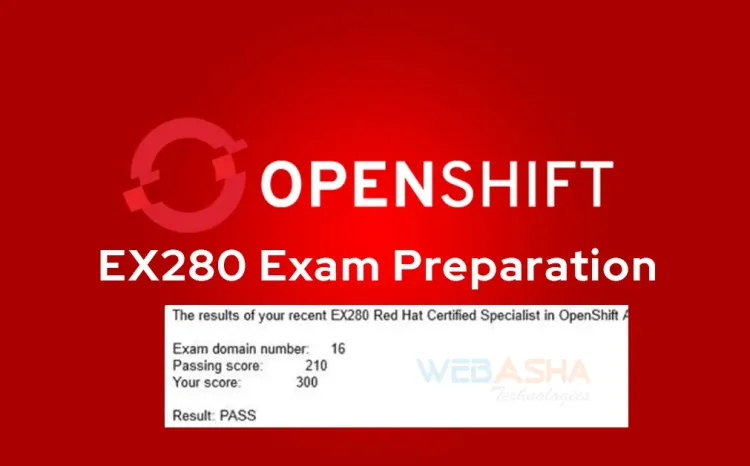
Table of Contents
- Introduction
- What is the OpenShift EX280 Exam?
- Why Practice Questions & Answers Matter
- 100% Verified OpenShift EX280 Exam Questions & Answers
- Sample EX280 Practice Labs
- Preparation Strategy for EX280
- Common Mistakes to Avoid in EX280
- Career Benefits of Passing EX280
- Conclusion
Introduction
The Red Hat OpenShift EX280 exam is one of the most sought-after certifications for IT professionals in 2026. As cloud-native applications, containers, and Kubernetes dominate enterprise IT, the demand for skilled OpenShift administrators has skyrocketed. The EX280 exam validates your ability to configure, manage, and troubleshoot OpenShift clusters in real-world environments.
Unlike multiple-choice certifications, the EX280 is performance-based. That means you must perform tasks on a live OpenShift cluster, such as configuring authentication, deploying applications, setting up persistent storage, and managing cluster security. This hands-on approach makes the certification highly respected across the IT industry.
In this blog, we provide 100% verified OpenShift EX280 exam practice questions and answers to help you prepare effectively. We’ll also cover exam details, practice labs, preparation strategies, common mistakes, and career benefits of passing this certification.
What is the OpenShift EX280 Exam?
The EX280 exam is officially known as the Red Hat Certified Specialist in OpenShift Administration. It tests your ability to manage an OpenShift Container Platform cluster, ensuring you can handle both daily operations and advanced administrative tasks.
Exam Details (2026 Updated)
| Exam Code | EX280 |
|---|---|
| Certification | Red Hat Certified Specialist in OpenShift Administration |
| Based On | Red Hat OpenShift Container Platform 4.14 / 4.19 |
| Exam Duration | 3 hours |
| Format | Performance-based, hands-on tasks |
| Delivery | Remote exam or Red Hat testing center |
| Passing Score | 210 out of 300 (70%) |
| Cost (India) | ₹20,000 + GST |
| Cost (Global) | $450 – $500 (approx) |
| Validity | 3 years |
Skills Tested
The EX280 exam focuses on real-world administration tasks. You must demonstrate skills in:
- Cluster Administration: Managing projects, nodes, and resources.
- Networking: Configuring services, routes, and load balancing.
- Storage: Setting up persistent volumes and claims.
- Security: Configuring authentication, role-based access control (RBAC), and security contexts.
- Application Deployment: Deploying, scaling, and troubleshooting containerized applications.
- Monitoring & Logging: Using built-in tools for system visibility.
Passing the EX280 proves you can administrate OpenShift in production environments. It is also a key step toward advanced Red Hat certifications such as RHCA (Red Hat Certified Architect).
Why Practice Questions & Answers Matter
The EX280 exam is unlike theory-based certifications. It requires you to demonstrate practical OpenShift administration skills in a real cluster environment. That means simply reading documentation is not enough — you must practice hands-on tasks repeatedly.
Benefits of Practicing Q&A Before the Exam
- Familiarity with Exam Format: Practicing verified Q&A prepares you for the type of tasks you’ll face in the live exam.
- Improved Speed: Since the exam is timed (3 hours), practicing helps you complete tasks faster under pressure.
- Error Reduction: Hands-on repetition builds confidence and reduces mistakes in high-stress situations.
- Real-World Scenarios: The exam simulates real enterprise administration tasks. Verified Q&A ensures you train with accurate examples.
- Confidence Boost: Walking into the exam knowing you’ve already solved similar problems gives you a major advantage.
In short, practice Q&A is the difference between being exam-ready and being caught off guard. Now let’s dive into 100% verified OpenShift EX280 practice questions and answers, starting with Cluster Administration.
100% Verified OpenShift EX280 Exam Questions & Answers

Section 1: Cluster Administration Q&A
Cluster administration is the backbone of the EX280 exam. You will be tested on your ability to create projects, manage users, configure nodes, and allocate resources across the cluster.
Q1. How do you create a new OpenShift project called dev-project?
Answer:
oc new-project dev-project
This command creates a new namespace (project) where applications and resources can be deployed. In OpenShift, a project provides isolation for resources, making it easier to manage multi-team environments.
Q2. How do you list all projects in the cluster?
Answer:
oc get projects
This displays all projects (namespaces) currently available in the OpenShift cluster.
Q3. How do you assign a developer user to the edit role in dev-project?
Answer:
oc adm policy add-role-to-user edit developer -n dev-project
This grants the user developer the ability to create and modify most resources within the project. RBAC (Role-Based Access Control) is a critical concept tested in EX280.
Q4. How do you label a node worker01 with the key region=us-east?
Answer:
oc label node worker01 region=us-east
Labels are used to categorize nodes, which helps in scheduling workloads and applying node selectors in deployments.
Q5. How do you cordon and drain a node called worker02 for maintenance?
Answer:
oc adm cordon worker02
oc adm drain worker02 --ignore-daemonsets --delete-emptydir-data
Cordon prevents new pods from being scheduled on the node. Drain safely evicts pods for maintenance. This is a common real-world task for OpenShift administrators.
Q6. How do you view cluster operators and check their status?
Answer:
oc get co
Cluster Operators (co) represent key OpenShift components (e.g., authentication, networking, storage). You must verify they are in a healthy state during cluster checks.
Q7. How do you check the health of all nodes in the cluster?
Answer:
oc get nodes
This lists all nodes along with their roles (master, worker) and status (Ready, NotReady).
Q8. How do you taint a node infra01 so that only specific pods can run on it?
Answer:
oc adm taint nodes infra01 dedicated=infra:NoSchedule
This ensures only pods with matching tolerations can run on the node. It’s a critical technique for isolating infrastructure workloads.
Q9. How do you check resource quotas in a project called dev-project?
Answer:
oc get quota -n dev-project
Resource quotas ensure that projects do not exceed allocated compute and storage limits. Understanding quotas is important for multi-tenant clusters.
Q10. How do you create a resource quota that limits a project to 2 CPUs and 4Gi of memory?
Answer:
oc create quota dev-quota --hard=cpu=2,memory=4Gi -n dev-project
This enforces limits at the project level, ensuring resources are distributed fairly across multiple users.
✅ These cluster administration Q&As represent exactly the type of questions you’ll face in the EX280 exam. They also reflect real-world OpenShift administration tasks.
Section 2: Networking & Storage Q&A
Networking and storage are critical components of the EX280 exam. You must demonstrate the ability to configure services, routes, and persistent storage to support enterprise applications.
Q11. How do you expose a deployment called nginx as a service?
Answer:
oc expose deployment nginx --port=80 --target-port=8080 --name=nginx-service
This creates a service that routes traffic to the nginx pods on port 8080, exposing it internally to the cluster.
Q12. How do you create a route to expose nginx-service externally?
Answer:
oc expose service nginx-service
Routes expose services outside the cluster using DNS hostnames. By default, OpenShift assigns a route under the cluster’s wildcard DNS.
Q13. How do you verify that a route is working?
Answer:
oc get route
curl http://
This confirms the route has been created and is accessible from outside the cluster.
Q14. How do you create a PersistentVolume (PV) backed by NFS?
Answer:
apiVersion: v1
kind: PersistentVolume
metadata:
  name: nfs-pv
spec:
  capacity:
    storage: 1Gi
  accessModes:
    - ReadWriteMany
  nfs:
    path: /mnt/data
    server: nfs.example.com
PersistentVolumes (PVs) represent cluster-wide storage resources. In EX280, you may need to configure PVs backed by NFS, GlusterFS, or local storage.
Q15. How do you create a PersistentVolumeClaim (PVC) of 500Mi?
Answer:
apiVersion: v1
kind: PersistentVolumeClaim
metadata:
  name: mypvc
spec:
  accessModes:
    - ReadWriteOnce
  resources:
    requests:
      storage: 500Mi
PVCs allow applications to request storage dynamically. In the exam, you’ll often link PVCs to deployments.
Q16. How do you mount a PVC in a pod?
Answer:
apiVersion: v1
kind: Pod
metadata:
  name: nginx-pod
spec:
  containers:
  - name: nginx
    image: nginx
    volumeMounts:
    - mountPath: "/usr/share/nginx/html"
      name: nginx-storage
  volumes:
  - name: nginx-storage
    persistentVolumeClaim:
      claimName: mypvc
This ensures the nginx container uses persistent storage instead of ephemeral pod storage.
Q17. How do you check the status of PVCs?
Answer:
oc get pvc
This shows whether PVCs are Bound, Pending, or Lost, indicating whether the requested storage has been successfully allocated.
Q18. How do you increase a PVC size from 500Mi to 1Gi?
Answer:
oc patch pvc mypvc -p '{"spec":{"resources":{"requests":{"storage":"1Gi"}}}}'
PVC resizing must be supported by the underlying storage class. This is a common real-world task for admins managing growing workloads.
Section 3: Security & RBAC Q&A
Security is one of the most important aspects of OpenShift administration. The EX280 exam will test your ability to configure RBAC, service accounts, and security contexts.
Q19. How do you create a service account called app-sa in dev-project?
Answer:
oc create sa app-sa -n dev-project
Service accounts are used by pods to interact with the API server securely.
Q20. How do you assign the view role to app-sa in dev-project?
Answer:
oc adm policy add-role-to-user view -z app-sa -n dev-project
This allows the service account to view resources within the namespace. The -z flag specifies a service account.
Q21. How do you list all cluster roles?
Answer:
oc get clusterroles
Cluster roles define permissions across the entire cluster. You may need to assign them to users or groups in the exam.
Q22. How do you create a role called pod-reader that allows listing pods?
Answer:
oc create role pod-reader --verb=get,list,watch --resource=pods -n dev-project
This creates a namespace-specific role that grants read-only access to pods.
Q23. How do you bind the pod-reader role to user developer?
Answer:
oc create rolebinding pod-reader-binding --role=pod-reader --user=developer -n dev-project
Role bindings connect roles with users, groups, or service accounts. This ensures proper role-based access control (RBAC).
Q24. How do you check which roles are bound to a user?
Answer:
oc describe rolebinding -n dev-project
This shows the roles and subjects (users, groups, service accounts) that have been granted permissions in a namespace.
Q25. How do you run a pod with a specific service account?
Answer:
apiVersion: v1
kind: Pod
metadata:
  name: sa-pod
spec:
  serviceAccountName: app-sa
  containers:
  - name: nginx
    image: nginx
This pod runs with the app-sa service account, allowing controlled access to the API server.
Q26. How do you run a pod with a restricted security context?
Answer:
apiVersion: v1
kind: Pod
metadata:
  name: secure-pod
spec:
  securityContext:
    runAsUser: 1000
    runAsGroup: 3000
    fsGroup: 2000
  containers:
  - name: nginx
    image: nginx
    securityContext:
      allowPrivilegeEscalation: false
Security contexts define privileges and access controls for pods and containers. OpenShift enforces strict security defaults, which you’ll need to configure during the exam.
Q27. How do you deny privileged containers in a project?
Answer:
oc adm policy add-scc-to-user restricted developer -n dev-project
Security Context Constraints (SCCs) control pod security in OpenShift. Assigning the restricted SCC ensures users cannot create privileged pods.
✅ Security and RBAC are heavily weighted in the exam. Practicing these scenarios ensures you can configure safe, enterprise-grade OpenShift clusters.
Section 4: Application Deployment Q&A
Deploying and managing containerized applications is a core objective of the EX280 exam. You must demonstrate skills in scaling, updating, and troubleshooting workloads.
Q28. How do you deploy an application from an image nginx?
Answer:
oc new-app nginx --name=mynginx
This creates a new deployment and service using the nginx container image.
Q29. How do you scale the mynginx deployment to 3 replicas?
Answer:
oc scale deployment mynginx --replicas=3
Scaling ensures high availability and load balancing across multiple pods.
Q30. How do you perform a rolling update of mynginx to a new version?
Answer:
oc set image deployment/mynginx nginx=nginx:1.25
This updates the deployment to use the new image version with zero downtime.
Q31. How do you roll back a failed deployment?
Answer:
oc rollout undo deployment/mynginx
This reverts the deployment to the last successful version.
Q32. How do you view logs of a pod?
Answer:
oc logs mynginx-xyz123
Logs help troubleshoot application issues during deployment and runtime.
Q33. How do you execute a shell inside a running pod?
Answer:
oc exec -it mynginx-xyz123 -- /bin/bash
This allows administrators to debug containers interactively.
Q34. How do you configure environment variables in a deployment?
Answer:
oc set env deployment/mynginx ENV=production
Environment variables are critical for customizing application runtime behavior.
Section 5: Troubleshooting Q&A
Troubleshooting is one of the toughest parts of the EX280 exam. You must quickly identify and resolve issues in pods, services, routes, and cluster components.
Q35. A pod is stuck in CrashLoopBackOff. How do you investigate?
Answer:
oc describe podoc logs
describe shows events and reasons for failure. logs helps identify application-level issues.
Q36. A service is not accessible. How do you debug?
Answer:
oc get svc oc describe svcoc exec -it -- curl http:// :
This checks whether the service is correctly created, endpoints exist, and pods are reachable.
Q37. A route is not working. How do you check it?
Answer:
oc get route oc describe routecurl http://
This verifies DNS resolution, target service mapping, and whether TLS settings are correctly configured.
Q38. How do you restart a failing deployment?
Answer:
oc rollout restart deployment
This triggers a fresh rollout, often resolving transient issues with pods.
Q39. How do you check cluster operator health?
Answer:
oc get co
If a cluster operator is degraded, troubleshooting must focus on that component (e.g., authentication, networking).
Q40. How do you view events in a project?
Answer:
oc get events -n dev-project
Events provide valuable diagnostic data for pods, services, and deployments.
Sample EX280 Practice Labs
In addition to Q&A, hands-on labs are essential for mastering the EX280 exam. Here are some practice labs you can set up in your own OpenShift environment:
Lab 1: Create and Expose an Application
- Create a new project called
test-app. - Deploy the
nginxapplication. - Expose it as a service and create a route.
- Verify external access using
curl.
Lab 2: Persistent Storage Configuration
- Create a PersistentVolume backed by NFS.
- Create a PersistentVolumeClaim of 1Gi.
- Deploy an app that mounts the PVC at
/data. - Verify data persistence after pod deletion.
Lab 3: RBAC and Security
- Create a service account
web-sa. - Assign the
viewrole to it in thetest-appproject. - Deploy a pod that uses this service account.
- Verify restricted access using
oc exec.
Lab 4: Troubleshooting
- Deploy a pod with an incorrect image name.
- Check events and logs to identify the failure.
- Correct the image name and redeploy.
By practicing these labs, you’ll gain confidence in real-world OpenShift administration tasks that map directly to EX280 exam objectives.
Career Benefits of Passing EX280
Passing the EX280 exam offers multiple career advantages:
- Certification Recognition: Red Hat certifications are globally recognized and highly respected.
- Job Roles: Certified professionals can work as OpenShift Administrators, DevOps Engineers, Cloud Engineers, or Kubernetes Specialists.
- Salary Boost: In India, certified OpenShift administrators can earn ₹8–15 LPA, while globally salaries can reach $110,000+ per year.
- Path to RHCA: EX280 counts toward the Red Hat Certified Architect (RHCA) track, opening doors to advanced specializations.
Conclusion
The Red Hat OpenShift EX280 exam is a challenging but rewarding certification that proves your ability to manage containerized workloads at scale. By practicing with 100% verified questions and answers, setting up your own labs, and mastering troubleshooting, you can dramatically increase your chances of success.
This guide provided a complete set of exam-focused Q&As, practice labs, preparation strategies, and career insights. By combining structured training, verified practice, and real-world scenarios, you’ll be well-prepared to pass the EX280 exam and accelerate your career in cloud-native technologies.
Frequently Asked Questions (FAQs) on OpenShift EX280 Exam
What's Your Reaction?
 Like
0
Like
0
 Dislike
0
Dislike
0
 Love
0
Love
0
 Funny
0
Funny
0
 Wow
0
Wow
0
 Sad
0
Sad
0
 Angry
0
Angry
0

With a passion for staying on the cutting edge of technology trends, I am dedicated to delivering content that not only informs but also inspires. Whether you need in-depth analysis pieces, informative guides, or thought-provoking opinion pieces, I craft content that resonates with tech enthusiasts and professionals alike.

![RHCSA | EX200 Certification Exam Voucher Cost in India [2026 Updated]](https://webasha-blog.s3.ap-south-1.amazonaws.com/uploads/images/202505/image_750x415_681f5c412d08a.webp)






![Top 10 Famous Ethical Hackers in India [Updated 2026]](https://www.webasha.com/blog/uploads/images/202608/image_140x98_da23f65c290cfbf1237d77aec58a2f0f.jpg)