How do I troubleshoot cloud network issues in AWS, Azure, and GCP?
Troubleshooting cloud network issues requires a solid understanding of cloud-specific components such as VPC peering, route tables, and network ACLs. In this blog, we walk through practical steps to diagnose and resolve connectivity problems in AWS, Azure, and Google Cloud (GCP). Learn how to identify route mismatches, misconfigured security groups, and peering conflicts with real-world scenarios and actionable solutions.

Quick answer: Start with the basics: check route tables, then VPC peering or VNet links, then security groups and network ACLs, since one wrong rule can block traffic. Next, read cloud flow logs to see what was accepted or rejected, and use each provider's connectivity tools to test paths. Document a checklist so you can repeat the process quickly.
Key takeaways
- Check route tables first, then peering, security groups and network ACLs.
- Read flow logs to see which packets were accepted or dropped.
- Security groups are stateful but network ACLs are not.
Table of Contents
- What Are Cloud Network Issues and Why Are They Complex?
- Why Do VPC Peering and Route Tables Matter?
- How to Identify Cloud Route Table Misconfigurations?
- What Are Network ACLs and How Can They Block Traffic?
- How to Debug Connectivity Issues Using Cloud Logs?
- What Are the Tools to Troubleshoot AWS Networking?
- What About Azure and GCP Networking Troubleshooting?
- Real-World Scenario: AWS VPC Peering + Route Table Misconfiguration
- How to Avoid Common Cloud Networking Pitfalls?
- Cloud Troubleshooting Checklist
- Conclusion
What Are Cloud Network Issues and Why Are They Complex?
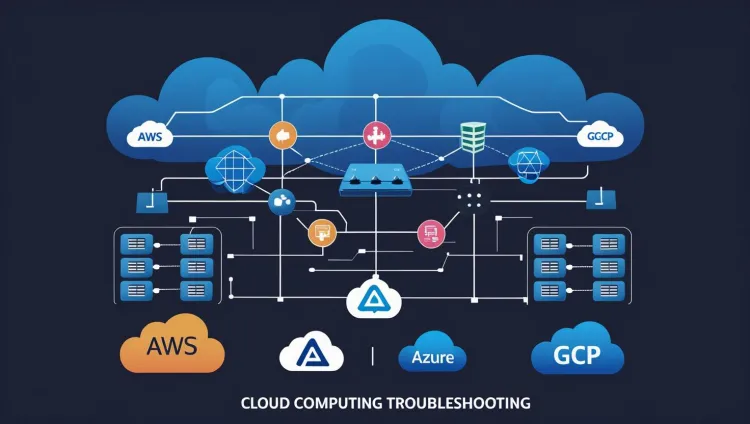
Cloud networking in platforms like AWS, Azure, and Google Cloud Platform (GCP) involves complex configurations, Virtual Private Clouds (VPCs), route tables, security groups, and access control lists (ACLs). When misconfigured, even a single routing rule or firewall setting can cause large-scale connectivity issues.
Troubleshooting cloud networks is fundamentally different from traditional on-premises networking. The virtualized and abstracted nature of cloud infrastructure makes visibility and debugging more difficult without the right tools and understanding.
Why Do VPC Peering and Route Tables Matter?
VPC Peering allows two VPCs to communicate with each other. However, successful peering doesn't guarantee traffic flow, route tables must be properly configured on both ends.
For example, in AWS:
-
Peering is set, but traffic fails.
-
Route table in VPC A does not have a route to VPC B’s CIDR block.
-
Adding that route solves the issue.
This scenario is very common and occurs across all cloud providers in some variation.
How to Identify Cloud Route Table Misconfigurations?
Misconfigured route tables often cause issues like:
-
Services can't talk across VPCs
-
Inter-region communication fails
-
Internet access issues even with a NAT Gateway
Example from AWS:
| Issue | Possible Cause | Fix |
|---|---|---|
| EC2 can't access S3 | No route to S3 endpoint in route table | Add VPC endpoint route |
| VPC Peering not working | Missing route in one VPC's route table | Add route to peer CIDR in both route tables |
| No internet on private subnet | NAT Gateway missing from route table | Point 0.0.0.0/0 to NAT Gateway |
What Are Network ACLs and How Can They Block Traffic?
Network Access Control Lists (ACLs) are stateless filters applied at the subnet level in AWS and Azure. Unlike security groups (which are stateful), ACLs require both inbound and outbound rules to allow return traffic.
Common Mistakes:
-
Deny rules overriding allow rules
-
Forgetting to allow ephemeral ports in return path
-
Applying overly restrictive ACLs for internal traffic
How to Debug Connectivity Issues Using Cloud Logs?
Cloud-native logging is a powerful feature that simplifies troubleshooting:
-
AWS VPC Flow Logs: Capture IP-level traffic between interfaces
-
Azure NSG Flow Logs: Show traffic allowed/denied at the NSG level
-
GCP VPC Flow Logs: Available via Stackdriver Logging
Tip: Enable logging on all VPCs and subnets to capture blocked packets or missing routes.
What Are the Tools to Troubleshoot AWS Networking?
AWS:
-
VPC Reachability Analyzer: Simulates path and shows where traffic fails.
-
Flow Logs: Network-level visibility.
-
CloudWatch Insights: View and filter log events in real-time.
What About Azure and GCP Networking Troubleshooting?
Azure:
-
Network Watcher: Provides IP flow verification, connection troubleshoot, and packet capture.
-
NSG Flow Logs: Logs traffic patterns for each Network Security Group.
-
Effective Security Rules: Helps review what NSG or route is blocking the connection.
GCP:
-
VPC Flow Logs: Integrated with Cloud Logging
-
Network Intelligence Center: Visualizes network topology and performance metrics.
-
Connectivity Tests: Checks reachability between two Google Cloud resources.
Real-World Scenario: AWS VPC Peering + Route Table Misconfiguration
A DevOps team set up VPC peering between dev-vpc and prod-vpc.
-
Dev EC2 couldn't SSH into prod EC2.
-
Ping failed.
-
Peering status: Active.
-
Route table in
prod-vpcwas missing the route todev-vpc's CIDR.
Fix:
Added missing route to prod-vpc route table:
Destination: 10.0.1.0/16 -> Target: pcx-xxxxxx
Traffic resumed instantly.
How to Avoid Common Cloud Networking Pitfalls?
-
Always verify bidirectional route tables after VPC peering
-
Use security groups and ACLs together properly
-
For hybrid networks, ensure VPN/BGP tunnels have correct routes
-
Don’t forget DNS resolution, some VPCs need shared resolvers
-
Rely on logging and cloud-native tools for visibility
Cloud Troubleshooting Checklist
| Component | Checkpoints |
|---|---|
| VPC Peering | Routes to remote CIDRs in both VPCs, no overlapping CIDRs |
| Route Tables | Default and custom routes properly defined, especially for NAT and endpoints |
| Security Groups | Allow correct ports, both inbound and outbound |
| Network ACLs | Stateless, must allow return traffic on both sides |
| Flow Logs | Enable for monitoring and analyzing traffic |
| Diagnostic Tools | Use AWS Reachability Analyzer, Azure Network Watcher, GCP Connectivity Tests |
Conclusion
Cloud networking issues in AWS, Azure, and GCP can become complex fast, especially when dealing with VPC peering, misconfigured route tables, or restrictive ACLs. However, with the right mindset, understanding of virtual networking components, and tools like flow logs and reachability analyzers, you can quickly pinpoint and resolve these problems.
DevOps engineers and cloud architects need cloud network troubleshooting skills to build reliable, scalable, and secure infrastructure.
To take this further with guided labs and an instructor, see our AWS advanced networking training.
Related reading
- How to Automate Cloud Networking Using Terraform, Ansible, and Python | DevNetOps Guide 2026
- What are the Top Cloud Networking Services by AWS, Azure, and Google Cloud in 2026? (Complete Comparison Guide)
- Networking for DevOps | What is Networking for DevOps and why is it important in 2026?
Reference
For the authoritative details, see AWS documentation.
Frequently Asked Questions
What's Your Reaction?
 Like
0
 Dislike
0
 Love
0
 Funny
0
 Wow
0
 Sad
0
 Angry
0

Vaishnavi is a skilled tech professional at the Ethical Hacking Training Institute in Pune, responsible for managing and optimizing the technical infrastructure that supports advanced cybersecurity education. With deep expertise in network security, backend operations, and system performance, she ensures that practical labs, online modules, and assessments run smoothly and securely. Her behind-the-scenes contributions play a vital role in delivering a seamless and secure learning experience for aspiring ethical hackers.