How Microsoft Teams Calls Are Being Weaponized to Deploy Matanbuchus Ransomware | Full Guide
In July 2026, cybercriminals began exploiting Microsoft Teams calls to deploy Matanbuchus ransomware through social engineering. Attackers impersonate IT support via Teams, using Quick Assist and PowerShell commands to execute malware. This blog explains how the attack works step-by-step, outlines its impact on businesses, and provides actionable prevention tips like disabling Quick Assist, limiting PowerShell, and training employees to recognize social engineering threats.
Quick answer: Attackers call employees on Microsoft Teams pretending to be IT support, then persuade them to open Quick Assist and run PowerShell commands. Those commands install the Matanbuchus loader, which can bring ransomware or infostealers. Defend by training staff, restricting Quick Assist, monitoring PowerShell and keeping tested backups.
Key takeaways
- Attackers pose as IT support on Teams and ask staff to open Quick Assist.
- Block external Teams calls from unknown tenants.
- IT will not ask you to run PowerShell.
Table of Contents
- What Are the Attack Flow and Protection Measures?
- How the Attack Works: Step-by-Step Breakdown
- Why This Attack Matters
- How Do You Protect Against It?
- Conclusion
A sophisticated cyberattack method now uses Microsoft Teams calls to deliver Matanbuchus ransomware. This attack bypasses traditional email-based defenses and exploits human trust in real-time communication.
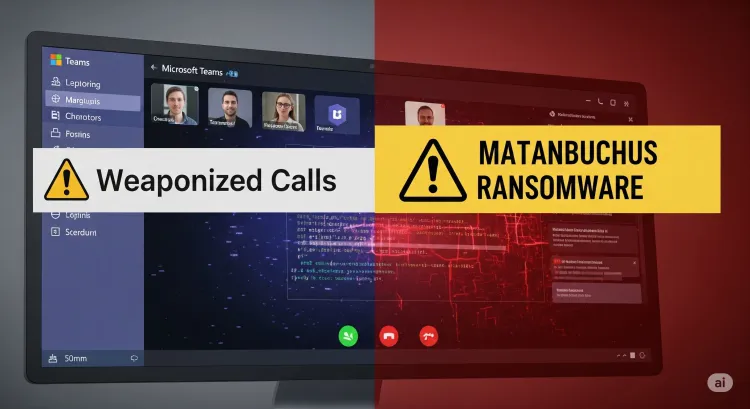
A new and sophisticated cyberattack technique has emerged that uses Microsoft Teams calls as a delivery mechanism for the Matanbuchus ransomware loader. Security researchers have confirmed that attackers are impersonating IT support staff via Teams video calls, convincing victims to execute malicious PowerShell commands. This is a significant change in ransomware delivery tactics, because it abuses trusted business collaboration tools.
What Are the Attack Flow and Protection Measures?
| Attack Stage | Description | Recommended Defense |
|---|---|---|
| Social Engineering Call | Impersonating IT via Microsoft Teams | Employee security training and awareness |
| Quick Assist Activation | Convincing users to grant remote access | Disable or restrict Microsoft Quick Assist |
| PowerShell Command Execution | Running commands to install Matanbuchus loader | Monitor PowerShell usage; apply execution policies |
| Loader Deployment | Deploying Matanbuchus 3.0 to execute ransomware or steal data | Endpoint protection, behavior-based detection tools |
| Persistence and Impact | Encrypting files, exfiltrating data | Data backups, incident response planning |
How the Attack Works: Step-by-Step Breakdown
1. Social Engineering via Teams Calls
Attackers initiate Teams calls posing as IT staff, using urgency and authority to trick employees.
2. Remote Access via Quick Assist
Victims are guided to enable Quick Assist, giving attackers full remote access to their systems.
3. PowerShell Command Execution
Once connected, attackers execute PowerShell scripts to silently deploy malware loaders.
4. Matanbuchus 3.0 Deployment
The loader installs ransomware, remote access tools, or infostealers without triggering traditional antivirus software.
Why This Attack Matters
-
Bypasses Email Security Filters
-
Higher Trust Due to Live Calls
-
Uses Legitimate Windows Tools (Living Off the Land)
How Do You Protect Against It?
-
Train Employees on social engineering threats specific to video conferencing.
-
Disable Quick Assist where not needed using Group Policy or endpoint management tools.
-
Limit PowerShell Usage and monitor unusual command execution.
-
Implement MFA and strong authentication measures for Microsoft accounts.
-
Maintain Regular Backups of critical systems and files.
Conclusion
Weaponizing Microsoft Teams calls is a wake-up call for organizations relying on collaborative tools. Security policies must evolve beyond email filters to address live social engineering attacks.
To take this further with guided labs and an instructor, see our learning SOC operations with labs.
Related reading
- How AI Helps Detect and Prevent Ransomware Attacks | A Big Change in Cybersecurity
- What is Interlock ransomware and how does it attack Windows and Linux systems?
- Malicious Calendly and Google Meet Links Deliver Weaponized Zoom Extension | Cybersecurity Alert 2026
Reference
For the authoritative details, see Microsoft Learn.
Frequently Asked Questions
What's Your Reaction?
 Like
0
Like
0
 Dislike
0
Dislike
0
 Love
0
Love
0
 Funny
0
Funny
0
 Wow
0
Wow
0
 Sad
0
Sad
0
 Angry
0
Angry
0

Vaishnavi is a skilled tech professional at the Ethical Hacking Training Institute in Pune, responsible for managing and optimizing the technical infrastructure that supports advanced cybersecurity education. With deep expertise in network security, backend operations, and system performance, she ensures that practical labs, online modules, and assessments run smoothly and securely. Her behind-the-scenes contributions play a vital role in delivering a seamless and secure learning experience for aspiring ethical hackers.