
Understanding Phishing Attacks: Tips to Spot and Avoid Them
Explore the insidious world of phishing attacks and learn how to identify and evade them. This in-depth guide provides insights into various types of phishing, key indicators to spot scams, and proactive measures to protect yourself from cybercriminals.
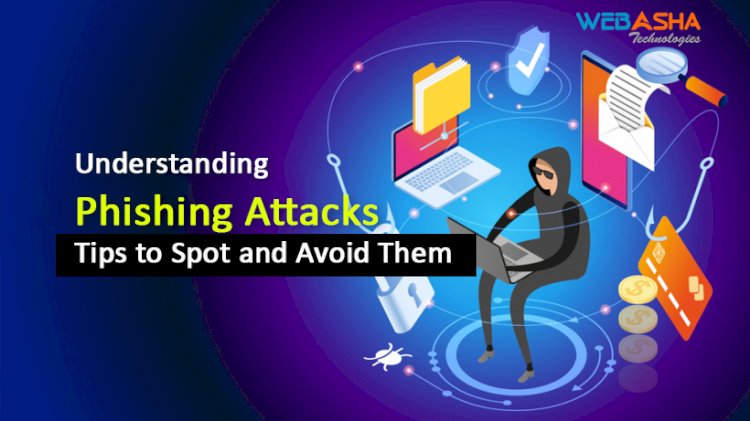
Quick answer: Phishing is a fraud technique in which attackers pretend to be a trusted sender to steal passwords, money or data. Spot it by checking the sender address, urgent wording, mismatched links and unexpected attachments. Do not click or reply. Go to the official site yourself, and report the message if it looks suspicious.
Key takeaways
- Hover over a link and read the real domain before clicking.
- Urgent wording about accounts or payments is a common warning sign.
- If unsure, open the official website yourself rather than using the link.
Cybercriminals use cunning tactics to manipulate people into giving away sensitive data. Phishing is one of the most common and dangerous of these tactics. This guide explains how phishing attacks work, the different types, and how to spot and avoid these schemes.
Introduction: The Web of Deceit
Phishing attacks have evolved into a complex web of deceit, skillfully designed to exploit human psychology and trick even the most cautious individuals. From emails impersonating trusted sources to fake websites mirroring legitimate ones, the methods employed by cybercriminals continue to evolve, demanding heightened awareness.
Understanding Phishing Attacks: Anatomy and Types
Phishing attacks use psychological tactics to deceive individuals into taking actions that compromise their security. There are various types of phishing attacks, including:
- Spear Phishing: Highly targeted attacks that are customized for specific individuals or organizations, often leveraging personal information to create a sense of legitimacy.
- Whaling: Similar to spear phishing but targeting high-profile individuals like executives or public figures.
- Vishing: Voice-based phishing attacks that involve phone calls to deceive victims.
- Smishing: SMS-based phishing, where attackers send fraudulent text messages.
- Pharming: Redirecting users to fake websites through malware or compromised DNS settings.
Spotting Phishing Attempts: Key Indicators
To protect yourself from phishing attacks, you need to recognise their telltale signs:
- Sender's Email Address: Check the sender's email address carefully. Cybercriminals often use email addresses that closely resemble legitimate ones.
- Urgent or Threatening Language: Phishing emails often create a sense of urgency or use threatening language to push recipients into taking immediate actions.
- Misspellings and Grammar Errors: Many phishing emails contain spelling and grammatical mistakes.
- Unsolicited Attachments or Links: Be cautious of unexpected attachments or links, especially if they prompt you to provide sensitive information.
- Generic Greetings: Phishing emails often use generic greetings like "Dear Customer" instead of addressing you by name.
- Suspicious URLs: Hover your cursor over links to reveal the actual URL. Beware of deceptive URLs that might lead to fake websites.
- Requests for Sensitive Information: Legitimate organizations rarely ask for sensitive information through email.
Preventing Phishing Attacks: Proactive Measures
- Education and Awareness: Educate yourself and your peers about phishing attacks, their dangers, and how to spot them.
- Secure Email Authentication: Use email authentication methods like SPF, DKIM, and DMARC to verify the authenticity of emails.
- Multi-Factor Authentication (MFA): Enable MFA whenever possible to add an extra layer of security.
- Email Filtering and Antivirus: Employ advanced email filtering and reputable antivirus software to catch phishing emails before they reach your inbox.
- Verified Websites: Ensure websites are secure by looking for "https://" in the URL and checking for a padlock icon in the browser address bar.
- Update Software: Keep your operating system, applications, and security software up to date to protect against known vulnerabilities.
Reporting and Responding to Phishing Attacks
If you receive a phishing email, you should report it to the relevant authorities or organizations. Never respond to the email or click on any links or attachments. If you've unknowingly provided sensitive information, take immediate steps to secure your accounts, change passwords, and monitor your accounts for suspicious activity.
Conclusion: Navigating the Sea of Deception
In the complex landscape of the digital world, understanding phishing attacks is not just a necessity; it's a responsibility. By educating yourself, being vigilant, and adopting proactive measures, you can shield yourself from the manipulative tactics of cybercriminals.
As phishing attacks become increasingly sophisticated, so must our defenses. Empower yourself with knowledge, embrace caution, and cultivate a habit of verifying information before taking action. By staying informed and proactive, you can confidently navigate the sea of deception and emerge as a savvy guardian of your digital security.
Related reading
- Phishing Detection Techniques | Spotting the Red Flags - A Complete Guide
- How AI Can Detect and Prevent Phishing Attacks – The Future of Cybersecurity Defense
- How to Detect and Prevent BlackEye Phishing | The Ultimate Guide to Online Safety
Reference
For the authoritative details, see CERT-In (India).
Frequently Asked Questions
What's Your Reaction?
 Like
0
Like
0
 Dislike
0
Dislike
0
 Love
0
Love
0
 Funny
0
Funny
0
 Wow
0
Wow
0
 Sad
0
Sad
0
 Angry
0
Angry
0

With a passion for staying on the cutting edge of technology trends, I am dedicated to delivering content that not only informs but also inspires. Whether you need in-depth analysis pieces, informative guides, or thought-provoking opinion pieces, I craft content that resonates with tech enthusiasts and professionals alike.











![Top 10 Famous Ethical Hackers in India [Updated 2026]](https://www.webasha.com/blog/uploads/images/202608/image_140x98_da23f65c290cfbf1237d77aec58a2f0f.jpg)


