
What Is the Difference Between IP, TCP, and UDP? Explained Like I’m 5 for Easy Understanding
Learn the simple difference between IP, TCP, and UDP in easy terms. Understand how these internet protocols work together to send data reliably and quickly.
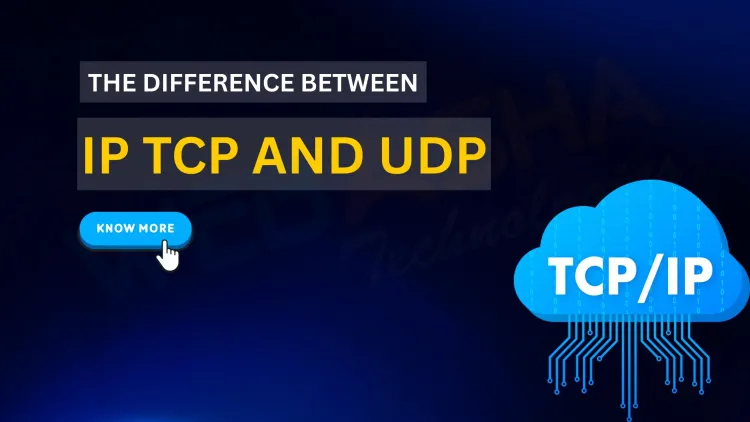
Quick answer: IP handles addressing and routing, getting packets to the right device. TCP sits on top and gives reliable, ordered delivery by checking that data arrives and resending it if not. UDP is faster and lighter but does not guarantee delivery, so it suits video calls, gaming and DNS queries where speed matters more.
Key takeaways
- IP only delivers packets to an address and gives no guarantee they arrive.
- TCP adds a handshake, ordering and retransmission, which is why web pages use it.
- UDP suits live video and DNS because speed matters more than perfect delivery.
Table of Contents
- What Is IP?, The Internet’s Home Address
- What Is TCP?, The Reliable Mail Carrier
- What Is UDP?, The Speedy but Less Careful Courier
- How Do IP vs TCP vs UDP Compare in a Summary Table?
- Why Should You Care About These?
- Conclusion
When you use the internet, lots of information travels back and forth between your computer and other devices. But have you ever wondered how this information actually gets from one place to another? That’s where things like IP, TCP, and UDP come into play!
This post explains the difference between IP, TCP, and UDP in the simplest way possible, like you’re 5 years old, with easy examples so you can understand how the internet works behind the scenes.
What Is IP?, The Internet’s Home Address
Imagine the internet is like a huge city, and every device (computer, phone, website) has its own home address. This address is called an IP address (Internet Protocol address).
-
IP is like the address on a letter that tells the post office where to deliver your mail.
-
Every device connected to the internet has a unique IP, so messages can find their way there.
For example:192.168.1.1 or 172.217.10.46 are examples of IP addresses.
So, IP is all about "where" data needs to go.
What Is TCP?, The Reliable Mail Carrier
Now, let’s say you want to send a bunch of important letters to your friend. You want to make sure every letter arrives safely and in the right order.
That’s what TCP (Transmission Control Protocol) does. It’s like a super careful mail carrier who:
-
Makes sure each letter gets delivered.
-
Checks if the letter arrived okay.
-
If a letter is lost, it sends it again.
-
Makes sure letters arrive in the right order.
This makes TCP reliable but a bit slower because it takes time to check everything.
Example:
When you load a webpage or send an email, TCP makes sure all the pieces come perfectly so the page or email looks right.
What Is UDP?, The Speedy but Less Careful Courier
Sometimes, you don’t need every piece of information perfectly delivered. You just want things fast!
That’s where UDP (User Datagram Protocol) comes in. It’s like a speedy courier who:
-
Sends letters quickly without checking if they arrive.
-
Doesn’t care if some letters get lost or arrive out of order.
UDP is fast but less reliable.
Example:
When you watch a live video or play an online game, UDP lets data flow quickly, even if a tiny bit gets lost, because speed matters more than perfection.
How Do IP vs TCP vs UDP Compare in a Summary Table?
| Protocol | What It Does | Like... | Reliability | Speed | Use Cases |
|---|---|---|---|---|---|
| IP | Addresses devices on the network | Home address on a letter | N/A | N/A | Finding devices on the internet |
| TCP | Sends data reliably and orderly | Careful mail carrier | Very reliable | Moderate | Webpages, emails, file transfers |
| UDP | Sends data quickly without checks | Speedy courier | Less reliable | Very fast | Streaming, gaming, live video |
Why Should You Care About These?
Even if you don’t need to understand every detail, knowing how IP, TCP, and UDP work together helps you:
-
Understand why some apps are fast but might lose data (like games).
-
Know why emails or websites take time, because they need everything perfect.
-
Appreciate the amazing technology behind everyday internet use.
Conclusion
The internet is like a giant city with addresses (IP), mail carriers who are careful (TCP), and couriers who are fast (UDP). Each has a special job making sure your data travels smoothly, safely, and quickly.
Next time you stream a video, send an email, or visit a website, you’ll know exactly what’s happening behind the scenes!
To take this further with guided labs and an instructor, see our CCNA classroom training.
Related reading
- The OSI Model in Networking: Understanding Its Impact on Communication
- What Is Basic Networking?
- What are the key network protocols used in 2026 and how are they categorized across OSI layers?
Reference
For the authoritative details, see IETF RFCs.
Frequently Asked Questions
What's Your Reaction?
 Like
0
Like
0
 Dislike
0
Dislike
0
 Love
0
Love
0
 Funny
0
Funny
0
 Wow
0
Wow
0
 Sad
0
Sad
0
 Angry
0
Angry
0

Vaishnavi is a skilled tech professional at the Ethical Hacking Training Institute in Pune, responsible for managing and optimizing the technical infrastructure that supports advanced cybersecurity education. With deep expertise in network security, backend operations, and system performance, she ensures that practical labs, online modules, and assessments run smoothly and securely. Her behind-the-scenes contributions play a vital role in delivering a seamless and secure learning experience for aspiring ethical hackers.










![Top 10 Famous Ethical Hackers in India [Updated 2026]](https://www.webasha.com/blog/uploads/images/202608/image_140x98_da23f65c290cfbf1237d77aec58a2f0f.jpg)


