How Phishing Bypasses Email Filters and How to Protect Your Organisation
A new phishing campaign in 2026 is bypassing traditional email security systems by mimicking real quarantine alerts sent from compromised business accounts. These emails are tricking users into clicking on malicious links and entering login credentials. Unlike typical spam, this attack uses trusted sources, urgency-based messaging, and clever social engineering to appear completely legitimate. Organizations need to act fast by enabling MFA, training employees, updating email filters, and verifying internal communication requests to stay protected.
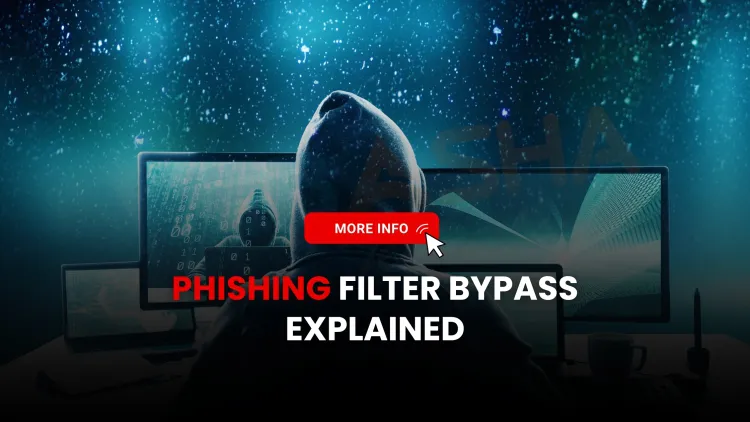
Quick answer: Phishing bypasses email filters when it is sent from a real, compromised business account, has a clean domain reputation, and carries no malware, only a link to a fake login page that activates later. SPF, DKIM and DMARC pass because the sender is genuine. Defend with phishing-resistant MFA, link rewriting at click time, conditional access, reporting buttons and quick account takeover response.
Key takeaways
- Filters judge sender reputation, authentication and known-bad content. A hijacked real account passes all three.
- The usual lure is a fake quarantine, password-expiry or shared-document alert that links to a credential-harvesting page.
- Delayed or conditional activation lets the page look clean when scanned and malicious when a person clicks.
- Phishing-resistant MFA (passkeys, FIDO2 keys) is the strongest single control, because a stolen password alone is no longer enough.
- Treat every reported phish as a possible compromised partner and tell them quickly.
How does this kind of phishing work?
The attacker first takes over a genuine mailbox at one organisation, often through an earlier phishing success. From that account they email that company's contacts: customers, vendors, colleagues. The message looks like a Microsoft 365 or Google Workspace notice such as "You have 5 messages in quarantine" or "Your password expires today". The button opens a page that copies the real sign-in screen and passes the credentials to the attacker.
We are describing a pattern that security vendors and CERTs have reported repeatedly, not one named campaign. We have not tied this page to a single sample or actor, so treat the details as typical behaviour to test against your own mail logs.
Why do email filters miss it?
| Control | What it checks | Why a hijacked account passes |
|---|---|---|
| SPF, DKIM, DMARC | Whether the sending server and domain are authorised | The mail really comes from that domain's own mail system |
| Reputation filters | History of the domain and IP | A trusted business domain has a clean record |
| Attachment sandboxing | Malicious files | There is no attachment, only a link |
| URL scanning | Whether a link is known bad at delivery | The page is new, hosted on a legitimate service, or switched on later |
| Awareness training | Whether the user spots odd wording | The wording copies the real vendor notice and the thread may be genuine |
What are the warning signs?
- A "system" notice that arrives from an external person's address, not from your own IT tool.
- Urgency about a deadline, quarantine or account closure.
- A link whose real destination, shown when you hover, is not your sign-in domain.
- A sign-in page that appears after a redirect, or asks for your password again right after you just signed in.
- A reply-chain email that suddenly changes tone or asks for credentials or payment details.
How to protect your organisation
- Use phishing-resistant MFA. Passkeys and FIDO2 security keys bind the login to the real website, so a fake page cannot reuse them. SMS codes and push approvals can be relayed by attacker proxies.
- Add conditional access. Require managed or compliant devices and block risky sign-ins from unusual locations.
- Rewrite and re-scan links at click time, not only at delivery.
- Publish DMARC at enforcement for your own domain so attackers cannot spoof you, and add external sender banners.
- Give staff a one-click report button and thank them for using it, even for false alarms.
- Hunt for sign-ins and inbox rules. Attackers often create hidden forwarding or delete rules. Alert on new rules and impossible-travel logins.
- Prepare a takeover playbook: reset the password, revoke sessions and tokens, remove rogue rules, check sent items and notify the affected partners.
- Train with realistic exercises built from your own incidents, and measure reporting speed, not only click rate.
What if someone already entered their password?
Act within minutes. Reset the password from a clean device, revoke all active sessions and refresh tokens, and check the mailbox for new forwarding rules and sent items. Review audit logs for the hours after the click. In India, serious incidents can be reported to CERT-In. The MITRE ATT&CK framework lists phishing and valid-account techniques that help you map detections.
Common mistakes
- Believing a passing SPF, DKIM and DMARC result means an email is safe. It only proves who sent it, not whether they are trustworthy.
- Training users to "check the sender" when the sender is real.
- Relying on SMS or push MFA for high-risk accounts.
- Not warning the compromised partner, which lets the same account keep phishing others.
Related reading: spear phishing examples and prevention, AI-generated phishing emails and social engineering countermeasures.
Next steps
Next steps: to learn how defenders detect and respond to this, see our SOC Analyst course, and read about spear phishing prevention.
Frequently Asked Questions
What's Your Reaction?
 Like
0
Like
0
 Dislike
0
Dislike
0
 Love
0
Love
0
 Funny
0
Funny
0
 Wow
0
Wow
0
 Sad
0
Sad
0
 Angry
0
Angry
0

Vaishnavi is a skilled tech professional at the Ethical Hacking Training Institute in Pune, responsible for managing and optimizing the technical infrastructure that supports advanced cybersecurity education. With deep expertise in network security, backend operations, and system performance, she ensures that practical labs, online modules, and assessments run smoothly and securely. Her behind-the-scenes contributions play a vital role in delivering a seamless and secure learning experience for aspiring ethical hackers.