Securing MLOps Pipelines: A Step-by-Step Guide for AI in DevOps
Securing an MLOps pipeline means applying DevSecOps controls to every stage of the machine learning lifecycle, plus controls for risks unique to ML.
Topic: DevOps & Platform Engineering in IT Infrastructure · Lab / project
Also covers: MLOps & AI Infrastructure, AI in Cybersecurity
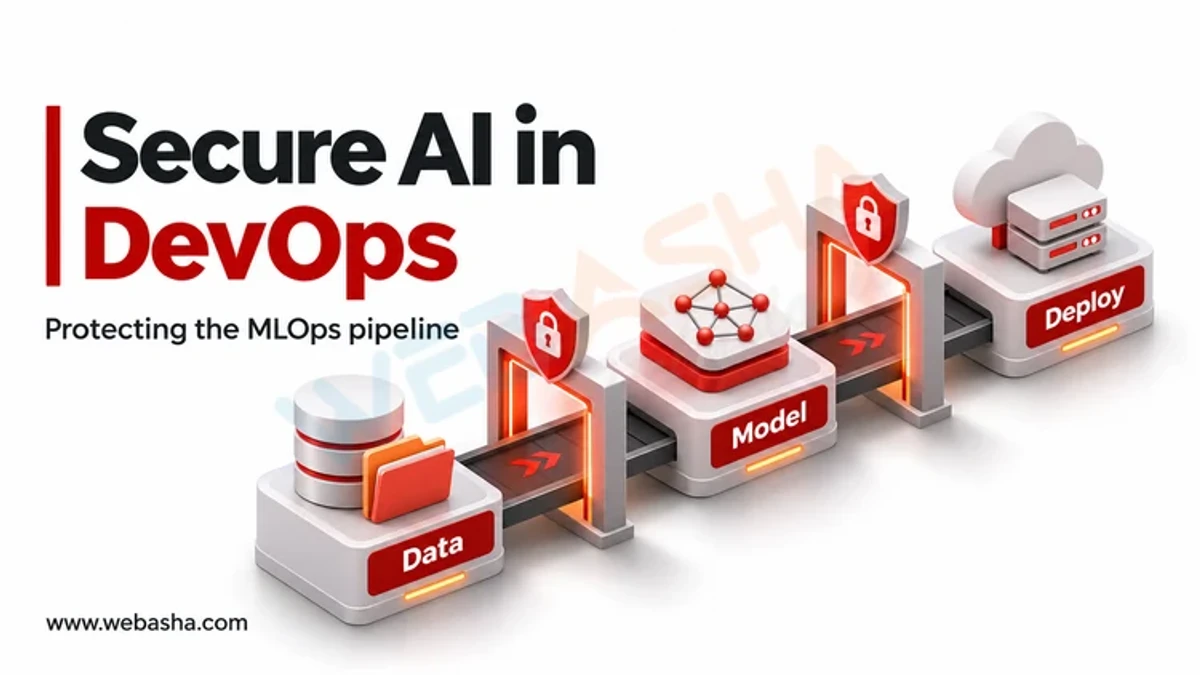
Quick answer: Securing an MLOps pipeline means applying DevSecOps controls to every stage of the machine learning lifecycle, plus controls for risks unique to ML. Protect training data from tampering (data poisoning), load third-party models only in safe formats such as safetensors, scan code and dependencies, sign and record the provenance of model artefacts, restrict who can promote models to production, protect inference endpoints against abuse and prompt injection, and monitor models for drift and attack. NIST's AI Risk Management Framework, NIST SP 800-218A and MITRE ATLAS provide the reference guidance.
Key takeaways
- A model is code plus data; both need integrity controls.
- Pickle-based model files can run arbitrary code when loaded.
- Version and hash datasets so you can prove what a model was trained on.
- Sign model artefacts and gate production on signature and evaluation checks.
- Monitor deployed models for drift, abuse and data leakage.
Table of Contents
- Why Does MLOps Need Its Own Security Controls?
- What Threats Target ML Pipelines?
- What Are the Steps to Secure the Pipeline?
- Why Are Pickle Model Files Dangerous?
- What Does a Secure Pipeline Look Like in CI?
- How Do You Protect Models in Production?
- Which Frameworks Should You Follow?
- How Do You Scan Downloaded Models?
- What Is a Pre-Deployment Checklist for Models?
- References
Why Does MLOps Need Its Own Security Controls?
Traditional DevSecOps protects source code and build artefacts. ML adds training data, large binary model files from public hubs, notebooks with credentials, GPU clusters and endpoints that answer free-form input. Attackers can change behaviour without touching code, for example by poisoning data. NIST SP 800-218A extends the Secure Software Development Framework to cover these AI-specific practices.
What Threats Target ML Pipelines?
| Stage | Threat | Reference |
|---|---|---|
| Data collection | Data poisoning, sensitive data in training sets | MITRE ATLAS, OWASP LLM04 |
| Dependencies and base models | Malicious packages, backdoored or malicious model files | OWASP LLM03 Supply Chain |
| Training | Exposed notebooks, leaked cloud keys, compromised GPU nodes | CISA Deploying AI Systems Securely |
| Model registry | Unauthorised model replacement | SLSA provenance |
| Inference | Prompt injection, model extraction, denial of service | OWASP LLM01, LLM10 |
| Output | Leakage of training data or secrets | OWASP LLM02 |
See MITRE ATLAS for documented adversary techniques against ML systems and the OWASP Top 10 for LLM Applications.
What Are the Steps to Secure the Pipeline?
- Inventory. Record every dataset, model, notebook environment and endpoint, with owners.
- Protect data. Store datasets in versioned, access-controlled storage; record hashes; remove or mask personal data before training.
- Vet third-party models. Prefer safetensors, pin exact revisions, and scan downloaded files.
- Secure the build. Run training in CI or managed jobs, not on laptops; scan code, dependencies and container images; keep secrets in a vault.
- Sign and record provenance. Sign model artefacts and record which code, data and parameters produced them, following SLSA.
- Gate promotion. Require evaluation results, bias and safety checks and a signature before a model reaches production.
- Harden serving. Authenticate endpoints, rate limit, validate input and output, and isolate model servers.
- Monitor. Track drift, unusual query patterns and errors; keep logs for investigation.
Why Are Pickle Model Files Dangerous?
Many older PyTorch and scikit-learn model files use Python's pickle format. The Python documentation warns that unpickling untrusted data can execute arbitrary code. A malicious model downloaded from a public hub can therefore compromise the machine that loads it. Safer options:
# Prefer safetensors, which stores only tensors (pip install safetensors torch)
from safetensors.torch import load_file
weights = load_file("model.safetensors")

# If you must load a PyTorch checkpoint, restrict it to tensors (PyTorch 2.x)
import torch
state = torch.load("model.pt", weights_only=True)
Safetensors is the default format on Hugging Face for many models.
What Does a Secure Pipeline Look Like in CI?
# .github/workflows/train.yml (simplified)
jobs:
  train:
    runs-on: ubuntu-latest
    permissions: { contents: read, id-token: write }
    steps:
      - uses: actions/checkout@v4
      - run: pip install -r requirements.txt --require-hashes
      - run: pip-audit -r requirements.txt            # dependency vulnerabilities
      - run: python verify_data.py --manifest data.sha256   # dataset integrity
      - run: python train.py --out model.safetensors
      - run: python evaluate.py --min-accuracy 0.90
      - run: cosign sign-blob --yes model.safetensors --output-signature model.sig
      - run: python register.py model.safetensors model.sig
The production deployment job then verifies the signature with cosign verify-blob before serving the model.
How Do You Protect Models in Production?
- Put endpoints behind authentication and rate limits to slow extraction and abuse.
- For LLM applications, separate system instructions from user content, limit tool permissions, and filter outputs.
- Log prompts and responses with care for personal data, and alert on spikes.
- Follow the joint CISA and NSA guidance on deploying AI systems securely.
Which Frameworks Should You Follow?
Use the NIST AI RMF for governance, SP 800-218A for development practice, MITRE ATLAS for threat modelling, and the OWASP ML Security Top 10 for testing. Related: DevOps security practices. WebAsha offers AI security and DevSecOps training.
How Do You Scan Downloaded Models?
Before loading a model from a public hub, check its format and contents. Open source scanners such as ModelScan look for unsafe operations in pickle-based files:
pip install modelscan
modelscan -p ./downloaded_model/

# Pin an exact revision when downloading from Hugging Face
python -c "from huggingface_hub import snapshot_download; snapshot_download('org/model', revision='<commit-sha>', allow_patterns=['*.safetensors','*.json'])"
Restricting downloads to safetensors and configuration files avoids pulling pickle files at all.
What Is a Pre-Deployment Checklist for Models?
| Check | Evidence |
|---|---|
| Model artefact signed and signature verified | Cosign verification output |
| Training data source and hash recorded | Dataset manifest |
| Evaluation passed agreed thresholds | Evaluation report |
| Bias and safety tests run | Test results reviewed by an owner |
| Endpoint authenticated and rate limited | Gateway configuration |
| Monitoring and rollback ready | Dashboard and runbook links |
The NIST AI RMF Playbook suggests actions for each function (Govern, Map, Measure, Manage), and Kubernetes Pod Security Standards apply to model-serving pods like any other workload.
References
Frequently Asked Questions
What's Your Reaction?
 Like
0
 Dislike
0
 Love
0
 Funny
0
 Wow
0
 Sad
0
 Angry
0

Vaishnavi is a skilled tech professional at the Ethical Hacking Training Institute in Pune, responsible for managing and optimizing the technical infrastructure that supports advanced cybersecurity education. With deep expertise in network security, backend operations, and system performance, she ensures that practical labs, online modules, and assessments run smoothly and securely. Her behind-the-scenes contributions play a vital role in delivering a seamless and secure learning experience for aspiring ethical hackers.