
What happens if you stop using AI tools for a week? A self-experiment guide
Curious what life is like without ChatGPT, Grammarly, or automation? Discover how spending one week without AI tools impacted my productivity, creativity, and focus. This real-world experiment reveals surprising insights for professionals who rely heavily on artificial intelligence in their daily workflow.
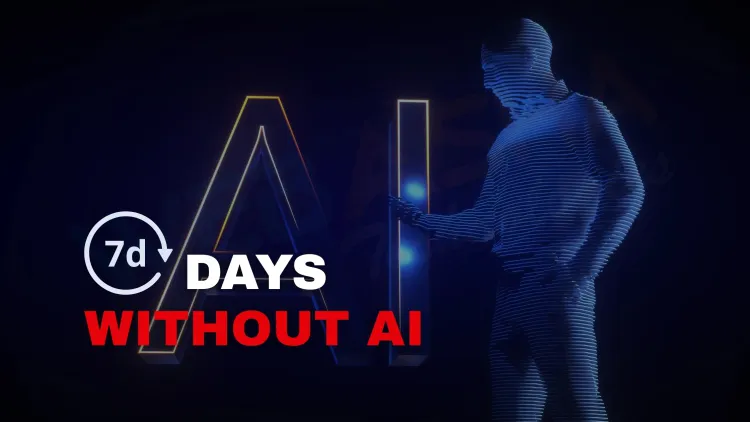
Quick answer: The effect depends on how you use AI. Expect some tasks, such as drafting, summarising and debugging, to take longer, and others to stay the same. No reliable study answers this for everyone, so the best way to find out is a one-week test on yourself: log your tasks, time them, then compare with a normal week.
Key takeaways
- No general answer exists; the effect depends on which tasks you hand to AI.
- Likely to slow down: first drafts, summaries, boilerplate code and repetitive formatting.
- Likely unchanged or better: tasks where you were already doing the thinking yourself.
- Measure with a simple log: task, time taken, quality, stress.
- Use the result to decide which AI uses to keep, limit or drop.
What will actually happen?
Nobody can say for certain, because it depends on what you use AI for. This article does not report a personal experiment or a study. It gives you hypotheses and a way to test them on yourself.
Tasks likely to take longer: first drafts, summarising long documents, writing boilerplate code, translating, and reformatting data.
Tasks likely to stay the same: anything you already do by thinking and writing yourself, and work with strict accuracy needs where you were checking every AI output anyway.
Things some people report noticing: more time spent on searching and reading, and a stronger feel for the details of their own work. Treat these as hypotheses to test. Do not assume they will be true for you.
How do you run the experiment?
- Week 0 (baseline). For a normal week, keep a simple log. For each task write the task, the time spent, whether AI helped and how good the result was.
- Week 1 (no AI). Do the same kind of work without AI tools. Keep the same log.
- Compare. Look at time per task, quality (your own rating or a colleague's), and how you felt.
- Decide. Choose what to keep.
A table is enough:
| Task | Time with AI | Time without | Quality with | Quality without |
|---|---|---|---|---|
| Weekly status email | ||||
| Debugging a script | ||||
| Reading a long report |
One week is a small sample and results can be affected by workload. If you can, repeat it.
What should you ask yourself?
- Which tasks did AI genuinely speed up, and which did it only make easier?
- Did I understand my work better without it?
- Did I check AI output properly when I used it?
- Which uses are risky, such as pasting confidential data?
How do you use AI well afterwards?
- Keep AI for tasks where it clearly saves time and you can check the result.
- Do first thinking yourself on tasks where understanding matters, such as learning a new topic.
- Never paste passwords, client data or confidential code into a tool without approval.
- Learn to write clear prompts. Our related post covers which daily tasks AI tools can take over.
The NIST AI Risk Management Framework is a useful reference if you are setting AI-use rules for a team.
What if you are a student?
Be extra careful. If AI writes your assignments or code, you may not build the skill the course is meant to teach. Use it as a tutor: ask it to explain, then close it and do the exercise yourself. A week without it is a quick way to test whether you can still do the basics.
What should you not conclude?
Do not decide from one week that AI makes you lazy or that it makes you twice as fast. Both are claims that need more evidence than a single week provides.
Next steps
If you want to build things with AI rather than only use it, see our AI application development course. For another habit experiment, read what happens when you quit social media for 30 days.
Related reading
Frequently Asked Questions
What's Your Reaction?
 Like
0
Like
0
 Dislike
0
Dislike
0
 Love
0
Love
0
 Funny
0
Funny
0
 Wow
0
Wow
0
 Sad
0
Sad
0
 Angry
0
Angry
0

Vaishnavi is a skilled tech professional at the Ethical Hacking Training Institute in Pune, responsible for managing and optimizing the technical infrastructure that supports advanced cybersecurity education. With deep expertise in network security, backend operations, and system performance, she ensures that practical labs, online modules, and assessments run smoothly and securely. Her behind-the-scenes contributions play a vital role in delivering a seamless and secure learning experience for aspiring ethical hackers.











![Top 10 Famous Ethical Hackers in India [Updated 2026]](https://www.webasha.com/blog/uploads/images/202608/image_140x98_da23f65c290cfbf1237d77aec58a2f0f.jpg)
