Antivirus vs EDR vs XDR: Differences and Which One You Need
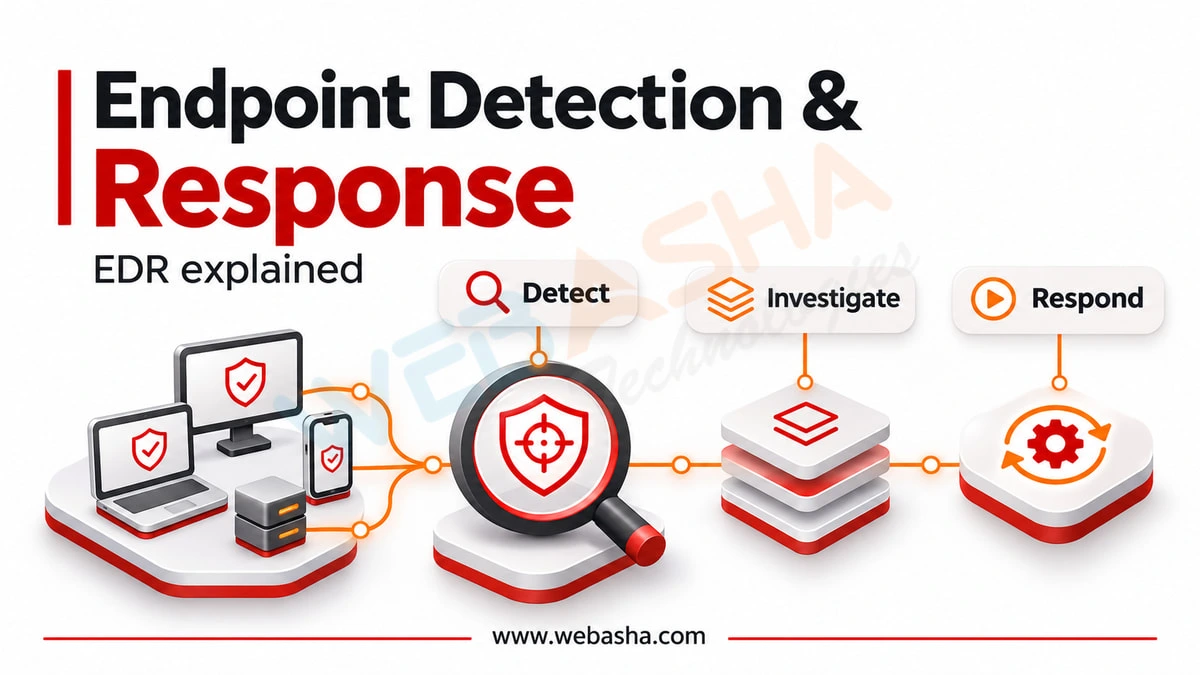
Antivirus blocks known malicious files on a single device, mainly using signatures and behaviour rules. EDR (endpoint detection and response) records what happens on every endpoint, such as processes, files, network connections and logins, so analysts can detect suspicious behaviour, investigate it and respond by isolating a device or killing a process.
Topic: SOC & Blue Team in Cybersecurity & Ethical Hacking · Comparison
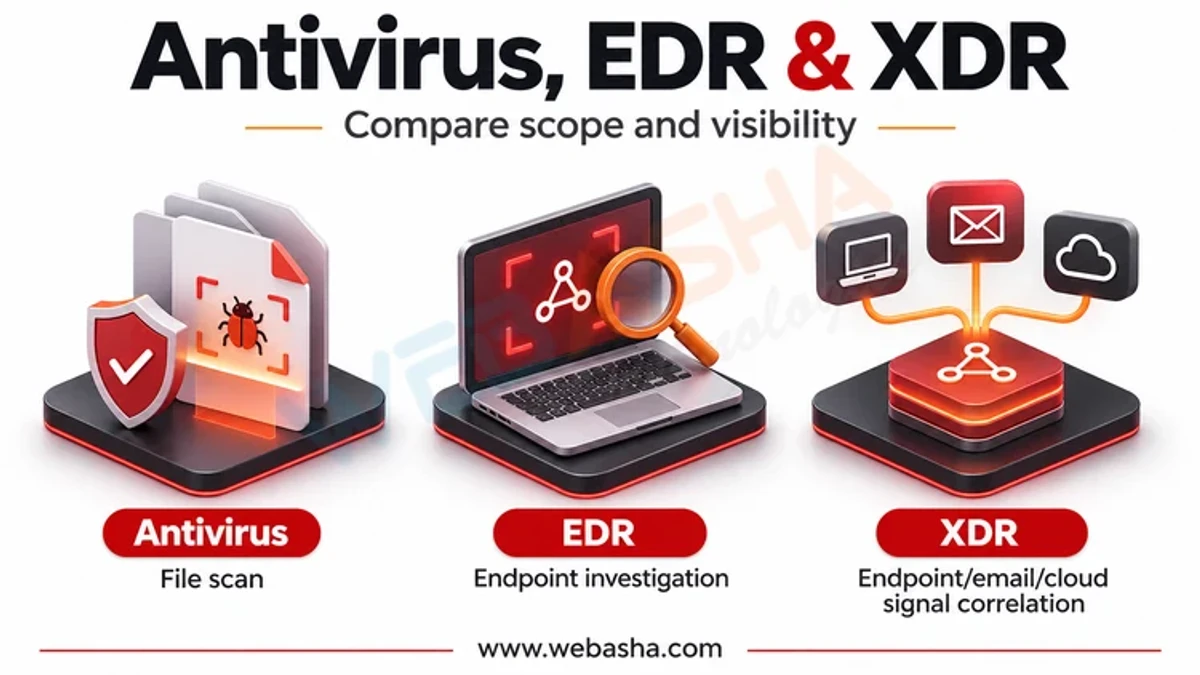
Quick answer: Antivirus blocks known malicious files on a single device, mainly using signatures and behaviour rules. EDR (endpoint detection and response) records what happens on every endpoint, such as processes, files, network connections and logins, so analysts can detect suspicious behaviour, investigate it and respond by isolating a device or killing a process. XDR (extended detection and response) adds data from email, identity, cloud and network tools and correlates it into single incidents. A home user is usually fine with built-in antivirus; businesses need EDR at minimum, and XDR helps teams that must connect signals across many systems.
Key takeaways
- Antivirus prevents; EDR detects and responds; XDR correlates across systems.
- Modern endpoint products usually bundle antivirus and EDR.
- EDR is only valuable if someone watches and acts on its alerts.
- XDR reduces alert overload by grouping related signals into one incident.
- Managed detection and response (MDR) services supply the people if you lack a SOC.
Table of Contents
- How Do Antivirus, EDR and XDR Compare?
- What Does Antivirus Do Well and Badly?
- What Does EDR Add?
- What Does XDR Add?
- What Would Each One See in a Real Attack?
- Which One Does Your Organisation Need?
- How Do You Evaluate Products?
- References
How Do Antivirus, EDR and XDR Compare?
| Feature | Antivirus | EDR | XDR |
|---|---|---|---|
| Main goal | Block known malware | Detect and respond on endpoints | Detect and respond across the environment |
| Data sources | Files on one device | Endpoint telemetry | Endpoint, identity, email, cloud, network |
| Detects fileless and hands-on-keyboard attacks | Limited | Yes | Yes, with wider context |
| Investigation timeline | No | Per device | Cross-domain incidents |
| Response actions | Quarantine file | Isolate device, kill process | Also disable accounts, purge emails |
| Needs analysts | Rarely | Yes | Yes, but fewer alerts to triage |
What Does Antivirus Do Well and Badly?
Antivirus is good at stopping commodity malware before it runs, and modern versions add machine learning and behaviour monitoring. It struggles when attackers use legitimate tools already on the system, such as PowerShell or remote access software, because nothing malicious is written to disk. NIST SP 800-83 describes antivirus as one layer of malware prevention, not the whole defence.
What Does EDR Add?
- Continuous telemetry: process trees, command lines, file and registry changes, network connections.
- Behavioural detection mapped to MITRE ATT&CK techniques.
- Investigation: search history across all devices for an indicator.
- Response: isolate a device from the network while keeping a management connection.
Microsoft's Defender for Endpoint documentation describes these capabilities, which are similar across major EDR products.
What Does XDR Add?
XDR combines EDR data with email security, identity provider logs, cloud apps and sometimes network sensors, and links events into one incident. For example, Microsoft Defender XDR groups a phishing email, the resulting sign-in and the malware execution together. "Native" XDR uses one vendor's tools; "open" XDR ingests data from several vendors. Open source platforms such as Wazuh combine SIEM and XDR features.
What Would Each One See in a Real Attack?
| Attack step | Antivirus | EDR | XDR |
|---|---|---|---|
| Phishing email with link | Nothing | Nothing | Email flagged |
| Stolen password used to sign in | Nothing | Nothing | Risky sign-in linked to the email |
| Remote tool installed, PowerShell run | Maybe, if a known file | Suspicious process chain | Same, joined to the incident |
| Data copied to cloud storage | Nothing | Network connection logged | Correlated with cloud app logs |
Which One Does Your Organisation Need?
| Situation | Recommendation |
|---|---|
| Home user | Built-in antivirus (Microsoft Defender, XProtect) kept updated |
| Small business, no security staff | EDR with a managed detection and response service |
| Mid-size with a small SOC | EDR plus XDR from your main platform |
| Large enterprise | XDR plus SIEM for wider logging and compliance |
CISA and partners' event logging best practices explain which logs to collect alongside endpoint data, and the NIST CSF 2.0 Detect and Respond functions frame the goal.
How Do You Evaluate Products?
- Review results from MITRE ATT&CK Evaluations, which show what each product saw in emulated attacks.
- Run a proof of concept on your own devices with your own test scenarios.
- Check operating system coverage, including Linux servers and macOS.
- Test response actions and how easily analysts can investigate.
- Confirm data residency and log retention, including CERT-In's 180-day log requirement in India.
Related: how SIEM works and removing malware from a computer. WebAsha offers SOC analyst training.
References
Frequently Asked Questions
What's Your Reaction?
 Like
0
 Dislike
0
 Love
0
 Funny
0
 Wow
0
 Sad
0
 Angry
0

Vaishnavi is a skilled tech professional at the Ethical Hacking Training Institute in Pune, responsible for managing and optimizing the technical infrastructure that supports advanced cybersecurity education. With deep expertise in network security, backend operations, and system performance, she ensures that practical labs, online modules, and assessments run smoothly and securely. Her behind-the-scenes contributions play a vital role in delivering a seamless and secure learning experience for aspiring ethical hackers.