TCP/IP Model Explained: Layers, Protocols and a Packet Walk-Through
The TCP/IP model is the four-layer framework the internet is built on.
Topic: Networking in IT Infrastructure · Explainer
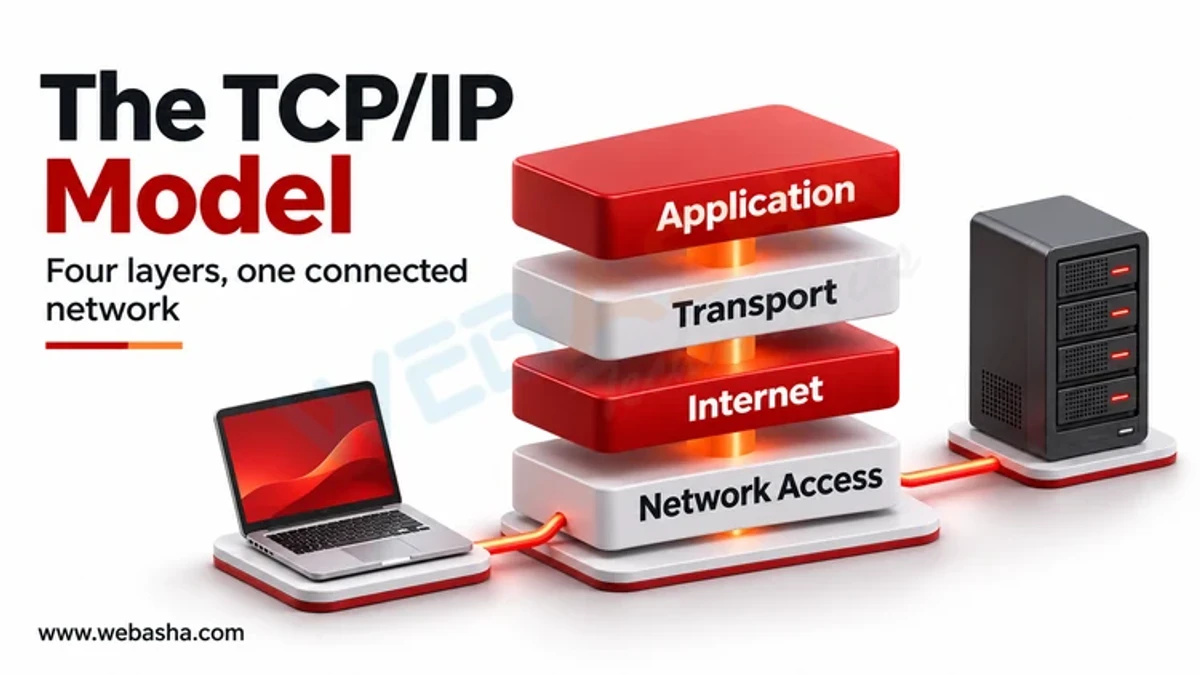
Quick answer: The TCP/IP model is the four-layer framework the internet is built on. The application layer holds protocols users and programs work with, such as HTTP, DNS and SMTP; the transport layer (TCP and UDP) moves data between programs using port numbers; the internet layer (IP and ICMP) routes packets between networks using IP addresses; and the link layer (Ethernet, Wi-Fi) delivers frames on the local network using MAC addresses. As data goes down the layers each adds a header, and the receiver removes them in reverse. Knowing which layer a problem or attack sits on is the starting point for troubleshooting and security.
Key takeaways
- The four layers are application, transport, internet and link, as described in RFC 1122.
- Each layer adds its own header: encapsulation on the way down, decapsulation on the way up.
- TCP is reliable and ordered; UDP is lightweight and leaves reliability to the application.
- The OSI model has seven layers and is mainly a teaching and troubleshooting reference.
- Attacks and defences map to layers, from ARP spoofing to application exploits.
Table of Contents
- What Is the TCP/IP Model?
- What Does Each Layer Do?
- How Does Encapsulation Work?
- How Does a Web Request Move Through the Layers?
- How Can You See the Layers Yourself?
- What Is the Difference Between TCP, UDP and QUIC?
- How Does TCP/IP Compare With the OSI Model?
- How Do Attacks Map to the Layers?
- References
What Is the TCP/IP Model?
The model grew out of ARPANET research in the 1970s and was formalised in RFC 1122 in 1989. It is named after its two core protocols, TCP and IP. Some textbooks split the link layer into data link and physical, giving five layers; the RFC uses four.
What Does Each Layer Do?
| Layer | Job | Addressing | Example protocols | Data unit |
|---|---|---|---|---|
| Application | Services for programs and users | Names and URLs | HTTP, HTTPS, DNS, SMTP, SSH, DHCP | Message |
| Transport | Process-to-process delivery, reliability, flow control | Port numbers | TCP, UDP, QUIC | Segment or datagram |
| Internet | Routing between networks | IP addresses | IPv4, IPv6, ICMP | Packet |
| Link | Delivery on the local network | MAC addresses | Ethernet, Wi-Fi (802.11), ARP | Frame |
How Does Encapsulation Work?
An HTTP request becomes the payload of a TCP segment, whose header adds source and destination ports, sequence numbers and flags. That segment becomes the payload of an IP packet, whose header adds source and destination IP addresses and a time-to-live. The packet becomes the payload of an Ethernet frame with MAC addresses and a checksum. Routers strip and rebuild the link-layer frame at every hop, but the IP packet travels end to end.
How Does a Web Request Move Through the Layers?
- DNS: the browser asks a resolver for the IP address of
www.example.com, usually over UDP port 53. - ARP: to reach the default gateway, the computer finds the gateway's MAC address.
- TCP handshake: SYN, SYN-ACK, ACK to port 443, as defined in RFC 9293.
- TLS handshake: client and server agree keys and the server proves its identity with a certificate.
- HTTP: the browser sends
GET /inside the encrypted session. - Routing: routers forward each packet by destination IP, decrementing TTL.
- Response: the server's data returns the same way, and TCP reassembles it in order.
How Can You See the Layers Yourself?
Capture your own traffic with tcpdump (or Wireshark) while making a request:
# terminal 1: capture DNS and HTTPS traffic, show link-layer headers too
sudo tcpdump -i any -n -e "port 53 or port 443" -c 20

# terminal 2: make a request and watch each stage
curl -v https://example.com/ -o /dev/null
In the output you will see the DNS query and answer, then three packets with flags [S], [S.] and [.] (the TCP handshake), then the TLS exchange. curl -v prints the same steps from the application's view: resolving, connecting, TLS and the HTTP request.
What Is the Difference Between TCP, UDP and QUIC?
| TCP | UDP | QUIC | |
|---|---|---|---|
| Connection | Handshake first | None | Handshake combined with TLS 1.3 |
| Reliability and order | Built in | None | Built in, per stream |
| Header size | 20 bytes minimum | 8 bytes | Runs over UDP |
| Typical use | Web, email, SSH, file transfer | DNS, VoIP, gaming, streaming | HTTP/3 |
QUIC builds reliable, encrypted streams on top of UDP, avoiding head-of-line blocking between streams.
How Does TCP/IP Compare With the OSI Model?
| TCP/IP layer | OSI layers |
|---|---|
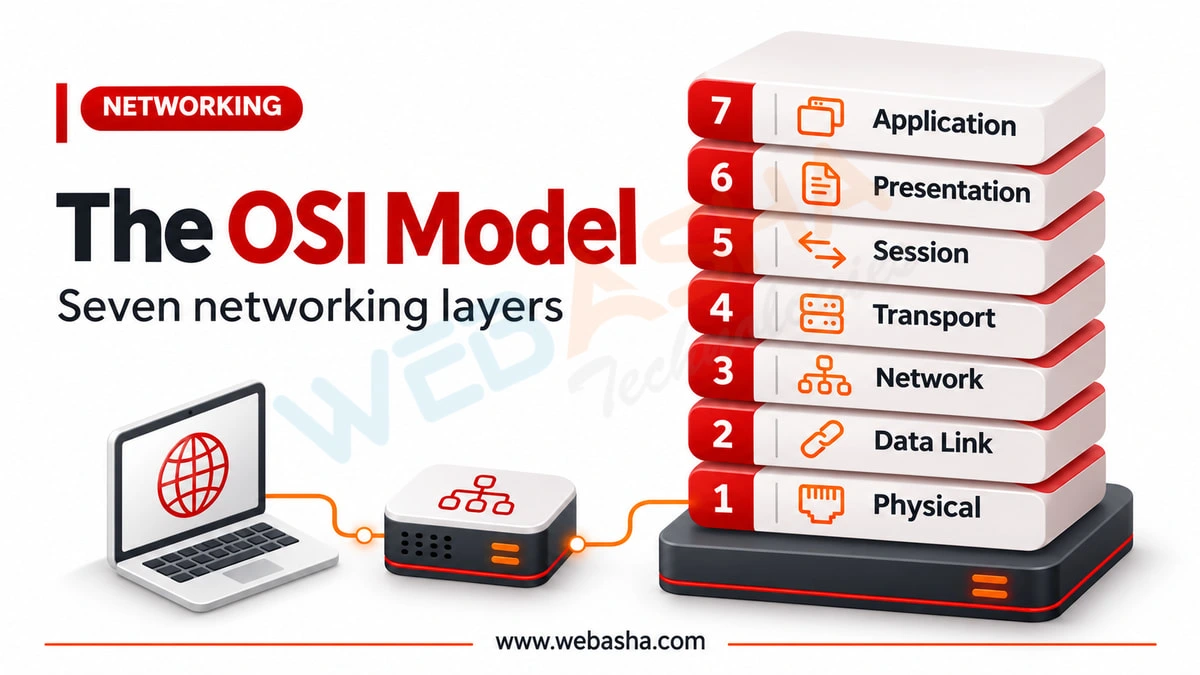
| Application | 7 Application, 6 Presentation, 5 Session |
| Transport | 4 Transport |
| Internet | 3 Network |
| Link | 2 Data Link, 1 Physical |
Engineers often say "layer 2" or "layer 7" using OSI numbers even when talking about TCP/IP networks. See our OSI model guide.
How Do Attacks Map to the Layers?
| Layer | Example attacks | Defences |
|---|---|---|
| Application | SQL injection, phishing, DNS spoofing | Input validation, WAF, DNSSEC, user training |
| Transport | SYN floods, port scanning, session hijacking | SYN cookies, firewalls, TLS |
| Internet | IP spoofing, ICMP floods, route hijacking | Ingress filtering, rate limiting, RPKI |
| Link | ARP spoofing, MAC flooding, rogue access points | Dynamic ARP inspection, port security, WPA3, 802.1X |
Continue with subnetting and TLS versus IPsec VPNs, or talk to a WebAsha training advisor about CCNA training.
References
Frequently Asked Questions
What's Your Reaction?
 Like
0
 Dislike
0
 Love
0
 Funny
0
 Wow
0
 Sad
0
 Angry
0

Vaishnavi is a skilled tech professional at the Ethical Hacking Training Institute in Pune, responsible for managing and optimizing the technical infrastructure that supports advanced cybersecurity education. With deep expertise in network security, backend operations, and system performance, she ensures that practical labs, online modules, and assessments run smoothly and securely. Her behind-the-scenes contributions play a vital role in delivering a seamless and secure learning experience for aspiring ethical hackers.