
CCNA STP Interview Questions and Answers: Root Bridge, RSTP, PortFast and BPDU Guard
Prepare for your CCNA exam with our guide on Spanning Tree Protocol (STP) interview questions. This article covers essential topics including STP configuration, root bridge election, port roles, and troubleshooting. Gain insights into STP's role in network topology management and enhance your interview preparation with detailed answers to common STP questions. Perfect for CCNA candidates and networking professionals looking to deepen their understanding of STP.
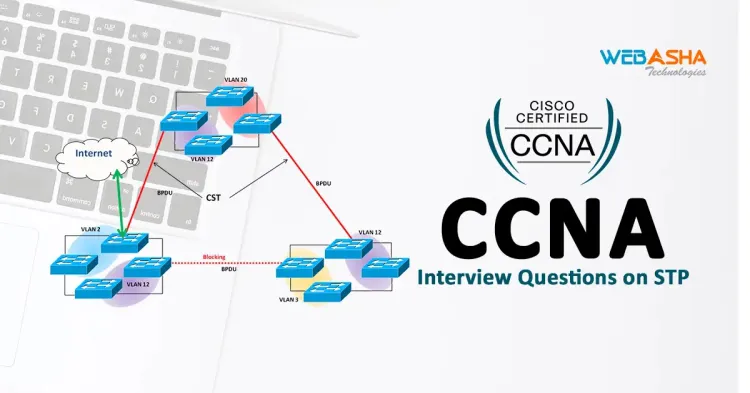
Quick answer: STP prevents Layer 2 loops by electing a root bridge and blocking redundant links. The lowest bridge ID, priority then MAC address, wins the election. Rapid STP converges much faster than 802.1D. PortFast with BPDU Guard protects access ports, and Root Guard protects your intended root. Set the root deliberately rather than leaving it to MAC addresses.
Key takeaways
- The lowest bridge ID wins the root election, so set priority deliberately.
- RSTP converges in seconds, while classic STP can take 30 to 50 seconds.
- Use PortFast with BPDU Guard on access ports only.
- Practise in Packet Tracer or GNS3 and describe it honestly as lab work.
The core idea in one paragraph
Spanning Tree Protocol (STP, IEEE 802.1D) stops Layer 2 loops. Switches elect one root bridge, work out the lowest-cost path to it, and block the redundant links so that only one active path exists between any two devices. If a link fails, a blocked port can move to forwarding. Without STP, a broadcast would circulate forever and a loop can bring a switched network down in seconds.
Questions you will be asked, with answers
1. How is the root bridge elected?
Every switch advertises a bridge ID in its BPDUs. The bridge ID is the priority (default 32768, changed in steps of 4096) plus the VLAN ID (extended system ID) plus the MAC address. The lowest bridge ID wins. If priorities are equal, the lowest MAC address wins, which usually means the oldest switch becomes root. That is the classic interview trap: an old access switch can become root by accident.
2. How is a root port chosen?
Each non-root switch picks one root port, the port with the lowest total path cost to the root. Ties are broken by the lowest sender bridge ID, then the lowest sender port priority, then the lowest port number.
3. What are the port roles and states?
Roles are root, designated and blocked (alternate). Classic 802.1D states are blocking, listening, learning and forwarding, plus disabled. A port can take roughly 30 to 50 seconds to reach forwarding, which is why faster variants exist.
4. What is the difference between STP and RSTP?
Rapid STP (802.1w) converges in seconds or less by using a proposal and agreement handshake and by merging states into discarding, learning and forwarding. Cisco's PVST+ runs one STP instance per VLAN, and Rapid PVST+ combines both ideas. MST maps groups of VLANs to a few instances to save CPU.
5. What does PortFast do, and what protects it?
PortFast moves an access port straight to forwarding, so end devices get connectivity without delay. It belongs only on ports facing hosts. BPDU Guard shuts such a port down if a BPDU arrives, which stops someone plugging in a switch. Root Guard stops a port from accepting a superior BPDU and so protects your chosen root.
6. How do you set the root bridge deliberately?
Do not rely on MAC addresses. Set the priority on the switch you want, or use the macro form. The commands below are an illustration on Cisco IOS.
Switch(config)# spanning-tree mode rapid-pvst
Switch(config)# spanning-tree vlan 1-100 root primary
Switch(config)# interface range gi0/1 - 24
Switch(config-if-range)# spanning-tree portfast
Switch(config-if-range)# spanning-tree bpduguard enable
Switch# show spanning-tree vlan 10
In the output of the last command, look for the line saying "This bridge is the root" on the intended switch.
7. What is a root bridge placement problem?
If the root is an edge switch, traffic from distribution and core switches takes sub-optimal paths through it. The root should sit in the distribution or core layer, with a secondary root configured as the backup.
8. What is an STP attack and how do you stop it?
An attacker sends crafted BPDUs to claim root and redirect or disrupt traffic. Defence is BPDU Guard on edge ports, Root Guard on ports that should never lead to the root, and disabling unused ports. Practise this only on lab switches or simulators. Our post on STP attacks and prevention covers it.
A lab to build yourself
In Packet Tracer or GNS3, connect three switches in a triangle, leave all priorities at default and run show spanning-tree on each. Note which switch is root and why. Then lower the priority on a different switch and watch the roles change. Finally, enable PortFast and BPDU Guard on an access port and connect a switch to it to see the port go err-disabled. This is a better answer to "have you worked with STP?" than reciting definitions, provided you describe it as a lab, not as production experience.
Next steps
Practise these answers aloud, then work through the CCNA question sets. See the CCNA 200-301 course, the post on top CCNA interview questions and the CCNA exam questions guide. Cisco's current exam blueprint is on its certifications page.
Related reading
Frequently Asked Questions
What's Your Reaction?
 Like
0
Like
0
 Dislike
0
Dislike
0
 Love
0
Love
0
 Funny
0
Funny
0
 Wow
0
Wow
0
 Sad
0
Sad
0
 Angry
0
Angry
0

I am passionate about technology, invention and big challenging tasks on my to- do list. In terms of the work I am doing also at Bunnyshell, I am most passionate about the technologies that we are using., I'm devoted to delivering content that not only informs but also inspires. Whether you need in- depth analysis pieces, educational attendants, or study- provoking opinion pieces, I draft content that resonates with tech suckers and professionals likewise.

![[2026] CCNA Interview Questions on Security Protocols](https://www.webasha.com/blog/uploads/images/202408/image_750x415_66bf45576c758.webp)
![[2026] CCNA Interview Questions on BGP](https://www.webasha.com/blog/uploads/images/202408/image_750x415_66bf465932caf.webp)

![[2026] CCNA Interview Questions on WAN Technologies](https://www.webasha.com/blog/uploads/images/202408/image_750x415_66bf4587cb361.webp)
![[2026] CCNA Interview Questions on ACLs](https://www.webasha.com/blog/uploads/images/202408/image_750x415_66bf4667453fd.webp)









