How Hackers Clone Websites With BlackEye, and How to Inspect and Report a Fake Page
BlackEye is a powerful phishing toolkit that enables hackers to clone legitimate websites and trick users into entering their login credentials. By using HTML and JavaScript cloning, URL spoofing, SSL deception, and social engineering techniques, BlackEye makes fake login pages appear identical to real ones. Cybercriminals distribute these phishing pages via emails, SMS, and social media, capturing sensitive data such as usernames, passwords, and OTPs. Some advanced versions of BlackEye can even bypass Two-Factor Authentication (2FA) using real-time phishing techniques. To protect yourself from BlackEye phishing attacks, always check URLs carefully, avoid clicking suspicious links, enable multi-factor authentication (MFA), and use browser security features. Organizations should implement security awareness training and anti-phishing tools to defend against such cyber threats. Understanding how BlackEye phishing pages imitate real websites can help both individuals and cybersecurity
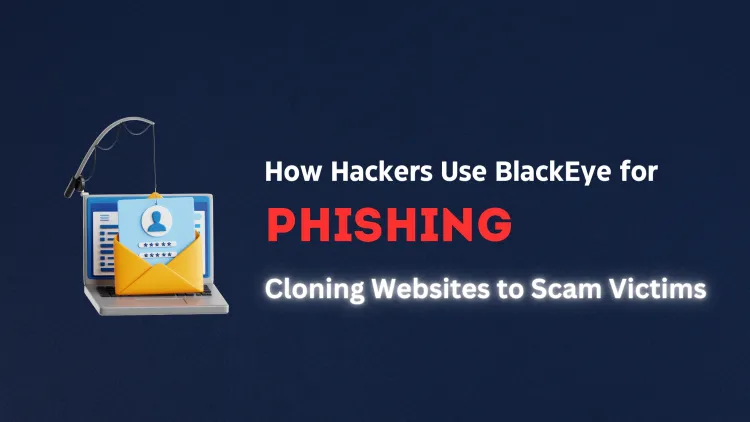
Quick answer: Phishing kits such as BlackEye clone a website by copying its HTML, CSS and images, then changing the form so that submitted details go to the attacker instead of the real service. The clone is hosted on a different domain, which is the main clue. You can inspect it safely by checking the domain, form action, certificate and registration data.
Key takeaways
- A clone is a copy of a real page with the login form redirected to the attacker.
- What cannot be copied: the real domain, the real server and the real account protections.
- Clues: wrong domain, form action pointing elsewhere, odd certificate or very new registration, missing links or broken pages behind the login.
- Inspect only in an isolated browser and never submit data; report and request takedown with the host and registrar.
- Organisations can detect clones by monitoring certificate and domain registrations.
How is a website cloned?
A web page is made of HTML, CSS, images and scripts that your browser downloads. Anyone can save these files, which is why cloning is easy. Phishing toolkits such as BlackEye package templates of popular login pages, so the attacker does not need to do the copying by hand. The details of using the toolkit are not covered here; what matters for defenders is what a clone consists of and where it differs from the original. For background on the toolkit, see what BlackEye phishing is.
What is copied and what has to change?
| Part | Copied? | Detail |
|---|---|---|
| Layout, colours and logos | Yes | Looks identical to the real page |
| Login form fields | Yes, but modified | The form's action is changed so data goes to the attacker's server |
| Links to help, privacy, sign-up | Often only partly | May be dead, point to the real site or go nowhere |
| Domain name | No | Must be a different domain, often lookalike or on free hosting |
| Server-side behaviour | No | No real account system, so errors, MFA and recovery flows may be missing |
| After the submit | Simulated | Often redirects to the real site so the victim thinks it was a typing mistake |
Why does the attack work even with HTTPS?
Free certificate authorities issue certificates to anyone who controls a domain, including attackers. So a fake page often shows a padlock. The certificate proves a private connection to the attacker's domain, not to the brand it imitates. Always check the domain.
How do you inspect a suspicious page safely?
- Do not log in. Use a separate browser profile or an isolated virtual machine without saved passwords.
- Read the full domain. Look for extra words, swapped characters, unusual top-level domains or a hosting provider's subdomain.
- View the page source (
view-source:in most browsers) and find the form tag. Aactionvalue that points to another domain or to a relative script on the same unfamiliar domain is a strong sign of harvesting. - Check the certificate details: who issued it and when. A certificate issued very recently for a brand lookalike is suspicious.
- Check the domain registration with a WHOIS lookup. A domain created days ago imitating a bank is a red flag.
- Check page behaviour: broken footer links, missing pages, odd language or a login that never shows an error for obviously wrong values.
- Check reputation on a URL scanning or safe browsing service, and record screenshots and the URL in defanged form, for example
hxxps://example[.]com.
How do organisations detect clones of their site?
- Monitor certificate transparency logs and new domain registrations for names that resemble your brand.
- Watch web server logs for referrers from unknown sites, which can show that a clone loads your images and scripts straight from your server.
- Register obvious lookalike domains and use brand monitoring services.
- Add a unique, hard-to-copy element, such as a personalised security phrase after sign-in, where appropriate.
- Offer passkeys, which cannot be used on a clone.
How do you report and remove a clone?
- Collect evidence: URL, screenshots, page source, timestamps and any email or message that led to it.
- Report to the hosting provider and the domain registrar through their abuse contacts, which a WHOIS lookup usually shows.
- Report to browser safe-browsing services so warnings appear for others.
- Report to the targeted brand's security team.
- In India, report cyber fraud at cybercrime.gov.in, and organisations can inform CERT-In.
Is cloning a site legal?
Copying a public page for study is not the problem. Using a copy to collect other people's credentials is a crime under India's IT Act and other laws. For awareness exercises, you need written approval and a defined scope, and you should avoid collecting real passwords.
Common mistakes
- Assuming that a page is real because it looks identical.
- Entering test credentials "just to see" with a real account.
- Reporting only to one party instead of host, registrar and brand.
- Forgetting to preserve evidence before the page disappears.
Next steps
Read how to protect yourself from BlackEye phishing. To learn investigation skills, see our SOC analyst course and cyber security course.
Related reading
- Are There Any Legal Uses for BlackEye Phishing Tools? Understanding the Ethical and Legal Boundaries
- Can BlackEye Be Used for Ethical Hacking? Exploring the Role of Phishing Simulations in Penetration Testing
- What Should You Do If You Fall Victim to a BlackEye Phishing Attack? A Step-by-Step Recovery Guide
Frequently Asked Questions
What's Your Reaction?
 Like
0
Like
0
 Dislike
0
Dislike
0
 Love
0
Love
0
 Funny
0
Funny
0
 Wow
0
Wow
0
 Sad
0
Sad
0
 Angry
0
Angry
0

Vaishnavi is a skilled tech professional at the Ethical Hacking Training Institute in Pune, responsible for managing and optimizing the technical infrastructure that supports advanced cybersecurity education. With deep expertise in network security, backend operations, and system performance, she ensures that practical labs, online modules, and assessments run smoothly and securely. Her behind-the-scenes contributions play a vital role in delivering a seamless and secure learning experience for aspiring ethical hackers.