RHEL 10.3: What’s New in Sealed Images, MCP Server and Post-Quantum Security
Explore RHEL 10.3 features, sealed images, MCP server setup for AI diagnostics, post-quantum cryptography updates, and RHEL 9.9 upgrade paths.
Topic: Red Hat & RHEL in IT Infrastructure · Explainer
Also covers: AI Agents, MCP & Automation
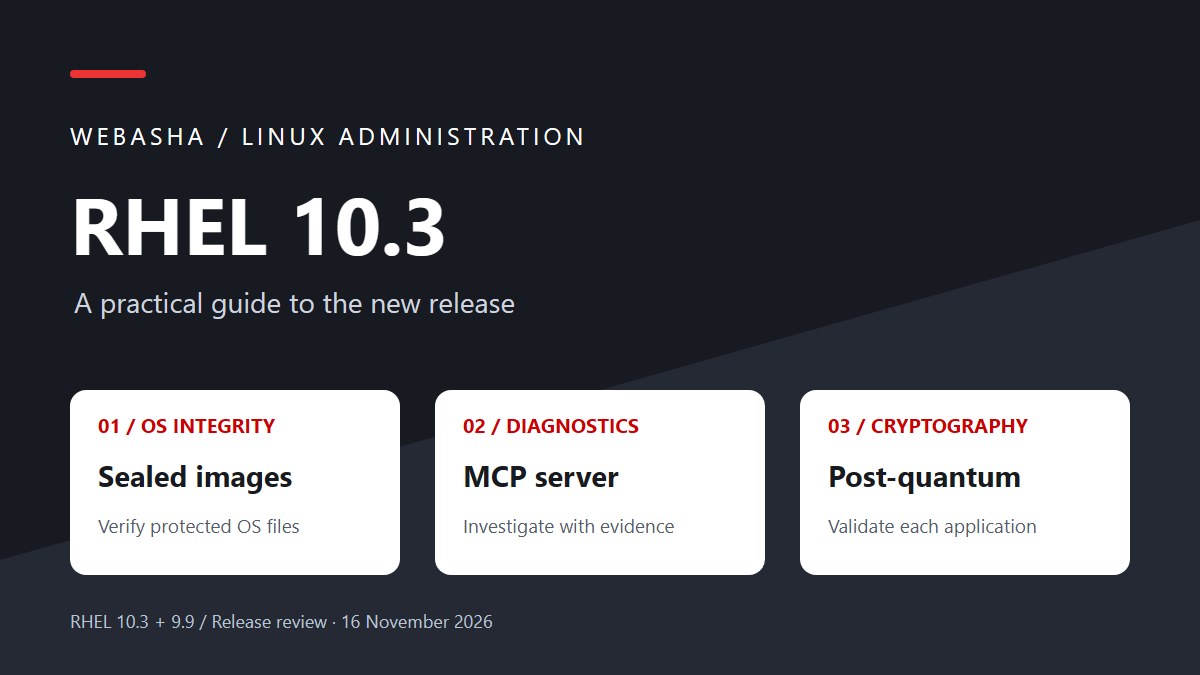
For Linux administrators, RHEL 10.3 changes how you can verify OS content and investigate system problems. Sealed images protect immutable OS files, while the MCP server lets an AI client inspect permitted diagnostic data. The release also expands post-quantum capabilities for Go applications. RHEL 9.9 arrives alongside it, with a supported upgrade path to 10.3.
Start with these decisions
- Choose image mode deliberately before planning sealed images.
- Keep MCP diagnostics scoped to the data and permissions they need.
- Verify cryptography at the application connection.
- Rehearse the supported migration route and prove restoration.
What is new in RHEL 10.3 and 9.9?
Red Hat announced RHEL 10.3 and RHEL 9.9 on 11 November 2026. The release makes sealed images available for production in RHEL 10.3 and brings the RHEL MCP server into general availability. It also expands post-quantum support and adds supported migration routes. Self-managed inference for the command-line assistant remains a Developer Preview.
[1]| Change | Release scope | What administrators should evaluate |
|---|---|---|
| Sealed images | RHEL 10.3; generally available | Verify immutable OS content using an image-based deployment and your signing trust chain. |
| RHEL MCP server | Generally available; Extensions repository | Connect an AI client to permitted diagnostics and historical PCP data. |
| Go post-quantum support | Highlighted for RHEL 10.3 | Check the application build, TLS peers and negotiated algorithms. |
| Self-managed assistant inference | Developer Preview | Evaluate the inference deployment and data boundary separately from MCP. |
| Leapp migration | 9.9 → 10.3; 8.10 → 9.9 | Use the supported route and resolve host-specific upgrade blockers. |
Choose the release that fits your applications, hardware and maintenance policy. Confirm support for your database, backup agent and security tools before moving to a new major version.
Sealed images in RHEL: what is actually protected?
Image mode manages an operating system as a bootable OCI image. Sealing adds integrity verification to immutable OS files. Red Hat describes a signed unified kernel image (UKI), composefs and fs-verity linking the deployed content to the boot trust chain. A protected file that no longer matches its expected content is refused when read.
The seal also covers software you layer into the immutable image. Writable configuration in /etc and runtime state in /var remain outside that seal. Continue protecting configuration, credentials, databases and application data independently.
| Control | What it answers |
|---|---|
| Image digest | Which exact image content did the deployment reference? |
| Signature and trust policy | Is this artifact approved by a trusted signer? |
| Sealed runtime content | Does the protected content being read match the trusted OS image? |
An approved image can still contain vulnerable software. Keep vulnerability scanning, patch releases, SELinux policy and application hardening in the deployment process.
A practical adoption plan for sealed images
Start with a disposable staging VM and one service. Follow the sealing procedure for your target platform: the disk format, firmware, key enrollment and build tools determine the exact steps.
- Inventory writes. Identify package changes, configuration edits, application state and files agents create after boot. Decide which binaries belong in the image and where mutable data belongs.
- Build a reproducible OS artifact. Record the base image digest, package inventory, Containerfile and build inputs. Keep secrets out of image layers.
- Plan signing custody. Separate build access from signing authority. Document key enrollment, rotation and recovery before testing your own Secure Boot keys.
- Deploy through the documented sealed-image workflow. Verify firmware trust, the signed boot artifact and protected filesystem content on the actual target platform.
- Test rejection and recovery. In an isolated disposable clone, follow the vendor’s integrity test. Record the read failure and recovery procedure; never corrupt a production host as a demonstration.
- Release a replacement image. Exercise staged deployment and rollback, then check application data compatibility after reverting the OS.
Before the pilot, decide what you will record: the artifact digest, signing identity, boot verification results, application checks and time needed to recover. A rollback of OS content does not reverse a database schema migration.
For the container fundamentals behind image workflows, see the Podman on RHEL 10 practical guide. Running an application container and deploying a bootable host image have different lifecycle requirements.
RHEL MCP server setup for AI diagnostics
MCP connects an AI client to tools and diagnostic data. Use a subscribed RHEL 10.3 lab host for the RPM workflow below. Run the agent with an ordinary account and start with inspection only. Commands are documentation-based examples; they have not been executed on a RHEL machine for this article.
1. Check the host and install the RPM
cat /etc/redhat-release
uname -m
sudo dnf repolist --enabled
sudo subscription-manager repos --enable="rhel-10-for-$(arch)-extensions-rpms"
sudo dnf info linux-mcp-server
sudo dnf install linux-mcp-server
rpm -q linux-mcp-server
command -v linux-mcp-server
The Extensions repository supplies the MCP RPM. Satellite and cloud-managed hosts may require their own repository procedure. If DNF cannot find the package, resolve repository access before substituting a Python package from an unrelated installation guide.
[3]2. Install and configure an AI client
Red Hat documents goose-redhat for its integrated assistant and standalone goose for a custom model provider. Choose one route. For the integrated package:
sudo dnf install goose-redhat
# Open a new terminal as your ordinary user, then:
goose configure
For the standalone route, install goose instead and configure your approved provider. In Goose, add a command-line MCP extension using the executable path returned by command -v linux-mcp-server. Do not copy a ~/.local/bin path from a pip installation when your server came from an RPM.
3. Connect tools and verify permissions
Select stdio transport and leave arguments empty for a basic local connection. Restart the client and check its extension status and tool list. A server launched in a terminal may wait for protocol input; that alone does not demonstrate a successful client connection.
Begin with this diagnostic request:
Inspect available disk and filesystem information. Show the evidence, identify missing permissions, and suggest checks for high usage on /var. Do not make changes.
Compare the response with df -h /var. Ask the assistant to distinguish retrieved facts from possible causes. A useful result names the host and observation time, cites the metrics it used and acknowledges unavailable data.
4. Add a remote target deliberately
For remote inspection, use a dedicated non-root SSH account with only the needed read access. Verify the host key, test SSH independently and configure the target identity in the installed server/client workflow. Avoid granting broad sudo access to solve a log-permission error.
The server defaults to read-only inspection. Log access can be restricted using LINUX_MCP_ALLOWED_LOG_PATHS; this does not grant filesystem permissions. Optional Guarded Command Execution is a separate Developer Preview.
Investigate past incidents with historical metrics
The release adds MCP access to historical Performance Co-Pilot data. Archives must exist for the incident window; installing a collector today cannot recover yesterday’s missing samples.
[5]For a pilot, specify the workload, host, exact time interval and timezone. Ask for a comparison of CPU, memory and disk activity around the incident, then check that the returned data covers the requested period. If the archive is missing, state which part of the incident you cannot verify.
Before sending operational context to a model, check the configured inference endpoint and retention policy. A locally running MCP server can feed a client that uses remote inference. Restrict the client’s other extensions too: MCP’s default inspection policy does not control every tool the agent might have.
| Symptom | Next check |
|---|---|
| Package not found | Release, architecture, subscription and Extensions content availability. |
| Extension disconnected | Absolute executable path, client logs and supported transport. |
| Logs unavailable | Account permissions and configured log-path allowlist. |
| No historical metrics | PCP collection, archive retention and incident timestamps. |
| Plausible answer without evidence | Ask for actual tool results; reproduce the observation with a native command. |
Post-quantum security: what changes for applications?
RHEL 10.3 extends post-quantum capabilities for Go applications. Red Hat’s developer announcement describes ML-KEM key establishment and ML-DSA signatures. Check how your application uses these capabilities and verify the algorithms negotiated on its connections.
[5]Key establishment, certificate signatures and package signatures are separate verification points. For each application, record its language runtime, crypto library, build provenance, TLS termination point and remote peers. A reverse proxy may terminate TLS before traffic reaches the Go service.
- Find long-lived sensitive traffic. Prioritize connections whose confidentiality must survive for many years.
- Locate the actual TLS implementation. Inspect the application binary and container runtime, including software built outside RHEL repositories.
- Rebuild and test where required. Updating host RPMs does not necessarily update a statically linked application or an existing container image.
- Prove negotiation. Capture the selected key exchange and signature algorithms with supported application or TLS diagnostics.
- Test mixed peers. Check latency, message sizes, proxies, older clients and the approved fallback policy.
Record the results for each service. Platform support tells you which capabilities are available; connection diagnostics show what the application actually used. Keep those results with your compliance assessment. CNSA 2.0 readiness also depends on the applicable requirements, validated implementation and deployment configuration.
Upgrade paths: RHEL 9.9 to 10.3 and 8.10 to 9.9
The launch announcement identifies Leapp routes from RHEL 9.9 to 10.3 and RHEL 8.10 to 9.9. Major-version migration requires the supported tooling and preparation; a regular DNF update does not turn a RHEL 9 installation into RHEL 10.
[1]| Starting point | Planning route |
|---|---|
| Conventional RHEL 10 host | Evaluate the 10.3 minor update against release locks, repositories and application certification. |
| RHEL 9.9 host | Check the supported 9.9 → 10.3 Leapp route and host-specific restrictions. |
| RHEL 8.10 host | Plan 8.10 → 9.9 first; reassess before a subsequent move to RHEL 10. |
| Image-mode host | Build and validate the target OS image using the applicable image-mode update workflow. |
Red Hat supports consecutive major-version in-place transitions. Its table distinguishes standard RHEL from SAP configurations and notes separate RHSM/RHUI conditions. Confirm the exact source release, deployment type and architecture before scheduling a migration.
[6]Collect a baseline before changing anything
cat /etc/redhat-release
uname -r
sudo subscription-manager release --show
sudo dnf repolist --enabled
systemctl --failed
findmnt / /var
df -h
On a conventional RHSM-managed host, these establish the starting state. Subscription-manager commands may not apply to a cloud RHUI deployment. For image-mode systems, record the deployment using bootc status as well.
Rehearse the vendor’s pre-upgrade procedure on a representative clone. Resolve inhibitors and required answers, verify backups by restoring them, and preserve console access. Define application probes, backup checks, monitoring checks and the restoration trigger before the maintenance window.
After the migration, verify the running kernel, enabled repositories, service health, SELinux state and real application transactions. Check the release notes for known issues relevant to your drivers and workloads.
[7]What to prove in your first pilot
Run the first pilot with a workload your team knows well. Confirm that altered protected OS content is rejected, compare MCP findings with native tools, and record the application’s negotiated cryptography. Rehearse the upgrade and restore the workload from backup before scheduling production changes.
Build the skills behind the release
Practice repository management, systemd, SELinux, container images and log analysis before adding AI diagnostics. Explore WebAsha Technologies for Linux training and use the linked Podman lab to strengthen your container administration workflow.
Official references
- Red Hat: Introducing RHEL 10.3 and 9.9 (11 November 2026)
- Red Hat: How sealed images extend OS integrity from boot to runtime (10.2 preview architecture)
- Red Hat documentation: Install, configure and troubleshoot the RHEL MCP server
- Red Hat documentation: Install the command-line assistant and goose
- Red Hat Developer: What is new for developers in RHEL 10.3 and 9.9
- Red Hat documentation: Supported RHEL 9 to RHEL 10 upgrade paths
- Red Hat: RHEL 10.3 release notes
- Red Hat: What is new in RHEL
Research reviewed 16 November 2026. Installation and rollout examples require validation on the target RHEL environment.
Frequently Asked Questions
What's Your Reaction?
 Like
0
 Dislike
0
 Love
0
 Funny
0
 Wow
0
 Sad
0
 Angry
0

With a passion for staying on the cutting edge of technology trends, I am dedicated to delivering content that not only informs but also inspires. Whether you need in-depth analysis pieces, informative guides, or thought-provoking opinion pieces, I craft content that resonates with tech enthusiasts and professionals alike.