
Can a Password Alone Stop Hackers? A Comprehensive Guide
While passwords are an essential tool for protecting your accounts and data, they alone cannot prevent hacking. To safeguard against cyber threats, you should use strong, unique passwords, enable multi-factor authentication (MFA), and take additional security measures like encryption and employee training. Combining these strategies will significantly enhance your defense against hackers and secure your digital environment.
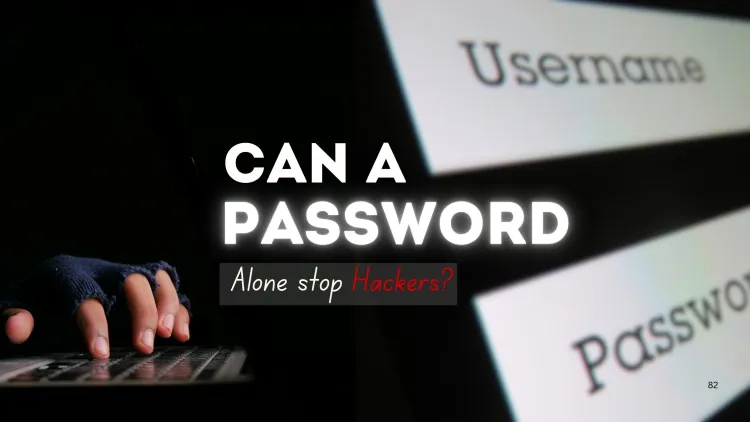
Quick answer: No, a password alone cannot stop hackers. Even strong passwords can be stolen through phishing, data breaches or guessing attacks. Add multi-factor authentication, use unique passwords for each account with a password manager, keep software updated and stay alert to scams for real protection.
Key takeaways
- A password alone cannot stop determined attacks.
- Phishing and data leaks can bypass strong passwords.
- Add MFA, preferably with an authenticator app.
Introduction
In cybersecurity, passwords are often the first line of defense against hackers. A good password can prevent unauthorized access to your accounts and sensitive data. However, as technology evolves and hacking techniques become more sophisticated, the question arises: Can a password alone stop hackers?
Passwords function as a defense mechanism, relying solely on them has strengths and weaknesses, and additional measures can further enhance security.
Understanding Password Protection
What Is a Password?
A password is a secret string of characters used to authenticate the identity of a user trying to access an account, system, or network. Passwords can include a combination of letters, numbers, and symbols and are often the first point of security for any account.
How Do Passwords Work?
When you enter a password, the system compares it to the one stored in its database. If the passwords match, access is granted; if they don't, access is denied. While this mechanism is simple, it's highly susceptible to various hacking techniques, such as brute-force attacks, dictionary attacks, and phishing.
Why Passwords Alone Can't Stop Hackers
While passwords are essential, they are not foolproof. Here's why:
1. Weak and Reused Passwords
Many people use weak passwords, simple words or predictable combinations (e.g., "password123"). Additionally, reusing passwords across multiple platforms can expose users to serious risks, especially if one account is compromised.
2. Phishing Attacks
Hackers use phishing tactics to trick users into revealing their passwords. This could involve sending deceptive emails or creating fake websites that look like legitimate login pages to steal credentials.
3. Brute Force and Dictionary Attacks
In a brute-force attack, hackers use automated tools to guess passwords by trying all possible combinations. Similarly, dictionary attacks involve trying common words or phrases that people frequently use as passwords.
4. Password Cracking Tools
There are sophisticated tools that can crack even strong passwords by exploiting vulnerabilities in password hashing algorithms. These tools can sometimes guess complex passwords by taking advantage of poor encryption practices.
Enhancing Password Security
1. Use Strong Passwords
A strong password is one that is long, complex, and unique. It should include uppercase and lowercase letters, numbers, and special characters. Avoid using easily guessable information such as names, birthdates, or common phrases.
2. Enable Multi-Factor Authentication (MFA)
Multi-Factor Authentication (MFA) adds an additional layer of protection by requiring users to provide more than just a password. Typically, this involves entering a one-time code sent via SMS or generated by an app, making it much harder for hackers to gain access.
3. Use Password Managers
Since managing multiple strong passwords can be challenging, consider using a password manager. These tools securely store and generate complex passwords, ensuring you don’t reuse passwords and maintain good security hygiene.
4. Regularly Change Passwords
Regularly updating your passwords can help prevent long-term exposure if an account is breached. Set reminders to change passwords every few months.
Additional Security Measures to Prevent Hacking
1. Encryption
Encrypting sensitive data ensures that even if a hacker intercepts it, they won't be able to read it without the encryption key. Encryption should be applied to data both at rest (stored data) and in transit (data being transmitted).
2. Security Awareness Training
Organizations should educate employees about password hygiene, recognizing phishing attempts, and using strong, unique passwords. Training helps mitigate human errors that often lead to security breaches.
3. Two-Factor Authentication (2FA)
In addition to MFA, Two-Factor Authentication (2FA) requires users to authenticate their identity via two distinct methods, such as something they know (password) and something they have (smartphone or hardware token).
Conclusion
While passwords are a critical component of digital security, they cannot stop hackers on their own. As hacking techniques become more advanced, relying solely on passwords leaves systems vulnerable. To enhance protection, it is essential to combine strong passwords with multi-factor authentication, password managers, and other security measures like encryption and employee training.
By adopting a multi-layered security strategy, individuals and organizations can significantly reduce the risk of a successful hack.
To take this further with guided labs and an instructor, see our cyber security certification pathway.
Related reading
- What Are the Different Types of Password Cracking Methods and How Do They Work in Ethical Hacking?
- 10 Essential Cybersecurity Tips For Businesses
- How Passwords Are Hacked and How to Protect Yourself
Reference
For the authoritative details, see OWASP Cheat Sheet Series.
Frequently Asked Questions
What's Your Reaction?
 Like
0
Like
0
 Dislike
0
Dislike
0
 Love
0
Love
0
 Funny
0
Funny
0
 Wow
0
Wow
0
 Sad
0
Sad
0
 Angry
0
Angry
0

Vaishnavi is a skilled tech professional at the Ethical Hacking Training Institute in Pune, responsible for managing and optimizing the technical infrastructure that supports advanced cybersecurity education. With deep expertise in network security, backend operations, and system performance, she ensures that practical labs, online modules, and assessments run smoothly and securely. Her behind-the-scenes contributions play a vital role in delivering a seamless and secure learning experience for aspiring ethical hackers.
![Top 10 Famous Ethical Hackers in India [Updated 2026]](https://www.webasha.com/blog/uploads/images/202608/image_450x280_b3317756e192c8d5e1fb674259f1a0c3.jpg)










![Top 10 Famous Ethical Hackers in India [Updated 2026]](https://www.webasha.com/blog/uploads/images/202608/image_140x98_da23f65c290cfbf1237d77aec58a2f0f.jpg)