
What Are the Most Important Kali Linux Commands for Hackers?
Kali Linux is a specialized Linux distribution designed for penetration testing and cybersecurity tasks. Mastering its command-line interface (CLI) is important for efficient system navigation, network analysis, and vulnerability testing. Key commands include system navigation tools like ls and cd, network configuration commands such as ifconfig and ping, and security tools like nmap, metasploit, and john. File management (chmod, chown) and package management (apt-get, dpkg) are also essential for smooth operations. By using these commands, cybersecurity professionals and ethical hackers can perform advanced security assessments and enhance their skills in penetration testing.

Quick answer: Learn Kali Linux commands in groups: navigation and files (ls, cd, mkdir), networking (ip, ping, nmap), users and permissions (useradd, chmod), packages (apt) and security tools. Mastering the command line speeds up system navigation, file handling, network analysis and testing. Practise them in a lab you own.
Key takeaways
- Learn commands in groups: navigation, networking, users and permissions, and packages.
- ip addr and ping check connectivity before you scan anything.
- Use nmap only against targets you have permission to scan.
Kali Linux is a popular Linux distribution specifically tailored for penetration testing and cybersecurity tasks. Its command-line interface (CLI) lets ethical hackers and security professionals execute complex tasks with precision and speed. Knowing Kali Linux commands is critical for system navigation, file management, network analysis, and penetration testing.
Here are the most important Kali Linux commands for hackers, grouped into categories, with examples of their usage.
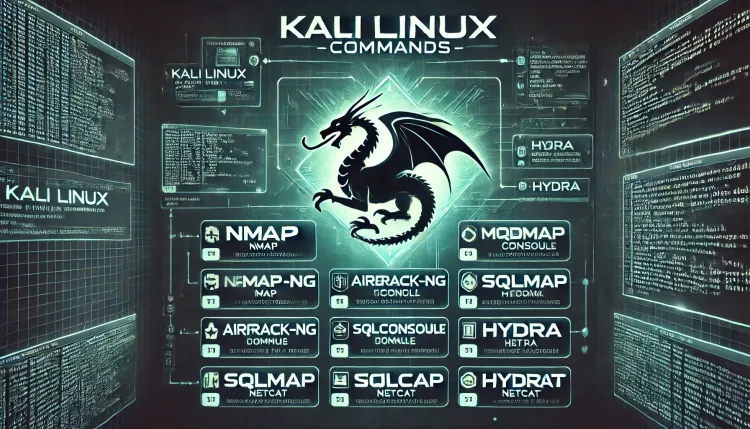
1. What Are the System Navigation and File Management Commands?
Efficient navigation and file handling are foundational skills in Kali Linux. These commands allow users to explore the file system and manage data effortlessly.
| Command | Description | Example |
|---|---|---|
ls |
Lists the contents of a directory. | ls -l (detailed view) |
cd |
Changes the current working directory. | cd /etc |
mkdir |
Creates a new directory. | mkdir test_directory |
rm |
Removes files or directories. | rm file.txt |
cp |
Copies files or directories. | cp file1.txt file2.txt |
mv |
Moves or renames files or directories. | mv old.txt new.txt |
pwd |
Prints the current working directory. | pwd |
2. Network Configuration and Analysis Commands
Hackers often need to analyze and configure networks during penetration testing. The following commands are essential for networking tasks.
| Command | Description | Example |
|---|---|---|
ifconfig |
Displays or configures network interfaces. | ifconfig eth0 |
ping |
Sends ICMP echo requests to test connectivity. | ping google.com |
netstat |
Shows network connections, routing tables, and stats. | netstat -an |
traceroute |
Displays the route packets take to a network host. | traceroute example.com |
arp |
Displays or modifies the ARP cache. | arp -a |
iwconfig |
Displays or configures wireless network interfaces. | iwconfig wlan0 |
3. User and Permission Management Commands
Managing users and permissions is critical for system security and access control. These commands help control who can access files and resources.
| Command | Description | Example |
|---|---|---|
whoami |
Displays the current user. | whoami |
sudo |
Executes commands with superuser privileges. | sudo apt-get update |
chmod |
Changes file permissions. | chmod 755 script.sh |
chown |
Changes file owner and group. | chown user:group file.txt |
4. What Are the Package Management Commands?
In Kali Linux, keep the system updated and install the tools you need. These commands handle package installations, updates, and removals.
| Command | Description | Example |
|---|---|---|
apt-get |
Manages packages (install, update, remove). | sudo apt-get install nmap |
dpkg |
Debian package manager for installing and managing packages. | dpkg -i package.deb |
5. Essential Security Tools and Commands
Kali Linux comes pre-installed with hundreds of security tools. Below are some of the most important ones that hackers frequently use.
| Command/Tool | Purpose | Example |
|---|---|---|
nmap |
Network scanning and port enumeration. | nmap -A 192.168.1.1 |
metasploit |
Exploitation and vulnerability testing framework. | msfconsole |
wireshark |
GUI tool for analyzing network traffic. | Open wireshark |
aircrack-ng |
Suite for auditing wireless networks. | aircrack-ng -w wordlist wlan.cap |
hydra |
Brute-force password cracking tool. | hydra -l admin -P passwords.txt |
john |
Password cracking tool. | john hashes.txt |
sqlmap |
SQL injection vulnerability detection and exploitation. | sqlmap -u "http://example.com?id=1" |
netcat (nc) |
Utility for network connections, debugging, and data transfer. | nc -lvp 4444 |
burpsuite |
Web application security testing platform. | Launch using burpsuite |
tcpdump |
Command-line packet analyzer. | tcpdump -i eth0 |
6. Advanced System Commands
For complex penetration testing tasks and environment manipulation, these commands are useful.
| Command | Description | Example |
|---|---|---|
uname |
Displays system information. | uname -a |
history |
Displays the history of previously executed commands. | history |
ps |
Displays currently running processes. | ps aux |
kill |
Terminates a process by its PID. | kill 1234 |
Why Is Mastering Kali Linux Commands Important?
Kali Linux commands are the foundation for using its tools. Cybersecurity professionals and hackers must be adept at using these commands to:
- Navigate and manipulate the system efficiently.
- Analyze and secure networks.
- Test vulnerabilities and perform ethical hacking.
- Customize the environment for specific tasks.
The CLI improves productivity and gives greater control over tools and processes, which makes it a must-have skill for any cybersecurity expert.
Conclusion
Kali Linux commands form the backbone of penetration testing and cybersecurity tasks. Whether you're navigating files, managing users, analyzing networks, or exploiting vulnerabilities, the commands outlined in this guide are essential for every ethical hacker. Regular hands-on practice will help you master them.
FAQs
-
What are the most commonly used commands in Kali Linux?
- Common commands include
ls,cd,ifconfig,nmap,ping,sudo,chmod, andmetasploit. These commands cover system navigation, network analysis, and penetration testing.
- Common commands include
-
How do I navigate directories in Kali Linux?
- Use the
cdcommand to change directories,lsto list directory contents, andpwdto print the current working directory.
- Use the
-
What is the purpose of the
nmapcommand?- The
nmapcommand is used for network scanning and mapping, identifying open ports, services, and vulnerabilities on target systems.
- The
-
How can I manage file permissions in Kali Linux?
- Use the
chmodcommand to change file permissions and thechowncommand to modify file ownership.
- Use the
-
What tools in Kali Linux are essential for password cracking?
- Tools like
john(John the Ripper) andhydraare commonly used for brute-forcing and cracking passwords.
- Tools like
-
How do I analyze network traffic in Kali Linux?
- Tools like
wiresharkandtcpdumpare used to capture and analyze network traffic. Theifconfigcommand helps in configuring network interfaces.
- Tools like
-
What is the difference between
apt-getanddpkg?apt-getis a package management tool for installing, updating, and removing packages from online repositories, whiledpkghandles the installation of local.debpackages.
-
Can I use Kali Linux commands on other Linux distributions?
- Many commands like
ls,cd,chmod, andapt-getare standard in most Linux distributions. However, specific tools likemetasploitmay need to be installed separately.
- Many commands like
-
What command is used to test connectivity between two systems?
- The
pingcommand is used to test connectivity by sending ICMP echo requests to a target system.
- The
-
How do I stop a running process in Kali Linux?
- Use the
pscommand to list processes and thekillcommand with the process ID (PID) to terminate a process. For example,kill 1234.
- Use the
To take this further with guided labs and an instructor, see our OffSec PEN-103 preparation.
Related reading
- Command-Line Shells in Kali Linux | Essential Tools and Scripts for Hackers
- Mastering Bash Scripting | Automate Linux Tasks Like a Pro with Practical Examples and Commands
- Understanding Net-Tools | The Essential Network Management Package for Linux
Reference
For the authoritative details, see Nmap reference guide.
What's Your Reaction?
 Like
0
Like
0
 Dislike
0
Dislike
0
 Love
0
Love
0
 Funny
0
Funny
0
 Wow
0
Wow
0
 Sad
0
Sad
0
 Angry
0
Angry
0

Vaishnavi is a skilled tech professional at the Ethical Hacking Training Institute in Pune, responsible for managing and optimizing the technical infrastructure that supports advanced cybersecurity education. With deep expertise in network security, backend operations, and system performance, she ensures that practical labs, online modules, and assessments run smoothly and securely. Her behind-the-scenes contributions play a vital role in delivering a seamless and secure learning experience for aspiring ethical hackers.











![Top 10 Famous Ethical Hackers in India [Updated 2026]](https://www.webasha.com/blog/uploads/images/202608/image_140x98_da23f65c290cfbf1237d77aec58a2f0f.jpg)