Command-Line Shells in Kali Linux: Essential Tools and Scripts for Ethical Hackers
The CLI shells in Kali Linux, such as Bash, Zsh, and Fish, are indispensable for ethical hacking and penetration testing. They provide unmatched control over tools, systems, and networks, enabling tasks like system navigation, network scanning, and vulnerability assessment. Commands like nmap, msfconsole, and tcpdump are essential for efficient hacking, while shell scripting allows automation of complex workflows. Customizing the shell environment further enhances productivity, making the CLI a cornerstone of cybersecurity operations in Kali Linux. Mastery of the CLI lets professionals execute tasks with speed, precision, and reliability.
Quick answer: A CLI shell is a text interface where you type commands to control the system. Kali Linux offers Bash, Zsh and Fish, and Bash is the default. Shells let ethical hackers work faster, automate repetitive testing tasks with scripts and run security tools with precision, always within authorised, lab or client-approved environments.
Key takeaways
- Kali offers Bash, Zsh and Fish, and Zsh is the default in current releases.
- Shells support scripting, history and tab completion.
- Change shell with chsh if you prefer another.
The Command-Line Interface (CLI) is a powerful tool in Kali Linux, providing flexibility, speed, and precision for executing hacking and penetration testing tasks. Mastering CLI shells allows cybersecurity professionals and ethical hackers to efficiently navigate the system, automate tasks, and utilize hacking tools.
This blog will guide you through the use of CLI shells in Kali Linux and explain their role in ethical hacking.
What Are CLI Shells?
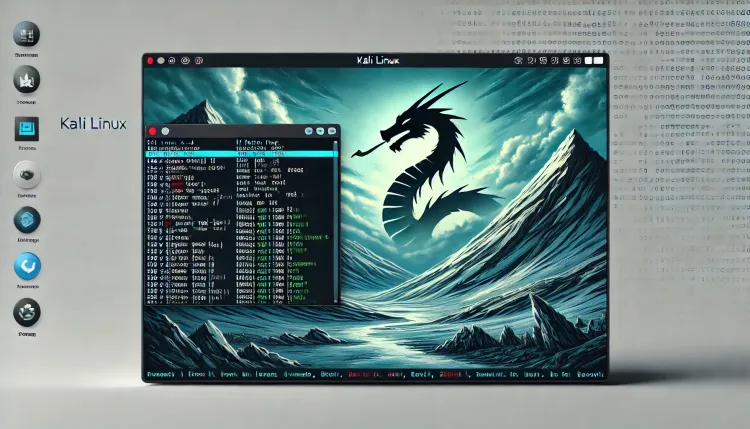
A CLI shell is a text-based interface that allows users to interact with the operating system by entering commands. In Kali Linux, popular CLI shells include Bash (Bourne Again Shell), Zsh (Z Shell), and Fish (Friendly Interactive Shell). Bash is the default shell in Kali Linux and is widely used for scripting and hacking tasks.
Why Use CLI Shells in Kali Linux for Hacking?
CLI shells provide several advantages in penetration testing and ethical hacking:
- Efficiency: Execute commands faster compared to GUI-based tools.
- Automation: Write shell scripts to automate repetitive tasks.
- Tool Integration: Directly run powerful security tools like Nmap, Metasploit, and Aircrack-ng.
- Customization: Configure the environment to suit specific hacking needs.
Essential CLI Commands for Hacking
| Command | Purpose | Example |
|---|---|---|
ls |
Lists directory contents. | ls -la |
cd |
Changes directories. | cd /etc |
pwd |
Prints the current directory. | pwd |
ifconfig |
Displays network interfaces and configurations. | ifconfig eth0 |
nmap |
Scans networks and discovers vulnerabilities. | nmap -A 192.168.1.1 |
airmon-ng |
Enables monitor mode for wireless interfaces. | airmon-ng start wlan0 |
msfconsole |
Launches the Metasploit framework for exploitation tasks. | msfconsole |
hydra |
Performs brute-force attacks on login credentials. | hydra -l admin -P passwords.txt |
tcpdump |
Captures network packets for analysis. | tcpdump -i eth0 |
cat |
Displays the contents of a file. | cat /etc/passwd |
Using Shell Scripts for Hacking Tasks
Shell scripting in Kali Linux enables the automation of complex tasks. Below is a sample script to automate Nmap scans on a target network:
Sample Script: Automated Nmap Scan
echo "Starting Nmap Scan..."
read -p "Enter target IP range (e.g., 192.168.1.0/24): " target
nmap -A -T4 $target > scan_results.txt
echo "Scan complete. Results saved in scan_results.txt"
Steps to Use the Script
- Save the script as
nmap_scan.sh. - Make it executable with the command:
chmod +x nmap_scan.sh. - Run the script:
./nmap_scan.sh.
Popular CLI Tools for Hacking in Kali Linux
CLI shells allow direct access to various cybersecurity tools. Below are some widely used tools:
| Tool | Purpose | Command to Launch |
|---|---|---|
| Metasploit | Exploitation and vulnerability testing framework. | msfconsole |
| Wireshark | Packet capture and network analysis. | wireshark |
| John the Ripper | Password cracking tool. | john hashes.txt |
| SQLmap | SQL injection testing and exploitation. | sqlmap -u "http://target.com?id=1" |
| Netcat (nc) | Networking utility for debugging and data transfers. | nc -lvp 4444 |
Tips for Using CLI Shells Effectively
- Learn Command Syntax: Understand the options and arguments for each command. Use the
mancommand (e.g.,man nmap) for detailed documentation. - Master Shell Scripting: Automate repetitive tasks using Bash scripts.
- Combine Commands: Use pipes (
|) and redirection (>,>>) to chain commands and manage output. - Customize Shells: Configure
.bashrcor.zshrcfor aliases, functions, and environment variables. - Practice: Regularly practice commands in a controlled environment to improve speed and accuracy.
Conclusion
CLI shells are used throughout hacking and penetration testing in Kali Linux. They give close control over tools, systems and networks, which is why ethical hackers prefer them. By learning basic commands, advanced tools and shell scripting, you can work more efficiently on cybersecurity tasks.
Start exploring the CLI in Kali Linux today and put it to use in ethical hacking.
FAQs
-
What is a CLI shell in Kali Linux?
- A CLI shell is a text-based interface that allows users to interact with the operating system by entering commands. Common shells in Kali Linux include Bash, Zsh, and Fish.
-
Why is the CLI preferred for hacking in Kali Linux?
- The CLI provides speed, precision, and access to advanced tools, making it ideal for hacking and penetration testing tasks.
-
What are some essential CLI commands for hacking?
- Key commands include
ls,cd,nmap,ifconfig,msfconsole,tcpdump, andairmon-ng.
- Key commands include
-
How do I start Metasploit using the CLI?
- Launch Metasploit by typing
msfconsolein the terminal.
- Launch Metasploit by typing
-
What is the role of shell scripting in hacking?
- Shell scripting automates repetitive tasks, such as scanning networks or managing files, improving efficiency in penetration testing.
-
How can I capture network packets using the CLI?
- Use the
tcpdumpcommand to capture and analyze network packets directly from the terminal.
- Use the
-
What tools can be accessed via the CLI in Kali Linux?
- Tools like Nmap, Metasploit, Aircrack-ng, Hydra, SQLmap, and Netcat are accessible through the CLI.
-
Can I customize my CLI environment in Kali Linux?
- Yes, you can customize your shell by editing configuration files like
.bashrcor.zshrcto add aliases, functions, and environment variables.
- Yes, you can customize your shell by editing configuration files like
-
How do I automate network scanning with a script?
- Write a Bash script using commands like
nmapand make it executable. For example, create a script to scan a target IP range and save the results.
- Write a Bash script using commands like
-
How do pipes and redirection work in the CLI?
- Pipes (
|) pass the output of one command to another, while redirection (>or>>) saves command output to a file.
To take this further with guided labs and an instructor, see our ethical hacking training in Pune.
Related reading
- How to Use Kali Linux Man Pages to Master Ethical Hacking Tools
- What Is Shell Scripting in Linux and How to Get Started?
- How to Use ShellGPT in Kali Linux for CEH v13 | Automate Ethical Hacking, Penetration Testing & Cybersecurity Tasks
Reference
For the authoritative details, see Kali Linux documentation.
What's Your Reaction?
 Like
0
Like
0
 Dislike
0
Dislike
0
 Love
0
Love
0
 Funny
0
Funny
0
 Wow
0
Wow
0
 Sad
0
Sad
0
 Angry
0
Angry
0

Vaishnavi is a skilled tech professional at the Ethical Hacking Training Institute in Pune, responsible for managing and optimizing the technical infrastructure that supports advanced cybersecurity education. With deep expertise in network security, backend operations, and system performance, she ensures that practical labs, online modules, and assessments run smoothly and securely. Her behind-the-scenes contributions play a vital role in delivering a seamless and secure learning experience for aspiring ethical hackers.