
What Is Smishing (SMS Phishing)? Definition and Protection
Smishing (SMS Phishing) is a cyberattack that uses deceptive text messages to steal sensitive data or install malware. These messages often mimic trusted sources like banks or delivery companies. Common tactics include fake prize claims and urgent account notifications. To protect yourself, avoid clicking suspicious links, verify senders, and never share sensitive data via text. Organizations can help by educating employees and using anti-smishing tools. Staying vigilant and proactive is key to defending against this growing threat.
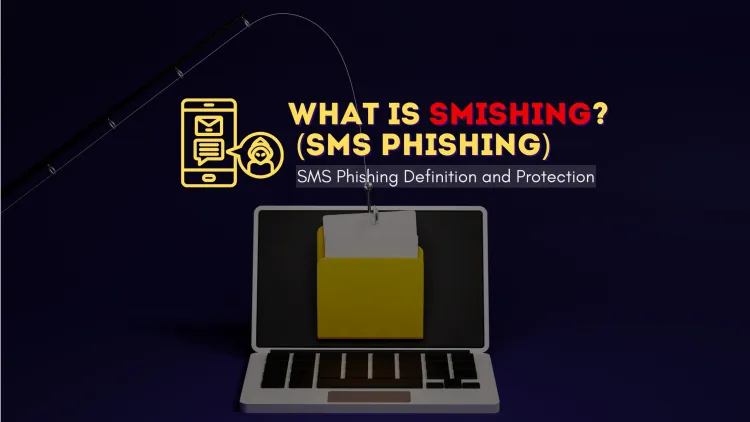
Quick answer: Smishing is phishing by SMS. Attackers send text messages that look like they come from a bank, government agency or known company, trying to make you click a malicious link, install malware or share personal details. Do not tap unexpected links, verify through the official app or website, and report the message.
Key takeaways
- Smishing is phishing by SMS, usually posing as a bank, courier or government agency.
- Do not tap links in unexpected texts, and go to the official app or site instead.
- Report suspicious messages, in India through the national cybercrime portal.
Mobile phones are central to communication, and cybercriminals have turned to a new form of phishing called Smishing. Knowing how smishing works and the risks it poses helps you protect yourself from such attacks.
What Is Smishing (SMS Phishing)?
Smishing is a type of cyberattack where attackers use SMS (Short Message Service) or text messages to trick individuals into revealing sensitive information. These messages often appear to be from trusted sources, such as banks, government agencies, or well-known companies, and aim to lure victims into clicking malicious links, downloading malware, or sharing personal details.
How Does Smishing Work?
Smishing attacks typically follow these steps:
-
Deceptive Message
- The attacker sends a text message that looks legitimate, often containing urgent language like “Your account is locked” or “You’ve won a prize.”
-
Malicious Link or Request
- The message includes a link leading to a fake website or prompts the user to reply with sensitive information (e.g., passwords, credit card details).
-
Data Theft or Malware Installation
- Once the user interacts with the link or provides the requested information, the attacker gains access to sensitive data or installs malware on the victim’s device.
Common Smishing Scenarios
-
Bank Scams
- Fake alerts claiming unauthorized transactions and asking the user to verify their account.
-
Delivery Scams
- Messages pretending to be from courier services, asking for additional fees or personal information to complete delivery.
-
Lottery or Prize Scams
- Messages claiming the user has won a prize and requiring them to click a link to claim it.
-
Job Offers
- Fraudulent job opportunities asking for personal details or upfront fees.
Risks of Smishing Attacks
Smishing poses several risks, including:
- Financial Loss: Stolen banking details can lead to unauthorized transactions.
- Identity Theft: Personal information may be used to impersonate the victim.
- Malware Infection: Clicking malicious links can install harmful software.
- Privacy Breach: Sensitive data can be exposed, leading to reputational damage.
How to Detect Smishing Messages
Here are some signs of a smishing attempt:
-
Urgent or Threatening Language
- Messages pressuring immediate action, such as “Your account will be deactivated.”
-
Unknown Sender
- Texts from unrecognized numbers or suspicious sources.
-
Grammar and Spelling Errors
- Poorly written messages with noticeable mistakes.
-
Suspicious Links
- Links that seem odd or don’t match the official website.
How to Protect Yourself from Smishing
-
Verify the Sender
- Contact the organization directly using official contact details to confirm the authenticity of the message.
-
Avoid Clicking Links
- Never click on links in unsolicited text messages.
-
Don’t Share Personal Information
- Refrain from sending sensitive data via text.
-
Enable Two-Factor Authentication (2FA)
- Add an extra layer of security to your accounts.
-
Install Security Software
- Use antivirus programs and keep your device updated.
-
Block and Report Suspicious Messages
- Block the sender and report the smishing attempt to your mobile carrier or cybersecurity authorities.
Best Practices for Organizations to Prevent Smishing
- Educate Employees and Customers: Conduct awareness programs on recognizing and reporting smishing.
- Use Anti-Smishing Tools: Implement tools that filter and detect suspicious SMS traffic.
- Secure Communication Channels: Use encrypted methods to communicate sensitive information.
- Monitor for Phishing Campaigns: Keep track of ongoing smishing campaigns to warn users proactively.
Conclusion
Smishing (SMS Phishing) is a rising threat in the cybersecurity world, targeting unsuspecting individuals through deceptive text messages. By staying vigilant, recognizing warning signs, and adopting protective measures, you can safeguard your personal information and avoid becoming a victim of smishing. Always think twice before clicking on links or sharing sensitive data through text messages.
To take this further with guided labs and an instructor, see our practical cyber security training.
Related reading
- Protect Yourself from Phishing: A Simple Guide to Identifying Malicious Emails
- Phishing Detection Techniques | Spotting the Red Flags - A Complete Guide
- How To Report Cybercrime Online In India
Reference
For the authoritative details, see CERT-In (India).
Frequently Asked Questions
What's Your Reaction?
 Like
0
Like
0
 Dislike
0
Dislike
0
 Love
0
Love
0
 Funny
0
Funny
0
 Wow
0
Wow
0
 Sad
0
Sad
0
 Angry
0
Angry
0

Vaishnavi is a skilled tech professional at the Ethical Hacking Training Institute in Pune, responsible for managing and optimizing the technical infrastructure that supports advanced cybersecurity education. With deep expertise in network security, backend operations, and system performance, she ensures that practical labs, online modules, and assessments run smoothly and securely. Her behind-the-scenes contributions play a vital role in delivering a seamless and secure learning experience for aspiring ethical hackers.





![Top 10 Famous Ethical Hackers in India [Updated 2026]](https://www.webasha.com/blog/uploads/images/202608/image_140x98_da23f65c290cfbf1237d77aec58a2f0f.jpg)



