
Protect Yourself from Phishing: A Simple Guide to Identifying Malicious Emails
Phishing is a type of cyberattack where criminals impersonate trusted organizations via email to steal sensitive information like passwords, credit card details, and personal data. To protect yourself, always verify the sender’s email, avoid clicking on suspicious links or downloading attachments, and be cautious of emails that create a sense of urgency. Phishing emails often contain signs like generic greetings, spelling errors, and suspicious links. Using multi-factor authentication and security software can further protect you from these threats.
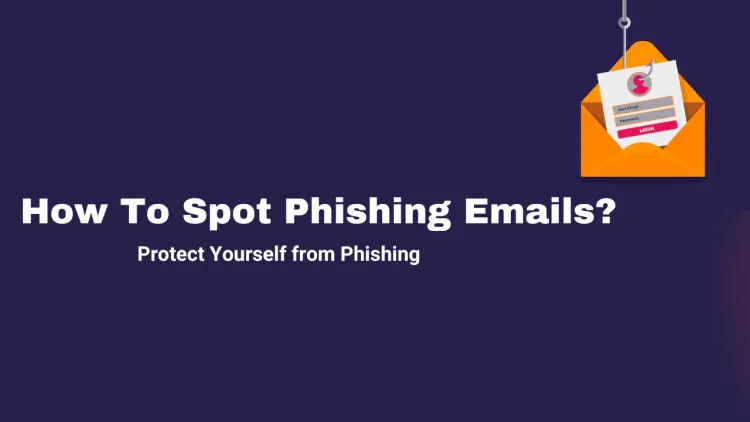
Quick answer: Phishing emails impersonate trusted organisations to steal passwords or money. Warning signs include an unexpected sender or mismatched address, urgent or threatening language, requests for credentials or payment, suspicious links and unexpected attachments. Check the sender, hover over links without clicking, and report doubtful messages instead of replying.
Key takeaways
- Warning signs: unexpected urgency, mismatched sender address and suspicious links.
- Hover over links before clicking to see the real address.
- Report phishing to your IT team or CERT-In.
Introduction
In today’s digital age, email has become a major communication tool for both personal and business use. Unfortunately, cybercriminals have found ways to exploit this by using phishing attacks to trick individuals into revealing sensitive information. Phishing is one of the most common cyber-attacks and continues to be a significant threat. In this blog, we’ll explain what phishing is, how phishing emails work, and most importantly, how you can identify phishing emails to protect yourself from these malicious attacks.
What is Phishing?
Phishing is a type of cyberattack where an attacker impersonates a legitimate organization or person through email, messages, or websites to steal sensitive information such as usernames, passwords, credit card details, and personal data. Phishing emails often appear to come from trusted sources such as your bank, online service providers, or even colleagues. Once victims click on malicious links or attachments in these emails, they risk exposing their sensitive data or infecting their devices with malware.
Types of Phishing Attacks
- Email Phishing: The most common type, where attackers send fraudulent emails pretending to be reputable organizations.
- Spear Phishing: A more targeted form of phishing, where the email is customized for a specific individual or organization, often using personal information.
- Whaling: A type of spear phishing that targets high-level executives or individuals with access to sensitive company data.
- Smishing: Phishing attempts sent through SMS or text messages.
- Vishing: Voice phishing, where attackers use phone calls to impersonate legitimate organizations to steal information.
How Phishing Works
Phishing attacks generally follow a few steps:
1. The Attacker Sends a Fake Email
The attacker sends an email that appears to come from a trusted source (e.g., a bank, online shopping website, or your workplace).
2. The Email Contains a Fake Request
These emails typically ask you to take urgent actions like confirming your account details, resetting your password, or reviewing recent transactions.
3. Victim Clicks the Link or Downloads an Attachment
The email contains a link or an attachment that may redirect you to a fraudulent website or install malware on your device.
4. The Attacker Steals Your Data
If you provide your sensitive information or download the malware, the attacker can misuse it for fraudulent purposes, such as stealing money, committing identity theft, or gaining unauthorized access to your accounts.
How to Identify Phishing Emails
Recognizing phishing emails helps protect you from cybercriminals. Here are some common signs to look out for when checking emails:
1. Suspicious Sender Email Address
Phishing emails often come from addresses that look similar to real ones but have slight variations (e.g., "support@yourbank1.com" instead of "support@yourbank.com"). Be cautious if you notice any small discrepancies in the sender’s email address.
2. Generic Greetings
Phishing emails may use general greetings like "Dear Customer" or "Dear User" instead of addressing you by name. Legitimate companies usually personalize their communication and will refer to you by your name.
3. Urgent or Threatening Language
Phishing emails often create a sense of urgency, trying to convince you to act quickly. Common phrases include "Immediate action required," "Your account has been compromised," or "Failure to respond will result in account suspension." These are designed to pressure you into clicking links or providing personal information.
4. Suspicious Links or Attachments
Phishing emails often include links that seem legitimate but actually lead to fraudulent websites designed to steal your data. Hover over the link to see the real URL before clicking on it. Also, be wary of opening attachments from unknown senders, as they may contain malware.
5. Spelling and Grammar Errors
Many phishing emails are poorly written, with spelling mistakes or awkward phrasing. Professional organizations usually ensure their emails are grammatically correct, so errors can be a big red flag.
6. Inconsistent Branding
Phishing emails often mimic logos and branding of trusted organizations, but the logos might be distorted, or the layout may appear off. Compare the logo and the overall appearance with the official site to see if they match.
7. Request for Sensitive Information
Legitimate organizations never ask for sensitive information such as passwords, PINs, or credit card numbers via email. If you’re asked to provide personal information through email, it’s likely a phishing attempt.
8. Too Good to Be True Offers
Phishing emails sometimes offer too-good-to-be-true deals, such as winning a contest you didn’t enter or getting an exclusive offer. Always be skeptical of such offers.
Steps to Protect Yourself from Phishing Attacks
- Don’t Click on Suspicious Links or Open Attachments: Avoid clicking on links or downloading attachments from emails you didn’t expect or from unfamiliar senders.
- Verify the Sender: If you receive a suspicious email from a company, contact them directly using verified contact information rather than responding to the email.
- Enable Multi-Factor Authentication (MFA): Use MFA on all accounts that offer it, which adds an extra layer of security in case your credentials are compromised.
- Use Security Software: Install antivirus software and use an email filtering system to block phishing emails before they reach your inbox.
- Educate Yourself and Others: Stay informed about phishing tactics and share this knowledge with family, friends, and colleagues.
Conclusion
Phishing is a prevalent and dangerous threat to online security. By learning to identify the signs of phishing emails and following good security practices, you can protect your sensitive data and avoid falling victim to these malicious attacks. Remember to stay vigilant and always verify any request for personal information, especially when it comes via email or other digital channels.
To take this further with guided labs and an instructor, see our cyber security certification pathway.
Related reading
- Phishing Detection Techniques | Spotting the Red Flags - A Complete Guide
- Understanding Phishing Attacks: Tips to Spot and Avoid Them
- How to Detect and Prevent BlackEye Phishing | The Ultimate Guide to Online Safety
Reference
For the authoritative details, see CERT-In (India).
Frequently Asked Questions
What's Your Reaction?
 Like
0
Like
0
 Dislike
0
Dislike
0
 Love
0
Love
0
 Funny
0
Funny
0
 Wow
0
Wow
0
 Sad
0
Sad
0
 Angry
0
Angry
0

Vaishnavi is a skilled tech professional at the Ethical Hacking Training Institute in Pune, responsible for managing and optimizing the technical infrastructure that supports advanced cybersecurity education. With deep expertise in network security, backend operations, and system performance, she ensures that practical labs, online modules, and assessments run smoothly and securely. Her behind-the-scenes contributions play a vital role in delivering a seamless and secure learning experience for aspiring ethical hackers.










![Top 10 Famous Ethical Hackers in India [Updated 2026]](https://www.webasha.com/blog/uploads/images/202608/image_140x98_da23f65c290cfbf1237d77aec58a2f0f.jpg)