How to Pass the CKA (Certified Kubernetes Administrator) Exam in the First Attempt
Learn how to pass the Certified Kubernetes Administrator (CKA) Global Certification Exam on your first attempt with our guide. Discover effective study strategies, essential resources, hands-on practice tips, and expert advice to ensure your success. CKA Dumps
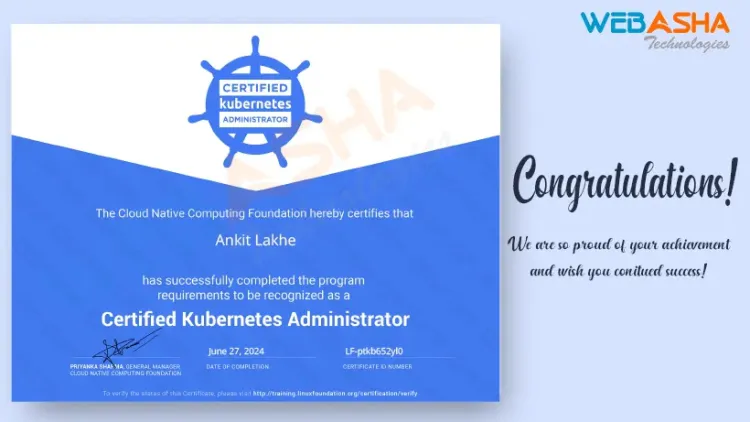
Quick answer: To pass the CKA, practise hands-on in a real cluster until common tasks take minutes, not hours. Learn the five exam domains, with troubleshooting weighted highest. Master kubectl shortcuts, etcd backup, RBAC, networking, storage and kubeadm upgrades, and use the Kubernetes documentation quickly. The exam is a two-hour, online, performance-based test.
Key takeaways
- The CKA is a practical exam. You solve tasks at a command line against live clusters, so reading alone will not pass it.
- Troubleshooting is the heaviest domain at 30 percent, followed by cluster architecture and installation at 25 percent.
- Speed decides the result. Set up kubectl aliases, use
--dry-run=client -o yamlto generate manifests, and search the official docs fast. - Practise on your own cluster built with kubeadm as well as on managed cloud clusters, because the exam covers things a managed service hides.
- Check the current curriculum and exam rules on the Linux Foundation and CNCF pages before you book, because they are updated.
What is the CKA exam?
CKA stands for Certified Kubernetes Administrator. It is run by the Linux Foundation with the CNCF and tests whether you can install, configure, run and fix a Kubernetes cluster. The details are on the CNCF CKA page, and registration is through the Linux Foundation.
The exam is performance-based and taken online with a proctor. You may open the official Kubernetes documentation during the test. Check the current exam duration and pass mark on the official page, since rules and versions change.
What does the CKA test?
The curriculum is split into domains with weights. These are the weights published for recent versions. Read the current curriculum for any changes.
| Domain | Weight | What you do |
|---|---|---|
| Troubleshooting | 30% | Fix broken nodes, pods, services, control-plane components and networking |
| Cluster architecture, installation and configuration | 25% | kubeadm, upgrades, etcd backup and restore, RBAC, high availability concepts |
| Services and networking | 20% | Services, Ingress or Gateway, DNS, network policies |
| Workloads and scheduling | 15% | Deployments, rollouts, ConfigMaps, Secrets, scaling, scheduling rules |
| Storage | 10% | PersistentVolumes, PersistentVolumeClaims, StorageClasses |
Newer curriculum versions have added topics such as Helm and Kustomize, extension interfaces and custom resources. Always work from the version listed on the official page, which you can also read alongside the Kubernetes documentation.
How should you prepare, step by step?
Step 1: Learn the objectives and the exam rules
Download the curriculum. Turn each line into a task you can perform. For example, "Manage role based access control" becomes "create a Role and RoleBinding for a user so they can only list pods in one namespace". If you cannot do it from memory with the docs open, you are not ready for that line.
Step 2: Build a cluster you can break
Create a small multi-node cluster with kubeadm on virtual machines. One control plane node and two workers is enough. Managed services such as GKE, EKS or AKS are fine for learning workloads, but they hide the control plane, etcd and upgrades, which the CKA asks you to handle. Linux fluency matters too. If you are weak at the command line, work on it first. Our RHCSA exam guide shows a practice routine that transfers well.
Step 3: Practise the high-value tasks until they are automatic
- etcd backup and restore. Know the endpoint and certificate flags, and where the certificates live on a kubeadm cluster.
- Cluster upgrade with kubeadm. Drain a node, upgrade packages, run the upgrade command, restart kubelet, uncordon.
- RBAC. Roles, ClusterRoles, bindings, and checking with
kubectl auth can-i. - NetworkPolicy. Default deny, then allow from a labelled namespace or pod.
- Storage. Create a PV, a PVC and a pod that uses it.
- Scheduling. Taints, tolerations, node selectors, affinity, static pods.
- Troubleshooting. A node in NotReady, a pod in CrashLoopBackOff, a service with no endpoints, a stopped kubelet.
Step 4: Set up your shell for speed
Spend the first minute of the exam on this. Most candidates use something like:
alias k=kubectl
export do="--dry-run=client -o yaml"
source <(kubectl completion bash)
complete -o default -F __start_kubectl k
Then k run web --image=nginx $do > pod.yaml generates a manifest you can edit instead of typing YAML from scratch. Check which shell and editor the exam environment gives you, and practise with them.
Step 5: Practise with the docs, under a timer
You can use the official documentation, so learn where things are. Use search with exact terms. Practise finding the NetworkPolicy example page in under 20 seconds. Then take full two-hour mock sessions, and review where time went.
A worked example: backing up etcd
This is a task you should be able to do in a few minutes. On a kubeadm control plane node, the certificates are normally under /etc/kubernetes/pki/etcd/:
ETCDCTL_API=3 etcdctl snapshot save /opt/etcd-backup.db \
 --endpoints=https://127.0.0.1:2379 \
 --cacert=/etc/kubernetes/pki/etcd/ca.crt \
 --cert=/etc/kubernetes/pki/etcd/server.crt \
 --key=/etc/kubernetes/pki/etcd/server.key
Verify the snapshot with etcdutl snapshot status /opt/etcd-backup.db. In current etcd releases, restore operations have moved to etcdutl, so read the docs for the version in the exam cluster.
Time management on exam day
- Read every task for its weight. Do the high-weight and quick tasks first.
- Flag a task you are stuck on and move on. Come back if time remains.
- Always switch to the right context. Each task states which cluster to use, usually with a
kubectl config use-contextcommand. Working in the wrong cluster is a common way to lose marks. - Verify each result with
kubectl getordescribebefore you move on.
Common mistakes
- Only watching videos. The exam rewards typing speed and fault-finding, which come from practice.
- Skipping troubleshooting practice, the biggest domain.
- Forgetting to change context between tasks.
- Spending 15 minutes on one low-weight task.
- Not testing the exam environment's system check beforehand.
Is CKA worth it for a career in India?
For DevOps, platform and SRE roles, Kubernetes skills are in demand, and CKA is the best-known practical proof of them. Pair it with solid Linux skills, a container background and a CI/CD pipeline project. See the related guide on clearing CKA, CKAD and CKS for how the three exams differ. If you work with Red Hat's platform, the OpenShift EX280 guide is the matching path.
Next steps
For instructor-led preparation with labs, see WebAsha's Certified Kubernetes Administrator (CKA) course.
Related reading
Frequently Asked Questions
What's Your Reaction?
 Like
0
Like
0
 Dislike
0
Dislike
0
 Love
0
Love
0
 Funny
0
Funny
0
 Wow
0
Wow
0
 Sad
0
Sad
0
 Angry
0
Angry
0

With a passion for staying on the cutting edge of technology trends, I am dedicated to delivering content that not only informs but also inspires. Whether you need in-depth analysis pieces, informative guides, or thought-provoking opinion pieces, I craft content that resonates with tech enthusiasts and professionals alike.
![How to Pass Red Hat OpenShift DO280 Certification [A Success Story]](https://webasha-blog.s3.ap-south-1.amazonaws.com/uploads/images/202505/image_750x415_682329ec566fc.webp)