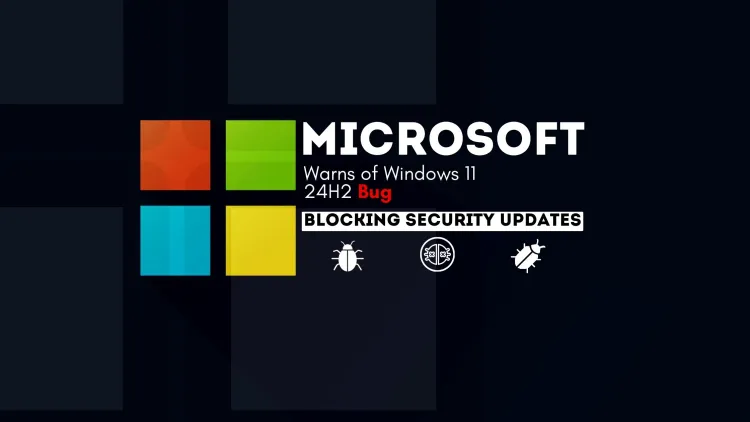
Microsoft Warns of Windows 11 24H2 Bug Blocking Security Updates
Microsoft has issued a critical alert about a bug in the Windows 11 24H2 update that affects systems installed using physical media created with updates from October to November 2024. This issue prevents impacted devices from receiving further security updates, leaving them vulnerable to threats. While systems updated through Windows Update or the Microsoft Update Catalog remain unaffected, the bug is a significant concern for businesses and tech enthusiasts relying on physical media for installations. Microsoft has recommended using updated installation media with the December 2024 security patch or later and offers reinstallation as a solution for affected systems. Users are advised to stay informed through official channels and ensure secure update practices.
Quick answer: Microsoft warned that some Windows 11 24H2 installs made from physical media, such as USB drives or CDs, could stop receiving future security updates. Media containing security updates released between 8 October and 12 November 2024 was affected. PCs updated through Windows Update or the Microsoft Update Catalog were not.
Key takeaways
- The warning concerned 24H2 installs made from physical media such as USB or CD, not every 24H2 machine.
- Check Windows Update on installs made from media and confirm updates are arriving.
- Microsoft's own advisory is the place to confirm fixes, since status changes over time.
Microsoft has issued an urgent warning regarding a critical bug affecting the Windows 11 24H2 update, potentially leaving systems exposed to cyber threats. The issue impacts installations performed using physical media, such as USB drives or CDs, specifically those containing security updates from October 8 to November 12, 2024.
This bug prevents affected systems from receiving future Windows security updates, increasing the risk of vulnerabilities. Notably, systems updated directly via Windows Update or the Microsoft Update Catalog are not affected, isolating the issue to certain offline installations.
Who Is Affected?
The bug primarily concerns:
- Businesses and educational institutions that frequently use physical media for bulk installations.
- Tech enthusiasts performing fresh installs using older installation media.
Understanding the Bug
The problem emerges when installation media created before the December 2024 monthly security update is used. Devices updated this way enter a state where further security updates fail to install.
What Are Microsoft’s Response and Solutions?
Microsoft has acknowledged the problem and is actively working to resolve it. In the meantime, the company has outlined several mitigation strategies:
-
Avoid Using Affected Media
Do not use installation media that includes updates from October or November 2024 for installing Windows 11 version 24H2. -
Use Updated Media
Create fresh installation media incorporating the December 2024 monthly security update (released December 10, 2024, or later). -
Reinstall on Affected Systems
If you’ve already installed an affected version, perform a reinstallation using updated media.
What Are the Best Practices for Individual and Professional Users?
For individual users:
- Verify if you installed Windows 11 24H2 using physical media created during the affected period.
- Apply the December 2024 security update via Windows Update or the Microsoft Update Catalog to restore functionality.
For IT professionals:
- Ensure all installation media is up-to-date before deploying across multiple systems.
- Monitor official Microsoft updates for patches or additional instructions.
What Are the Lessons from the Incident?
This issue highlights the importance of vigilance when updating operating systems. Professionals and casual users alike should:
- Regularly update installation media to include the latest security patches.
- Favor direct updates through trusted sources like Windows Update.
Conclusion
The Windows 11 24H2 bug is a reminder of the risks associated with outdated installation practices. By adhering to Microsoft’s recommendations and staying updated on developments, users can mitigate risks and maintain the integrity of their systems. Stay informed and proactive to ensure your devices remain secure.
Related reading
- Office for Mac Running Slowly? Here’s How to Fix It
- OSCP Exam Update | What is OSCP+ Certification?
- Why Linux does not need an Antivirus Like Windows?
Reference
For the authoritative details, see Microsoft Learn.
Frequently Asked Questions
What's Your Reaction?
 Like
0
Like
0
 Dislike
0
Dislike
0
 Love
0
Love
0
 Funny
0
Funny
0
 Wow
0
Wow
0
 Sad
0
Sad
0
 Angry
0
Angry
0

Vaishnavi is a skilled tech professional at the Ethical Hacking Training Institute in Pune, responsible for managing and optimizing the technical infrastructure that supports advanced cybersecurity education. With deep expertise in network security, backend operations, and system performance, she ensures that practical labs, online modules, and assessments run smoothly and securely. Her behind-the-scenes contributions play a vital role in delivering a seamless and secure learning experience for aspiring ethical hackers.