What Is Malware? Viruses, Trojans, Worms and Ransomware
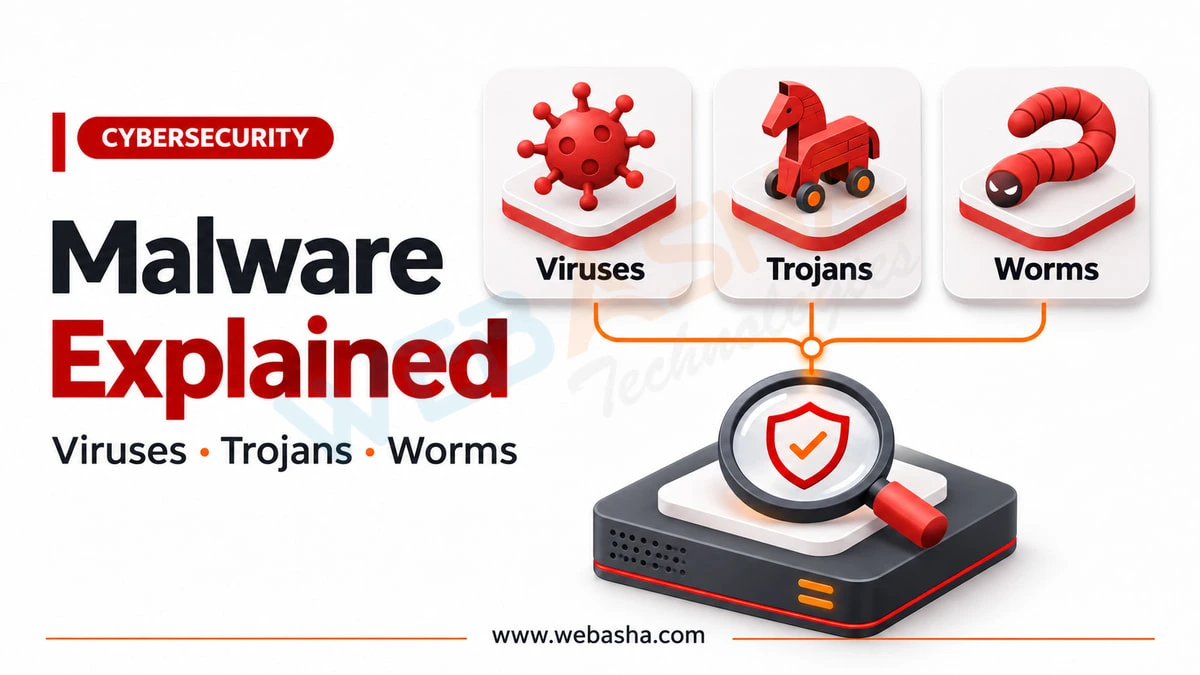
Malware is software written to do something its victim did not want. The classic categories describe how it spreads: a virus attaches to a file and needs you to run it, a worm spreads by itself across a network, and a trojan pretends to be something useful. Modern malware is usually several of these at once, which is why defenders increasingly describe it by behaviour instead, using MITRE ATT&CK technique numbers.
Topic: Cyber Threats, Scams & Online Safety in Cybersecurity & Ethical Hacking · Explainer
Quick answer: Malware is software written to do something its victim did not want. The classic categories describe how it spreads: a virus attaches to a file and needs you to run it, a worm spreads by itself across a network, and a trojan pretends to be something useful. Modern malware is usually several of these at once, which is why defenders increasingly describe it by behaviour instead, using MITRE ATT&CK technique numbers. Both views are useful and they answer different questions.
Key takeaways
- The virus, worm and trojan distinction is about propagation, not about damage.
- Real samples combine categories. A single toolkit can arrive as a trojan, spread as a worm and deploy ransomware.
- Detection works on behaviour. Ransomware is ATT&CK T1486, keylogging is T1056.001, and those numbers are searchable.
- Disabling security tools is T1562.001 and one of the most reliable signs of a real infection.
- Rebuild rather than clean on any machine that matters. Removal finds what it recognises.
Topics covered in this guide: what malware is, the difference between a virus, worm and trojan, the other categories, how infection happens, what ransomware does differently, how to describe malware the way defenders do, recognising infection, defences that work, what to do when a machine is infected, why rebuilding is better, and where malware analysis fits.
Table of Contents
- What Is Malware?
- What Is the Difference Between a Virus, Worm and Trojan?
- What Are the Other Main Categories?
- How Does Infection Actually Happen?
- What Does Ransomware Do Differently?
- How Defenders Describe Malware Now
- How Do You Recognise a Possible Infection?
- What Defences Actually Work?
- What Should You Do If a Machine Is Infected?
- Why Is Rebuilding Usually Better Than Cleaning?
- How Does Malware Analysis Fit In?
- References
What Is Malware?
Malware is software written to act against the interests of the person running it: stealing data, holding files to ransom, using the machine's resources, or giving somebody else control.
The definition is about intent rather than technique. The same capability can be a legitimate feature or malware depending on who installed it and whether they had the right to: remote administration tools and monitoring software appear in both categories, which is why detection is harder than it sounds.
What Is the Difference Between a Virus, Worm and Trojan?
All three are about how it arrives and spreads, not about what it does once it is there. This is the distinction most explanations blur.
| How it spreads | Needs the user to act? | Attaches to a host file? | |
|---|---|---|---|
| Virus | Attaches to a file or program; spreads when that is run or shared | Yes | Yes |
| Worm | Copies itself across a network, usually by exploiting a vulnerability | No | No |
| Trojan | Does not spread itself; the user installs it believing it is something else | Yes | No |
The row that matters operationally is the worm. Because it needs no human action, a worm's speed is limited only by the network, which is why worm outbreaks are measured in minutes and why patching schedules exist.
The row most people encounter is the trojan, because it does not require a vulnerability at all. It requires a decision, and decisions can be influenced far more cheaply than software can be exploited.
What Are the Other Main Categories?
These describe purpose rather than propagation, which is why a single sample is usually several of them at once.
- Ransomware encrypts files and demands payment. Covered separately below.
- Spyware and infostealers collect data: credentials, browser profiles, saved cards, session cookies.
- Keyloggers record what is typed. Our guide to keyloggers covers them in detail.
- Rootkits hide the presence of other components, often from the kernel.
- Backdoors and remote access trojans give ongoing control.
- Botnet clients enrol the machine into a network run by somebody else.
- Cryptominers use the machine's processing power, which is theft that looks like slowness.
- Loaders and droppers, whose only job is to install the next stage. These are the most common first component and the least discussed.
Treat the list as a set of capabilities rather than species. A modern intrusion typically involves a loader that fetches an infostealer, which harvests credentials, which are then used to deploy ransomware days later.
How Does Infection Actually Happen?
- Phishing with an attachment or link, still the most common route for the initial foothold. Our guide to protecting against email phishing covers it.
- Exploiting an unpatched internet-facing service, which needs no human involvement at all.
- Pirated or cracked software, where protections have usually been disabled by the user first.
- Malicious advertising and compromised websites.
- Removable media, still effective in segregated environments precisely because they are segregated.
- Supply chain, through a legitimate update or a compromised dependency, which defeats user caution entirely.
Two of these, unpatched services and supply chain, are not addressed by user awareness at all. That is worth stating, because awareness training is often presented as the whole answer.
What Does Ransomware Do Differently?
It does not need to stay hidden. Every other category is trying not to be noticed, and ransomware announces itself, which changes the defensive problem.
MITRE ATT&CK catalogues the final act as T1486, Data Encrypted for Impact. The important operational point is that T1486 is the end of the intrusion, not the start. Before the encryption there is usually access, reconnaissance, credential theft, lateral movement, data theft for extortion, and deliberate destruction of backups.
Three consequences:
- By the time you see the ransom note, the attacker has been present for a while. Treat it as a compromise of the whole environment, not a file problem.
- Backups are a target. Attackers look for them specifically. A backup reachable from the network with the same credentials is not a backup.
- Paying does not undo the data theft, which has usually already happened.
How Defenders Describe Malware Now
This is the section the published article lacked, and it is what connects everything above to how detection actually works.
Categories are a poor basis for defence, because a sample can change category between versions while doing the same things. So defenders describe behaviour, using the technique numbers in MITRE ATT&CK.
| What it does | ATT&CK technique |
|---|---|
| Encrypts files for extortion | T1486 Data Encrypted for Impact |
| Records keystrokes | T1056.001 Input Capture: Keylogging |
| Installs a service to survive reboot | T1543 Create or Modify System Process |
| Turns off antivirus or logging | T1562.001 Impair Defenses |
| Runs its code in the first place | TA0002 Execution |
The practical value is that these are searchable and shared. "We saw T1486" communicates precisely to any defender, and it maps to detections you can write. "We found a virus" does not.
It also changes what you look for. A detection built on behaviour catches a new sample doing an old thing, which is what most new malware is.
How Do You Recognise a Possible Infection?
Not by slowness, which is usually a storage or thermal problem. The reliable signs are the ones that indicate someone establishing control:
- Security software disabled, or an antivirus exclusion you did not add. This is T1562.001 and it is the strongest single indicator.
- New accounts, scheduled tasks or services you did not create.
- Sustained network connections from a process you cannot account for.
- Account activity at a service you did not perform.
- Files renamed with an unfamiliar extension, which is the unambiguous one.
Our guide to signs your computer has been hacked gives the command to check each of these on Windows, Linux and macOS.
What Defences Actually Work?
In rough order of effect:
- Patch promptly, especially anything reachable from the internet. This closes the routes that need no human error.
- Remove administrative rights from everyday accounts, which blocks most persistence and most rootkits.
- Phishing-resistant MFA, so stolen credentials are not enough.
- Behaviour-based endpoint detection rather than signatures alone.
- Tested, offline or versioned backups. The only reliable answer to ransomware.
- Application control where feasible, which is the strongest preventive measure and the hardest to operate.
- Segmentation, so a worm or an attacker reaches less. Our guide to access control lists covers the mechanics.
NIST publishes handling guidance in SP 800-83 and incident handling more broadly in SP 800-61, and both are worth reading before writing an internal procedure rather than after.
What Should You Do If a Machine Is Infected?
- Isolate it from the network, and leave it powered on. Memory holds evidence, and in ransomware cases sometimes keys.
- Change credentials from a different machine, and revoke sessions.
- Preserve evidence before cleaning anything, because you cannot recover it afterwards.
- Determine the scope. One infected machine on a network of shared credentials is rarely one infected machine.
- Report it. In India, CERT-In requires listed incidents to be reported "within 6 hours of noticing such incidents or being brought to notice about such incidents", and if money moved, call 1930 and file on the portal within 24 hours.
- Rebuild rather than clean, for the reason below.
The same CERT-In directions require logs of all ICT systems to be kept "for a rolling period of 180 days", which is what makes step 4 possible at all.
Why Is Rebuilding Usually Better Than Cleaning?
Because removal finds what it recognises, and malware that achieved administrative access can hide from software running on the same machine. A rootkit's purpose is exactly that.
There is also the composition point from earlier: modern infections are multi-stage, so removing the component that alerted leaves the loader that installed it. Cleaning answers "did I remove the thing I found?" and rebuilding answers "is this machine known-good?", which is the question that matters.
Rebuild from known-good media, restore data rather than applications, and change credentials afterwards from a clean device.
How Does Malware Analysis Fit In?
Malware analysis answers what a specific sample does, which matters when you need to know what was taken, what else to look for, and whether your detections would catch it next time.
It splits into static analysis, examining the file without running it, and dynamic analysis, running it in an isolated environment and watching. Both produce indicators and, more usefully, a list of ATT&CK techniques that becomes detection logic.
For most organisations this is a capability they consume rather than build, through threat intelligence and their endpoint vendor. For an individual learning the field it is an excellent specialism, and the entry requirement is the fundamentals rather than the tooling: operating system internals, file formats and assembly. Our guides to digital forensics investigation and cyber security projects for beginners cover the adjacent ground, including how to build an isolated lab before you run anything.
Talk to a WebAsha training advisor about batches, syllabus and current fees.
References
- MITRE ATT&CK
- T1486, Data Encrypted for Impact
- T1056.001, Input Capture: Keylogging
- T1543, Create or Modify System Process
- T1562.001, Impair Defenses: Disable or Modify Tools
- NIST SP 800-83, Guide to Malware Incident Prevention and Handling
- NIST SP 800-61, Computer Security Incident Handling Guide
- CERT-In directions under section 70B(6) of the IT Act, 28 April 2022
Related reading
Frequently Asked Questions
What's Your Reaction?
 Like
0
 Dislike
0
 Love
0
 Funny
0
 Wow
0
 Sad
0
 Angry
0

I am passionate about technology, invention and big challenging tasks on my to- do list. In terms of the work I am doing also at Bunnyshell, I am most passionate about the technologies that we are using., I'm devoted to delivering content that not only informs but also inspires. Whether you need in- depth analysis pieces, educational attendants, or study- provoking opinion pieces, I draft content that resonates with tech suckers and professionals likewise.