
Free Cloud Credits to Learn Cloud and Kubernetes: Where to Find Them and Avoid Bills
Get $1000+ Free Cloud Credits to Learn Cloud, Kubernetes and Host your Website from worlds propular cloud providers like AWS, Azure, Google cloud platform, Vultr Cloud, Digital ocean, Linode. Free Cloud Credits, Host your Website free on Cloud, Free Kubernetes Lab on AWS Cloud
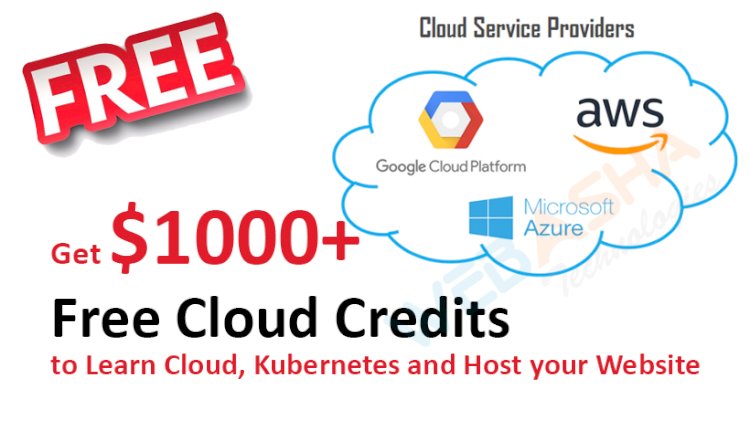
Quick answer: AWS, Microsoft Azure and Google Cloud all offer new customers a free tier or trial credit, and student programmes exist, but amounts and terms change often, so read each provider's current offer page before signing up. You can also learn Kubernetes free on your own laptop with kind or minikube. Always set a budget alert and delete resources after practice.
Key takeaways
- Cloud credit amounts and durations change. Check the provider's own page, not an old blog.
- Most free offers need a credit card for verification, and usage beyond the free limits is billed.
- You can learn Kubernetes concepts for free locally with kind, minikube or Docker Desktop.
- Set a budget alert on day one and delete clusters and load balancers after each session.
- Never put access keys in public code repositories.
What are free cloud credits?
Free cloud credits are promotional balances or time-limited trials that cloud providers give to new users so they can try services. They are different from "always free" tiers, which give small monthly allowances of certain services. Both have rules and expiry.
The original version of this post listed specific dollar amounts and a referral code. Offers like these change, and we cannot confirm them today, so we have removed them. Use the official pages below.
Where do you check for current offers?
| Provider | What to look for | Where |
|---|---|---|
| Google Cloud | Free trial credit and an always-free tier; Kubernetes (GKE) usage may need billing enabled | Google Cloud documentation |
| Microsoft Azure | Free account credit and student offers | Microsoft Learn |
| AWS | Free tier and new-account credits | AWS documentation |
Other providers such as DigitalOcean and Linode also run promotions at times. Read the terms: duration, which services are included, and whether managed Kubernetes qualifies.
Can you learn Kubernetes without spending anything?
Yes. For most of what you need to learn, you do not need a cloud account at all.
- kind (Kubernetes in Docker) runs a cluster inside containers on your laptop.
- minikube runs a single-node cluster in a VM or container.
- Docker Desktop includes an optional local Kubernetes cluster.
The Kubernetes documentation has tutorials for all three. Local clusters cover pods, deployments, services, config maps, RBAC and troubleshooting. Use real cloud credits when you want to learn cloud-specific things: managed clusters, load balancers, IAM and networking. For exam goals such as CKA, local practice is very useful.
How do you avoid a surprise bill?
- Set a budget and alert first, before creating anything.
- Use one project or resource group for learning, so you can delete it in one go.
- Delete when you finish. Clusters, load balancers, public IPs, disks and snapshots can keep charging after you shut a VM down.
- Choose small instance sizes and fewer nodes. One or two small nodes are enough for learning.
- Watch the expiry date of credits and what happens afterwards.
- Protect your keys. Leaked access keys can be used to run expensive resources. Never commit them to GitHub; use IAM roles and short-lived credentials where possible.
- Check billing daily for the first week.
Which path should you pick?
Start local. Learn the concepts with kind or minikube. Then use a trial on one provider to see a managed service, and delete it after. Our guides on gaining hands-on cloud experience and comparing AWS, Azure and Google Cloud help you decide, and the cloud platform interview questions show what employers ask.
Common mistakes
- Trusting an old post for credit amounts and promo codes.
- Leaving a managed cluster running over a weekend.
- Using a main personal card without an alert.
- Publishing secrets in a public repository.
Next steps
Next steps: for guided practice, see our CKA course, and read about hands-on cloud experience.
Frequently Asked Questions
What's Your Reaction?
 Like
0
Like
0
 Dislike
0
Dislike
0
 Love
0
Love
0
 Funny
0
Funny
0
 Wow
0
Wow
0
 Sad
0
Sad
0
 Angry
0
Angry
0

With a passion for staying on the cutting edge of technology trends, I am dedicated to delivering content that not only informs but also inspires. Whether you need in-depth analysis pieces, informative guides, or thought-provoking opinion pieces, I craft content that resonates with tech enthusiasts and professionals alike.









![Top 10 Famous Ethical Hackers in India [Updated 2026]](https://www.webasha.com/blog/uploads/images/202608/image_140x98_da23f65c290cfbf1237d77aec58a2f0f.jpg)
