Ansible for Cybersecurity: Automating Security Tool Installation and Scans
Ansible is a powerful tool that helps automate many aspects of ethical hacking, including tool deployment, system configuration, and vulnerability scanning. In this guide, we walked through the process of installing Ansible on Kali Linux, writing playbooks, and executing them in real-time scenarios such as deploying Nmap and running security scans across multiple machines. This automation can save a lot of time and reduce errors, allowing ethical hackers to focus on critical tasks like analysis and remediation.

Quick answer: Ansible is an agentless automation tool that uses YAML playbooks. In cybersecurity it keeps tool installs and configurations consistent across machines, saves repeat work and reduces manual errors. A common starter exercise is using a playbook on Kali Linux to install and update your security tools locally.
Key takeaways
- Ansible is agentless, so it manages machines over SSH without installing software on each one.
- Playbooks are written in YAML and describe the end state, which keeps tool installs repeatable.
- Test a playbook on one lab machine before running it across many hosts.
Ansible, an open-source IT automation tool, has changed the way tasks are executed in cybersecurity and IT management. It simplifies repetitive tasks, keeps configuration consistent, and manages multiple systems efficiently, so it is widely used in cybersecurity. In this blog, we explore the use of Ansible in cybersecurity, focusing on automating security tool installations and tasks locally on a Kali Linux system.
What is Ansible?
Ansible is an agentless automation tool designed for IT operations such as configuration management, application deployment, and task automation. It uses simple YAML-based playbooks to define and execute tasks, making it easy for users to manage systems without writing complex code.
Why Use Ansible in Cybersecurity?
-
Consistency: Ensures uniform deployment of configurations and tools across multiple systems.
-
Efficiency: Automates time-consuming tasks like tool installation and configuration.
-
Agentless Architecture: Eliminates the need for additional software on target systems.
-
Scalability: Easily manages numerous systems simultaneously.
-
Auditing and Reporting: Logs and outputs make it easy to audit actions and track changes.
Use Case: Automate Security Tool Installation Locally
For cybersecurity professionals, automating the installation and configuration of tools like Nmap, Wireshark, and Nikto can save valuable time. Below, we outline how Ansible can be used locally on a Kali Linux system to automate these tasks.
Step 1: Create a Local Inventory File
Ansible can target the local machine by specifying localhost in an inventory file.
-
Create an Inventory File:
nano ~/local_inventory
-
Add Localhost:
[local]
localhost ansible_connection=local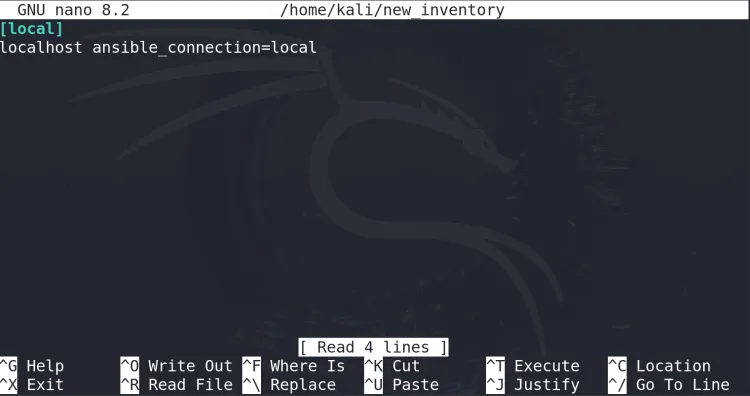
-
Save and Exit: Save the file and exit (
Ctrl + X, thenYto confirm).
Step 2: Write a Playbook for Local Automation
A playbook defines the tasks to be executed. Here, we create one to install multiple security tools on the local system.
-
Create a Playbook:
nano install_tools.yml
-
Write the Playbook:
---
- name: Install security tools locally
 hosts: local
 become: yes
 tasks:
 - name: Install Nmap
 apt:
 name: nmap
 state: present

 - name: Install Wireshark
 apt:
 name: wireshark
 state: present

 - name: Install Nikto
 apt:
 name: nikto
 state: present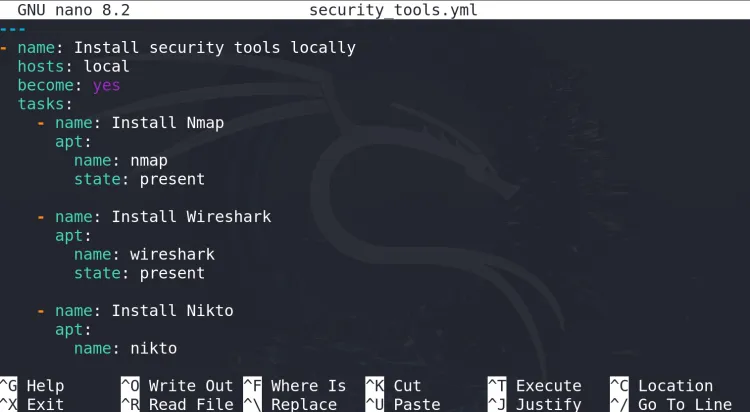
-
Save and Exit: Save the playbook and exit the editor.
Step 3: Run the Playbook Locally
Now, execute the playbook to install the tools on your Kali Linux system.
-
Run the Playbook:
ansible-playbook -i ~/local_inventory install_tools.yml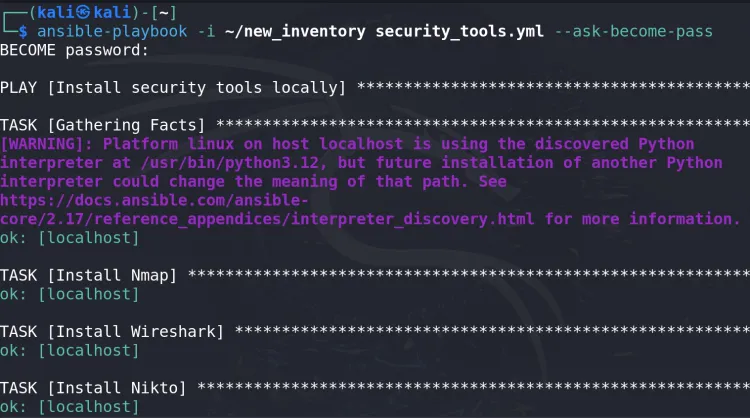
-
Observe the Output: Ansible will execute the tasks and display the status for each task in the terminal.
Step 4: Verify the Installation
Once the playbook completes, verify that the tools are installed:
-
Check Nmap:
nmap --version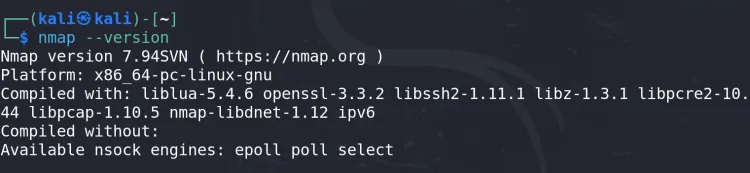
-
Check Wireshark:
wireshark --version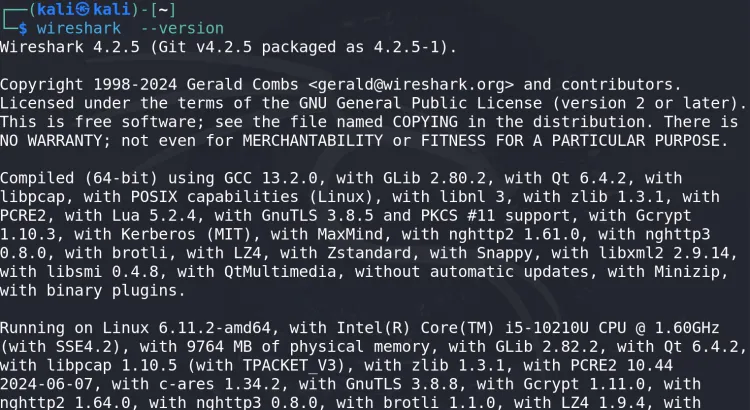
-
Check Nikto:
nikto --version
Step 5: Extend the Playbook (Optional)
You can extend the playbook to automate additional tasks, such as configuring tools or running scans. For instance, automate an Nmap scan on your localhost and save the output to a file.
-
Modify the Playbook:
- name: Run an Nmap scan command: "nmap -T4 -A -v localhost -oN ~/nmap_scan_results.txt" -
Re-run the Playbook:
ansible-playbook -i ~/local_inventory install_tools.yml -
Check the Scan Results: View the Nmap scan results:
cat ~/nmap_scan_results.txt
Benefits of Using Ansible Locally
-
Simplicity: No need for remote connections or SSH setups.
-
Customizability: Easily add or modify tasks to meet specific requirements.
-
Resource Efficiency: Uses the local machine’s resources effectively.
-
Enhanced Security: Direct control over sensitive operations without exposing them to a network.
Best Practices for Using Ansible in Cybersecurity
-
Use Version Control: Track changes to your playbooks with Git.
-
Test Playbooks Locally: Verify functionality before deploying to remote systems.
-
Enable Logging: Keep logs of Ansible executions for auditing.
-
Secure Sensitive Data: Use Ansible Vault to encrypt sensitive variables.
-
Update Regularly: Ensure Ansible and its dependencies are up-to-date.
Conclusion
Ansible is a powerful tool for automating tasks in cybersecurity. By automating the installation and configuration of security tools on your local machine, you can save time and reduce errors. Once familiar with local automation, you can extend these practices to manage remote systems and scale your cybersecurity operations efficiently.
To take this further with guided labs and an instructor, see our Red Hat Certified Engineer training.
Related reading
- [2026] Top 100+ Ansible Interview Questions and Answers
- RHCE EX294 Real Exam Questions and Answers
- Metasploit Database Configuration | Setting Up database.yml for Persistent PostgreSQL Connection in Kali Linux
Reference
For the authoritative details, see Ansible documentation.
Frequently Asked Questions
What's Your Reaction?
 Like
0
Like
0
 Dislike
0
Dislike
0
 Love
0
Love
0
 Funny
0
Funny
0
 Wow
0
Wow
0
 Sad
0
Sad
0
 Angry
0
Angry
0

Vaishnavi is a skilled tech professional at the Ethical Hacking Training Institute in Pune, responsible for managing and optimizing the technical infrastructure that supports advanced cybersecurity education. With deep expertise in network security, backend operations, and system performance, she ensures that practical labs, online modules, and assessments run smoothly and securely. Her behind-the-scenes contributions play a vital role in delivering a seamless and secure learning experience for aspiring ethical hackers.