Cybersecurity Internship Preparation: Skills, Projects and Applications
To prepare for a cybersecurity internship, choose a target role, practise networking and operating-system basics, finish a relevant project, and tailor your application to the employer’s requirements. Be ready to explain your evidence, your decisions and the limits of your work.

To prepare for a cybersecurity internship, choose a target role, practise networking and operating-system basics, finish a relevant project, and tailor your application to the employer’s requirements. Be ready to explain your evidence, your decisions and the limits of your work.
This guide is for students and freshers assembling their first application. The six-week schedule is a suggested study plan; eligibility, recruitment dates and selection criteria come from each employer’s current posting.
Before you apply
- Match your preparation to a specific internship description.
- Publish a small, documented project using synthetic or approved data.
- Check eligibility, availability and the application deadline.
- Practise explaining one investigation and one mistake you corrected.
What should you learn before a cybersecurity internship?
Start by reading three current internship descriptions in the area you want to enter. Copy the actual tasks into a private checklist, then mark which ones you can demonstrate. A SOC internship may emphasise logs and escalation; an application-security internship may require programming and web fundamentals. You do not need the same preparation for both.
NIST’s NICE Framework provides a shared vocabulary for cybersecurity work and the knowledge and skills it requires. Use it to understand tasks in a posting, without treating a work-role label as a universal job title. [1]
| Area | Practise this | Evidence you can show |
|---|---|---|
| Networking | Explain DNS, IP addresses, ports and an HTTPS request. | A diagram of one request and a short packet-capture explanation using your own traffic. |
| Linux and Windows | Navigate files, inspect permissions and find relevant logs. | A lab note showing an access problem, your checks and the result. |
| Security basics | Explain authentication, authorisation, least privilege and patching. | A short access-review example with a reason for each decision. |
| Data handling | Read CSV or JSON, filter records and check malformed input. | A small script with sample input, expected output and tests. |
| Communication | Separate an observation from a hypothesis. | A one-page report with evidence, uncertainty and a next step. |
If the networking and operating-system rows are unfamiliar, begin with the WebAsha cybersecurity beginner guide. Build a reliable foundation before adding several security products to your learning list.
Choose an internship track and a matching project
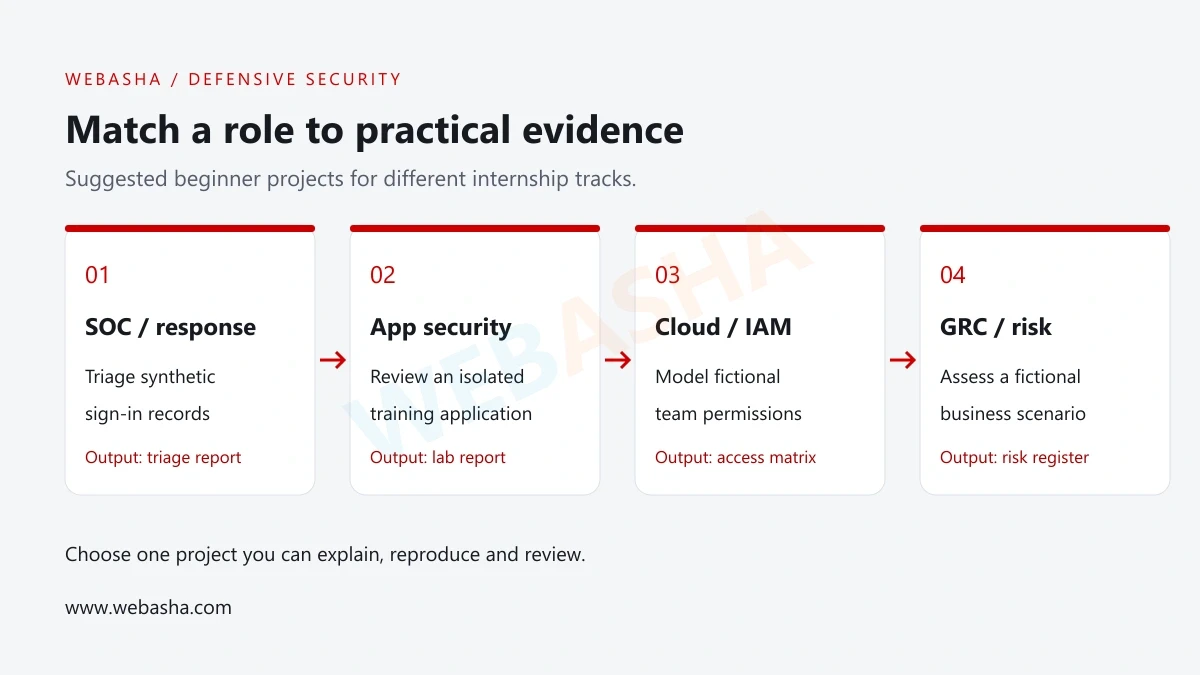
Use the following tracks to narrow your search. These are suggested beginner projects, not a claim that every employer uses the same job structure. Pick one that matches the tasks you found in current descriptions.
| Track | Suggested project | What to explain in an interview |
|---|---|---|
| SOC and incident response | Triage a synthetic authentication-log dataset. | Why you flagged a pattern, what else could explain it and when you would escalate. |
| Application security | Review one issue in a locally hosted training application. | The affected behaviour, the evidence, a proposed fix and a retest plan. |
| Cloud and IAM | Model access for a fictional team using a local policy document. | Which permissions each role needs and which requests you would reject. |
| GRC and risk | Create an asset register and a small risk assessment for a fictional business. | Your assumptions, risk owner, suggested control and evidence needed to review it. |
For a SOC direction, use the SOC analyst skills and career guide to identify topics worth studying. Confirm the tools required by the specific internship before spending time installing a large lab.
Three portfolio projects with clear completion criteria
1. Authentication-log triage
Create a CSV of fictional sign-in events containing timestamps, a synthetic account name, a source address and a success or failure result. Include an ordinary mistyped password and a cluster of repeated failures. Keep the dataset small enough to inspect manually before you automate it.
Write a script that counts failures by account and source. Define your threshold as a lab assumption, then test a case below it, a case at it and a malformed row. A burst of failures alone does not prove an account was compromised; explain what additional evidence you would request.
Finish with the input file, your script, expected results and a one-page triage report. Record whether you actually ran each test. You can extend the project later with a visualisation, but a working, understandable first version is sufficient for the portfolio exercise.
2. A training-application security report
OWASP Juice Shop is an intentionally insecure application designed for security training. If you choose it, follow the official setup documentation and run your own isolated instance. [3]
Study one issue you can explain. Record the lab scope, affected feature, observed result, impact within the lab and a proposed remediation. If you cannot change the application, label the remediation as proposed and describe how it should be tested. A training report must distinguish a suggested fix from a verified fix.
3. A fictional access review
Invent a small organisation with a support team, a finance team and a system administrator. Create a table mapping each role to required actions. Add a joiner, a person changing teams and a leaver, then document how their access should change.
Finish with the permission matrix, approval steps, an exception record and test cases. Explain how you would check that a removed permission actually stopped the relevant action. This project can demonstrate structured thinking without requiring a paid cloud account.
Make your portfolio easy to review
A reviewer should be able to understand the project before installing anything. GitHub documents the README as a place to explain what a project does, why it is useful and how someone can get started. [4]
For each project, include the problem, scope, prerequisites, steps you performed and the result. Add the exact lab or dependency version where it affects reproduction. Explain one limitation and one failed attempt. If you used a tutorial, credit it and identify what you changed yourself.
project/
  README.md
  sample-data/
  src/
  tests/
  report.md
This is a suggested folder layout, not an installation command. Use only the folders your project needs. Keep screenshots as supporting evidence and include a text explanation so readers can follow the work without relying on an image.
A final review should check that links open while signed out, data is synthetic, secrets are absent and the documented results match the saved output. Read WebAsha’s beginner cybersecurity portfolio guide for more ways to organise your work.
A six-week cybersecurity internship preparation plan
Adapt this schedule to your starting point and available hours. If you already have a relevant project and meet an open role’s requirements, begin applying while you fill smaller gaps. Completing six weeks does not certify readiness or guarantee selection.
| Week | Main task | Completion check |
|---|---|---|
| 1 | Compare roles and refresh networking. | You can explain a request from DNS lookup to application response. |
| 2 | Practise operating systems and log reading. | You can locate a relevant log and explain its fields. |
| 3 | Build the first version of one project. | The example input produces the documented output. |
| 4 | Test edge cases and write the report. | A second reader can follow the method and identify its limits. |
| 5 | Prepare a tailored resume and application tracker. | Each skills claim has evidence and each opening has an official link. |
| 6 | Rehearse interviews and review application feedback. | You can explain a project, answer follow-ups and identify your next learning task. |
Give yourself permission to spend longer on a difficult foundation. If a project depends on a tool you cannot yet operate, reduce the scope. A short log-analysis exercise you can reproduce gives you more to discuss than an unfinished collection of dashboards.
Write a resume that supports your claims
Make the target role clear near the top. Include your education, relevant skills, project links and any genuine work or volunteering experience. Follow the employer’s requested format and length. A concise one-page resume can work well for a fresher with limited experience, but the application instructions take priority.
Replace broad claims such as “expert in cybersecurity tools” with a description of work you completed. Use a number only when you measured it and can explain it. Keep personal lab work under Projects rather than presenting it as paid employment.
| Vague statement | A more specific example |
|---|---|
| Knowledge of log analysis | Built a Python parser for a synthetic sign-in dataset; documented failure-count logic, malformed-input handling and test results. |
| Worked on security | Created a permission matrix for a fictional three-team organisation and tested joiner, role-change and leaver scenarios. |
| Excellent communication | Wrote a one-page lab report separating observed events, possible explanations and evidence needed for escalation. |
These examples are writing templates, not achievements to copy into an application. List a certification as earned only after meeting the issuer’s requirements. If study is ongoing and relevant, describe that status accurately.
Where to apply and what to check before submitting
Look at employer career pages, your college placement office and reputable job boards. Use a job board to discover an opening, then verify the role through the employer’s official channel. Keep the requisition ID and a copy of the requirements because postings can close or change.
- Check student status, degree or course requirements, location and work-authorisation conditions.
- Confirm the start date, duration, expected hours and whether those fit your classes or exams.
- Read the actual duties and required skills; distinguish required criteria from preferences.
- Review the work arrangement, supervision, compensation terms and any agreement before accepting.
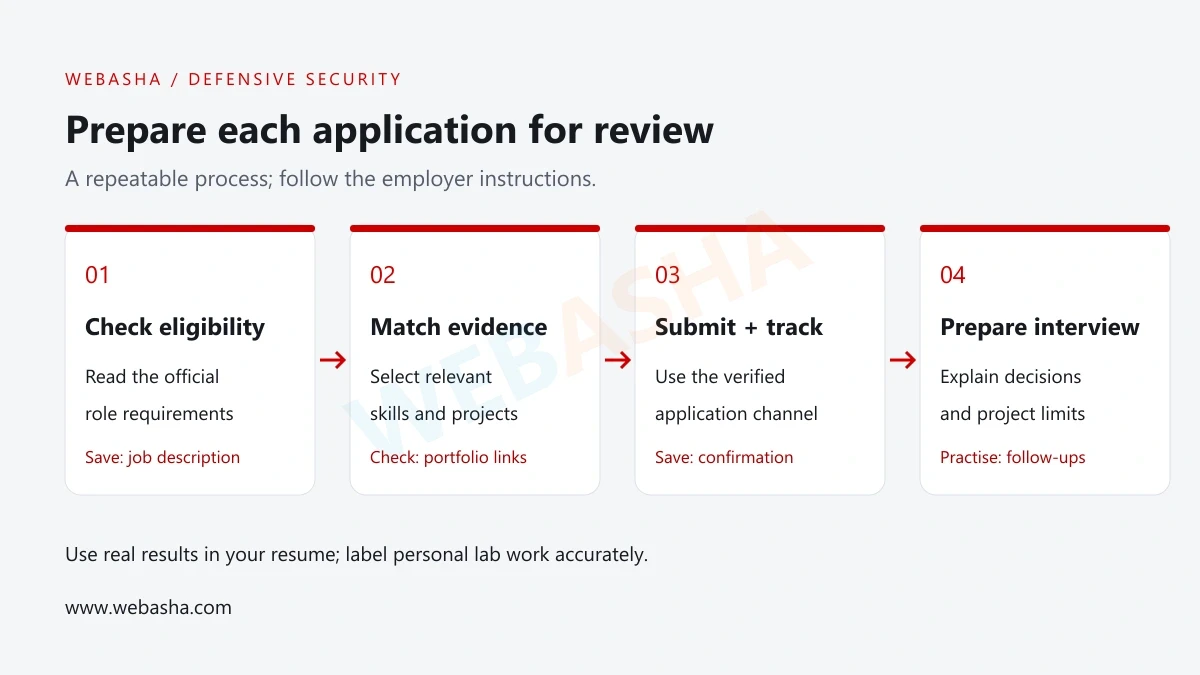
- Submit the requested documents through the verified application route and save the confirmation.
For students in India, check whether your college requires an NOC, an approved internship duration or a specific evaluation format. Ask the placement office when these rules are unclear. No single college document or recruitment calendar applies to every organisation.
Track employer, role, official URL, requisition ID, deadline, submission date, status and next action in a spreadsheet. Follow the employer’s instructions for follow-up. Avoid treating a course purchase or certificate fee as proof that an offer is genuine; independently verify the organisation and written terms.
Prepare for technical and behavioural interviews
Practise a short project walkthrough: the problem, your environment, the checks you performed and the result. Then have someone ask what could make your conclusion wrong. Keep your notes nearby during practice, and repeat the explanation until you can speak without reading the report aloud.
| Question | What a useful answer covers |
|---|---|
| What happens when you open an HTTPS website? | DNS, connection setup, TLS and the application request; explain which details you are simplifying. |
| Several sign-ins failed. Is this an attack? | The observed pattern, plausible benign causes, missing context and a sensible next check. |
| Authentication versus authorisation? | How identity is established and how access to a particular action is decided. |
| What failed in your project? | The original assumption, what you observed and the change you tested. |
| What would you do with a task outside your access? | Clarify the scope with your supervisor and obtain approval before proceeding. |
NIST also highlights workplace skills as part of cybersecurity work. Practise asking a clear question, recording a handover and explaining uncertainty to someone outside your technical area. [2]
Ask the interviewer who will supervise the internship, how work is reviewed and what a successful first month looks like. If you do not know an answer, describe the checks you would make and the documentation you would consult. Avoid inventing experience to fill the silence.
How do you know when you are ready to apply?
Use this checkpoint against a specific opening: you meet its mandatory eligibility criteria, can demonstrate relevant foundation skills and can explain at least one completed piece of work. You should also be able to state what you still need help with. This is an editorial self-check, not an employer’s selection rule.
If cybersecurity openings are limited, consider relevant IT support, system administration or networking experience as well. NIST notes that internships in feeder roles, including network management and help desk, can develop useful experience and skills. [1]
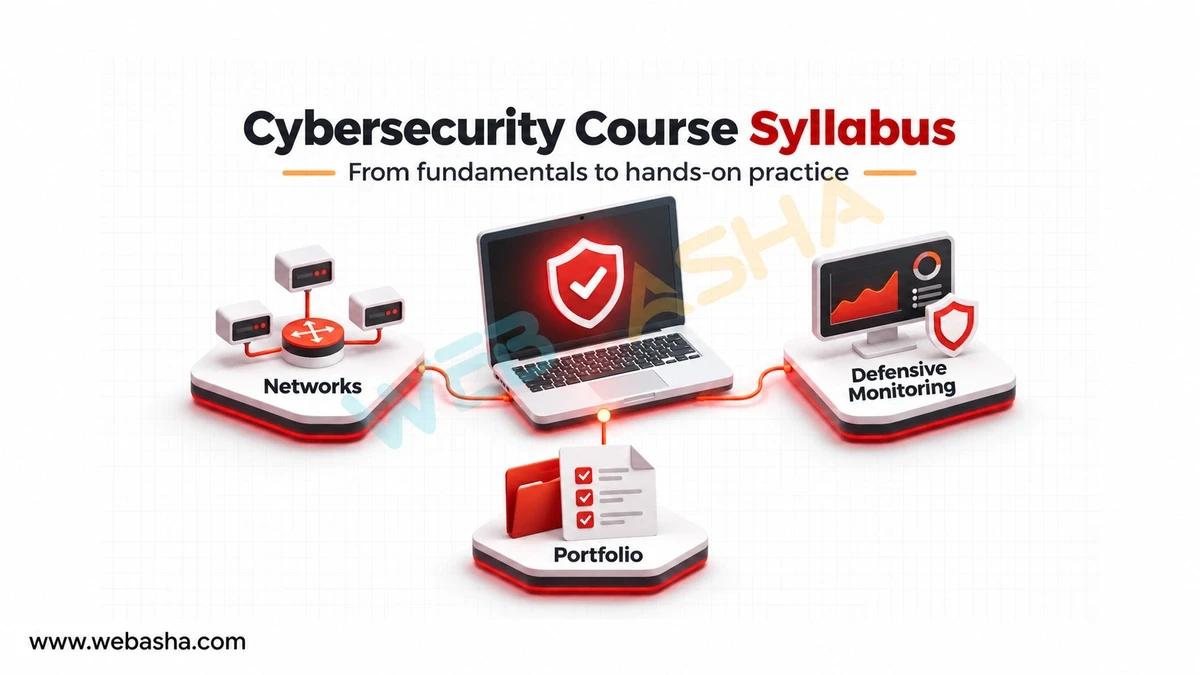
For help planning your foundation skills and supervised lab practice, contact WebAsha Technologies with your current level and target internship role. Ask about the syllabus, project review and schedule before choosing training.
References and further reading
Frequently Asked Questions
What's Your Reaction?
 Like
0
 Dislike
0
 Love
0
 Funny
0
 Wow
0
 Sad
0
 Angry
0

With a passion for staying on the cutting edge of technology trends, I am dedicated to delivering content that not only informs but also inspires. Whether you need in-depth analysis pieces, informative guides, or thought-provoking opinion pieces, I craft content that resonates with tech enthusiasts and professionals alike.