IaaS vs PaaS vs SaaS: A Complete Comparison Guide
A clear comparison of the three cloud service models - what each provider manages, where your responsibility begins, security implications and how to choose the right one.
Topic: Cloud Computing: AWS, Azure & GCP in IT Infrastructure · Comparison
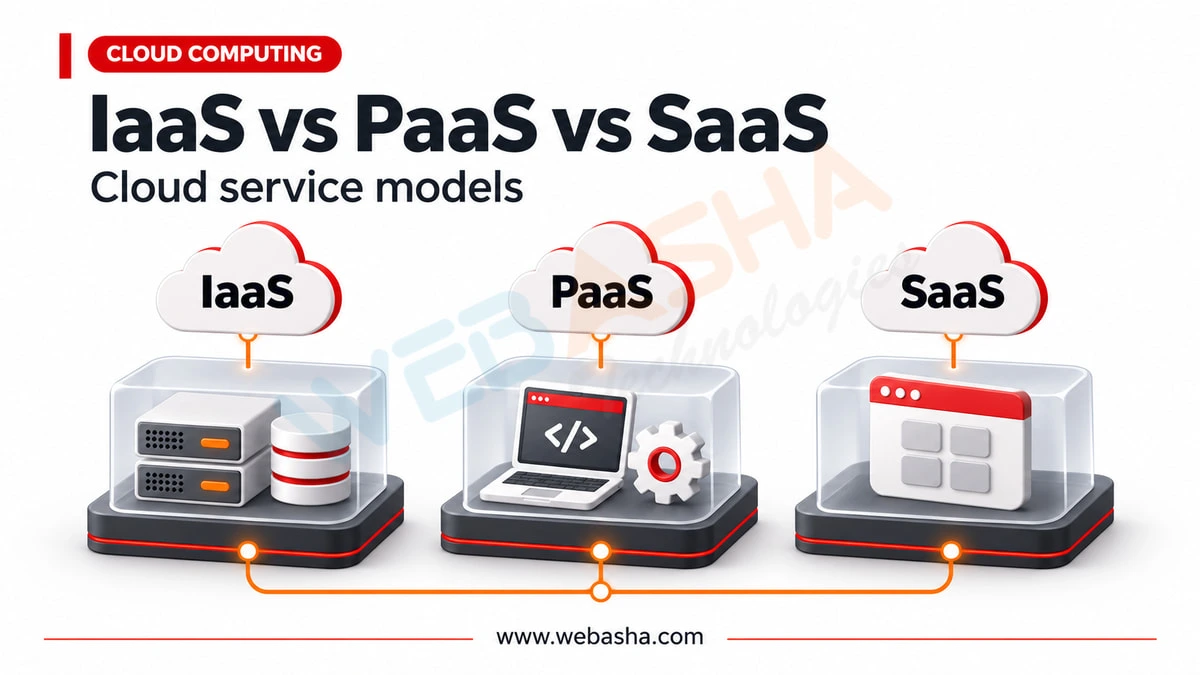
Quick answer: IaaS gives you virtual infrastructure such as servers and storage, PaaS adds a managed platform for building and running applications, and SaaS delivers a finished application you simply use. The more the provider manages, the less you control and the less you must secure. Under the shared responsibility model, your security duties shrink from IaaS to SaaS.
Key takeaways
- IaaS gives virtual servers and storage, PaaS adds a managed platform and SaaS is a finished application.
- The more the provider manages, the less you control and the less you must secure.
- Under shared responsibility, you still own your data and user access in every model.
IaaS, PaaS and SaaS describe how much of the technology stack someone else runs for you. Getting the distinction right matters for more than terminology: it determines exactly where your security responsibility begins, which is the single most misunderstood aspect of cloud adoption.
Topics covered in this guide: IaaS vs PaaS vs SaaS, cloud service models, shared responsibility model, cloud security responsibility, choosing a cloud model, cloud cost comparison.
Table of Contents
- What Are IaaS, PaaS and SaaS?
- What Does the Shared Responsibility Model Mean?
- When Should You Choose IaaS?
- When Should You Choose PaaS?
- When Should You Choose SaaS?
- How Do Costs Compare?
- What Are the Security Implications of Each?
- Can You Use All Three Together?
- How Do You Avoid Vendor Lock-In Across These Models?
What Are IaaS, PaaS and SaaS?
IaaS provides virtualised infrastructure such as servers, storage and networking, leaving you to manage the operating system and everything above it. PaaS adds the runtime environment so you manage only your application and data. SaaS delivers finished software where you manage only your data and user access.
| Model | Provider Manages | You Manage |
|---|---|---|
| On-premises | Nothing | Everything including hardware |
| IaaS | Hardware, virtualisation, network | OS, runtime, application, data |
| PaaS | Up to and including runtime | Application and data |
| SaaS | Everything technical | Data, users and configuration |
A useful way to remember it: with IaaS you rent the kitchen, with PaaS you rent the kitchen and the equipment, and with SaaS you order the meal.
What Does the Shared Responsibility Model Mean?
The shared responsibility model defines which security duties belong to the cloud provider and which remain yours. Providers secure the infrastructure they operate; customers remain responsible for their data, access control and configuration regardless of which service model they use.
This is where most cloud security incidents originate. Publicly exposed storage, weak access controls and misconfigured permissions are customer-side failures, not provider failures, and moving to a higher service model does not remove them.
- Always yours - data classification, user access, credentials
- IaaS adds - operating system patching, firewall configuration, runtime security
- PaaS adds - application security and its dependencies
- SaaS narrows to - configuration, permissions and data governance
When Should You Choose IaaS?
Choose IaaS when you need control over the operating system, are migrating existing applications without rewriting them, have specialised configuration requirements, or need to run software that will not work on a managed platform.
The classic use case is lift-and-shift migration: moving existing servers to cloud infrastructure with minimal change. It is the fastest route off owned hardware, though it captures fewer cloud benefits than re-architecting would.
The cost of that control is operational. You remain responsible for patching, hardening and scaling, which requires the same systems administration skills as running your own servers.
When Should You Choose PaaS?
Choose PaaS when you are building new applications and want to focus on code rather than infrastructure. It removes operating system management and usually provides scaling, deployment and monitoring, which materially reduces the operational burden on small teams.
The trade-off is constraint. Managed platforms impose limits on runtimes, versions and configuration, and applications built around a specific platform's conveniences can be difficult to move later. Assess that lock-in deliberately rather than discovering it during a migration.
When Should You Choose SaaS?
Choose SaaS for standard business functions where your requirements are not distinctive: email, collaboration, customer relationship management, accounting and similar. Building or self-hosting these rarely delivers advantage proportional to the effort.
The main considerations are data governance and exit. Understand where data is stored, who can access it, how it is protected, and how you would extract it if you left. Data portability is frequently discovered to be difficult only when a migration is already committed.
How Do Costs Compare?
IaaS typically costs less per unit of compute but more in staff time to operate. SaaS costs more per user but includes operation and support. PaaS sits between the two. Comparing only the invoice consistently understates the true cost of the lower-level models.
| Model | Direct Cost | Staff Effort | Best For |
|---|---|---|---|
| IaaS | Lower per unit | Highest | Control and migration |
| PaaS | Moderate | Moderate | New application development |
| SaaS | Higher per user | Lowest | Standard business functions |
For small teams, the staff-time column usually dominates the decision. Engineering hours spent patching servers are hours not spent on the product.
What Are the Security Implications of Each?
Security responsibility narrows as you move up the models, but never disappears. IaaS requires full operating system and network hardening. PaaS shifts focus to application security and dependencies. SaaS concentrates on identity, permissions and data governance.
A recurring mistake is assuming SaaS means security is handled. Identity management, permission scoping, data retention and third-party integrations remain entirely your responsibility, and misconfigured SaaS permissions are a well-documented source of data exposure.
Access control fundamentals apply across all three - see our cloud security interview questions for how these responsibilities are commonly assessed.
Can You Use All Three Together?
Yes, and most organisations do. A typical arrangement runs email and collaboration on SaaS, builds customer-facing applications on PaaS, and keeps specialised or legacy systems on IaaS. The models are complementary rather than competing choices.
Selecting per workload rather than adopting one model organisation-wide generally produces better outcomes. The relevant question is always what level of control this particular system genuinely requires.
How Do You Avoid Vendor Lock-In Across These Models?
Lock-in risk increases as you move up the models, because higher services offer more convenience through proprietary features. Mitigate it by preferring open standards where practical, keeping data in portable formats, and documenting what migration would actually involve before you commit.
- Know your exit cost - estimate migration effort before adopting, not after
- Portable data formats - avoid storing critical data only in proprietary structures
- Standard interfaces - containers and open APIs travel better than platform-specific services
- Isolate proprietary parts - keep vendor-specific code behind an internal interface
- Test extraction - confirm you can actually export your data before you need to
Some lock-in is a reasonable trade. Managed services genuinely reduce operational burden, and refusing all proprietary features to preserve theoretical portability often costs more than the flexibility is worth.
The failure mode to avoid is unexamined lock-in: adopting deeply proprietary services without anyone having assessed what leaving would require. Make it a deliberate decision recorded somewhere, not an accident discovered years later.
Talk to a WebAsha training advisor about batches, syllabus and current fees.
To take this further with guided labs and an instructor, see our AWS Cloud Practitioner training.
Related reading
- [2026] Top 50+ Cloud Service Models Interview Questions and Answers
- [2026] Top VAPT Cloud Security Interview Questions
- [2026] Cloud Solutions Architect Interview Questions
Reference
For the authoritative details, see AWS Certification.
Frequently Asked Questions
What's Your Reaction?
 Like
0
 Dislike
0
 Love
0
 Funny
0
 Wow
0
 Sad
0
 Angry
0

Vaishnavi is a skilled tech professional at the Ethical Hacking Training Institute in Pune, responsible for managing and optimizing the technical infrastructure that supports advanced cybersecurity education. With deep expertise in network security, backend operations, and system performance, she ensures that practical labs, online modules, and assessments run smoothly and securely. Her behind-the-scenes contributions play a vital role in delivering a seamless and secure learning experience for aspiring ethical hackers.