
Enhancing Cybersecurity with Power BI | Real-Time Monitoring, Threat Detection, and Incident Response
Organizations face increasing cyber threats. Power BI supports cybersecurity monitoring with real-time data visualization, threat detection, and incident response. By integrating with SIEM tools, firewalls, and identity management systems, Power BI provides actionable security insights, helping security teams detect unauthorized access, anomalies, and suspicious login attempts. This blog covers how Power BI enhances cybersecurity, including real-world use cases, dashboard examples, and best practices for securing enterprise systems.
Quick answer: Power BI can monitor security by importing logs from Active Directory, Azure AD or Defender, firewalls and SIEM tools, then visualising failed logins, logins from unusual locations, off-hours access and unrecognised devices on a live dashboard. It helps teams spot trouble quickly and respond, though it supports a SIEM rather than replacing one.
Key takeaways
- Power BI can chart security logs, but it is a reporting layer, not a detection engine.
- Feed it from a SIEM or Defender export so dashboards use clean data.
- Start with three dashboards: failed logins, new admin accounts and top blocked IPs.
Table of Contents
- Introduction
- Scenario: Monitoring Suspicious Login Attempts
- Step 1: Data Collection
- Step 2: Data Processing and Integration in Power BI
- Step 3: Creating a Power BI Dashboard
- Step 4: Real-Time Alerting and Security Actions
- Conclusion
Introduction
Cybersecurity teams face numerous challenges in detecting and responding to unauthorized access attempts. In this example, we will see how Power BI can be used to monitor suspicious login activities in real time, helping organizations strengthen their security posture.
Scenario: Monitoring Suspicious Login Attempts
What Is the Problem Statement?
A company notices unusual login attempts on its network. The security team wants a real-time dashboard to track and respond to:
- Multiple failed login attempts
- Logins from unusual locations
- Logins outside business hours
- Unrecognized devices accessing the system
Step 1: Data Collection
Security teams gather logs from multiple sources, including:
- Active Directory Logs: Records of login attempts from employees
- Azure AD / Microsoft Defender: Cloud authentication data
- Firewall Logs: Logs showing unauthorized access attempts
- SIEM Tools (Splunk, Azure Sentinel, etc.): Centralized security event logs
These logs are then imported into Power BI for further analysis.
Step 2: Data Processing and Integration in Power BI
- Data Extraction: Security logs are imported using direct database connections, API integrations, or CSV uploads.
- Data Transformation: Extract important fields such as username, IP address, location, timestamp, and login status (success/fail).
- Data Modeling: Create relationships between different security logs for deeper analysis.
Step 3: Creating a Power BI Dashboard
What Are the Key Dashboard Elements?
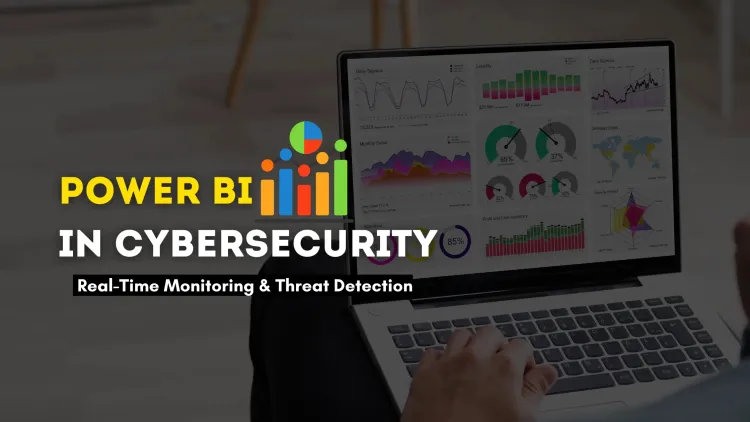
- Failed Login Attempts Over Time: A line chart displays failed login trends to detect unusual spikes.
- Geo-Map of Login Locations: A world map highlights login attempts from different countries, helping detect unauthorized access.
- Top 5 Users with Most Failed Logins: A table lists employees with repeated login failures, which may indicate credential stuffing attacks.
- Unusual Login Time Alerts: A bar chart visualizes logins outside business hours, helping detect suspicious activity.
This Power BI dashboard provides a real-time view of security events, enabling quick action on potential threats.
Step 4: Real-Time Alerting and Security Actions
- Anomalies Detection: If an employee logs in from a country they have never visited before, Power BI can flag it as suspicious.
- Immediate Response: If 10+ failed login attempts occur in a short period, Power BI can trigger an alert.
- Automated Blocking: Integration with Azure Sentinel allows automatic blocking of IP addresses involved in repeated failed logins.
Conclusion
By using Power BI for cybersecurity, organizations can:
- Monitor threats in real time
- Detect anomalies faster
- Improve incident response times
- Automate alerts and security actions
Power BI transforms raw security data into actionable insights, making it a powerful tool for cyber threat detection and response.
To take this further with guided labs and an instructor, see our Power BI training in Pune.
Related reading
- Types of Security Logs | A Complete Guide for Cybersecurity Monitoring in 2026
- What is Splunk and how is it used in cybersecurity? The Detailed Guide
- Can AI Predict and Prevent Future Cyber Attacks? Exploring the Role of Artificial Intelligence in Cyber Threat Detection
Reference
For the authoritative details, see Microsoft Learn.
Frequently Asked Questions
What's Your Reaction?
 Like
0
Like
0
 Dislike
0
Dislike
0
 Love
0
Love
0
 Funny
0
Funny
0
 Wow
0
Wow
0
 Sad
0
Sad
0
 Angry
0
Angry
0

Vaishnavi is a skilled tech professional at the Ethical Hacking Training Institute in Pune, responsible for managing and optimizing the technical infrastructure that supports advanced cybersecurity education. With deep expertise in network security, backend operations, and system performance, she ensures that practical labs, online modules, and assessments run smoothly and securely. Her behind-the-scenes contributions play a vital role in delivering a seamless and secure learning experience for aspiring ethical hackers.









