Cybersecurity Projects for Beginners: Build a Portfolio With Evidence
Start with a small cybersecurity project you can explain, test and document. Use synthetic data or an authorised lab, define the expected result before building, and save evidence of what worked, what failed and what remains uncertain. A reviewable portfolio makes your contribution clear.
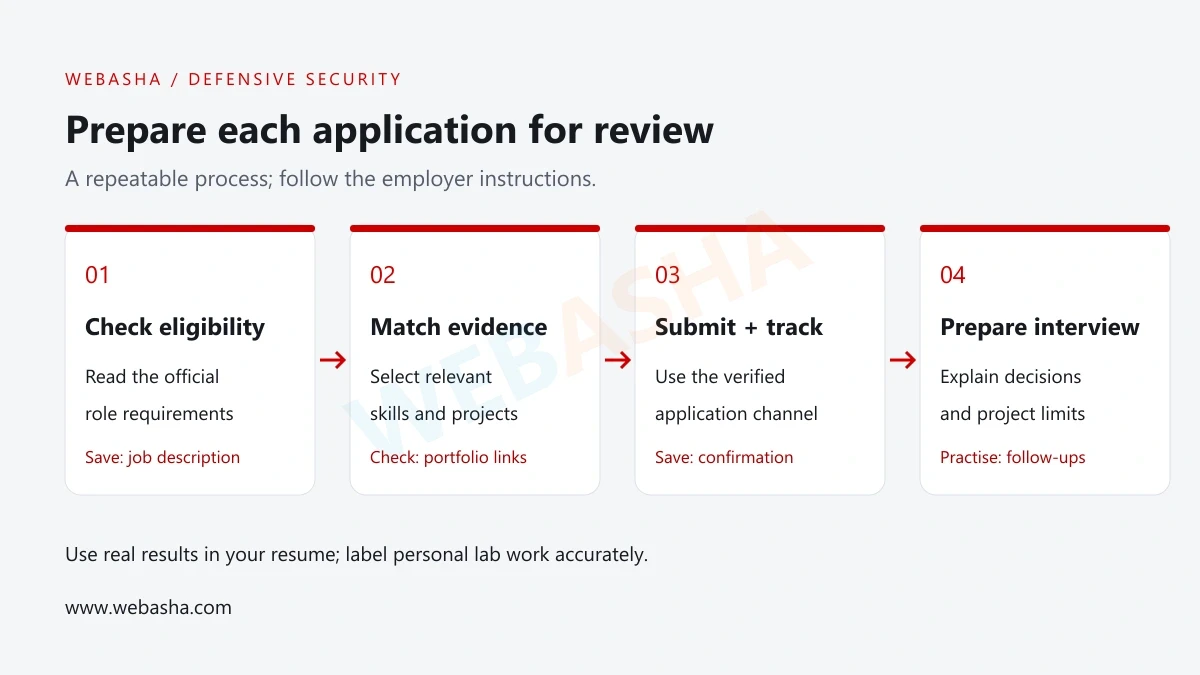
Start with a small cybersecurity project you can explain, test and document. Use synthetic data or an authorised lab, define the expected result before building, and save evidence of what worked, what failed and what remains uncertain. A reviewable portfolio makes your contribution clear.
This guide gives beginners six defensive project briefs and a working Python example. The completion checks are suggested learning goals, not an employer’s hiring standard. Choose one project that fits your foundation skills and the work you want to learn.
What every project should contain
- A specific question and an agreed scope.
- Safe sample data and a reproducible method.
- Expected results, actual results and useful test cases.
- A short report that identifies your contribution and limitations.
Which cybersecurity project should a beginner start with?
Choose the smallest project that lets you answer a clear security question. If you can read files and write a little Python, try file-change detection. If you prefer structured analysis, create an access-review matrix. A large lab is useful only when you understand what you want to observe.
| Project | Starting knowledge | Portfolio deliverable |
|---|---|---|
| File-integrity comparison | Files, bytes and basic Python | A comparison script, saved test cases and a short limitations note. |
| Synthetic sign-in analysis | CSV or JSON and basic filtering | A timeline, a query or script and a triage report. |
| Network capture review | Basic DNS, IP and HTTP concepts | An annotated approved capture and a protocol explanation. |
| Access review | Users, roles and permissions | A fictional permission matrix and allowed/denied test cases. |
| Training-application review | Web requests and application behaviour | A scoped finding, proposed fix and retest criteria. |
| Backup recovery exercise | Local files and basic file management | A restore record and comparison of original and restored content. |
For a starting checklist, read the WebAsha cybersecurity beginner guide. When a prerequisite is unfamiliar, practise it before expanding the project.
Set up a lab and an evidence record
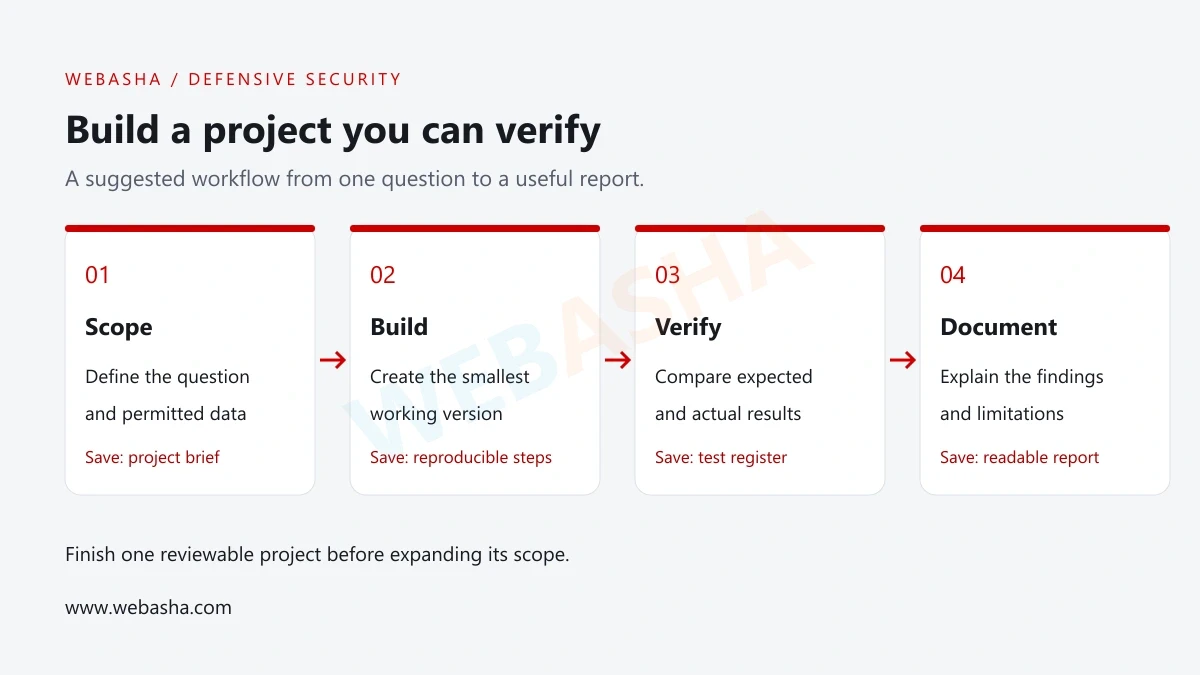
Write down which files, machines and accounts are in scope. Use disposable sample files and synthetic identities for the first version. If a project needs a virtual machine or container, follow its official setup instructions and keep deliberately vulnerable services isolated from public access.
Record the operating system, interpreter or tool version, input source and date of each run. Keep a small test register with the action, expected result, actual result and the file that supports the observation. A screenshot may help explain the work, but it should sit beside a readable account of what happened.
Do not place credentials, session cookies, customer records or confidential employer data in a public repository. An instructor supplying a sample does not automatically grant permission to publish it. Confirm the dataset’s licence and disclosure conditions, or replace it with synthetic data.
Project 1: compare file contents with SHA-256
Question: does the current file have the same bytes as an approved reference? Python’s hashlib exposes SHA-256 and other digest algorithms. A digest comparison can help detect a content difference. [1]
Scope: two small local files you own. Keep the reference separately and record how it was created. A match does not prove that either file is safe; a changed reference can undermine the comparison.
Deliverables: the script, two synthetic sample files, a test register and an explanation of the trust placed in the reference. Label this as a one-time comparison. Continuous monitoring, alert delivery and tamper-resistant storage are separate extensions.
Run the local Python file-integrity exercise
Prerequisites: a Python 3 interpreter and two small text files in a folder you control. Save the code as compare_files.py. Use your normal text editor to create reference.txt and current.txt with identical contents, including line endings. The script reads the files and prints a result; it does not modify them or contact a network.
from hashlib import sha256
from pathlib import Path
import sys

def digest(path):
    return sha256(path.read_bytes()).hexdigest()

if len(sys.argv) != 3:
    raise SystemExit("Usage: python compare_files.py REFERENCE CURRENT")

try:
    reference = digest(Path(sys.argv[1]))
    current = digest(Path(sys.argv[2]))
except OSError as error:
    raise SystemExit(f"Cannot read file: {error}")

print("MATCH" if reference == current else "CHANGED")
Run it from the folder containing your files:
python compare_files.py reference.txt current.txtUse the Python 3 launcher configured on your workstation if its name differs. Identical contents should print MATCH. Change one character in current.txt, save it and run the same command again; it should print CHANGED.
| Test | Expected observation | What to record |
|---|---|---|
| Two files with identical bytes | MATCH | Sample names and the saved contents used for the run. |
| One byte differs | CHANGED | Which controlled edit you made. |
| Two empty files | MATCH | The empty-file case was actually checked. |
| A file path is missing | A clear read-error message and nonzero exit | The command and captured error. |
| A required argument is missing | Usage message and nonzero exit | The invocation that triggered the message. |
The sample was executed locally and these cases were checked using synthetic files. The implementation reads each entire file into memory, so keep inputs small. A production design would need to consider streaming, protected reference storage, access controls and operational reporting.
Do not use a changed result as a malware verdict. A line-ending conversion, an editor save or an approved update can change bytes. Investigate the reason and record the evidence before assigning meaning to the difference.
Project 2: analyse synthetic sign-in events
Question: which accounts have repeated failures within a defined sample window? Create fictional events with timestamps, an account label, a source label and a success/failure status. Include ordinary activity, a cluster of failures and a malformed record.
Start by inspecting the data manually. Write the expected counts before building a filter. Then add a time-window rule and explain your chosen threshold as a lab assumption. Record whether repeated rows are distinct events or duplicate imports.
Completion checks: verify the normal case, threshold boundary, empty dataset and invalid record. A useful report separates the observed pattern from possible causes and lists the context needed before escalation. A failure count alone cannot confirm compromise.
For a SOC direction, consult the SOC analyst skills guide. Add a SIEM later if you can explain how your original logic maps to its fields and time handling.
Projects 3 and 4: network evidence and access review
Project 3: explain an approved packet capture
Wireshark presents captured network packets for inspection and is used for protocol learning and troubleshooting. [5]
Use an instructor-approved capture with publication permission or a capture from an isolated lab you control. Identify a small exchange, explain the relevant addresses and protocol fields, and distinguish what is visible from what is encrypted or absent from the recording. Capturing other users’ traffic is outside this project’s scope.
Finish with: an annotated flow diagram, a capture inventory and a note about visibility limits. Check that a peer can locate the packets you reference. Inspect the recording for private information before sharing it.
Project 4: review permissions for a fictional team
Create a support role, a finance role and an administrator role. Map required actions to each role and include an employee changing teams. OWASP recommends least privilege, default denial and permission checks for each request. [4]
Finish with: the permission matrix, approval owner, exception process and allowed/denied cases. If this is a paper design, label the cases as proposed. Claim an enforcement test only when you ran it in a permitted implementation and saved the result.
Projects 5 and 6: application review and recovery
Project 5: report one training-application issue
OWASP Juice Shop is an intentionally insecure application for security training. Follow its official documentation for an isolated instance rather than treating a public website as your practice environment. [3]
Choose one behaviour you understand. Document the affected feature, observed result, lab impact and remediation proposal. Keep the report focused on defensive understanding. Record whether a fix was implemented, proposed or supplied by the training material; those are different outcomes.
Acceptance check: the report identifies the lab scope and evidence, and a reviewer can understand the proposed retest. If you did not alter and retest the application, do not label the finding fixed.
Project 6: recover a disposable document
Create a small test document and a separate backup copy. Change the working document, then restore it to a new filename so you can compare the restored content with the approved original. Do not use a real work folder or delete anything to simulate loss.
Finish with: the original and restored comparison, the backup source and the steps you actually performed. Explain that a successful small-file recovery does not validate an organisation’s full backup strategy, permissions or recovery time objective.
Turn the work into a reviewable portfolio
GitHub describes the README as a place to explain the project’s purpose, usefulness and how others can get started. [2]
Put a short overview at the top, followed by prerequisites, safe setup, test instructions and results. Include the tool versions that affect reproduction. Credit tutorials and reused code, follow their licences and state what you changed yourself. Avoid claiming a screenshot demonstrates a test when it only shows a configuration.
project-name/
  README.md
  src/
  sample-data/
  tests/
  report.md
This is a suggested folder layout. Use only the directories your project needs. In the report, distinguish observations, explanations and recommendations. Include an unsuccessful attempt when it helps explain your final approach.
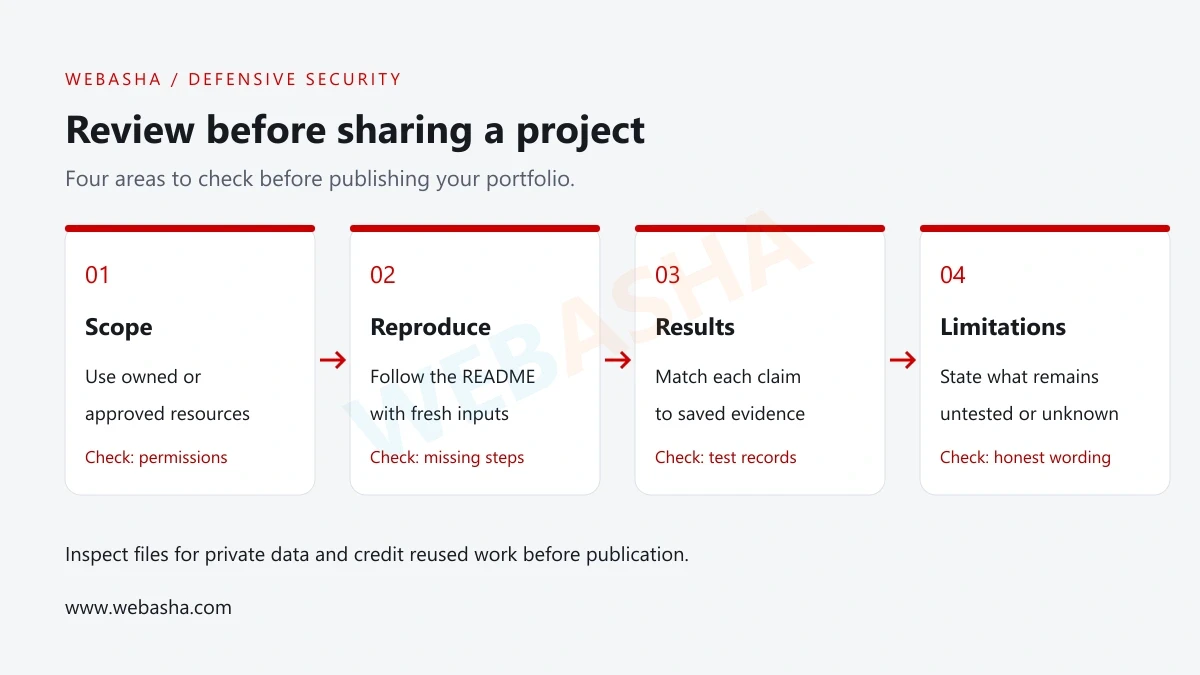
For more presentation guidance, read the WebAsha beginner cybersecurity portfolio guide. Test public links while signed out and confirm the repository contains the files mentioned in the README.
Common project problems and useful corrections
| Problem | Useful next action |
|---|---|
| The lab is too large to finish | Reduce it to one question and one observable result. |
| The script produces an unexpected count | Compare a tiny input manually; check case, time handling and duplicate records. |
| The file result changed without a visible edit | Check line endings, encoding and the exact saved file paths. |
| A setup screenshot is the only evidence | Run a defined check and save the result with its input. |
| A copied project is hard to explain | Credit the source, reproduce it and make a small change you can verify. |
| The portfolio includes confidential information | Remove it from the publication package and obtain guidance before sharing further. |
Before adding another project, ask a peer to reproduce the first one from its instructions. Record where they needed help and revise the README. This gives you a practical next improvement without expanding the lab.
Explore the Cyber Security Course at WebAsha Technologies for foundation learning and supervised lab practice. Contact WebAsha to discuss your starting skills, syllabus and project-review goals.
Official references
Frequently Asked Questions
What's Your Reaction?
 Like
0
 Dislike
0
 Love
0
 Funny
0
 Wow
0
 Sad
0
 Angry
0

With a passion for staying on the cutting edge of technology trends, I am dedicated to delivering content that not only informs but also inspires. Whether you need in-depth analysis pieces, informative guides, or thought-provoking opinion pieces, I craft content that resonates with tech enthusiasts and professionals alike.