What Is the OSI Model in Networking?
The seven OSI layers explained with the protocols and devices that belong to each, how the model compares to TCP/IP, and how engineers actually use it to diagnose faults.

Topic: Networking in IT Infrastructure · Explainer
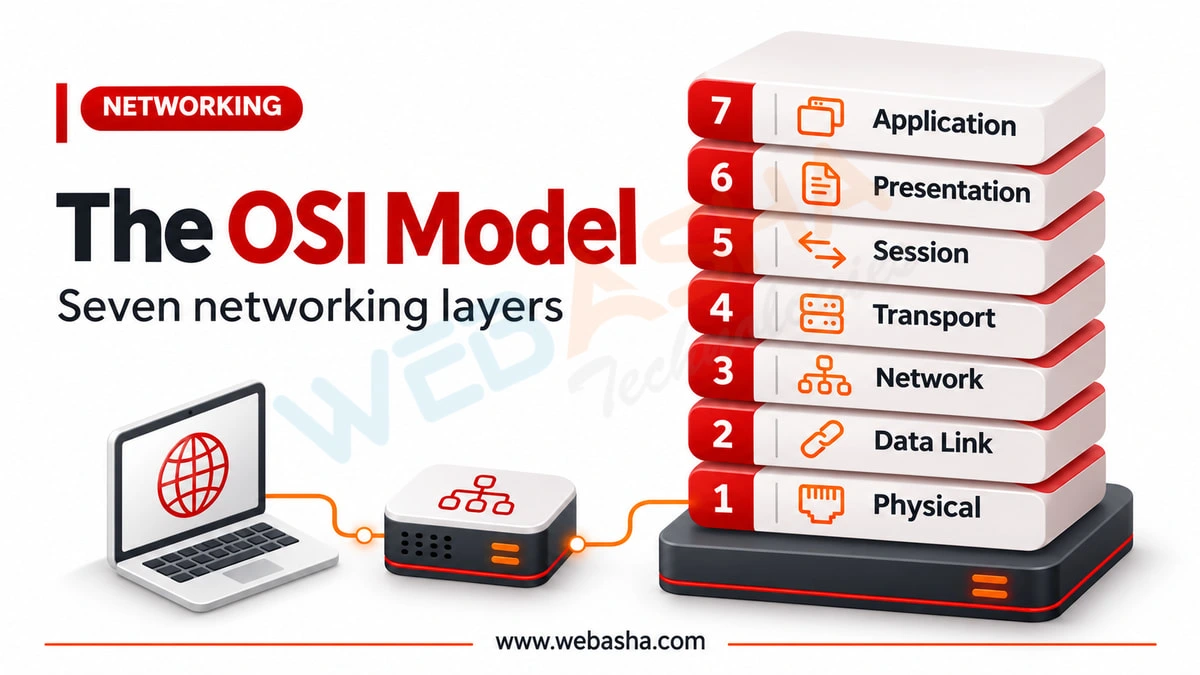
Quick answer: The OSI model splits network communication into seven layers: Physical, Data Link, Network, Transport, Session, Presentation and Application. Each layer has one job and talks to the layers above and below it. Engineers also use it to troubleshoot, starting at the cable and working up, to find which layer is failing.
Key takeaways
- The seven layers are Physical, Data Link, Network, Transport, Session, Presentation and Application.
- Troubleshoot from the cable up to find which layer fails.
- Switches work at layer 2 and routers at layer 3.
The OSI model is taught in every networking course and used daily by engineers in a way the textbooks rarely convey: as a troubleshooting method. Below: each layer with the protocols and devices that live there, a comparison with TCP/IP, and how the model turns vague network complaints into a systematic diagnosis.
Topics covered in this guide: OSI model in networking, seven layers of OSI, OSI vs TCP/IP, network troubleshooting layers, encapsulation, networking basics.
Table of Contents
- What Is the OSI Model?
- What Are the Seven Layers?
- How Does Data Move Through the Layers?
- What Is the Difference Between OSI and TCP/IP?
- How Do Engineers Use the OSI Model to Troubleshoot?
- Which Devices Operate at Which Layers?
- Why Do Session and Presentation Layers Cause Confusion?
- How Should You Memorise the Layers?
- What Are the Most Common Faults at Each Layer?
What Is the OSI Model?
The OSI model is a seven-layer conceptual framework describing how data moves across a network, from the physical cable up to the application a user interacts with. Each layer performs a specific function and communicates only with the layers directly above and below it.
Its practical value is not that networks are literally built this way, because they are not. Its value is as a shared vocabulary and a systematic diagnostic order, which is why it has outlived the protocol suite it was designed for.
What Are the Seven Layers?
The layers from bottom to top are Physical, Data Link, Network, Transport, Session, Presentation and Application. Data travels down the layers on the sending device, across the network, and back up the layers on the receiving device.
| Layer | Name | Function | Examples |
|---|---|---|---|
| 7 | Application | User-facing network services | HTTP, DNS, SMTP |
| 6 | Presentation | Formatting, encryption, compression | TLS, character encoding |
| 5 | Session | Establishing and managing sessions | Session establishment and teardown |
| 4 | Transport | Reliable or fast end-to-end delivery | TCP, UDP |
| 3 | Network | Addressing and routing between networks | IP, ICMP, routers |
| 2 | Data Link | Framing on the local link | Ethernet, MAC, switches |
| 1 | Physical | Signals on the medium | Cables, connectors, radio |
How Does Data Move Through the Layers?
Each layer adds its own header as data descends the stack on the sender, a process called encapsulation. On the receiving device, each layer removes its corresponding header on the way up. This is why the same data has different names at different layers.
- Application data - what the program actually wants to send
- Segment - after the transport layer adds ports and sequencing
- Packet - after the network layer adds IP addresses
- Frame - after the data link layer adds MAC addresses
- Bits - the physical signals actually transmitted
Understanding encapsulation makes packet captures readable. What looks like an intimidating wall of detail is simply these nested headers, and knowing which layer you care about tells you which part to read.
What Is the Difference Between OSI and TCP/IP?
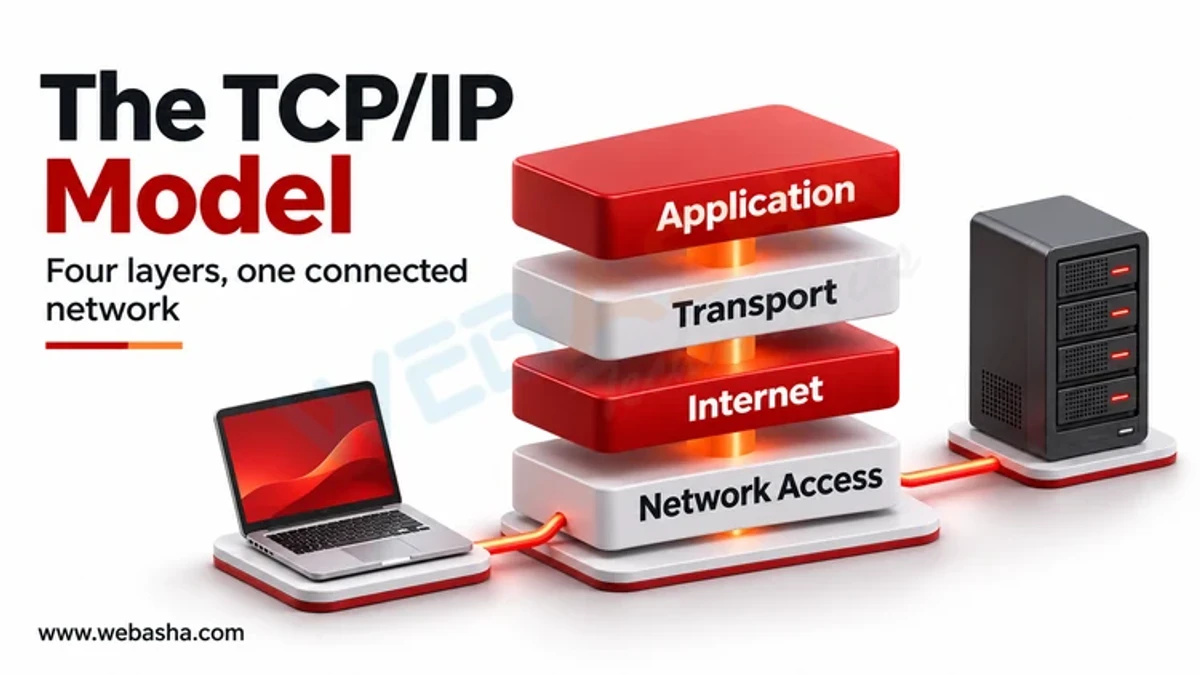
TCP/IP is the model networks actually run on, with four or five layers, while OSI is a seven-layer teaching and reference framework. TCP/IP combines the OSI session, presentation and application layers into a single application layer.
| OSI Layers | TCP/IP Equivalent |
|---|---|
| Application, Presentation, Session | Application |
| Transport | Transport |
| Network | Internet |
| Data Link, Physical | Network Access |
Engineers use OSI vocabulary while working on TCP/IP networks, which sounds contradictory but works well in practice. Saying a problem is at layer 3 is immediately understood, even though no device implements OSI as specified.
How Do Engineers Use the OSI Model to Troubleshoot?
Work systematically from the bottom up: confirm the physical connection, then link-level connectivity, then IP addressing and routing, then transport ports, then the application itself. Bottom-up diagnosis prevents wasting time on application settings when a cable is unplugged.
- Layer 1 - is it physically connected and is the link light on
- Layer 2 - is there local connectivity, correct VLAN, valid MAC learning
- Layer 3 - correct IP, subnet mask, gateway, and does routing work
- Layer 4 - is the port open and reachable, is a firewall blocking
- Layer 7 - is the application configured and responding correctly
This systematic order is exactly what network interviews probe for - our CCNA interview questions collection covers the same ground in question form.
Which Devices Operate at Which Layers?
Hubs operate at layer 1, switches at layer 2, routers at layer 3, and firewalls span layers 3 to 7 depending on their sophistication. Knowing where a device operates tells you what it can and cannot make decisions about.
This matters practically. A layer 2 switch cannot route between subnets because it does not read IP addresses. A basic firewall filtering on ports cannot block a specific web request, because that decision requires reading layer 7 content.
Firewall placement in this stack determines what it can filter - see our explainer on how firewalls work.
Why Do Session and Presentation Layers Cause Confusion?
Because modern protocols rarely separate them cleanly. TLS encryption is often described as presentation layer work, but it operates alongside transport in practice, and most applications handle session management internally rather than through a distinct protocol layer.
For examinations, learn the textbook definitions. For real work, accept that layers 5 and 6 are largely absorbed into applications and libraries, and that discussion of network problems concentrates almost entirely on layers 1 to 4 and 7.
How Should You Memorise the Layers?
Use a mnemonic, but do not stop there. Being able to recite the seven names is far less useful than knowing which protocols, devices and failure modes belong to each layer, which is what interviewers and real troubleshooting actually require.
A more effective study method is to take a familiar action, such as loading a web page, and trace it through every layer: DNS resolution, TCP handshake, IP routing, Ethernet framing, and the signals on the wire. One traced example teaches more than repeated recitation.
What Are the Most Common Faults at Each Layer?
Most real network faults cluster at layers 1, 2 and 3: unplugged or faulty cables, VLAN and switching misconfiguration, and IP addressing or routing errors. Application-layer complaints frequently turn out to have a lower-layer cause, which is why bottom-up diagnosis saves time.
| Layer | Common Fault | First Check |
|---|---|---|
| 1 Physical | Bad cable, wrong port, no link | Link lights and physical connection |
| 2 Data Link | Wrong VLAN, duplex mismatch, loop | Switch port configuration |
| 3 Network | Wrong IP, mask or gateway, no route | Addressing and routing table |
| 4 Transport | Port blocked by firewall | Port reachability from the client |
| 7 Application | Service down or misconfigured | Service status and application logs |
A useful habit is asking what changed recently before touching anything. Networks that worked yesterday and fail today usually failed because of a change, and finding it is faster than diagnosing from first principles.
Equally useful is testing from more than one point. A fault affecting one device is likely local; a fault affecting an entire segment points at layer 2 or 3 infrastructure.
Talk to a WebAsha training advisor about batches, syllabus and current fees.
To take this further with guided labs and an instructor, see our hands-on CCNA labs.
Related reading
- What Are the Cyberattacks at Each OSI Layer and How Can You Defend Against Them?
- OSI layers and cybersecurity attacks: what hits each layer and how to defend
- What is the TCP/IP model in networking and how does it work?
Reference
For the authoritative details, see IETF RFCs.
Frequently Asked Questions
What's Your Reaction?
 Like
0
 Dislike
0
 Love
0
 Funny
0
 Wow
0
 Sad
0
 Angry
0