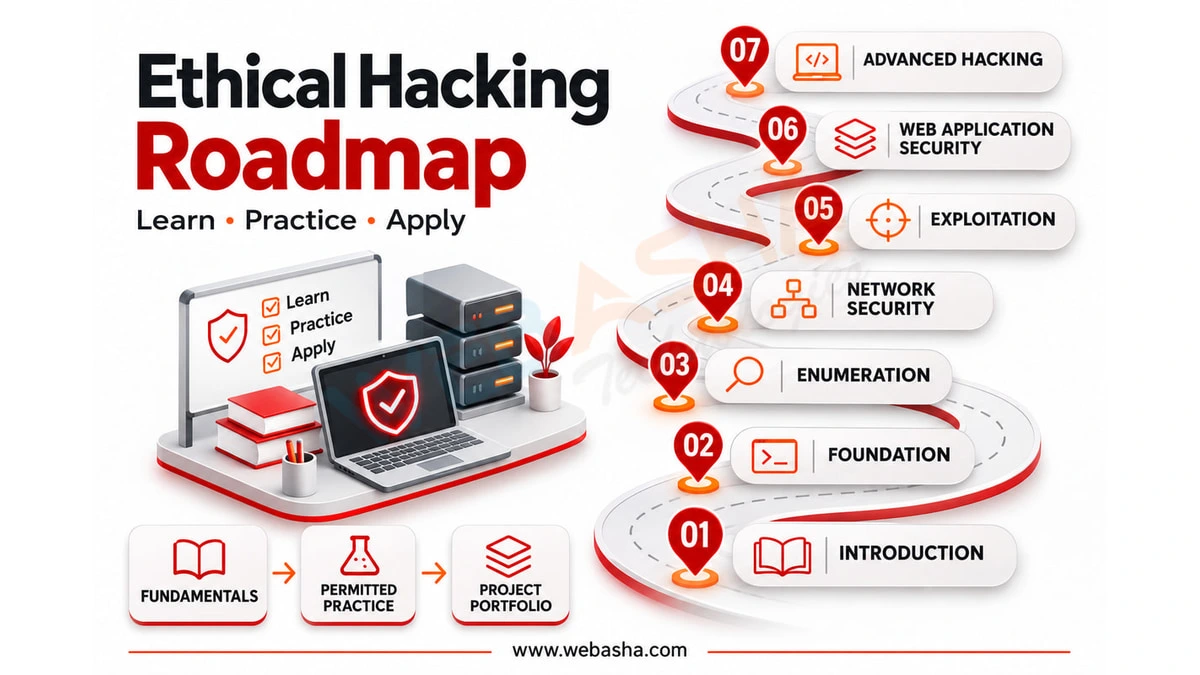
Digital Forensics Roadmap: Skills, Tools and Practice Cases
Build digital forensics skills by learning how systems store information, then practise preserving sources, examining records and explaining what they support. Use a small authorised dataset before combining disk, memory and network evidence. Progress when your notes and report let another learner check the reasoning, rather than after an arbitrary number of weeks.
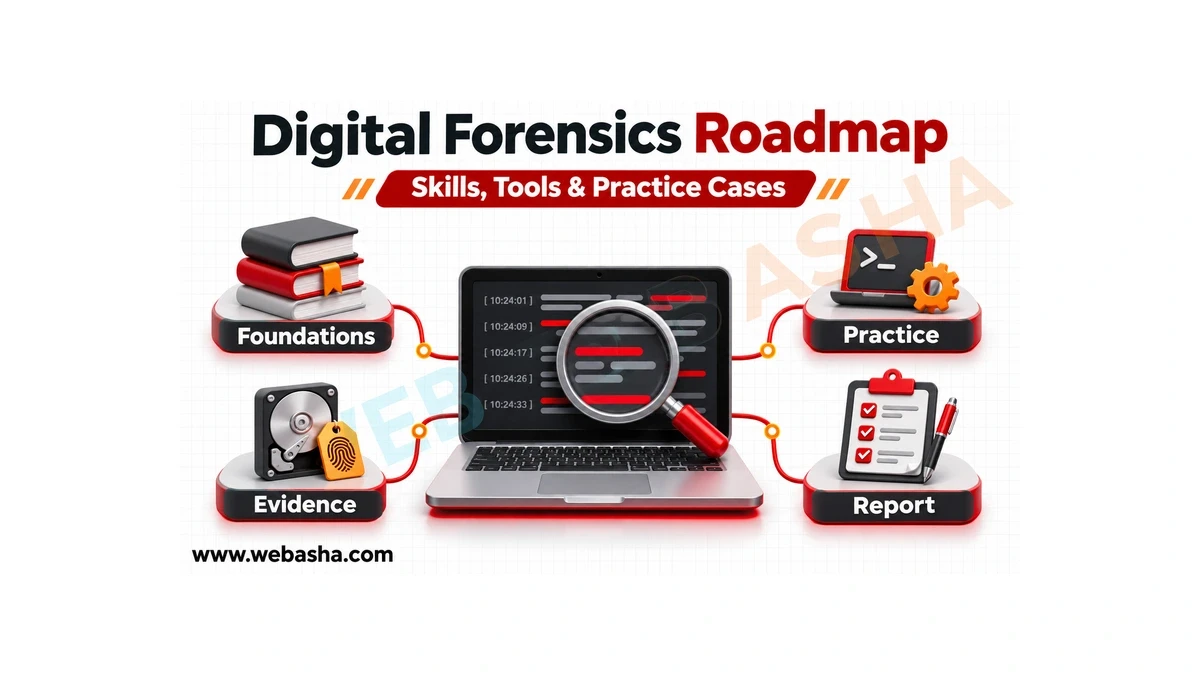
Build digital forensics skills by learning how systems store information, then practise preserving sources, examining records and explaining what they support. Use a small authorised dataset before combining disk, memory and network evidence. Progress when your notes and report let another learner check the reasoning, rather than after an arbitrary number of weeks.
This digital forensics roadmap is an editorial learning plan, not a qualification standard or an operational evidence-collection procedure. Tool references were checked on 17 November 2026. The practice cases are proposed exercises; no device or dataset was examined while preparing this article.
Build a method you can explain
- Learn the system context behind each record.
- Preserve source information and document limitations.
- Choose a tool for a defined evidence task.
- Finish practice with a report and review.
Start with systems, files and network foundations
Before opening a complex case, check whether you can explain a file path, an account, a permission and a timestamp. Learn the difference between data stored in a file, metadata about that file and information held by an application. These distinctions help you ask useful questions of a forensic tool.
| Area | Small learning task | What to explain |
|---|---|---|
| Operating systems | Inspect a permitted training account and its files. | Which identity and permissions apply? |
| File storage | Compare a file and its recorded metadata. | Which field describes content and which describes context? |
| Networking | Read a documented sample connection record. | What do the endpoints and protocol describe? |
| Time | Compare two synthetic records with explicit time zones. | How were the source times interpreted? |
| Basic scripting | Read a short script that groups synthetic records. | What input, assumptions and errors affect the output? |
Use the WebAsha beginner cybersecurity guide for broader foundation planning. If several rows are unfamiliar, practise those tasks before attempting a large investigation exercise.
Learn evidence-handling habits before analysis
Keep the assigned question, source identifier, acquisition context and permitted handling rules together. In a learning exercise, preserve the supplied source and work within the dataset provider’s instructions. Do not treat access to a file or device as permission to inspect unrelated information.
SWGDE recommends minimising changes during acquisition, reviewing acquisition errors and documenting relevant details such as tool/version, identifiers and hash values. Its verification guidance also distinguishes acquired-data integrity from complete access to all source regions. [1]
Practise explaining a limitation in plain language. For example, “the supplied image was verified under the recorded method” is narrower than “every part of the original device was captured.” If the exercise does not provide acquisition history, record that missing context.
Use a phased digital forensics roadmap
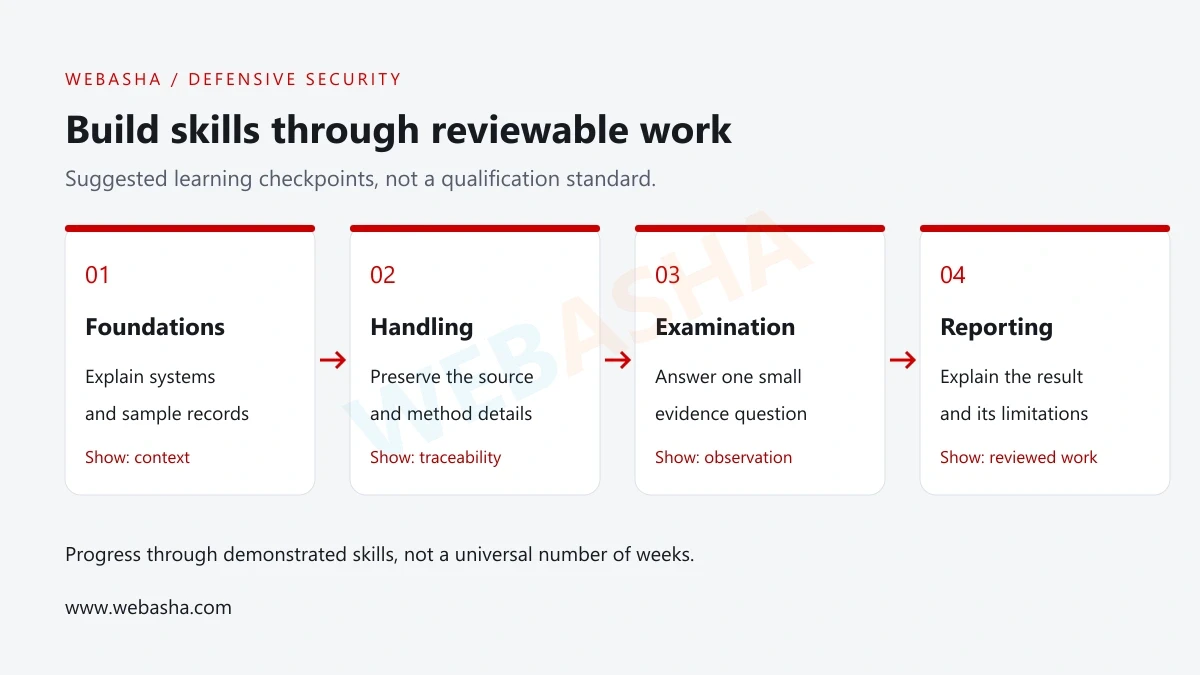
| Phase | Focus | Output to review |
|---|---|---|
| Foundations | Understand systems, files, accounts and time. | A short explanation of sample records. |
| Handling | Keep sources and method context traceable. | Source inventory and handling notes. |
| Single-source practice | Answer one question from a small dataset. | Evidence record with a limited conclusion. |
| Cross-source practice | Compare relevant disk, memory or network observations. | A correlated account with unresolved gaps. |
| Reporting | Make observations and inferences distinguishable. | A readable report another person can check. |
| Specialisation | Choose a source type that fits your goals. | A new practice plan based on demonstrated gaps. |
These phases can overlap. Write notes from the first exercise rather than waiting until you feel ready to produce a report. If the next case exposes a foundation gap, return to that topic and repeat a smaller task.
Set your pace around available study time and the difficulty you encounter. A fixed completion date cannot establish competence. Keep a gap log with the question you could not answer, the concept to revisit and the evidence you will use to review progress.
Choose tools by the evidence task
Begin with one question and one source type. Tool familiarity is useful when you can explain the input, the processing step and the meaning of the result. Installing several applications does not by itself provide that understanding.
| Tool or resource | Relevant task | First learning question |
|---|---|---|
| Autopsy | Disk-image investigation and examination. | Where did the displayed record come from? |
| Volatility | Memory-forensics analysis. | What does a particular result mean for this memory source? |
| Wireshark | Packet inspection and protocol analysis. | Which exchanges are visible in the supplied capture? |
| A text or table editor | Inspect and organise small synthetic records. | Can I preserve source values while recording an interpretation? |
Autopsy describes itself as an open-source digital forensics platform for hard-drive investigation. Volatility provides a memory-forensics framework. Wireshark publishes a user guide and filter reference for packet-analysis work. [3] [4] [5]
Use official documentation for supported input types, setup and version-specific behaviour. The table is a starting set, not a ranking or a claim that one tool can answer every question. No software was installed or validated for a dataset as part of this article.
Select a documented practice dataset
NIST’s Computer Forensic Reference Data Sets project provides documented datasets for digital-forensic work. The CFReDS portal describes uses including tool testing, practitioner training and learning tool behaviour on known tasks. [6]
Choose a small case with a clear description, relevant source format and enough documentation to check your result. Read its permitted uses and handling instructions. Download only what fits your learning question and available environment.
Keep the dataset URL, title, provider, download date and supplied verification information in your notes. Distinguish the provider’s statements from what you personally checked. If a dataset contains potentially unsafe content, follow the provider’s handling guidance in an appropriate training environment.
The cases below are editorial exercise briefs. They do not claim that a particular public dataset contains the proposed records or that an exercise was performed.
Practise three small evidence cases
Case 1: a file and metadata review
Use a permitted training image or a deliberately created synthetic folder with known files. Ask a narrow question, such as which supplied records contain a particular project label. Record the source location, how it was found and the limits of the search.
Expected learning output: a source inventory and a short findings table. A reviewer should be able to locate the same record. Do not infer authorship or intent solely from a filename, path or recovered fragment.
Case 2: a timeline with explicit clock assumptions
Use a small set of synthetic events whose time zones are stated. Retain the original timestamps, add a separate normalised field and explain the conversion. Include one record with missing clock context and leave it unresolved until further information is available.
Expected learning output: a timeline with source references and a note about the unresolved record. The exercise succeeds when the interpretation is traceable, not when every row has been forced into a confident sequence.
Case 3: a network record and a file observation
Use an approved sample capture and accompanying training records, or a synthetic pair prepared for the exercise. Ask whether a recorded transfer is consistent with a supplied file event. Identify the visible endpoints, relevant time context and any missing source.
Expected learning output: a supported comparison and a list of what remains unknown. A connection record alone does not establish the identity or intent of a person. Keep the conclusion matched to the supplied observations.
Check artifact meaning before drawing conclusions
A tool view can make a result look more certain than it is. Ask which underlying record produced the display, which software context matters and whether a different interpretation fits the observation.
NIST’s scientific foundation review identifies important limits: evidence may remain undiscovered, deleted-file recovery may include extraneous material, and the meaning of artifacts can change as software evolves. [2]
Apply that caution to your practice report. If a source records an account identifier, state that observation first. Any conclusion about a person’s action needs appropriate supporting context. If a tool cannot interpret the source, record the limitation and consult its documentation before treating missing output as proof that no relevant record exists.
Build a report a reviewer can check
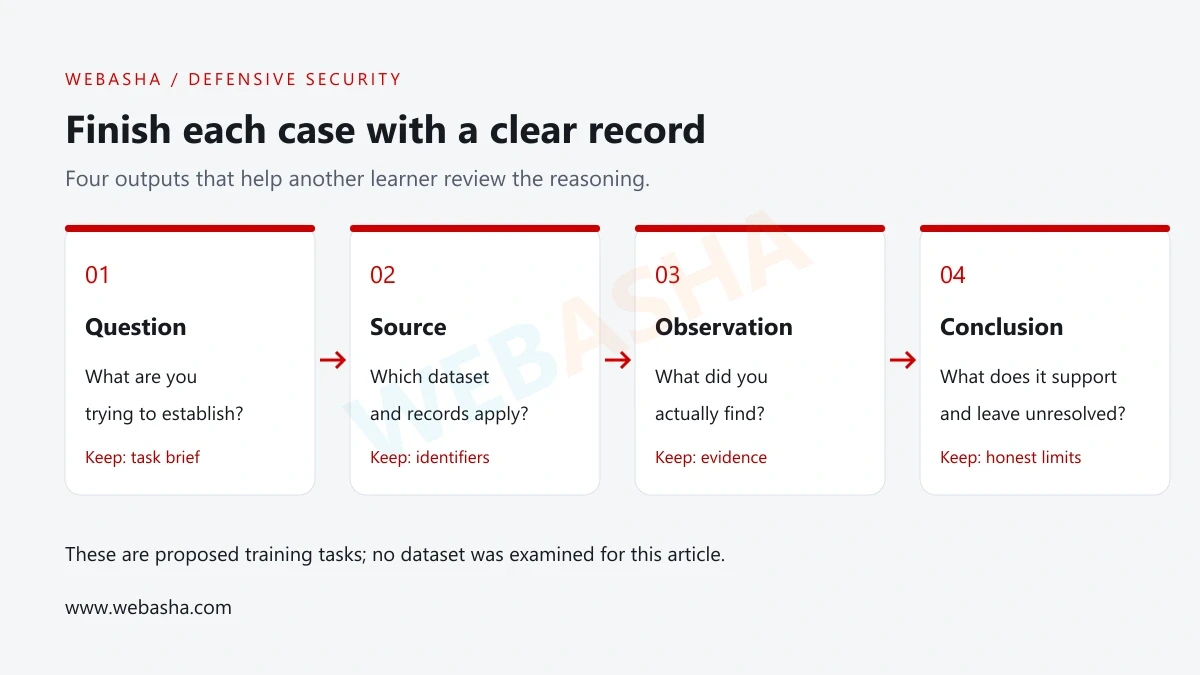
| Part | What to include |
|---|---|
| Question | The specific learning question and approved scope. |
| Sources | Dataset details and relevant identifiers. |
| Method | Tool/version context and the steps actually performed. |
| Observations | Source-linked records and meaningful results. |
| Interpretation | How the observations bear on the question. |
| Limitations | Missing context, incomplete coverage and alternative explanations. |
| Review | Corrections and questions from a second reader. |
Separate a screenshot from the claim it supports. Give enough context for a reader to understand the record and locate it again. Keep private data and restricted case material out of public work.
Ask a reviewer to challenge one conclusion and trace it back to the source. If that trace fails, improve the notes or narrow the claim. An honest unresolved question is useful feedback for the next practice session.
Review progress and choose the next specialisation
You are ready to increase case complexity when you can explain the source, reproduce your own observation and state its limits without relying on a walkthrough. This is a suggested learning checkpoint, not a professional qualification or an employment guarantee.
Choose the next focus according to the work you want to learn: disk evidence, memory, network records or another source type. Review the relevant official documentation and prerequisites before moving into mobile, cloud or live collection work.
The WebAsha beginner portfolio guide can help present permitted exercises accurately. The SOC analyst skills guide provides related defensive-career context. Label training work as training, and keep confidential or restricted evidence private.
Common problems are choosing an oversized first case, collecting tools without a question and omitting documentation. Reduce the source size, define a reviewable task and write the report while the work is still fresh.
Discuss a digital forensics learning plan with WebAsha
Bring your foundation checklist or a sanitised practice report to a training discussion. Ask how instructors review source handling, tool interpretation and reporting during supervised exercises.
Ask WebAsha Technologies about digital forensics training and practice-case review. Contact WebAsha with your starting skills and learning goals.
Official references
Frequently Asked Questions
What's Your Reaction?
 Like
0
 Dislike
0
 Love
0
 Funny
0
 Wow
0
 Sad
0
 Angry
0

With a passion for staying on the cutting edge of technology trends, I am dedicated to delivering content that not only informs but also inspires. Whether you need in-depth analysis pieces, informative guides, or thought-provoking opinion pieces, I craft content that resonates with tech enthusiasts and professionals alike.